This plugin will let you add, remove and arrange the buttons that are shown on the Visual Editor toolbar. You can configure up to four rows of buttons including Font Sizes, Font Family, text and background colors, tables, etc. It will also let you enable the editor menu, see the screenshots.
It includes 15 plugins for TinyMCE that are automatically enabled or disabled depending on the buttons you have chosen. In addition this plugin adds some commonly used options as keeping the paragraph tags in the Text editor and importing the CSS classes from the theme’s editor-style.css.
Some of the features added by this plugin
Support for creating and editing tables.
More options when inserting lists.
Search and Replace in the editor.
Ability to set Font Family and Font Sizes.
And many others.
With this plugin you can also enable the TinyMCE menu above the toolbars. This will make the editor even more powerful and convenient.
";s:12:"installation";s:279:"
Best is to install directly from WordPress. If manual installation is required, please make sure that the plugin files are in a folder named “tinymce-advanced” (not two nested folders) in the WordPress plugins folder, usually “wp-content/plugins”.
";s:3:"faq";s:2078:"
Installation Instructions
Best is to install directly from WordPress. If manual installation is required, please make sure that the plugin files are in a folder named “tinymce-advanced” (not two nested folders) in the WordPress plugins folder, usually “wp-content/plugins”.
No styles are imported in the Formats sub-menu.
These styles are imported from your current theme editor-style.css file. However some themes do not have this functionality. For these themes TinyMCE Advanced has the option to let you add a customized editor-style.css and import it into the editor.
I have just installed this plugin, but it does not do anything.
Change some buttons on one of the toolbars, save your changes, clear your browser cache, and try again. If that does not work try reloding the Edit page several times while holding down Shift or Ctrl. There may also be a network cache somewhere between you and your host. You may need to wait for a few hours until this cache expires.
When I add “Smilies”, they do not show in the editor.
The “Emoticons” button in TinyMCE adds the codes for the smilies. The actual images are added by WordPress when viewing the Post. Make sure the checkbox “Convert emoticons to graphics on display” in “Options – Writing” is checked.
The plugin does not add any buttons.
Make sure the “Disable the visual editor when writing” checkbox under “Users – Your Profile” is not checked.
I still see the “old” buttons in the editor
Click the “Restore Default Settings” button on the plugin settings page and then set the buttons again and save.
Other questions? More screenshots?
Please post on the support forum or visit the homepage for TinyMCE Advanced.
";s:9:"changelog";s:7082:"
4.6.3
Updated for WordPress 4.8 and TinyMCE 4.6.3.
4.5.6
Updated for WordPress 4.7.4 and TinyMCE 4.5.6.
Fixed PHP notice after importing settings.
4.4.3
Updated for WordPress 4.7 and TinyMCE 4.4.3.
Fixed missing “Source code” button bug.
4.4.1
Updated for WordPress 4.6 and TinyMCE 4.4.1.
Fixed multisite saving bug.
Added new button in the Text editor to add or reset the line breaks. Adds line breaks only between tags. Works only when it detects that line breaks are missing so it doesn’t reformat posts with removed paragraphs.
4.3.10.1
Fixed adding paragraph tags when loading posts that were saved before turning autop off.
Disabled the (new) inline toolbar for tables as it was overlapping the table in some cases.
4.3.10
Updated for WordPress 4.5.1 and TinyMCE 4.3.10.
Fixed support for adding editor-style.css to themes that don’t have it.
4.3.8
Updated for WordPress 4.5 and TinyMCE 4.3.8.
Separated standard options and admin options.
Added settings that can disable the plugin for the main editor, other editors in wp-admin or editors on the front-end.
Korean translation by Josh Kim and Greek translation by Stathis Mellios.
4.2.8
Updated for WordPress 4.4 and TinyMCE 4.2.8.
Japanese translation by Manabu Miwa.
4.2.5
Updated for WordPress 4.3.1 and TinyMCE 4.2.5.
Fixed text domain and plugin headers.
4.2.3.1
Fix error with removing the ‘textpattern’ plugin.
4.2.3
Updated for WordPress 4.3 and TinyMCE 4.2.3.
Removed the ‘textpattern’ plugin as WordPress 4.3 includes similar functionality by default.
French translation by Nicolas Schneider.
4.1.9
Updated for WordPress 4.2 and TinyMCE 4.1.9.
Fixed bugs with showing oEmbed previews when pasting an URL.
Fixed bugs with getting the content from TinyMCE with line breaks.
4.1.7
Updated for WordPress 4.1 and TinyMCE 4.1.7.
Fixed bug where consecutive caption shortcodes may be split with an empty paragraph tag.
4.1.1
Fix bug with image captions when wpautop is disabled.
Add translation support to the settings page. Button names/descriptions are translated from JS using the existing WordPress translation, so this part of the settings page will be translated by default. The other text still needs separate translation.
4.1
Updated for WordPress 4.0 and TinyMCE 4.1.
Add the ‘textpattern’ plugin that supports some of the markdown syntax while typing, (more info).
Add the updated ‘table’ plugin that supports background and border color.
4.0.2
Fix showing of the second, third and forth button rows when the Toolbar Toggle button is not used.
Fix adding the ”directionality” plugin when RTL or LTR button is selected.
Show the ”Advanced Options” to super admins on multisite installs.
Add the ”link” plugin including link rel setting. Replaces the Insert/Edit Link dialog when enabled.
Include updated ”table” plugin that has support for vertical align for cells.
4.0.1
Fix warnings on pages other than Edit Post. Update the description.
4.0
Updated for WordPress 3.9 and TinyMCE 4.0. Refreshed the settings screen. Added support for exporting and importing of the settings.
3.5.9.1
Updated for WordPress 3.8, fixed auto-embedding of single line URLs when not removing paragraph tags.
3.5.9
Updated for WordPress 3.7 and TinyMCE 3.5.9.
3.5.8
Updated for WordPress 3.5 and TinyMCE 3.5.8.
3.4.9
Updated for WordPress 3.4 and TinyMCE 3.4.9.
3.4.5.1
Fixed a bug preventing TinyMCE from importing CSS classes from editor-style.css.
3.4.5
Updated for WordPress 3.3 or later and TinyMCE 3.4.5.
3.4.2.1
Fix the removal of the media plugin so it does not require re-saving the settings.
3.4.2
Compatibility with WordPress 3.2 and TinyMCE 3.4.2, removed the options for support for iframe and HTML 5.0 elements as they are supported by default in WordPress 3.2, removed the media plugin as it is included by default.
3.3.9.1
Added advanced options: stop removing iframes, stop removing HTML 5.0 elements, moved the support for custom editor styles to editor-style.css in the current theme.
Attention: if you have a customized tadv-mce.css file and your theme doesn’t have editor-style.css, please download tadv-mce.css, rename it to editor-style.css and upload it to your current theme directory. Alternatively you can add there the editor-style.css from the Twenty Ten theme. If your theme has editor-style.css you can add any custom styles there.
3.3.9
Compatibility with WordPress 3.1 and TinyMCE 3.3.9, improved P and BR tags option.
3.2.7
Compatibility with WordPress 2.9 and TinyMCE 3.2.7, several minor bug fixes.
3.2.4
Compatibility with WordPress 2.8 and TinyMCE 3.2.4, minor bug fixes.
3.2
Compatibility with WordPress 2.7 and TinyMCE 3.2, minor bug fixes.
3.1
Compatibility with WordPress 2.6 and TinyMCE 3.1, keeps empty paragraphs when disabling the removal of P and BR tags, the buttons for MCImageManager and MCFileManager can be arranged (if installed).
3.0.1
Compatibility with WordPress 2.5.1 and TinyMCE 3.0.7, added option to disable the removal of P and BR tags when saving and in the HTML editor (autop), added two more buttons to the HTML editor: autop and undo, fixed the removal of non-default TinyMCE buttons.
3.0
Support for WordPress 2.5 and TinyMCE 3.0.
2.2
Deactivate/Uninstall option page, font size drop-down menu and other small changes.
2.1
Improved language selection, improved compatibility with WordPress 2.3 and TinyMCE 2.1.1.1, option to override some of the imported css classes and other small improvements and bugfixes.
2.0
Includes an admin page for arranging the TinyMCE toolbar buttons, easy installation, a lot of bugfixes, customized “Smilies” plugin that uses the built-in WordPress smilies, etc. The admin page uses jQuery and jQuery UI that lets you “drag and drop” the TinyMCE buttons to arrange your own toolbars and enables/disables the corresponding plugins depending on the used buttons.
";s:11:"screenshots";s:1501:"
The TinyMCE Advanced settings page, advanced options.
The TinyMCE Advanced settings page, admin options.
The WordPress editor after installing this plugin (default plugin settings).
The TinyMCE Advanced settings page, toolbars options.
The TinyMCE Advanced settings page, user options.
";}s:17:"short_description";s:58:"Extends and enhances TinyMCE, the WordPress Visual Editor.";s:13:"download_link";s:65:"https://downloads.wordpress.org/plugin/tinymce-advanced.4.6.3.zip";s:11:"screenshots";a:5:{i:4;a:2:{s:3:"src";s:68:"https://ps.w.org/tinymce-advanced/trunk/screenshot-4.png?rev=1673673";s:7:"caption";s:53:"The TinyMCE Advanced settings page, advanced options.";}i:5;a:2:{s:3:"src";s:68:"https://ps.w.org/tinymce-advanced/trunk/screenshot-5.png?rev=1673673";s:7:"caption";s:50:"The TinyMCE Advanced settings page, admin options.";}i:1;a:2:{s:3:"src";s:68:"https://ps.w.org/tinymce-advanced/trunk/screenshot-1.png?rev=1673673";s:7:"caption";s:76:"The WordPress editor after installing this plugin (default plugin settings).";}i:2;a:2:{s:3:"src";s:68:"https://ps.w.org/tinymce-advanced/trunk/screenshot-2.png?rev=1673673";s:7:"caption";s:53:"The TinyMCE Advanced settings page, toolbars options.";}i:3;a:2:{s:3:"src";s:68:"https://ps.w.org/tinymce-advanced/trunk/screenshot-3.png?rev=1673673";s:7:"caption";s:49:"The TinyMCE Advanced settings page, user options.";}}s:4:"tags";a:5:{s:6:"editor";s:6:"editor";s:10:"formatting";s:10:"formatting";s:7:"tinymce";s:7:"tinyMCE";s:5:"write";s:5:"Write";s:7:"wysiwyg";s:7:"wysiwyg";}s:8:"versions";a:40:{s:3:"1.0";s:63:"https://downloads.wordpress.org/plugin/tinymce-advanced.1.0.zip";s:5:"1.0.1";s:65:"https://downloads.wordpress.org/plugin/tinymce-advanced.1.0.1.zip";s:3:"2.0";s:63:"https://downloads.wordpress.org/plugin/tinymce-advanced.2.0.zip";s:3:"2.2";s:63:"https://downloads.wordpress.org/plugin/tinymce-advanced.2.2.zip";s:3:"3.0";s:63:"https://downloads.wordpress.org/plugin/tinymce-advanced.3.0.zip";s:5:"3.0.1";s:65:"https://downloads.wordpress.org/plugin/tinymce-advanced.3.0.1.zip";s:3:"3.1";s:63:"https://downloads.wordpress.org/plugin/tinymce-advanced.3.1.zip";s:3:"3.2";s:63:"https://downloads.wordpress.org/plugin/tinymce-advanced.3.2.zip";s:5:"3.2.4";s:65:"https://downloads.wordpress.org/plugin/tinymce-advanced.3.2.4.zip";s:5:"3.2.7";s:65:"https://downloads.wordpress.org/plugin/tinymce-advanced.3.2.7.zip";s:5:"3.3.9";s:65:"https://downloads.wordpress.org/plugin/tinymce-advanced.3.3.9.zip";s:7:"3.3.9.1";s:67:"https://downloads.wordpress.org/plugin/tinymce-advanced.3.3.9.1.zip";s:7:"3.3.9.2";s:67:"https://downloads.wordpress.org/plugin/tinymce-advanced.3.3.9.2.zip";s:5:"3.4.2";s:65:"https://downloads.wordpress.org/plugin/tinymce-advanced.3.4.2.zip";s:7:"3.4.2.1";s:67:"https://downloads.wordpress.org/plugin/tinymce-advanced.3.4.2.1.zip";s:5:"3.4.5";s:65:"https://downloads.wordpress.org/plugin/tinymce-advanced.3.4.5.zip";s:7:"3.4.5.1";s:67:"https://downloads.wordpress.org/plugin/tinymce-advanced.3.4.5.1.zip";s:5:"3.4.9";s:65:"https://downloads.wordpress.org/plugin/tinymce-advanced.3.4.9.zip";s:5:"3.5.8";s:65:"https://downloads.wordpress.org/plugin/tinymce-advanced.3.5.8.zip";s:5:"3.5.9";s:65:"https://downloads.wordpress.org/plugin/tinymce-advanced.3.5.9.zip";s:7:"3.5.9.1";s:67:"https://downloads.wordpress.org/plugin/tinymce-advanced.3.5.9.1.zip";s:3:"4.0";s:63:"https://downloads.wordpress.org/plugin/tinymce-advanced.4.0.zip";s:5:"4.0.1";s:65:"https://downloads.wordpress.org/plugin/tinymce-advanced.4.0.1.zip";s:5:"4.0.2";s:65:"https://downloads.wordpress.org/plugin/tinymce-advanced.4.0.2.zip";s:3:"4.1";s:63:"https://downloads.wordpress.org/plugin/tinymce-advanced.4.1.zip";s:5:"4.1.1";s:65:"https://downloads.wordpress.org/plugin/tinymce-advanced.4.1.1.zip";s:5:"4.1.7";s:65:"https://downloads.wordpress.org/plugin/tinymce-advanced.4.1.7.zip";s:5:"4.1.9";s:65:"https://downloads.wordpress.org/plugin/tinymce-advanced.4.1.9.zip";s:5:"4.2.3";s:65:"https://downloads.wordpress.org/plugin/tinymce-advanced.4.2.3.zip";s:7:"4.2.3.1";s:67:"https://downloads.wordpress.org/plugin/tinymce-advanced.4.2.3.1.zip";s:5:"4.2.5";s:65:"https://downloads.wordpress.org/plugin/tinymce-advanced.4.2.5.zip";s:5:"4.2.8";s:65:"https://downloads.wordpress.org/plugin/tinymce-advanced.4.2.8.zip";s:6:"4.3.10";s:66:"https://downloads.wordpress.org/plugin/tinymce-advanced.4.3.10.zip";s:8:"4.3.10.1";s:68:"https://downloads.wordpress.org/plugin/tinymce-advanced.4.3.10.1.zip";s:5:"4.3.8";s:65:"https://downloads.wordpress.org/plugin/tinymce-advanced.4.3.8.zip";s:5:"4.4.1";s:65:"https://downloads.wordpress.org/plugin/tinymce-advanced.4.4.1.zip";s:5:"4.4.3";s:65:"https://downloads.wordpress.org/plugin/tinymce-advanced.4.4.3.zip";s:5:"4.5.6";s:65:"https://downloads.wordpress.org/plugin/tinymce-advanced.4.5.6.zip";s:5:"4.6.3";s:65:"https://downloads.wordpress.org/plugin/tinymce-advanced.4.6.3.zip";s:5:"trunk";s:59:"https://downloads.wordpress.org/plugin/tinymce-advanced.zip";}s:11:"donate_link";s:0:"";s:5:"icons";a:2:{s:2:"1x";s:68:"https://ps.w.org/tinymce-advanced/assets/icon-128x128.png?rev=971511";s:2:"2x";s:68:"https://ps.w.org/tinymce-advanced/assets/icon-256x256.png?rev=971511";}}s:28:"affilinet-performance-module";O:8:"stdClass":26:{s:4:"name";s:25:"affilinet Performance Ads";s:4:"slug";s:28:"affilinet-performance-module";s:7:"version";s:5:"1.8.7";s:6:"author";s:81:"affilinet";s:14:"author_profile";s:40:"https://profiles.wordpress.org/affilinet";s:12:"contributors";a:2:{s:9:"affilinet";s:40:"https://profiles.wordpress.org/affilinet";s:7:"teraone";s:38:"https://profiles.wordpress.org/teraone";}s:8:"requires";s:5:"3.0.1";s:6:"tested";s:5:"4.8.3";s:12:"requires_php";b:0;s:6:"rating";i:94;s:7:"ratings";a:5:{i:5;i:6;i:4;i:0;i:3;i:1;i:2;i:0;i:1;i:0;}s:11:"num_ratings";i:7;s:15:"support_threads";i:0;s:24:"support_threads_resolved";i:0;s:10:"downloaded";i:65452;s:12:"last_updated";s:21:"2017-07-05 1:50pm GMT";s:5:"added";s:10:"2015-06-17";s:8:"homepage";s:0:"";s:8:"sections";a:4:{s:11:"description";s:997:"
Integrate affilinet’s data driven advertising technology and automated ad display services seamlessly into your WordPress platform and serve the right message, at the right time, to the right person. Dont’t worry about ad codes. This plugin will handle all technical details for you.
This plugin comes with a statistic page where you can see your daily earnings. You will just have to enter your affilinet Webservice Password.
The benefits at a glance:
Easy integration of intelligent display ad units into your site
Quick and simple sign up to the affilinet platform
Targeted adverts mean more relevancy for your readers and ultimately more earnings from your website
We’ve made it really easy to get started. If you need integration support, please watch our tutorial on Youtube: https://www.youtube.com/watch?v=AtZHeD1CK-E
If you have any questions or need support please contact us at affilinet@teraone.de
";s:12:"installation";s:4919:"
You can download the Plugin from WordPress Plugin repository or install manually
Install from WordPress Plugin repository
Search for ‘affilinet Performance Ads’
Click on ‘Install’ and activate the plugin
Don’t forget to enter your Publisher ID
Or Install manually
Download the Plugin
Extract and upload the folder affilinet-performance-module to the /wp-content/plugins/ directory
Activate the plugin through the ‘Plugins’ menu in WordPress
After installing the affilinet Performance Ads Plugin, a new “affilinet” sub-menu will appear in the main WordPress Admin menu.
Required settings
Click the Settings link and select the affilinet office you will be working with, click save
Signup to affilinet using the embedded form, available from the Signup menu link
After submitting the form and validating your email address you will be sent another email containing your affilinet publisher ID store this somewhere safe, you will need to use it to access the affilinet publisher platform
Login to the affilinet publisher platform using your publisher ID and the password entered into the sign-up form
Use the main navigation in the following steps: Solutions > Web Services > Access data to reach the page where you aquire your Publisher Web Service password
Click the Acquire password button and wait for the token to be loaded as shown here
Now that you have both your publisher ID and your Publisher Web services password you can open up your WordPress admin again, and navigate to Settings page within the affilinet plugin. Enter your publisher ID and Web Services password as shown here and click Save Changes:
If you do not already have an affilinet publisher account you will need to signup using the embedded form. After submitting the form and validating your email address you will have access to the affilinet publisher platform
It may take up to 90 minutes for ads to show, additionally all publisher accounts will be assessed by our network quality before they can receive ads from our entire network of advertising brands. This process can take up to 48 hours during busy periods.
If you have an affilinet Publisher Account:
Click the Settings link and select the affilinet office you will be working with, click save.
Signup to the affilinet Performance Ads programme using the embedded form, available from the Signup menu link, make sure you click the “Existing Publisher” tab before proceeding to login – you don’t need to create a new account!
After submitting the form login to the affilinet publisher platform using your publisher ID and the password entered into the sign-up form.
Use the main navigation in the following steps: Solutions > Web Services > Access data to reach the page where you aquire your Publisher Web Service password
Click the Acquire password button and wait for the token to be loaded as shown here.
Now that you have both your Publisher Web services password you can open up your WordPress admin again, and navigate to Settings page within the affilinet plugin. Enter your publisher ID and Web Services password as shown here and click Save Changes:
It may take up to 90 minutes for ads to show, additionally all publisher accounts will be assessed by our network quality before they can receive ads from our entire network of advertising brands. This process can take up to 48 hours during busy periods.
";s:9:"changelog";s:1430:"
1.8.7
Release Date: July 5, 2017
SubId can be modified with the hook ‘affilinet_subid_array’
1.8.6
Release Date: March 29, 2017
Change translation Text Domain
1.8.5
Release Date: November 25, 2016
Minor enhancements
1.8.4
Release Date: November 9, 2016
PHP 5.3 compatibility
1.8.3
Release Date: October 24, 2016
Enhances Error messages on login page
Mobile ad sizes (country platform dependent)
1.8.2
Release Date: July 25, 2016
Supporting pages under https
Enhanced compatibility with other plugins
1.8.1
Release Date: August 26, 2015
enhanced installation docs
1.8
Release Date: August 17, 2015
Disable PerformanceAds Netherlands
add subid parameter to adcodes
enhanced installation docs
1.7
Release Date: July 6, 2015
Report data shown by date of registration
1.6
Release Date: June 29, 2015
Fixing TinyMCE Button Image
1.4
Release Date: June 16, 2015
Adding SubID Parameter
1.3
Release Date: June 11, 2015
Initial release
";s:3:"faq";s:4965:"
Installation Instructions
You can download the Plugin from WordPress Plugin repository or install manually
Install from WordPress Plugin repository
Search for ‘affilinet Performance Ads’
Click on ‘Install’ and activate the plugin
Don’t forget to enter your Publisher ID
Or Install manually
Download the Plugin
Extract and upload the folder affilinet-performance-module to the /wp-content/plugins/ directory
Activate the plugin through the ‘Plugins’ menu in WordPress
After installing the affilinet Performance Ads Plugin, a new “affilinet” sub-menu will appear in the main WordPress Admin menu.
Required settings
Click the Settings link and select the affilinet office you will be working with, click save
Signup to affilinet using the embedded form, available from the Signup menu link
After submitting the form and validating your email address you will be sent another email containing your affilinet publisher ID store this somewhere safe, you will need to use it to access the affilinet publisher platform
Login to the affilinet publisher platform using your publisher ID and the password entered into the sign-up form
Use the main navigation in the following steps: Solutions > Web Services > Access data to reach the page where you aquire your Publisher Web Service password
Click the Acquire password button and wait for the token to be loaded as shown here
Now that you have both your publisher ID and your Publisher Web services password you can open up your WordPress admin again, and navigate to Settings page within the affilinet plugin. Enter your publisher ID and Web Services password as shown here and click Save Changes:
If you do not already have an affilinet publisher account you will need to signup using the embedded form. After submitting the form and validating your email address you will have access to the affilinet publisher platform
It may take up to 90 minutes for ads to show, additionally all publisher accounts will be assessed by our network quality before they can receive ads from our entire network of advertising brands. This process can take up to 48 hours during busy periods.
If you have an affilinet Publisher Account:
Click the Settings link and select the affilinet office you will be working with, click save.
Signup to the affilinet Performance Ads programme using the embedded form, available from the Signup menu link, make sure you click the “Existing Publisher” tab before proceeding to login – you don’t need to create a new account!
After submitting the form login to the affilinet publisher platform using your publisher ID and the password entered into the sign-up form.
Use the main navigation in the following steps: Solutions > Web Services > Access data to reach the page where you aquire your Publisher Web Service password
Click the Acquire password button and wait for the token to be loaded as shown here.
Now that you have both your Publisher Web services password you can open up your WordPress admin again, and navigate to Settings page within the affilinet plugin. Enter your publisher ID and Web Services password as shown here and click Save Changes:
It may take up to 90 minutes for ads to show, additionally all publisher accounts will be assessed by our network quality before they can receive ads from our entire network of advertising brands. This process can take up to 48 hours during busy periods.
";}s:17:"short_description";s:143:"Integrate our data driven and automated performance display plugin into your WordPress platform and serve your users targeted ads in real time.";s:13:"download_link";s:77:"https://downloads.wordpress.org/plugin/affilinet-performance-module.1.8.7.zip";s:11:"screenshots";a:0:{}s:4:"tags";a:5:{s:19:"affiliate-marketing";s:19:"affiliate marketing";s:9:"affilinet";s:9:"affilinet";s:9:"marketing";s:9:"marketing";s:16:"online-marketing";s:16:"Online marketing";s:21:"performance-marketing";s:21:"performance marketing";}s:8:"versions";a:12:{s:3:"1.5";s:75:"https://downloads.wordpress.org/plugin/affilinet-performance-module.1.5.zip";s:3:"1.6";s:75:"https://downloads.wordpress.org/plugin/affilinet-performance-module.1.6.zip";s:3:"1.7";s:75:"https://downloads.wordpress.org/plugin/affilinet-performance-module.1.7.zip";s:3:"1.8";s:75:"https://downloads.wordpress.org/plugin/affilinet-performance-module.1.8.zip";s:5:"1.8.1";s:77:"https://downloads.wordpress.org/plugin/affilinet-performance-module.1.8.1.zip";s:5:"1.8.2";s:77:"https://downloads.wordpress.org/plugin/affilinet-performance-module.1.8.2.zip";s:5:"1.8.3";s:77:"https://downloads.wordpress.org/plugin/affilinet-performance-module.1.8.3.zip";s:5:"1.8.4";s:77:"https://downloads.wordpress.org/plugin/affilinet-performance-module.1.8.4.zip";s:5:"1.8.5";s:77:"https://downloads.wordpress.org/plugin/affilinet-performance-module.1.8.5.zip";s:5:"1.8.6";s:77:"https://downloads.wordpress.org/plugin/affilinet-performance-module.1.8.6.zip";s:5:"1.8.7";s:77:"https://downloads.wordpress.org/plugin/affilinet-performance-module.1.8.7.zip";s:5:"trunk";s:71:"https://downloads.wordpress.org/plugin/affilinet-performance-module.zip";}s:11:"donate_link";s:0:"";s:5:"icons";a:2:{s:2:"1x";s:81:"https://ps.w.org/affilinet-performance-module/assets/icon-128x128.jpg?rev=1743778";s:2:"2x";s:81:"https://ps.w.org/affilinet-performance-module/assets/icon-256x256.jpg?rev=1743778";}}s:7:"akismet";O:8:"stdClass":26:{s:4:"name";s:17:"Akismet Anti-Spam";s:4:"slug";s:7:"akismet";s:7:"version";s:5:"4.0.1";s:6:"author";s:66:"Automattic";s:14:"author_profile";s:41:"https://profiles.wordpress.org/automattic";s:12:"contributors";a:12:{s:4:"matt";s:35:"https://profiles.wordpress.org/matt";s:4:"ryan";s:35:"https://profiles.wordpress.org/ryan";s:4:"andy";s:35:"https://profiles.wordpress.org/andy";s:8:"mdawaffe";s:39:"https://profiles.wordpress.org/mdawaffe";s:10:"tellyworth";s:41:"https://profiles.wordpress.org/tellyworth";s:11:"josephscott";s:42:"https://profiles.wordpress.org/josephscott";s:9:"lessbloat";s:40:"https://profiles.wordpress.org/lessbloat";s:6:"eoigal";s:37:"https://profiles.wordpress.org/eoigal";s:6:"cfinke";s:37:"https://profiles.wordpress.org/cfinke";s:10:"automattic";s:41:"https://profiles.wordpress.org/automattic";s:3:"jgs";s:34:"https://profiles.wordpress.org/jgs";s:8:"procifer";s:39:"https://profiles.wordpress.org/procifer";}s:8:"requires";s:3:"4.0";s:6:"tested";s:3:"4.9";s:12:"requires_php";b:0;s:6:"rating";i:96;s:7:"ratings";a:5:{i:5;i:724;i:4;i:41;i:3;i:10;i:2;i:8;i:1;i:27;}s:11:"num_ratings";i:810;s:15:"support_threads";i:16;s:24:"support_threads_resolved";i:15;s:10:"downloaded";i:85695031;s:12:"last_updated";s:21:"2017-11-06 8:24pm GMT";s:5:"added";s:10:"2005-10-20";s:8:"homepage";s:20:"https://akismet.com/";s:8:"sections";a:4:{s:11:"description";s:1059:"
Akismet checks your comments and contact form submissions against our global database of spam to prevent your site from publishing malicious content. You can review the comment spam it catches on your blog’s “Comments” admin screen.
Major features in Akismet include:
Automatically checks all comments and filters out the ones that look like spam.
Each comment has a status history, so you can easily see which comments were caught or cleared by Akismet and which were spammed or unspammed by a moderator.
URLs are shown in the comment body to reveal hidden or misleading links.
Moderators can see the number of approved comments for each user.
A discard feature that outright blocks the worst spam, saving you disk space and speeding up your site.
PS: You’ll need an Akismet.com API key to use it. Keys are free for personal blogs; paid subscriptions are available for businesses and commercial sites.
";s:12:"installation";s:186:"
Upload the Akismet plugin to your blog, Activate it, then enter your Akismet.com API key.
1, 2, 3: You’re done!
";s:9:"changelog";s:18595:"
4.0.1
Release Date – 6 November 2017
Fixed a bug that could prevent some users from connecting Akismet via their Jetpack connection.
Ensured that any pending Akismet-related events are unscheduled if the plugin is deactivated.
Allow some JavaScript to be run asynchronously to avoid affecting page render speeds.
4.0
Release Date – 19 September 2017
Added REST API endpoints for configuring Akismet and retrieving stats.
Increased the minimum supported WordPress version to 4.0.
Added compatibility with comments submitted via the REST API.
Improved the progress indicator on the “Check for Spam” button.
3.3.4
Release Date – 3 August 2017
Disabled Akismet’s debug log output by default unless AKISMET_DEBUG is defined.
URL previews now begin preloading when the mouse moves near them in the comments section of wp-admin.
When a comment is caught by the Comment Blacklist, Akismet will always allow it to stay in the trash even if it is spam as well.
Fixed a bug that was preventing an error from being shown when a site can’t reach Akismet’s servers.
3.3.3
Release Date – 13 July 2017
Reduced amount of bandwidth used by the URL Preview feature.
Improved the admin UI when the API key is manually pre-defined for the site.
Removed a workaround for WordPress installations older than 3.3 that will improve Akismet’s compatibility with other plugins.
The number of spam blocked that is displayed on the WordPress dashboard will now be more accurate and updated more frequently.
Fixed a bug in the Akismet widget that could cause PHP warnings.
3.3.2
Release Date – 10 May 2017
Fixed a bug causing JavaScript errors in some browsers.
3.3.1
Release Date – 2 May 2017
Improve performance by only requesting the akismet_comment_nonce option when absolutely necessary.
Fixed two bugs that could cause PHP warnings.
Fixed a bug that was preventing the “Remove author URL” feature from working after a comment was edited using “Quick Edit.”
Fixed a bug that was preventing the URL preview feature from working after a comment was edited using “Quick Edit.”
3.3
Release Date – 23 February 2017
Updated the Akismet admin pages with a new clean design.
Fixed bugs preventing the akismet_add_comment_nonce and akismet_update_alert wrapper functions from working properly.
Fixed bug preventing the loading indicator from appearing when re-checking all comments for spam.
Added a progress indicator to the “Check for Spam” button.
Added a success message after manually rechecking the Pending queue for spam.
3.2
Release Date – 6 September 2016
Added a WP-CLI module. You can now check comments and recheck the moderation queue from the command line.
Stopped using the deprecated jQuery function .live().
Fixed a bug in remove_comment_author_url() and add_comment_author_url() that could generate PHP notices.
Fixed a bug that could cause an infinite loop for sites with very very very large comment IDs.
Fixed a bug that could cause the Akismet widget title to be blank.
3.1.11
Release Date – 12 May 2016
Fixed a bug that could cause the “Check for Spam” button to skip some comments.
Fixed a bug that could prevent some spam submissions from being sent to Akismet.
Updated all links to use https:// when possible.
Disabled Akismet debug logging unless WP_DEBUG and WP_DEBUG_LOG are both enabled.
3.1.10
Release Date – 1 April 2016
Fixed a bug that could cause comments caught as spam to be placed in the Pending queue.
Fixed a bug that could have resulted in comments that were caught by the core WordPress comment blacklist not to have a corresponding History entry.
Fixed a bug that could have caused avoidable PHP warnings in the error log.
3.1.9
Release Date – 28 March 2016
Add compatibility with Jetpack so that Jetpack can automatically configure Akismet settings when appropriate.
Fixed a bug preventing some comment data from being sent to Akismet.
3.1.8
Release Date – 4 March 2016
Fixed a bug preventing Akismet from being used with some plugins that rewrite admin URLs.
Reduced the amount of bandwidth used on Akismet API calls
Reduced the amount of space Akismet uses in the database
Fixed a bug that could cause comments caught as spam to be placed in the Pending queue.
3.1.7
Release Date – 4 January 2016
Added documentation for the ‘akismet_comment_nonce’ filter.
The post-install activation button is now accessible to screen readers and keyboard-only users.
Fixed a bug that was preventing the “Remove author URL” feature from working in WordPress 4.4
3.1.6
Release Date – 14 December 2015
Improve the notices shown after activating Akismet.
Update some strings to allow for the proper plural forms in all languages.
3.1.5
Release Date – 13 October 2015
Closes a potential XSS vulnerability.
3.1.4
Release Date – 24 September 2015
Fixed a bug that was preventing some users from automatically connecting using Jetpack if they didn’t have a current Akismet subscription.
Fixed a bug that could cause comments caught as spam to be placed in the Pending queue.
Error messages and instructions have been simplified to be more understandable.
Link previews are enabled for all links inside comments, not just the author’s website link.
3.1.3
Release Date – 6 July 2015
Notify users when their account status changes after previously being successfully set up. This should help any users who are seeing blank Akismet settings screens.
3.1.2
Release Date – 7 June 2015
Reduced the amount of space Akismet uses in the commentmeta table.
Fixed a bug where some comments with quotes in the author name weren’t getting history entries
Pre-emptive security improvements to ensure that the Akismet plugin can’t be used by attackers to compromise a WordPress installation.
Better UI for the key entry field: allow whitespace to be included at the beginning or end of the key and strip it out automatically when the form is submitted.
When deactivating the plugin, notify the Akismet API so the site can be marked as inactive.
Clearer error messages.
3.1.1
Release Date – 17th March, 2015
Improvements to the “Remove comment author URL” JavaScript
Include the pingback pre-check from the 2.6 branch.
3.1
Release Date – 11th March, 2015
Use HTTPS by default for all requests to Akismet.
Fix for a situation where Akismet might strip HTML from a comment.
3.0.4
Release Date – 11th December, 2014
Fix to make .htaccess compatible with Apache 2.4.
Fix to allow removal of https author URLs.
Fix to avoid stripping part of the author URL when removing and re-adding.
Removed the “Check for Spam” button from the “Trash” and “Approved” queues, where it would have no effect.
Allow automatic API key configuration when Jetpack is installed and connected to a WordPress.com account
3.0.3
Release Date – 3rd November, 2014
Fix for sending the wrong data to delete_comment action that could have prevented old spam comments from being deleted.
Added a filter to disable logging of Akismet debugging information.
Added a filter for the maximum comment age when deleting old spam comments.
Added a filter for the number per batch when deleting old spam comments.
Removed the “Check for Spam” button from the Spam folder.
3.0.2
Release Date – 18th August, 2014
Performance improvements.
Fixed a bug that could truncate the comment data being sent to Akismet for checking.
3.0.1
Release Date – 9th July, 2014
Removed dependency on PHP’s fsockopen function
Fix spam/ham reports to work when reported outside of the WP dashboard, e.g., from Notifications or the WP app
Remove jQuery dependency for comment form JavaScript
Remove unnecessary data from some Akismet comment meta
Suspended keys will now result in all comments being put in moderation, not spam.
3.0.0
Release Date – 15th April, 2014
Move Akismet to Settings menu
Drop Akismet Stats menu
Add stats snapshot to Akismet settings
Add Akismet subscription details and status to Akismet settings
Add contextual help for each page
Improve Akismet setup to use Jetpack to automate plugin setup
Fix “Check for Spam” to use AJAX to avoid page timing out
Fix Akismet settings page to be responsive
Drop legacy code
Tidy up CSS and Javascript
Replace the old discard setting with a new “discard pervasive spam” feature.
2.6.0
Release Date – 18th March, 2014
Add ajax paging to the check for spam button to handle large volumes of comments
Optimize javascript and add localization support
Fix bug in link to spam comments from right now dashboard widget
Fix bug with deleting old comments to avoid timeouts dealing with large volumes of comments
Include X-Pingback-Forwarded-For header in outbound WordPress pingback verifications
Add pre-check for pingbacks, to stop spam before an outbound verification request is made
2.5.9
Release Date – 1st August, 2013
Update ‘Already have a key’ link to redirect page rather than depend on javascript
Fix some non-translatable strings to be translatable
Update Activation banner in plugins page to redirect user to Akismet config page
2.5.8
Release Date – 20th January, 2013
Simplify the activation process for new users
Remove the reporter_ip parameter
Minor preventative security improvements
2.5.7
Release Date – 13th December, 2012
FireFox Stats iframe preview bug
Fix mshots preview when using https
Add .htaccess to block direct access to files
Prevent some PHP notices
Fix Check For Spam return location when referrer is empty
Fix Settings links for network admins
Fix prepare() warnings in WP 3.5
2.5.6
Release Date – 26th April, 2012
Prevent retry scheduling problems on sites where wp_cron is misbehaving
Preload mshot previews
Modernize the widget code
Fix a bug where comments were not held for moderation during an error condition
Improve the UX and display when comments are temporarily held due to an error
Make the Check For Spam button force a retry when comments are held due to an error
Handle errors caused by an invalid key
Don’t retry comments that are too old
Improve error messages when verifying an API key
2.5.5
Release Date – 11th January, 2012
Add nonce check for comment author URL remove action
Fix the settings link
2.5.4
Release Date – 5th January, 2012
Limit Akismet CSS and Javascript loading in wp-admin to just the pages that need it
Added author URL quick removal functionality
Added mShot preview on Author URL hover
Added empty index.php to prevent directory listing
Move wp-admin menu items under Jetpack, if it is installed
Purge old Akismet comment meta data, default of 15 days
2.5.3
Release Date – 8th Febuary, 2011
Specify the license is GPL v2 or later
Fix a bug that could result in orphaned commentmeta entries
Include hotfix for WordPress 3.0.5 filter issue
2.5.2
Release Date – 14th January, 2011
Properly format the comment count for author counts
Look for super admins on multisite installs when looking up user roles
Increase the HTTP request timeout
Removed padding for author approved count
Fix typo in function name
Set Akismet stats iframe height to fixed 2500px. Better to have one tall scroll bar than two side by side.
2.5.1
Release Date – 17th December, 2010
Fix a bug that caused the “Auto delete” option to fail to discard comments correctly
Remove the comment nonce form field from the ‘Akismet Configuration’ page in favor of using a filter, akismet_comment_nonce
Fixed padding bug in “author” column of posts screen
Added margin-top to “cleared by …” badges on dashboard
Fix possible error when calling akismet_cron_recheck()
Fix more PHP warnings
Clean up XHTML warnings for comment nonce
Fix for possible condition where scheduled comment re-checks could get stuck
Clean up the comment meta details after deleting a comment
Only show the status badge if the comment status has been changed by someone/something other than Akismet
Show a ‘History’ link in the row-actions
Translation fixes
Reduced font-size on author name
Moved “flagged by…” notification to top right corner of comment container and removed heavy styling
Hid “flagged by…” notification while on dashboard
2.5.0
Release Date – 7th December, 2010
Track comment actions under ‘Akismet Status’ on the edit comment screen
Fix a few remaining deprecated function calls ( props Mike Glendinning )
Use HTTPS for the stats IFRAME when wp-admin is using HTTPS
Use the WordPress HTTP class if available
Move the admin UI code to a separate file, only loaded when needed
Add cron retry feature, to replace the old connectivity check
Display Akismet status badge beside each comment
Record history for each comment, and display it on the edit page
Record the complete comment as originally submitted in comment_meta, to use when reporting spam and ham
Highlight links in comment content
New option, “Show the number of comments you’ve approved beside each comment author.”
New option, “Use a nonce on the comment form.”
2.4.0
Release Date – 23rd August, 2010
Spell out that the license is GPLv2
Fix PHP warnings
Fix WordPress deprecated function calls
Fire the delete_comment action when deleting comments
Move code specific for older WP versions to legacy.php
General code clean up
2.3.0
Release Date – 5th June, 2010
Fix “Are you sure” nonce message on config screen in WPMU
Fix XHTML compliance issue in sidebar widget
Change author link; remove some old references to WordPress.com accounts
Localize the widget title (core ticket #13879)
2.2.9
Release Date – 2nd June, 2010
Eliminate a potential conflict with some plugins that may cause spurious reports
2.2.8
Release Date – 27th May, 2010
Fix bug in initial comment check for ipv6 addresses
Report comments as ham when they are moved from spam to moderation
Report comments as ham when clicking undo after spam
Use transition_comment_status action when available instead of older actions for spam/ham submissions
Better diagnostic messages when PHP network functions are unavailable
Better handling of comments by logged-in users
2.2.7
Release Date – 17th December, 2009
Add a new AKISMET_VERSION constant
Reduce the possibility of over-counting spam when another spam filter plugin is in use
Disable the connectivity check when the API key is hard-coded for WPMU
2.2.6
Release Date – 20th July, 2009
Fix a global warning introduced in 2.2.5
Add changelog and additional readme.txt tags
Fix an array conversion warning in some versions of PHP
Support a new WPCOM_API_KEY constant for easier use with WordPress MU
2.2.5
Release Date – 13th July, 2009
Include a new Server Connectivity diagnostic check, to detect problems caused by firewalls
2.2.4
Release Date – 3rd June, 2009
Fixed a key problem affecting the stats feature in WordPress MU
Provide additional blog information in Akismet API calls
";s:3:"faq";s:232:"
Installation Instructions
Upload the Akismet plugin to your blog, Activate it, then enter your Akismet.com API key.
1, 2, 3: You’re done!
";}s:17:"short_description";s:146:"Akismet checks your comments and contact form submissions against our global database of spam to protect you and your site from malicious content.";s:13:"download_link";s:56:"https://downloads.wordpress.org/plugin/akismet.4.0.1.zip";s:11:"screenshots";a:0:{}s:4:"tags";a:5:{s:7:"akismet";s:7:"akismet";s:9:"anti-spam";s:9:"anti-spam";s:8:"antispam";s:8:"antispam";s:8:"comments";s:8:"comments";s:4:"spam";s:4:"spam";}s:8:"versions";a:49:{s:5:"2.2.5";s:56:"https://downloads.wordpress.org/plugin/akismet.2.2.5.zip";s:5:"2.2.6";s:56:"https://downloads.wordpress.org/plugin/akismet.2.2.6.zip";s:5:"2.2.7";s:56:"https://downloads.wordpress.org/plugin/akismet.2.2.7.zip";s:5:"2.2.8";s:56:"https://downloads.wordpress.org/plugin/akismet.2.2.8.zip";s:5:"2.2.9";s:56:"https://downloads.wordpress.org/plugin/akismet.2.2.9.zip";s:5:"2.3.0";s:56:"https://downloads.wordpress.org/plugin/akismet.2.3.0.zip";s:5:"2.4.0";s:56:"https://downloads.wordpress.org/plugin/akismet.2.4.0.zip";s:5:"2.4.1";s:56:"https://downloads.wordpress.org/plugin/akismet.2.4.1.zip";s:5:"2.5.0";s:56:"https://downloads.wordpress.org/plugin/akismet.2.5.0.zip";s:5:"2.5.1";s:56:"https://downloads.wordpress.org/plugin/akismet.2.5.1.zip";s:6:"2.5.10";s:57:"https://downloads.wordpress.org/plugin/akismet.2.5.10.zip";s:5:"2.5.2";s:56:"https://downloads.wordpress.org/plugin/akismet.2.5.2.zip";s:5:"2.5.3";s:56:"https://downloads.wordpress.org/plugin/akismet.2.5.3.zip";s:5:"2.5.4";s:56:"https://downloads.wordpress.org/plugin/akismet.2.5.4.zip";s:5:"2.5.5";s:56:"https://downloads.wordpress.org/plugin/akismet.2.5.5.zip";s:5:"2.5.6";s:56:"https://downloads.wordpress.org/plugin/akismet.2.5.6.zip";s:5:"2.5.7";s:56:"https://downloads.wordpress.org/plugin/akismet.2.5.7.zip";s:5:"2.5.8";s:56:"https://downloads.wordpress.org/plugin/akismet.2.5.8.zip";s:5:"2.5.9";s:56:"https://downloads.wordpress.org/plugin/akismet.2.5.9.zip";s:5:"2.6.0";s:56:"https://downloads.wordpress.org/plugin/akismet.2.6.0.zip";s:5:"2.6.1";s:56:"https://downloads.wordpress.org/plugin/akismet.2.6.1.zip";s:5:"3.0.0";s:56:"https://downloads.wordpress.org/plugin/akismet.3.0.0.zip";s:9:"3.0.0-RC1";s:60:"https://downloads.wordpress.org/plugin/akismet.3.0.0-RC1.zip";s:5:"3.0.1";s:56:"https://downloads.wordpress.org/plugin/akismet.3.0.1.zip";s:5:"3.0.2";s:56:"https://downloads.wordpress.org/plugin/akismet.3.0.2.zip";s:5:"3.0.3";s:56:"https://downloads.wordpress.org/plugin/akismet.3.0.3.zip";s:5:"3.0.4";s:56:"https://downloads.wordpress.org/plugin/akismet.3.0.4.zip";s:5:"3.0.5";s:56:"https://downloads.wordpress.org/plugin/akismet.3.0.5.zip";s:3:"3.1";s:54:"https://downloads.wordpress.org/plugin/akismet.3.1.zip";s:5:"3.1.1";s:56:"https://downloads.wordpress.org/plugin/akismet.3.1.1.zip";s:6:"3.1.10";s:57:"https://downloads.wordpress.org/plugin/akismet.3.1.10.zip";s:6:"3.1.11";s:57:"https://downloads.wordpress.org/plugin/akismet.3.1.11.zip";s:5:"3.1.2";s:56:"https://downloads.wordpress.org/plugin/akismet.3.1.2.zip";s:5:"3.1.3";s:56:"https://downloads.wordpress.org/plugin/akismet.3.1.3.zip";s:5:"3.1.4";s:56:"https://downloads.wordpress.org/plugin/akismet.3.1.4.zip";s:5:"3.1.5";s:56:"https://downloads.wordpress.org/plugin/akismet.3.1.5.zip";s:5:"3.1.6";s:56:"https://downloads.wordpress.org/plugin/akismet.3.1.6.zip";s:5:"3.1.7";s:56:"https://downloads.wordpress.org/plugin/akismet.3.1.7.zip";s:5:"3.1.8";s:56:"https://downloads.wordpress.org/plugin/akismet.3.1.8.zip";s:5:"3.1.9";s:56:"https://downloads.wordpress.org/plugin/akismet.3.1.9.zip";s:3:"3.2";s:54:"https://downloads.wordpress.org/plugin/akismet.3.2.zip";s:3:"3.3";s:54:"https://downloads.wordpress.org/plugin/akismet.3.3.zip";s:5:"3.3.1";s:56:"https://downloads.wordpress.org/plugin/akismet.3.3.1.zip";s:5:"3.3.2";s:56:"https://downloads.wordpress.org/plugin/akismet.3.3.2.zip";s:5:"3.3.3";s:56:"https://downloads.wordpress.org/plugin/akismet.3.3.3.zip";s:5:"3.3.4";s:56:"https://downloads.wordpress.org/plugin/akismet.3.3.4.zip";s:3:"4.0";s:54:"https://downloads.wordpress.org/plugin/akismet.4.0.zip";s:5:"4.0.1";s:56:"https://downloads.wordpress.org/plugin/akismet.4.0.1.zip";s:5:"trunk";s:50:"https://downloads.wordpress.org/plugin/akismet.zip";}s:11:"donate_link";s:0:"";s:5:"icons";a:2:{s:2:"1x";s:59:"https://ps.w.org/akismet/assets/icon-128x128.png?rev=969272";s:2:"2x";s:59:"https://ps.w.org/akismet/assets/icon-256x256.png?rev=969272";}}s:24:"akismet-privacy-policies";O:8:"stdClass":26:{s:4:"name";s:24:"Akismet Privacy Policies";s:4:"slug";s:24:"akismet-privacy-policies";s:7:"version";s:5:"1.1.2";s:6:"author";s:46:"Inpsyde GmbH";s:14:"author_profile";s:38:"https://profiles.wordpress.org/inpsyde";s:12:"contributors";a:2:{s:7:"inpsyde";s:38:"https://profiles.wordpress.org/inpsyde";s:7:"bueltge";s:38:"https://profiles.wordpress.org/bueltge";}s:8:"requires";s:3:"3.0";s:6:"tested";s:3:"4.9";s:12:"requires_php";b:0;s:6:"rating";i:100;s:7:"ratings";a:5:{i:5;i:2;i:4;i:0;i:3;i:0;i:2;i:0;i:1;i:0;}s:11:"num_ratings";i:2;s:15:"support_threads";i:0;s:24:"support_threads_resolved";i:0;s:10:"downloaded";i:60305;s:12:"last_updated";s:21:"2017-11-10 6:43pm GMT";s:5:"added";s:10:"2011-03-22";s:8:"homepage";s:16:"http://wpde.org/";s:8:"sections";a:5:{s:11:"description";s:624:"
Der Einsatz des Anti-Spam-Plugins Akismet ist in Deutschland aus datenschutzrechtlichen Aspekten sehr bedenklich, da personenbezogene Daten auf Servern in den USA gespeichert werden.
Um keine Angriffsfläche für Abmahnungen zu bieten, muss man die Benutzer vor dem Kommentieren auf das Speichern dieser Daten hinweisen. Dies übernimmt das Plugin.
Erstellt durch Inpsyde
Das Team der Inpsyde entwickelt im Web und WordPress seit 2006.
Spenden?
Du möchtest etwas spenden – wir bevorzugen ein positives Review, nicht mehr.
";s:12:"installation";s:660:"
Plugin herunterladen, entpacken, in den Ordner wp-content/plugins/ laden und aktivieren. Oder direkt über den Adminbereich und ‘Plugins’ – ‘Installieren’ das Plugin suchen und installieren.
Das Plugin sollte nun automatisch unter dem Kommentarfeld den Hinweistext anzeigen. Falls nicht, muss im Theme (z.B. comments.php) manuell folgender Code innerhalb des Kommentar-Formulares, innerhalb <form>...</form> – da wo der Hinweis erscheinen soll, eingefügt werden:
Der Aufruf muss an der Stelle des Templates statt finden, wo die Ausgabe erscheinen soll.
";s:3:"faq";s:1476:"
Installation Instructions
Plugin herunterladen, entpacken, in den Ordner wp-content/plugins/ laden und aktivieren. Oder direkt über den Adminbereich und ‘Plugins’ – ‘Installieren’ das Plugin suchen und installieren.
Das Plugin sollte nun automatisch unter dem Kommentarfeld den Hinweistext anzeigen. Falls nicht, muss im Theme (z.B. comments.php) manuell folgender Code innerhalb des Kommentar-Formulares, innerhalb <form>...</form> – da wo der Hinweis erscheinen soll, eingefügt werden:
Der Aufruf muss an der Stelle des Templates statt finden, wo die Ausgabe erscheinen soll.
Wo finde ich weitere Informationen zum Thema Datenschutz und Akismet?
Wir haben bei WordPress Deutschland einen FAQ-Artikel.
Prüfung auf Sprache der WordPress Installation, nur bei de_DE als Sprachschlüssel, werden die Hinweise ergänzt
1.1.0
Weitere Hinweistexte und Mustertext für Datenschutzerklärung
1.0.0
Release first version
";s:11:"screenshots";s:589:"
So sieht das Plugin im Einsatz aus.
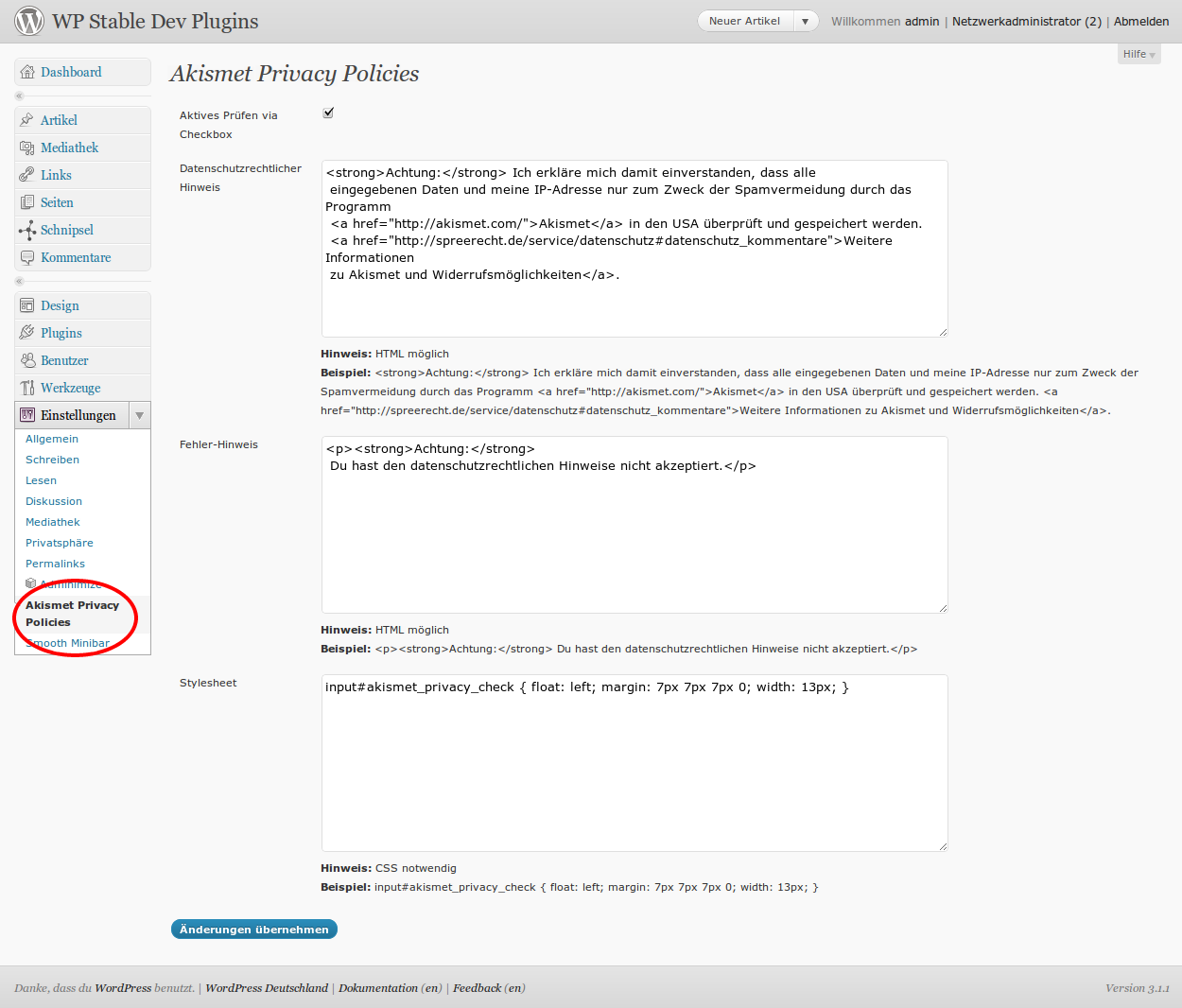
Die optionalen Einstellungen im Backend von WordPress
";}s:17:"short_description";s:97:"Ergänzt das Kommentarformular um datenschutzrechtliche Hinweise bei Nutzung des Plugins Akismet.";s:13:"download_link";s:73:"https://downloads.wordpress.org/plugin/akismet-privacy-policies.1.1.2.zip";s:11:"screenshots";a:2:{i:1;a:2:{s:3:"src";s:76:"https://ps.w.org/akismet-privacy-policies/assets/screenshot-1.png?rev=642885";s:7:"caption";s:35:"So sieht das Plugin im Einsatz aus.";}i:2;a:2:{s:3:"src";s:76:"https://ps.w.org/akismet-privacy-policies/assets/screenshot-2.png?rev=642885";s:7:"caption";s:53:"Die optionalen Einstellungen im Backend von WordPress";}}s:4:"tags";a:3:{s:7:"akismet";s:7:"akismet";s:7:"privacy";s:7:"privacy";s:4:"spam";s:4:"spam";}s:8:"versions";a:5:{s:5:"1.0.0";s:73:"https://downloads.wordpress.org/plugin/akismet-privacy-policies.1.0.0.zip";s:5:"1.1.0";s:73:"https://downloads.wordpress.org/plugin/akismet-privacy-policies.1.1.0.zip";s:5:"1.1.1";s:73:"https://downloads.wordpress.org/plugin/akismet-privacy-policies.1.1.1.zip";s:5:"1.1.2";s:73:"https://downloads.wordpress.org/plugin/akismet-privacy-policies.1.1.2.zip";s:5:"trunk";s:67:"https://downloads.wordpress.org/plugin/akismet-privacy-policies.zip";}s:11:"donate_link";s:0:"";s:5:"icons";a:1:{s:7:"default";s:12074:"data:image/svg+xml;base64,PHN2ZyB4bWxucz0iaHR0cDovL3d3dy53My5vcmcvMjAwMC9zdmciIHdpZHRoPSI3NyIgaGVpZ2h0PSI0NSIgdmlld2JveD0iMCAwIDc3IDQ1IiBwcmVzZXJ2ZUFzcGVjdFJhdGlvPSJub25lIj48cmVjdCB4PSIwIiB5PSIwIiB3aWR0aD0iMTAwJSIgaGVpZ2h0PSIxMDAlIiBmaWxsPSJyZ2IoMTYxLCA0NSwgOTQpIiAvPjxwb2x5bGluZSBwb2ludHM9IjAsIDAsIDEyLjk5MDM4MTA1Njc2NywgNy41LCAwLCAxNSwgMCwgMCIgZmlsbD0iI2RkZCIgZmlsbC1vcGFjaXR5PSIwLjAyIiBzdHJva2U9IiMwMDAiIHN0cm9rZS1vcGFjaXR5PSIwLjAyIiB0cmFuc2Zvcm09InRyYW5zbGF0ZSgwLCAtNy41KSByb3RhdGUoMTgwLCA2LjQ5NTE5MDUyODM4MzMsIDcuNSkiIC8+PHBvbHlsaW5lIHBvaW50cz0iMCwgMCwgMTIuOTkwMzgxMDU2NzY3LCA3LjUsIDAsIDE1LCAwLCAwIiBmaWxsPSIjZGRkIiBmaWxsLW9wYWNpdHk9IjAuMDIiIHN0cm9rZT0iIzAwMCIgc3Ryb2tlLW9wYWNpdHk9IjAuMDIiIHRyYW5zZm9ybT0idHJhbnNsYXRlKDAsIDM3LjUpIHJvdGF0ZSgxODAsIDYuNDk1MTkwNTI4MzgzMywgNy41KSIgLz48cG9seWxpbmUgcG9pbnRzPSIwLCAwLCAxMi45OTAzODEwNTY3NjcsIDcuNSwgMCwgMTUsIDAsIDAiIGZpbGw9IiNkZGQiIGZpbGwtb3BhY2l0eT0iMC4wMiIgc3Ryb2tlPSIjMDAwIiBzdHJva2Utb3BhY2l0eT0iMC4wMiIgdHJhbnNmb3JtPSJ0cmFuc2xhdGUoMTIuOTkwMzgxMDU2NzY3LCAtNy41KSByb3RhdGUoMCwgNi40OTUxOTA1MjgzODMzLCA3LjUpIiAvPjxwb2x5bGluZSBwb2ludHM9IjAsIDAsIDEyLjk5MDM4MTA1Njc2NywgNy41LCAwLCAxNSwgMCwgMCIgZmlsbD0iI2RkZCIgZmlsbC1vcGFjaXR5PSIwLjAyIiBzdHJva2U9IiMwMDAiIHN0cm9rZS1vcGFjaXR5PSIwLjAyIiB0cmFuc2Zvcm09InRyYW5zbGF0ZSgxMi45OTAzODEwNTY3NjcsIDM3LjUpIHJvdGF0ZSgwLCA2LjQ5NTE5MDUyODM4MzMsIDcuNSkiIC8+PHBvbHlsaW5lIHBvaW50cz0iMCwgMCwgMTIuOTkwMzgxMDU2NzY3LCA3LjUsIDAsIDE1LCAwLCAwIiBmaWxsPSIjZGRkIiBmaWxsLW9wYWNpdHk9IjAuMDg5MzMzMzMzMzMzMzMzIiBzdHJva2U9IiMwMDAiIHN0cm9rZS1vcGFjaXR5PSIwLjAyIiB0cmFuc2Zvcm09InRyYW5zbGF0ZSgyNS45ODA3NjIxMTM1MzMsIC03LjUpIHJvdGF0ZSgxODAsIDYuNDk1MTkwNTI4MzgzMywgNy41KSIgLz48cG9seWxpbmUgcG9pbnRzPSIwLCAwLCAxMi45OTAzODEwNTY3NjcsIDcuNSwgMCwgMTUsIDAsIDAiIGZpbGw9IiNkZGQiIGZpbGwtb3BhY2l0eT0iMC4wODkzMzMzMzMzMzMzMzMiIHN0cm9rZT0iIzAwMCIgc3Ryb2tlLW9wYWNpdHk9IjAuMDIiIHRyYW5zZm9ybT0idHJhbnNsYXRlKDI1Ljk4MDc2MjExMzUzMywgMzcuNSkgcm90YXRlKDE4MCwgNi40OTUxOTA1MjgzODMzLCA3LjUpIiAvPjxwb2x5bGluZSBwb2ludHM9IjAsIDAsIDEyLjk5MDM4MTA1Njc2NywgNy41LCAwLCAxNSwgMCwgMCIgZmlsbD0iIzIyMiIgZmlsbC1vcGFjaXR5PSIwLjAyODY2NjY2NjY2NjY2NyIgc3Ryb2tlPSIjMDAwIiBzdHJva2Utb3BhY2l0eT0iMC4wMiIgdHJhbnNmb3JtPSJ0cmFuc2xhdGUoMzguOTcxMTQzMTcwMywgLTcuNSkgcm90YXRlKDAsIDYuNDk1MTkwNTI4MzgzMywgNy41KSIgLz48cG9seWxpbmUgcG9pbnRzPSIwLCAwLCAxMi45OTAzODEwNTY3NjcsIDcuNSwgMCwgMTUsIDAsIDAiIGZpbGw9IiMyMjIiIGZpbGwtb3BhY2l0eT0iMC4wMjg2NjY2NjY2NjY2NjciIHN0cm9rZT0iIzAwMCIgc3Ryb2tlLW9wYWNpdHk9IjAuMDIiIHRyYW5zZm9ybT0idHJhbnNsYXRlKDM4Ljk3MTE0MzE3MDMsIDM3LjUpIHJvdGF0ZSgwLCA2LjQ5NTE5MDUyODM4MzMsIDcuNSkiIC8+PHBvbHlsaW5lIHBvaW50cz0iMCwgMCwgMTIuOTkwMzgxMDU2NzY3LCA3LjUsIDAsIDE1LCAwLCAwIiBmaWxsPSIjMjIyIiBmaWxsLW9wYWNpdHk9IjAuMDI4NjY2NjY2NjY2NjY3IiBzdHJva2U9IiMwMDAiIHN0cm9rZS1vcGFjaXR5PSIwLjAyIiB0cmFuc2Zvcm09InRyYW5zbGF0ZSg1MS45NjE1MjQyMjcwNjYsIC03LjUpIHJvdGF0ZSgxODAsIDYuNDk1MTkwNTI4MzgzMywgNy41KSIgLz48cG9seWxpbmUgcG9pbnRzPSIwLCAwLCAxMi45OTAzODEwNTY3NjcsIDcuNSwgMCwgMTUsIDAsIDAiIGZpbGw9IiMyMjIiIGZpbGwtb3BhY2l0eT0iMC4wMjg2NjY2NjY2NjY2NjciIHN0cm9rZT0iIzAwMCIgc3Ryb2tlLW9wYWNpdHk9IjAuMDIiIHRyYW5zZm9ybT0idHJhbnNsYXRlKDUxLjk2MTUyNDIyNzA2NiwgMzcuNSkgcm90YXRlKDE4MCwgNi40OTUxOTA1MjgzODMzLCA3LjUpIiAvPjxwb2x5bGluZSBwb2ludHM9IjAsIDAsIDEyLjk5MDM4MTA1Njc2NywgNy41LCAwLCAxNSwgMCwgMCIgZmlsbD0iIzIyMiIgZmlsbC1vcGFjaXR5PSIwLjA2MzMzMzMzMzMzMzMzMyIgc3Ryb2tlPSIjMDAwIiBzdHJva2Utb3BhY2l0eT0iMC4wMiIgdHJhbnNmb3JtPSJ0cmFuc2xhdGUoNjQuOTUxOTA1MjgzODMzLCAtNy41KSByb3RhdGUoMCwgNi40OTUxOTA1MjgzODMzLCA3LjUpIiAvPjxwb2x5bGluZSBwb2ludHM9IjAsIDAsIDEyLjk5MDM4MTA1Njc2NywgNy41LCAwLCAxNSwgMCwgMCIgZmlsbD0iIzIyMiIgZmlsbC1vcGFjaXR5PSIwLjA2MzMzMzMzMzMzMzMzMyIgc3Ryb2tlPSIjMDAwIiBzdHJva2Utb3BhY2l0eT0iMC4wMiIgdHJhbnNmb3JtPSJ0cmFuc2xhdGUoNjQuOTUxOTA1MjgzODMzLCAzNy41KSByb3RhdGUoMCwgNi40OTUxOTA1MjgzODMzLCA3LjUpIiAvPjxwb2x5bGluZSBwb2ludHM9IjAsIDAsIDEyLjk5MDM4MTA1Njc2NywgNy41LCAwLCAxNSwgMCwgMCIgZmlsbD0iI2RkZCIgZmlsbC1vcGFjaXR5PSIwLjAzNzMzMzMzMzMzMzMzMyIgc3Ryb2tlPSIjMDAwIiBzdHJva2Utb3BhY2l0eT0iMC4wMiIgdHJhbnNmb3JtPSJ0cmFuc2xhdGUoMCwgMCkgcm90YXRlKDAsIDYuNDk1MTkwNTI4MzgzMywgNy41KSIgLz48cG9seWxpbmUgcG9pbnRzPSIwLCAwLCAxMi45OTAzODEwNTY3NjcsIDcuNSwgMCwgMTUsIDAsIDAiIGZpbGw9IiMyMjIiIGZpbGwtb3BhY2l0eT0iMC4wNjMzMzMzMzMzMzMzMzMiIHN0cm9rZT0iIzAwMCIgc3Ryb2tlLW9wYWNpdHk9IjAuMDIiIHRyYW5zZm9ybT0idHJhbnNsYXRlKDEyLjk5MDM4MTA1Njc2NywgMCkgcm90YXRlKDE4MCwgNi40OTUxOTA1MjgzODMzLCA3LjUpIiAvPjxwb2x5bGluZSBwb2ludHM9IjAsIDAsIDEyLjk5MDM4MTA1Njc2NywgNy41LCAwLCAxNSwgMCwgMCIgZmlsbD0iIzIyMiIgZmlsbC1vcGFjaXR5PSIwLjA4MDY2NjY2NjY2NjY2NyIgc3Ryb2tlPSIjMDAwIiBzdHJva2Utb3BhY2l0eT0iMC4wMiIgdHJhbnNmb3JtPSJ0cmFuc2xhdGUoMjUuOTgwNzYyMTEzNTMzLCAwKSByb3RhdGUoMCwgNi40OTUxOTA1MjgzODMzLCA3LjUpIiAvPjxwb2x5bGluZSBwb2ludHM9IjAsIDAsIDEyLjk5MDM4MTA1Njc2NywgNy41LCAwLCAxNSwgMCwgMCIgZmlsbD0iIzIyMiIgZmlsbC1vcGFjaXR5PSIwLjA5OCIgc3Ryb2tlPSIjMDAwIiBzdHJva2Utb3BhY2l0eT0iMC4wMiIgdHJhbnNmb3JtPSJ0cmFuc2xhdGUoMzguOTcxMTQzMTcwMywgMCkgcm90YXRlKDE4MCwgNi40OTUxOTA1MjgzODMzLCA3LjUpIiAvPjxwb2x5bGluZSBwb2ludHM9IjAsIDAsIDEyLjk5MDM4MTA1Njc2NywgNy41LCAwLCAxNSwgMCwgMCIgZmlsbD0iI2RkZCIgZmlsbC1vcGFjaXR5PSIwLjA3MiIgc3Ryb2tlPSIjMDAwIiBzdHJva2Utb3BhY2l0eT0iMC4wMiIgdHJhbnNmb3JtPSJ0cmFuc2xhdGUoNTEuOTYxNTI0MjI3MDY2LCAwKSByb3RhdGUoMCwgNi40OTUxOTA1MjgzODMzLCA3LjUpIiAvPjxwb2x5bGluZSBwb2ludHM9IjAsIDAsIDEyLjk5MDM4MTA1Njc2NywgNy41LCAwLCAxNSwgMCwgMCIgZmlsbD0iI2RkZCIgZmlsbC1vcGFjaXR5PSIwLjAyIiBzdHJva2U9IiMwMDAiIHN0cm9rZS1vcGFjaXR5PSIwLjAyIiB0cmFuc2Zvcm09InRyYW5zbGF0ZSg2NC45NTE5MDUyODM4MzMsIDApIHJvdGF0ZSgxODAsIDYuNDk1MTkwNTI4MzgzMywgNy41KSIgLz48cG9seWxpbmUgcG9pbnRzPSIwLCAwLCAxMi45OTAzODEwNTY3NjcsIDcuNSwgMCwgMTUsIDAsIDAiIGZpbGw9IiNkZGQiIGZpbGwtb3BhY2l0eT0iMC4wNTQ2NjY2NjY2NjY2NjciIHN0cm9rZT0iIzAwMCIgc3Ryb2tlLW9wYWNpdHk9IjAuMDIiIHRyYW5zZm9ybT0idHJhbnNsYXRlKDAsIDcuNSkgcm90YXRlKDE4MCwgNi40OTUxOTA1MjgzODMzLCA3LjUpIiAvPjxwb2x5bGluZSBwb2ludHM9IjAsIDAsIDEyLjk5MDM4MTA1Njc2NywgNy41LCAwLCAxNSwgMCwgMCIgZmlsbD0iI2RkZCIgZmlsbC1vcGFjaXR5PSIwLjE0MTMzMzMzMzMzMzMzIiBzdHJva2U9IiMwMDAiIHN0cm9rZS1vcGFjaXR5PSIwLjAyIiB0cmFuc2Zvcm09InRyYW5zbGF0ZSgxMi45OTAzODEwNTY3NjcsIDcuNSkgcm90YXRlKDAsIDYuNDk1MTkwNTI4MzgzMywgNy41KSIgLz48cG9seWxpbmUgcG9pbnRzPSIwLCAwLCAxMi45OTAzODEwNTY3NjcsIDcuNSwgMCwgMTUsIDAsIDAiIGZpbGw9IiMyMjIiIGZpbGwtb3BhY2l0eT0iMC4wMjg2NjY2NjY2NjY2NjciIHN0cm9rZT0iIzAwMCIgc3Ryb2tlLW9wYWNpdHk9IjAuMDIiIHRyYW5zZm9ybT0idHJhbnNsYXRlKDI1Ljk4MDc2MjExMzUzMywgNy41KSByb3RhdGUoMTgwLCA2LjQ5NTE5MDUyODM4MzMsIDcuNSkiIC8+PHBvbHlsaW5lIHBvaW50cz0iMCwgMCwgMTIuOTkwMzgxMDU2NzY3LCA3LjUsIDAsIDE1LCAwLCAwIiBmaWxsPSIjZGRkIiBmaWxsLW9wYWNpdHk9IjAuMDM3MzMzMzMzMzMzMzMzIiBzdHJva2U9IiMwMDAiIHN0cm9rZS1vcGFjaXR5PSIwLjAyIiB0cmFuc2Zvcm09InRyYW5zbGF0ZSgzOC45NzExNDMxNzAzLCA3LjUpIHJvdGF0ZSgwLCA2LjQ5NTE5MDUyODM4MzMsIDcuNSkiIC8+PHBvbHlsaW5lIHBvaW50cz0iMCwgMCwgMTIuOTkwMzgxMDU2NzY3LCA3LjUsIDAsIDE1LCAwLCAwIiBmaWxsPSIjZGRkIiBmaWxsLW9wYWNpdHk9IjAuMDIiIHN0cm9rZT0iIzAwMCIgc3Ryb2tlLW9wYWNpdHk9IjAuMDIiIHRyYW5zZm9ybT0idHJhbnNsYXRlKDUxLjk2MTUyNDIyNzA2NiwgNy41KSByb3RhdGUoMTgwLCA2LjQ5NTE5MDUyODM4MzMsIDcuNSkiIC8+PHBvbHlsaW5lIHBvaW50cz0iMCwgMCwgMTIuOTkwMzgxMDU2NzY3LCA3LjUsIDAsIDE1LCAwLCAwIiBmaWxsPSIjZGRkIiBmaWxsLW9wYWNpdHk9IjAuMTQxMzMzMzMzMzMzMzMiIHN0cm9rZT0iIzAwMCIgc3Ryb2tlLW9wYWNpdHk9IjAuMDIiIHRyYW5zZm9ybT0idHJhbnNsYXRlKDY0Ljk1MTkwNTI4MzgzMywgNy41KSByb3RhdGUoMCwgNi40OTUxOTA1MjgzODMzLCA3LjUpIiAvPjxwb2x5bGluZSBwb2ludHM9IjAsIDAsIDEyLjk5MDM4MTA1Njc2NywgNy41LCAwLCAxNSwgMCwgMCIgZmlsbD0iI2RkZCIgZmlsbC1vcGFjaXR5PSIwLjE0MTMzMzMzMzMzMzMzIiBzdHJva2U9IiMwMDAiIHN0cm9rZS1vcGFjaXR5PSIwLjAyIiB0cmFuc2Zvcm09InRyYW5zbGF0ZSgwLCAxNSkgcm90YXRlKDAsIDYuNDk1MTkwNTI4MzgzMywgNy41KSIgLz48cG9seWxpbmUgcG9pbnRzPSIwLCAwLCAxMi45OTAzODEwNTY3NjcsIDcuNSwgMCwgMTUsIDAsIDAiIGZpbGw9IiMyMjIiIGZpbGwtb3BhY2l0eT0iMC4wOTgiIHN0cm9rZT0iIzAwMCIgc3Ryb2tlLW9wYWNpdHk9IjAuMDIiIHRyYW5zZm9ybT0idHJhbnNsYXRlKDEyLjk5MDM4MTA1Njc2NywgMTUpIHJvdGF0ZSgxODAsIDYuNDk1MTkwNTI4MzgzMywgNy41KSIgLz48cG9seWxpbmUgcG9pbnRzPSIwLCAwLCAxMi45OTAzODEwNTY3NjcsIDcuNSwgMCwgMTUsIDAsIDAiIGZpbGw9IiMyMjIiIGZpbGwtb3BhY2l0eT0iMC4xNSIgc3Ryb2tlPSIjMDAwIiBzdHJva2Utb3BhY2l0eT0iMC4wMiIgdHJhbnNmb3JtPSJ0cmFuc2xhdGUoMjUuOTgwNzYyMTEzNTMzLCAxNSkgcm90YXRlKDAsIDYuNDk1MTkwNTI4MzgzMywgNy41KSIgLz48cG9seWxpbmUgcG9pbnRzPSIwLCAwLCAxMi45OTAzODEwNTY3NjcsIDcuNSwgMCwgMTUsIDAsIDAiIGZpbGw9IiMyMjIiIGZpbGwtb3BhY2l0eT0iMC4wOTgiIHN0cm9rZT0iIzAwMCIgc3Ryb2tlLW9wYWNpdHk9IjAuMDIiIHRyYW5zZm9ybT0idHJhbnNsYXRlKDM4Ljk3MTE0MzE3MDMsIDE1KSByb3RhdGUoMTgwLCA2LjQ5NTE5MDUyODM4MzMsIDcuNSkiIC8+PHBvbHlsaW5lIHBvaW50cz0iMCwgMCwgMTIuOTkwMzgxMDU2NzY3LCA3LjUsIDAsIDE1LCAwLCAwIiBmaWxsPSIjZGRkIiBmaWxsLW9wYWNpdHk9IjAuMDM3MzMzMzMzMzMzMzMzIiBzdHJva2U9IiMwMDAiIHN0cm9rZS1vcGFjaXR5PSIwLjAyIiB0cmFuc2Zvcm09InRyYW5zbGF0ZSg1MS45NjE1MjQyMjcwNjYsIDE1KSByb3RhdGUoMCwgNi40OTUxOTA1MjgzODMzLCA3LjUpIiAvPjxwb2x5bGluZSBwb2ludHM9IjAsIDAsIDEyLjk5MDM4MTA1Njc2NywgNy41LCAwLCAxNSwgMCwgMCIgZmlsbD0iIzIyMiIgZmlsbC1vcGFjaXR5PSIwLjE1IiBzdHJva2U9IiMwMDAiIHN0cm9rZS1vcGFjaXR5PSIwLjAyIiB0cmFuc2Zvcm09InRyYW5zbGF0ZSg2NC45NTE5MDUyODM4MzMsIDE1KSByb3RhdGUoMTgwLCA2LjQ5NTE5MDUyODM4MzMsIDcuNSkiIC8+PHBvbHlsaW5lIHBvaW50cz0iMCwgMCwgMTIuOTkwMzgxMDU2NzY3LCA3LjUsIDAsIDE1LCAwLCAwIiBmaWxsPSIjMjIyIiBmaWxsLW9wYWNpdHk9IjAuMDk4IiBzdHJva2U9IiMwMDAiIHN0cm9rZS1vcGFjaXR5PSIwLjAyIiB0cmFuc2Zvcm09InRyYW5zbGF0ZSgwLCAyMi41KSByb3RhdGUoMTgwLCA2LjQ5NTE5MDUyODM4MzMsIDcuNSkiIC8+PHBvbHlsaW5lIHBvaW50cz0iMCwgMCwgMTIuOTkwMzgxMDU2NzY3LCA3LjUsIDAsIDE1LCAwLCAwIiBmaWxsPSIjZGRkIiBmaWxsLW9wYWNpdHk9IjAuMDg5MzMzMzMzMzMzMzMzIiBzdHJva2U9IiMwMDAiIHN0cm9rZS1vcGFjaXR5PSIwLjAyIiB0cmFuc2Zvcm09InRyYW5zbGF0ZSgxMi45OTAzODEwNTY3NjcsIDIyLjUpIHJvdGF0ZSgwLCA2LjQ5NTE5MDUyODM4MzMsIDcuNSkiIC8+PHBvbHlsaW5lIHBvaW50cz0iMCwgMCwgMTIuOTkwMzgxMDU2NzY3LCA3LjUsIDAsIDE1LCAwLCAwIiBmaWxsPSIjZGRkIiBmaWxsLW9wYWNpdHk9IjAuMTI0IiBzdHJva2U9IiMwMDAiIHN0cm9rZS1vcGFjaXR5PSIwLjAyIiB0cmFuc2Zvcm09InRyYW5zbGF0ZSgyNS45ODA3NjIxMTM1MzMsIDIyLjUpIHJvdGF0ZSgxODAsIDYuNDk1MTkwNTI4MzgzMywgNy41KSIgLz48cG9seWxpbmUgcG9pbnRzPSIwLCAwLCAxMi45OTAzODEwNTY3NjcsIDcuNSwgMCwgMTUsIDAsIDAiIGZpbGw9IiMyMjIiIGZpbGwtb3BhY2l0eT0iMC4xNSIgc3Ryb2tlPSIjMDAwIiBzdHJva2Utb3BhY2l0eT0iMC4wMiIgdHJhbnNmb3JtPSJ0cmFuc2xhdGUoMzguOTcxMTQzMTcwMywgMjIuNSkgcm90YXRlKDAsIDYuNDk1MTkwNTI4MzgzMywgNy41KSIgLz48cG9seWxpbmUgcG9pbnRzPSIwLCAwLCAxMi45OTAzODEwNTY3NjcsIDcuNSwgMCwgMTUsIDAsIDAiIGZpbGw9IiMyMjIiIGZpbGwtb3BhY2l0eT0iMC4wNjMzMzMzMzMzMzMzMzMiIHN0cm9rZT0iIzAwMCIgc3Ryb2tlLW9wYWNpdHk9IjAuMDIiIHRyYW5zZm9ybT0idHJhbnNsYXRlKDUxLjk2MTUyNDIyNzA2NiwgMjIuNSkgcm90YXRlKDE4MCwgNi40OTUxOTA1MjgzODMzLCA3LjUpIiAvPjxwb2x5bGluZSBwb2ludHM9IjAsIDAsIDEyLjk5MDM4MTA1Njc2NywgNy41LCAwLCAxNSwgMCwgMCIgZmlsbD0iI2RkZCIgZmlsbC1vcGFjaXR5PSIwLjE0MTMzMzMzMzMzMzMzIiBzdHJva2U9IiMwMDAiIHN0cm9rZS1vcGFjaXR5PSIwLjAyIiB0cmFuc2Zvcm09InRyYW5zbGF0ZSg2NC45NTE5MDUyODM4MzMsIDIyLjUpIHJvdGF0ZSgwLCA2LjQ5NTE5MDUyODM4MzMsIDcuNSkiIC8+PHBvbHlsaW5lIHBvaW50cz0iMCwgMCwgMTIuOTkwMzgxMDU2NzY3LCA3LjUsIDAsIDE1LCAwLCAwIiBmaWxsPSIjMjIyIiBmaWxsLW9wYWNpdHk9IjAuMDk4IiBzdHJva2U9IiMwMDAiIHN0cm9rZS1vcGFjaXR5PSIwLjAyIiB0cmFuc2Zvcm09InRyYW5zbGF0ZSgwLCAzMCkgcm90YXRlKDAsIDYuNDk1MTkwNTI4MzgzMywgNy41KSIgLz48cG9seWxpbmUgcG9pbnRzPSIwLCAwLCAxMi45OTAzODEwNTY3NjcsIDcuNSwgMCwgMTUsIDAsIDAiIGZpbGw9IiNkZGQiIGZpbGwtb3BhY2l0eT0iMC4wMiIgc3Ryb2tlPSIjMDAwIiBzdHJva2Utb3BhY2l0eT0iMC4wMiIgdHJhbnNmb3JtPSJ0cmFuc2xhdGUoMTIuOTkwMzgxMDU2NzY3LCAzMCkgcm90YXRlKDE4MCwgNi40OTUxOTA1MjgzODMzLCA3LjUpIiAvPjxwb2x5bGluZSBwb2ludHM9IjAsIDAsIDEyLjk5MDM4MTA1Njc2NywgNy41LCAwLCAxNSwgMCwgMCIgZmlsbD0iIzIyMiIgZmlsbC1vcGFjaXR5PSIwLjA0NiIgc3Ryb2tlPSIjMDAwIiBzdHJva2Utb3BhY2l0eT0iMC4wMiIgdHJhbnNmb3JtPSJ0cmFuc2xhdGUoMjUuOTgwNzYyMTEzNTMzLCAzMCkgcm90YXRlKDAsIDYuNDk1MTkwNTI4MzgzMywgNy41KSIgLz48cG9seWxpbmUgcG9pbnRzPSIwLCAwLCAxMi45OTAzODEwNTY3NjcsIDcuNSwgMCwgMTUsIDAsIDAiIGZpbGw9IiMyMjIiIGZpbGwtb3BhY2l0eT0iMC4wODA2NjY2NjY2NjY2NjciIHN0cm9rZT0iIzAwMCIgc3Ryb2tlLW9wYWNpdHk9IjAuMDIiIHRyYW5zZm9ybT0idHJhbnNsYXRlKDM4Ljk3MTE0MzE3MDMsIDMwKSByb3RhdGUoMTgwLCA2LjQ5NTE5MDUyODM4MzMsIDcuNSkiIC8+PHBvbHlsaW5lIHBvaW50cz0iMCwgMCwgMTIuOTkwMzgxMDU2NzY3LCA3LjUsIDAsIDE1LCAwLCAwIiBmaWxsPSIjZGRkIiBmaWxsLW9wYWNpdHk9IjAuMTQxMzMzMzMzMzMzMzMiIHN0cm9rZT0iIzAwMCIgc3Ryb2tlLW9wYWNpdHk9IjAuMDIiIHRyYW5zZm9ybT0idHJhbnNsYXRlKDUxLjk2MTUyNDIyNzA2NiwgMzApIHJvdGF0ZSgwLCA2LjQ5NTE5MDUyODM4MzMsIDcuNSkiIC8+PHBvbHlsaW5lIHBvaW50cz0iMCwgMCwgMTIuOTkwMzgxMDU2NzY3LCA3LjUsIDAsIDE1LCAwLCAwIiBmaWxsPSIjZGRkIiBmaWxsLW9wYWNpdHk9IjAuMDg5MzMzMzMzMzMzMzMzIiBzdHJva2U9IiMwMDAiIHN0cm9rZS1vcGFjaXR5PSIwLjAyIiB0cmFuc2Zvcm09InRyYW5zbGF0ZSg2NC45NTE5MDUyODM4MzMsIDMwKSByb3RhdGUoMTgwLCA2LjQ5NTE5MDUyODM4MzMsIDcuNSkiIC8+PC9zdmc+";}}s:14:"contact-form-7";O:8:"stdClass":26:{s:4:"name";s:14:"Contact Form 7";s:4:"slug";s:14:"contact-form-7";s:7:"version";s:5:"4.9.1";s:6:"author";s:62:"Takayuki Miyoshi";s:14:"author_profile";s:43:"https://profiles.wordpress.org/takayukister";s:12:"contributors";a:1:{s:12:"takayukister";s:43:"https://profiles.wordpress.org/takayukister";}s:8:"requires";s:3:"4.7";s:6:"tested";s:3:"4.9";s:12:"requires_php";b:0;s:6:"rating";i:90;s:7:"ratings";a:5:{i:5;i:1138;i:4;i:109;i:3;i:32;i:2;i:31;i:1;i:108;}s:11:"num_ratings";i:1418;s:15:"support_threads";i:544;s:24:"support_threads_resolved";i:133;s:10:"downloaded";i:65290585;s:12:"last_updated";s:21:"2017-10-31 9:37am GMT";s:5:"added";s:10:"2007-08-02";s:8:"homepage";s:25:"https://contactform7.com/";s:8:"sections";a:5:{s:11:"description";s:2058:"
Contact Form 7 can manage multiple contact forms, plus you can customize the form and the mail contents flexibly with simple markup. The form supports Ajax-powered submitting, CAPTCHA, Akismet spam filtering and so on.
Docs & Support
You can find docs, FAQ and more detailed information about Contact Form 7 on contactform7.com. If you were unable to find the answer to your question on the FAQ or in any of the documentation, you should check the support forum on WordPress.org. If you can’t locate any topics that pertain to your particular issue, post a new topic for it.
Contact Form 7 Needs Your Support
It is hard to continue development and support for this free plugin without contributions from users like you. If you enjoy using Contact Form 7 and find it useful, please consider making a donation. Your donation will help encourage and support the plugin’s continued development and better user support.
Recommended Plugins
The following plugins are recommended for Contact Form 7 users:
Flamingo by Takayuki Miyoshi – With Flamingo, you can save submitted messages via contact forms in the database.
Bogo by Takayuki Miyoshi – Bogo is a straight-forward multilingual plugin that doesn’t cause headaches.
New filter hooks: wpcf7_verify_nonce, wpcf7_subscribers_only_notice, wpcf7_remote_ip_addr, and wpcf7_submission_is_blacklisted
Fixed: Form-tag’s tabindex option did not accept 0 or negative integer values
Shows a validation error when no option in a radio buttons group is checked
Config validator: Adds a validation rule against the use of deprecated settings (on_sent_ok and on_submit)
Allows to pass the skip_mail option through the WPCF7_ContactForm::submit() and WPCF7_Submission::get_instance() function parameters.
Triggers wpcf7beforesubmit custom DOM event. You can manipulate the formData object through an event handler.
4.8.1
wpcf7.initForm JavaScript function added to isolate form initialization process.
Fix response message duplication caused by repeated click on submit button.
Clear $phpmailer->AltBody to avoid unintended inheritance from previous wp_mail() calls.
Fix incorrect character count of textarea input.
Akismet: Exclude the comment_author, comment_author_email, and comment_author_url values from the comment_content value.
REST API: More reliable approach to build route URLs.
Include free_text inputs into event.detail.inputs.
4.8
Stopped using jquery.form.js.
Added custom REST API endpoints for Ajax form submissions.
WPCF7_FormTag class implements ArrayAccess interface.
WPCF7_FormTagsManager::filter() filters form-tags based on features they support.
New form-tag features: do-not-store, display-block, and display-hidden
Removed inappropriate content from h1 headings.
Added the support of size:invisible option to the reCAPTCHA form-tag.
";s:11:"screenshots";s:225:"
screenshot-1.png
";}s:17:"short_description";s:54:"Just another contact form plugin. Simple but flexible.";s:13:"download_link";s:63:"https://downloads.wordpress.org/plugin/contact-form-7.4.9.1.zip";s:11:"screenshots";a:1:{i:1;a:2:{s:3:"src";s:67:"https://ps.w.org/contact-form-7/assets/screenshot-1.png?rev=1176454";s:7:"caption";s:16:"screenshot-1.png";}}s:4:"tags";a:5:{s:7:"contact";s:7:"contact";s:12:"contact-form";s:12:"contact form";s:5:"email";s:5:"email";s:8:"feedback";s:8:"feedback";s:4:"form";s:4:"form";}s:8:"versions";a:125:{s:3:"1.1";s:61:"https://downloads.wordpress.org/plugin/contact-form-7.1.1.zip";s:4:"1.10";s:62:"https://downloads.wordpress.org/plugin/contact-form-7.1.10.zip";s:8:"1.10.0.1";s:66:"https://downloads.wordpress.org/plugin/contact-form-7.1.10.0.1.zip";s:6:"1.10.1";s:64:"https://downloads.wordpress.org/plugin/contact-form-7.1.10.1.zip";s:3:"1.2";s:61:"https://downloads.wordpress.org/plugin/contact-form-7.1.2.zip";s:3:"1.3";s:61:"https://downloads.wordpress.org/plugin/contact-form-7.1.3.zip";s:5:"1.3.1";s:63:"https://downloads.wordpress.org/plugin/contact-form-7.1.3.1.zip";s:5:"1.3.2";s:63:"https://downloads.wordpress.org/plugin/contact-form-7.1.3.2.zip";s:3:"1.4";s:61:"https://downloads.wordpress.org/plugin/contact-form-7.1.4.zip";s:5:"1.4.1";s:63:"https://downloads.wordpress.org/plugin/contact-form-7.1.4.1.zip";s:5:"1.4.2";s:63:"https://downloads.wordpress.org/plugin/contact-form-7.1.4.2.zip";s:5:"1.4.3";s:63:"https://downloads.wordpress.org/plugin/contact-form-7.1.4.3.zip";s:5:"1.4.4";s:63:"https://downloads.wordpress.org/plugin/contact-form-7.1.4.4.zip";s:3:"1.5";s:61:"https://downloads.wordpress.org/plugin/contact-form-7.1.5.zip";s:3:"1.6";s:61:"https://downloads.wordpress.org/plugin/contact-form-7.1.6.zip";s:5:"1.6.1";s:63:"https://downloads.wordpress.org/plugin/contact-form-7.1.6.1.zip";s:3:"1.7";s:61:"https://downloads.wordpress.org/plugin/contact-form-7.1.7.zip";s:5:"1.7.1";s:63:"https://downloads.wordpress.org/plugin/contact-form-7.1.7.1.zip";s:5:"1.7.2";s:63:"https://downloads.wordpress.org/plugin/contact-form-7.1.7.2.zip";s:5:"1.7.4";s:63:"https://downloads.wordpress.org/plugin/contact-form-7.1.7.4.zip";s:5:"1.7.5";s:63:"https://downloads.wordpress.org/plugin/contact-form-7.1.7.5.zip";s:5:"1.7.6";s:63:"https://downloads.wordpress.org/plugin/contact-form-7.1.7.6.zip";s:7:"1.7.6.1";s:65:"https://downloads.wordpress.org/plugin/contact-form-7.1.7.6.1.zip";s:5:"1.7.7";s:63:"https://downloads.wordpress.org/plugin/contact-form-7.1.7.7.zip";s:7:"1.7.7.1";s:65:"https://downloads.wordpress.org/plugin/contact-form-7.1.7.7.1.zip";s:5:"1.7.8";s:63:"https://downloads.wordpress.org/plugin/contact-form-7.1.7.8.zip";s:3:"1.8";s:61:"https://downloads.wordpress.org/plugin/contact-form-7.1.8.zip";s:7:"1.8.0.1";s:65:"https://downloads.wordpress.org/plugin/contact-form-7.1.8.0.1.zip";s:7:"1.8.0.2";s:65:"https://downloads.wordpress.org/plugin/contact-form-7.1.8.0.2.zip";s:7:"1.8.0.3";s:65:"https://downloads.wordpress.org/plugin/contact-form-7.1.8.0.3.zip";s:7:"1.8.0.4";s:65:"https://downloads.wordpress.org/plugin/contact-form-7.1.8.0.4.zip";s:5:"1.8.1";s:63:"https://downloads.wordpress.org/plugin/contact-form-7.1.8.1.zip";s:7:"1.8.1.1";s:65:"https://downloads.wordpress.org/plugin/contact-form-7.1.8.1.1.zip";s:3:"1.9";s:61:"https://downloads.wordpress.org/plugin/contact-form-7.1.9.zip";s:5:"1.9.1";s:63:"https://downloads.wordpress.org/plugin/contact-form-7.1.9.1.zip";s:5:"1.9.2";s:63:"https://downloads.wordpress.org/plugin/contact-form-7.1.9.2.zip";s:7:"1.9.2.1";s:65:"https://downloads.wordpress.org/plugin/contact-form-7.1.9.2.1.zip";s:7:"1.9.2.2";s:65:"https://downloads.wordpress.org/plugin/contact-form-7.1.9.2.2.zip";s:5:"1.9.3";s:63:"https://downloads.wordpress.org/plugin/contact-form-7.1.9.3.zip";s:5:"1.9.4";s:63:"https://downloads.wordpress.org/plugin/contact-form-7.1.9.4.zip";s:5:"1.9.5";s:63:"https://downloads.wordpress.org/plugin/contact-form-7.1.9.5.zip";s:7:"1.9.5.1";s:65:"https://downloads.wordpress.org/plugin/contact-form-7.1.9.5.1.zip";s:3:"2.0";s:61:"https://downloads.wordpress.org/plugin/contact-form-7.2.0.zip";s:8:"2.0-beta";s:66:"https://downloads.wordpress.org/plugin/contact-form-7.2.0-beta.zip";s:5:"2.0.1";s:63:"https://downloads.wordpress.org/plugin/contact-form-7.2.0.1.zip";s:5:"2.0.2";s:63:"https://downloads.wordpress.org/plugin/contact-form-7.2.0.2.zip";s:5:"2.0.3";s:63:"https://downloads.wordpress.org/plugin/contact-form-7.2.0.3.zip";s:5:"2.0.4";s:63:"https://downloads.wordpress.org/plugin/contact-form-7.2.0.4.zip";s:5:"2.0.5";s:63:"https://downloads.wordpress.org/plugin/contact-form-7.2.0.5.zip";s:5:"2.0.6";s:63:"https://downloads.wordpress.org/plugin/contact-form-7.2.0.6.zip";s:5:"2.0.7";s:63:"https://downloads.wordpress.org/plugin/contact-form-7.2.0.7.zip";s:3:"2.1";s:61:"https://downloads.wordpress.org/plugin/contact-form-7.2.1.zip";s:5:"2.1.1";s:63:"https://downloads.wordpress.org/plugin/contact-form-7.2.1.1.zip";s:5:"2.1.2";s:63:"https://downloads.wordpress.org/plugin/contact-form-7.2.1.2.zip";s:3:"2.2";s:61:"https://downloads.wordpress.org/plugin/contact-form-7.2.2.zip";s:5:"2.2.1";s:63:"https://downloads.wordpress.org/plugin/contact-form-7.2.2.1.zip";s:3:"2.3";s:61:"https://downloads.wordpress.org/plugin/contact-form-7.2.3.zip";s:5:"2.3.1";s:63:"https://downloads.wordpress.org/plugin/contact-form-7.2.3.1.zip";s:3:"2.4";s:61:"https://downloads.wordpress.org/plugin/contact-form-7.2.4.zip";s:5:"2.4.1";s:63:"https://downloads.wordpress.org/plugin/contact-form-7.2.4.1.zip";s:5:"2.4.2";s:63:"https://downloads.wordpress.org/plugin/contact-form-7.2.4.2.zip";s:5:"2.4.3";s:63:"https://downloads.wordpress.org/plugin/contact-form-7.2.4.3.zip";s:5:"2.4.4";s:63:"https://downloads.wordpress.org/plugin/contact-form-7.2.4.4.zip";s:5:"2.4.5";s:63:"https://downloads.wordpress.org/plugin/contact-form-7.2.4.5.zip";s:5:"2.4.6";s:63:"https://downloads.wordpress.org/plugin/contact-form-7.2.4.6.zip";s:3:"3.0";s:61:"https://downloads.wordpress.org/plugin/contact-form-7.3.0.zip";s:8:"3.0-beta";s:66:"https://downloads.wordpress.org/plugin/contact-form-7.3.0-beta.zip";s:5:"3.0.1";s:63:"https://downloads.wordpress.org/plugin/contact-form-7.3.0.1.zip";s:5:"3.0.2";s:63:"https://downloads.wordpress.org/plugin/contact-form-7.3.0.2.zip";s:7:"3.0.2.1";s:65:"https://downloads.wordpress.org/plugin/contact-form-7.3.0.2.1.zip";s:3:"3.1";s:61:"https://downloads.wordpress.org/plugin/contact-form-7.3.1.zip";s:5:"3.1.1";s:63:"https://downloads.wordpress.org/plugin/contact-form-7.3.1.1.zip";s:5:"3.1.2";s:63:"https://downloads.wordpress.org/plugin/contact-form-7.3.1.2.zip";s:3:"3.2";s:61:"https://downloads.wordpress.org/plugin/contact-form-7.3.2.zip";s:5:"3.2.1";s:63:"https://downloads.wordpress.org/plugin/contact-form-7.3.2.1.zip";s:3:"3.3";s:61:"https://downloads.wordpress.org/plugin/contact-form-7.3.3.zip";s:5:"3.3.1";s:63:"https://downloads.wordpress.org/plugin/contact-form-7.3.3.1.zip";s:5:"3.3.2";s:63:"https://downloads.wordpress.org/plugin/contact-form-7.3.3.2.zip";s:5:"3.3.3";s:63:"https://downloads.wordpress.org/plugin/contact-form-7.3.3.3.zip";s:3:"3.4";s:61:"https://downloads.wordpress.org/plugin/contact-form-7.3.4.zip";s:5:"3.4.1";s:63:"https://downloads.wordpress.org/plugin/contact-form-7.3.4.1.zip";s:5:"3.4.2";s:63:"https://downloads.wordpress.org/plugin/contact-form-7.3.4.2.zip";s:3:"3.5";s:61:"https://downloads.wordpress.org/plugin/contact-form-7.3.5.zip";s:5:"3.5.1";s:63:"https://downloads.wordpress.org/plugin/contact-form-7.3.5.1.zip";s:5:"3.5.2";s:63:"https://downloads.wordpress.org/plugin/contact-form-7.3.5.2.zip";s:5:"3.5.3";s:63:"https://downloads.wordpress.org/plugin/contact-form-7.3.5.3.zip";s:5:"3.5.4";s:63:"https://downloads.wordpress.org/plugin/contact-form-7.3.5.4.zip";s:3:"3.6";s:61:"https://downloads.wordpress.org/plugin/contact-form-7.3.6.zip";s:3:"3.7";s:61:"https://downloads.wordpress.org/plugin/contact-form-7.3.7.zip";s:5:"3.7.1";s:63:"https://downloads.wordpress.org/plugin/contact-form-7.3.7.1.zip";s:5:"3.7.2";s:63:"https://downloads.wordpress.org/plugin/contact-form-7.3.7.2.zip";s:3:"3.8";s:61:"https://downloads.wordpress.org/plugin/contact-form-7.3.8.zip";s:5:"3.8.1";s:63:"https://downloads.wordpress.org/plugin/contact-form-7.3.8.1.zip";s:3:"3.9";s:61:"https://downloads.wordpress.org/plugin/contact-form-7.3.9.zip";s:8:"3.9-beta";s:66:"https://downloads.wordpress.org/plugin/contact-form-7.3.9-beta.zip";s:5:"3.9.1";s:63:"https://downloads.wordpress.org/plugin/contact-form-7.3.9.1.zip";s:5:"3.9.2";s:63:"https://downloads.wordpress.org/plugin/contact-form-7.3.9.2.zip";s:5:"3.9.3";s:63:"https://downloads.wordpress.org/plugin/contact-form-7.3.9.3.zip";s:3:"4.0";s:61:"https://downloads.wordpress.org/plugin/contact-form-7.4.0.zip";s:5:"4.0.1";s:63:"https://downloads.wordpress.org/plugin/contact-form-7.4.0.1.zip";s:5:"4.0.2";s:63:"https://downloads.wordpress.org/plugin/contact-form-7.4.0.2.zip";s:5:"4.0.3";s:63:"https://downloads.wordpress.org/plugin/contact-form-7.4.0.3.zip";s:3:"4.1";s:61:"https://downloads.wordpress.org/plugin/contact-form-7.4.1.zip";s:8:"4.1-beta";s:66:"https://downloads.wordpress.org/plugin/contact-form-7.4.1-beta.zip";s:5:"4.1.1";s:63:"https://downloads.wordpress.org/plugin/contact-form-7.4.1.1.zip";s:5:"4.1.2";s:63:"https://downloads.wordpress.org/plugin/contact-form-7.4.1.2.zip";s:3:"4.2";s:61:"https://downloads.wordpress.org/plugin/contact-form-7.4.2.zip";s:8:"4.2-beta";s:66:"https://downloads.wordpress.org/plugin/contact-form-7.4.2-beta.zip";s:5:"4.2.1";s:63:"https://downloads.wordpress.org/plugin/contact-form-7.4.2.1.zip";s:5:"4.2.2";s:63:"https://downloads.wordpress.org/plugin/contact-form-7.4.2.2.zip";s:3:"4.3";s:61:"https://downloads.wordpress.org/plugin/contact-form-7.4.3.zip";s:5:"4.3.1";s:63:"https://downloads.wordpress.org/plugin/contact-form-7.4.3.1.zip";s:3:"4.4";s:61:"https://downloads.wordpress.org/plugin/contact-form-7.4.4.zip";s:5:"4.4.1";s:63:"https://downloads.wordpress.org/plugin/contact-form-7.4.4.1.zip";s:5:"4.4.2";s:63:"https://downloads.wordpress.org/plugin/contact-form-7.4.4.2.zip";s:3:"4.5";s:61:"https://downloads.wordpress.org/plugin/contact-form-7.4.5.zip";s:5:"4.5.1";s:63:"https://downloads.wordpress.org/plugin/contact-form-7.4.5.1.zip";s:3:"4.6";s:61:"https://downloads.wordpress.org/plugin/contact-form-7.4.6.zip";s:5:"4.6.1";s:63:"https://downloads.wordpress.org/plugin/contact-form-7.4.6.1.zip";s:3:"4.7";s:61:"https://downloads.wordpress.org/plugin/contact-form-7.4.7.zip";s:3:"4.8";s:61:"https://downloads.wordpress.org/plugin/contact-form-7.4.8.zip";s:5:"4.8.1";s:63:"https://downloads.wordpress.org/plugin/contact-form-7.4.8.1.zip";s:3:"4.9";s:61:"https://downloads.wordpress.org/plugin/contact-form-7.4.9.zip";s:5:"4.9.1";s:63:"https://downloads.wordpress.org/plugin/contact-form-7.4.9.1.zip";s:5:"trunk";s:57:"https://downloads.wordpress.org/plugin/contact-form-7.zip";}s:11:"donate_link";s:32:"https://contactform7.com/donate/";s:5:"icons";a:2:{s:2:"1x";s:66:"https://ps.w.org/contact-form-7/assets/icon-128x128.png?rev=984007";s:2:"2x";s:66:"https://ps.w.org/contact-form-7/assets/icon-256x256.png?rev=984007";}}s:30:"google-analytics-for-wordpress";O:8:"stdClass":26:{s:4:"name";s:49:"Google Analytics for WordPress by MonsterInsights";s:4:"slug";s:30:"google-analytics-for-wordpress";s:7:"version";s:5:"6.2.4";s:6:"author";s:62:"MonsterInsights";s:14:"author_profile";s:40:"https://profiles.wordpress.org/chriscct7";s:12:"contributors";a:2:{s:9:"chriscct7";s:40:"https://profiles.wordpress.org/chriscct7";s:4:"smub";s:35:"https://profiles.wordpress.org/smub";}s:8:"requires";s:3:"3.9";s:6:"tested";s:5:"4.8.3";s:12:"requires_php";b:0;s:6:"rating";i:78;s:7:"ratings";a:5:{i:5;i:325;i:4;i:28;i:3;i:18;i:2;i:30;i:1;i:95;}s:11:"num_ratings";i:496;s:15:"support_threads";i:27;s:24:"support_threads_resolved";i:13;s:10:"downloaded";i:20615274;s:12:"last_updated";s:21:"2017-10-06 2:30pm GMT";s:5:"added";s:10:"2007-09-14";s:8:"homepage";s:115:"https://www.monsterinsights.com/?utm_source=wordpress&utm_medium=plugin&utm_campaign=wpmipluginpro&utm_content=v600";s:8:"sections";a:5:{s:11:"description";s:10562:"
Google Analytics Plugin for WordPress
We believe that you shouldn’t have to hire a developer to add Google Analytics to your website. That’s why we built MonsterInsights, a complete Google Analytics for WordPress plugin that’s EASY and POWERFUL.
MonsterInsights allow you to connect your WordPress website with Google Analytics, so you can see how visitors find and use your website, so you can keep them coming back. Simply put, we show you the stats that matter.
With almost 15 million downloads, MonsterInsights is the most popular Google Analytics plugin for WordPress.
At MonsterInsights, user experience is our #1 priority. That’s why we make it extremely easy for you to connect and view your Google Analytics reports from inside your WordPress dashboard. Our tracking settings and workflows make MonsterInsights the most beginner friendly google analytics plugin in the market.
MonsterInsights Pro
This plugin is the lite version of the MonsterInsights Pro plugin that comes with all the analytics features you will ever need including ads tracking, ecommerce tracking, custom dimensions tracking, popular post tracing, events tracking, and tons more. Click here to purchase the best Google Analytics plugin for WordPress now!
We took the pain out of connecting with Google Analytics and made it easy. Here’s why over 1 million smart business owners, designers, and developers love MonsterInsights, and you will too!
Quick & Easy Google Analytics Setup
Easily setup Google Analytics on your site without touching any code. If you can point-and-click, then you can use MonsterInsights.
Google Analytics for WordPress plugin by MonsterInsights allows you to track your blog visitors easily and always stays up to date with the newest features in Google Analytics.
It just works. Really easy way to insert Google Analytics tracking code and keep it there when switching themes. No need to copy/paste code anywhere. This is the best way to handle Google Analytics in WordPress.
Steven Gliebe
Google Analytics Dashboard + Real Time Stats
MonsterInsights makes analytics easy. You can see your site’s performance at a glance with our Google Analytics Dashboard right inside your WordPress admin area.
With Google Analytics, there’s no need to wait till the next day to find out about traffic spikes or potential problems. You can get real time stats, so you can unlock the maximum potential revenue for each customer.
Works everytime! This plugin has worked with every version of WordPress I’ve ever used. Very reliable.
Vineeta
Universal Tracking + Page Level Analytics
MonsterInsights uses universal tracking, so you can track your users across devices and platforms. With demographics and interest reports, you also get a better understanding of your audience.
The page level analytics show you exactly which pages and sections on your website are the most popular.
You can also see how the users are finding your website, so you can better focus your marketing efforts.
Analytics for PROs! This plugin brings it all, great features and helpful info to easily see what you are doing.
Frank van der Sluijs
eCommerce and Ads Tracking
MonsterInsights Ecommerce addon helps you add Google Analytics Ecommerce tracking to your WordPress WooCommerce and Easy Digital Downloads store.
You can add eCommerce tracking with literally 1 click, and start tracking popular products, average order value, ecommerce conversion rate, and more.
With our Ads tracking addon, publishers can easily track the performance of their Google Adsense inside their Google Analytics dashboard.
Custom Dimensions, Events Tracking, and More
MonsterInsights allow you to take full advantage of all the powerful Google Analytics features such as custom dimensions, file download tracking, outbound link tracking, events tracking, performance tracking, and more.
I like how simple it is for client users and how I can turn on the advanced features for myself to get all the details right.
Skip Shean
Full MonsterInsights Feature List
Quick and Easy Setup – Easily setup Google Analytics for WordPress with just a few clicks (no coding needed)
Real Time Stats – See real time stats inside your Google Analytics dashboard.
Universal Tracking – Get better insights with Google Analytics’ universal tracking.
Google Analytics Dashboard – See the stats that matter from right inside your WordPress dashboard.
Ecommerce Tracking – Add Google Analytics tracking for WooCommerce and Easy Digital Downloads store.
Ads Tracking – Track your Google Adsense ads with Google Analytics.
File Download Tracking – Enable file download stats with just a click.
Link Tracking – Track your outbound link clicks with Google Analytics.
Events Tracking – Track custom button and banner clicks with Google Analytics.
Custom Dimensions Tracking – Enable Google analytics custom dimensions tracking for WordPress.
Author Tracking – See who’s the most popular author with Author tracking.
Popular Post Tracking – See which blog post and section is the most popular.
Custom Post Type Tracking – Track the performance of your custom post types.
Referral Tracking – See how visitors are finding your website to better focus your marketing efforts.
Performance Tracking – Control the performance rate and sample rate for your Google Analytics report.
Enhanced Link Attribution – Get better analytics with enhanced link attribution.
Google Analytics Tools – Helpful tools for Google analytics.
Want us to add something else? Suggest a feature and we’ll get it added!
Simple, yet powerful. Amazing piece of plugin, does exactly what expected and even more.
Matt Jaworski
Like all WordPress plugins, Google Analytics by MonsterInsights is only available for self-hosted WordPress sites. This means you will need to switch from WordPress.com to WordPress.org if you want to use this plugin on your WordPress site.
Install Google Analytics for WordPress by MonsterInsights either via the WordPress.org plugin repository or by uploading the files to your server. (See instructions on how to install a WordPress plugin)
Activate Google Analytics for WordPress by MonsterInsights.
Navigate to the Insights tab in your WordPress admin menu and configure the plugin.
Install Google Analytics for WordPress by MonsterInsights either via the WordPress.org plugin repository or by uploading the files to your server. (See instructions on how to install a WordPress plugin)
Activate Google Analytics for WordPress by MonsterInsights.
Navigate to the Insights tab in your WordPress admin menu and configure the plugin.
Tweak: Adjusted how the optin tracking is sent to us.
6.2.3: September 9, 2017
Tweak: Added a notice for new users of MonsterInsights about when the reports will begin populating.
6.2.2: August 16, 2017
Tweak: Adjusted order of setup/config notices
Fix: Fixed an issue with the sanitation of number fields. Solves an issue with the Google Optimize extension.
6.2.1: August 9, 2017
New: MonsterInsights now has the ability to automatically update itself and it’s addons. You can set MonsterInsights to automatically update minor versions only or all new versions inside the MonsterInsights settings panel in Tracking -> Permissions.
Tweak: Introduce scrollbars on GA auth screen for users with many Google accounts
Tweak: Added notice to users still on deprecated GA.js tracking and PHP-based events tracking.
Fix: Issue with notices having multiple icons has been resolved.
Fix: Facebook Instant Articles can now properly handle the Automattic Facebook plugin transformation changes (requires FB IA addon version 1.0.1 or newer)
Fix: Conflict with wp_head output for some themes.
Fix: Correct level for Forms and Google Optimize addons.
Fix: License key errors will no longer show to lite users.
6.2.0: June 6, 2017
New: Form Tracking addon
New: Google Optimize addon
New: Facebook Instant Articles addon
New: Telephone link tracking
New: Functions for supporting enhanced eCommerce tracking in the eCommerce addon
New: Measurement protocol functions
New: Tweaks for the settings pages to get ready for a speed improvement release upcoming along with some coming soon addons.
Tweaks: Spelling corrections.
Fix: Internet Explorer tracking fix.
Fix: Issue with initialization of settings on certain installs.
6.1.11: May 31, 2017
Tweak: Renamed the tools tab for settings import/export
Bugfix: Issue with saving of manual UA codes
Bugfix: Fixed a couple display issues in the admin
Bugfix: Issue for undefined index when the settings array hasn’t been initialized.
6.1.10, May 18, 2017
New: Performance improvement in tracking.
6.1.9, May 15, 2017
New: Plugin has been tested for compatibility with WordPress 4.8-beta1. We’ll continue to test through the beta and release candidates, but MonsterInsights is 4.8 ready as-is.
Tweak: Deleting lite plugin will no longer delete license key of installed pro version.
Bugfix: Import/export settings page has been fixed so that on sites with a ton of plugins installed that make lots of admin bar items, the admin bar will have relative positioning now to allow it to be scrollable.
Bugfix: Users with more than 1 property for the same domain name can now use any of the views for those properties.
Bugfix: For Pro users, sometimes all available addons for your license level didn’t show, requiring you to download them from our site. This has been corrected.
6.1.8, May 11, 2017
New: Functions needed to support future features including enhanced eCommerce
Bugfix: Compatibility with Firefox for link tracking.
Bugfix: Issue saving certain fields.
6.1.7, April 10, 2017
New: Changes needed to support new addons, including the Google AMP addon, available as of today.
Tweak: Comments for frontend are minification-safe.
Tweak: GA notice is now hidden when debug mode is on.
Tweak: All settings now use the Settings API framework, including all addons.
6.1.6, March 29, 2017
New: Select2 filter for the Google oAuth list of profiles, to make it easier to find your Google property by fully supporting search by URL.
Tweak: Inbound-as-external now is prioritized before downloads in tracking preference order.
6.1.5, March 24, 2017
New: Added some functions to prepare for upcoming new addon (Google AMP) and updates (eCommerce, Performance, Dimensions).
Tweak: JS events tracking for click events.
6.1.4, March 23, 2017
Tweak: JS events tracking for click events.
Bugfix: Edge case where JS events tracking won’t turn on if the main tracking setting was disabled (such as faulty import).
6.1.1 – 6.1.3 (depending on which version of MI you have), March 22, 2017
Bugfix: (pro users) Issue with JS events throwing an error for array on non-set settings.
6.1.0, March 22, 2017
New: Campaign URL building tool with shortlink capability.
New: Settings import/export tool.
New: Experimental (beta) hash tracking for single-page style themes. Note, as the description for the setting says, this feature is a beta feature, and can be tweaked or removed in upcoming versions.
New: Manual default subsite UA’s can now be set from the network settings panel for MonsterInsights.
New: Optout of GA tracking is now enabled per Google standard. See https://github.com/awesomemotive/google-analytics-for-wordpress/issues/488 for more information.
Tweak: Notices about JS conflicts now include the JS error when possible.
Tweak: Some tweaking to when the “Connection error with Google” error is displayed during oAuth.
Tweak: Notice now shown when too early to display statistics from Google.
Tweak: Inbound as outbound links may now have a period in them.
Tweak: Removed duplicate option checking on frontend.
Tweak: oAuth dialog now only programically closes when the select profile view is shown or when a new one is opened.
Tweak: Mailto links are now handled as an externally opening link, allowing to bypass issues with the Safari browser not following standards.
Tweak: WP-Admin Login page tracking has been removed.
Tweak: More countries now shown in the country map in the overview report.
Tweak: License key field is no longer shown on lite installs.
Tweak: Frontend JS file has been refactored to make it more unit testable.
Bugfix: Download events now correctly include data in all cases not just some.
Bugfix: A syntax error involving the manual UA code input has been resolved that could have affected some users under a rare circumstance.
6.0.16, March 7, 2017
Fixed: Issues related to link tracking.
6.0.15, March 7, 2017
Fixed: Issue with translation string numbering in the disabled user group frontend template.
Fixed: Resolved issue that caused issue with lightbox-style redirects.
Fixed: Issue where admin pages had JS issues from mis-ordered JS files.
6.0.14, March 1, 2017
Tweak: Allow for invalid license to be removed if debug turned on.
Fixed: Issues with internal links being tracked as internal-as-outbound
Fixed: Issues with tracking of downloads
Fixed: Issue where optin tracking would opt-out on settings panel save
6.0.13, February 28, 2017
Tweak: Better detection of issues with authentication due to an outdate WP version.
Fixed: Issue where JS tracking inadvertantly turned on debug mode due to a bad string to boolean conversion.
6.0.12, February 27, 2017
New: The JS events tracking has been moved to a new JS file instead of inline. This will offer the same performance as inlining under HTTP/2, but with the benefit of better cache bursting.
New: Expanded admin adblock detection.
Tweak: Select2 is now bundled as Select300 in MonsterInsights. We’re pulling down the latest copy of Selct2 and then on-the-fly renaming it. This should end any conflicts between our select2 boxes and other plugins/themes.
Tweak: We’ve implemented better error detection on the authentication flow. Some users may have previously seen “No profile errors”, due to issues with their server setup will now see more accurate errors.
Tweak: For servers that use PHP Object caching, the cache will now be flushed during the uninstall routines. This should solve a very rare uninstall error.
Fixed: A “Invalid UA code” error was displayed whenever someone used oAuth2 and then saved the settings panel, despite having a valid UA code.
Fixed: An issue with the lazyloading of the Google Client for frontend use has been fixed.
6.0.11, February 24, 2017
Notice: Version numbers 6.0.5 – 6.0.10 were not used, as we’re synching the version numbers of the Lite and Pro versions of our plugin. You didn’t miss any updates.
Notice: As of this release, we no longer backport changes to the old yst_ga option. If you need to access MonsterInsights’s settings programically, please use our helper functions. Do not directly access a option.
New: Redesigned authentication dropdown that shows the site urls to make it easier to find a profile when the users have many accounts.
New: Tracking is now enabled for the WordPress admin login page (wp-login.php).
Tweak: The Google class in the admin now only checks for blocking when the reauth is attempted. Expect to save a ton of external calls in the admin, and maybe a performance boost.
Tweak: The GA client object is now lazyloaded on the frontend, so it’s loaded only when something (like another plugin) attempts to use it. In plain English, this will make a alot of sites load times significantly improve.
Tweak: The analytics.js output has been tweaked to be slightly more asthetically pleasing (its aligned correctly). We realize no one probably cares but we look at this code for every user we support, so it help us.
Tweak: The config expired notice has been updated to reflect that it can also be shown if the server is blocking MonsterInsights’s ability to connect to Google Analytics.
Tweak: The cron jobs for opt-in tracking and statistics have been combined into a single cron.
Tweak: Various performance improvements in the frontend output class.
Tweak: A notice is now shown when MonsterInsights rejects a manual UA code from being saved for being an invalid format.
Fixed: Issue where the plugin TweetShare would prevent users from being able to see their properties in the authentication dropdown.
Fixed: Issue where the manual UA code might not be ported as we were backporting changes to the monsterinsights_settings option to the yst_ga option for backwards compatibility. This lead to a situation where the new settings would override the old ones before the routine to fix the manual UA code issue had run.
Fixed: Issue where a fatal error from a reference to a class called “Yoast_Frontend_GA” which our plugin doesn’t have or use, would be shown caused by the previous Yoast usage of object caching via an autoloader. This is solved by doing a 1 time object cache flush on upgrade.
Fixed: Issue where if you had more than 1000 profiles on your Google account, not all would be shown.
Fixed: App analytics properties are now excluded from the dropdown of properties you can authenticate to.
Fixed: The readme suggested a filter to use for filtering the UA to use, but the filter name was typo’d. This has been fixed.
Fixed: Issue where the tracking cron would add a new unique cron each day.
Fixed: We implemented a routine to cleanup those extra crons as well as the old yoast one we no longer use.
Fixed: Issue where the .org theme Schema would prevent users from being able to see their properties in the authentication dropdown.
Fixed: Issue where JS based events tracking might not correctly track a mailto: link.
6.0.4, February 20, 2017
Tweak: monsterinsights_delete_options now checks to ensure an array is passed in
Tweak: The reporting class now has many more object property checks.
Fixed: In install if WP version not supported or if MI Pro was active, the plugin attempted to call a property of the plugin object which didn’t exist.
Fixed: In the deactivate/uninstall routines, MI attempted to use a method of a class object which might not exist, as it might not be the active instance. Better instance handling has been added as well as many more exists checks have been added througought the plugin.
Fixed: Conflicting loads when both MI Pro and Lite are installed. Note, you should only have Pro installed if you want to use it. That being said, we’ve done extensive testing to ensure we’ve handled all of the edge cases surrounding this. This could also lead to issues where it would be impossible to remove Lite and/or Pro from a site if both were installed.
Fixed: Conflicts with the Pinnacle theme, which loads it’s CSS file (with overrides to literally all select2 inputs not just the ones it adds) across the entire admin. This lead to an issue where in the Google Auth, a user might not have been able to see (or could appear with wacky styling) the dropdown of profiles to select. If you cannot see this dropdown after authenticating, let us know as its most likely a simple plugin or theme conflict on CSS styling.
Fixed: The notices to deactivate/uninstall MI Lite/Pro when the other one were installed had an errant extra quotation mark, and they’re now more specific about the action to take.
Fixed: For some users, the setting for user role exclusion was not working. This has been corrected.
Fixed: A redirect issue that was looping for some users. The code that does this, while working for most, doesn’t for some. We’ve removed it until a full investigation can be completed.
6.0.3, February 20, 2017
Fixed: Path for fontawesome font files was incorrect
Fixed: Notice in the install routine for the $version variable not being set.
6.0.2, February 19, 2017
Fixed: Upgrade routine could drop manual UA codes in certain cases. If you upgraded to 6.0.0 or 6.0.1 and it lost the manual UA code, installing this update will automatically restore the UA code entered as long as you haven’t used the oAuth or re-entered the manual UA code.
6.0.1, February 19, 2017
Fixed: Typo that caused an issue with PHP 7 installs.
6.0.0, February 18, 2017
New: Completely overhauled design, from top to bottom. The plugin has been completely rewritten.
New: no more advertisements in the settings pages. We hated them too.
New: Javascript based event tracking
New: ga.js is now officially deprecated. New users cannot use it anymore, and existing users can only switch to analytics.js (but not back). Please note, all new features will be developed exclusively for analytics.js. Google has deprecated it, and now we’re deprecating our support for it.
New: License key system now uses the MonsterInsights License management system
New: Ability to pick which roles can access the dashboard/reports & settings/addons/tools page using our UI. There’s also a new custom capability for this (a meta capability)
New: Support for Google Analytics Master accounts. When you oAuth into MonsterInsights now, the UA view is now locked to what you picked using the brand new oAuth procedure.
New: Revamped dashboard
New: Completely new settings system, with a completely new settings page, and a completely new settings API. Also some new hooks and tabs in preparation for the many addons we’ll be releasing over the next few months.
New: No more conflicts between the base plugins
New: Completely overhauled translation experience. The lite version translations are now fully managed through translations.wordpress.org.
New: Opt-in to anonymous data so we can better improve MonsterInsights
New: Significantly better addons page
New: Single license key to manage all MonsterInsights extensions.
New: Automatic detection of blocked asset files (from things like un-whitelisted uBlock Origin) with step by step directions on how to easily correct.
Tweak: Completely overhauled the ga.js and analytics.js outputs to fix outstanding bugs.
Tweak: Better debugging + disabled + preview tracking modes, that more clearly indicate what’s going on
Tweak: Completely overhauled PHP regex tracking to solve nearly a dozen outstanding bugs including issues where non-link elements starting with the letter “a” such as tags would get parsed as links causing issues. Also solves issues related to single versus double quote usage for existing onclick handles, non-semicolon terminating onclick handles and various other parsing issues.
Tweak: Many previously untranslatable strings are now translatable.
Tweak: Minified in-plugin images.
Tweak: Minified admin css and js
Tweak: Uses latest version of Google PHP API now.
Tweak: The system for creating reports and getting Google Analytics reports have changed. If you’ve hardcoded into Yoast functions previously not designed for frontend output this could cause problems. We’ll introduce an API intended for this type of use after we update to use the v4 reporting API.
Fix: Fixed an issue with HostEurope and other hosts modifying the default PHP arg seperator.
Fix: Prevents an issue where users with a plugin like Airplane Mode active will get a better error message than “code invalid” on the GA token auth screen (and also fixes how that detection is done in other parts of the plugin).
Removed: unused track_full_url setting
5.5.3, October 3rd, 2016
New: Announces MI 6.0 beta.
Fix: Compatibility with PHP compatibility scanner’s bug
5.5.2, July 7, 2016
Tweak: Updates license manager to have more reliable update information including better compatibility with Yoast SEO products.
Fix: Compatibility with upcoming Shiny Updates v2 in WP core
5.5.0, May 1, 2016
New: Added new System Info tab for faster support.
Fix: Issue with changelog missing some deployed versions.
5.4.9, April 15, 2016
New: Font based dashboard icon
Tweak: The “MonsterInsights” menu item name has been renamed to just “Insights”
Fix: Issue with eCommerce addon (also requires user to update eCommerce addon)
Fix: Issue with 2 dashboard links
Fix: A bug in pre-existing code caused the menu of the plugin to skyrocket unintentionally. This has been corrected.
5.4.8, April 14, 2016
New: Google Analytics by Yoast is now MonsterInsights.
Fix: Compatibility issue with WordPress 4.5
";s:11:"screenshots";s:1333:"
Reporting area
Google Authentication wizard
Settings page
Custom Dimensions (a Pro feature)
eCommerce Tracking (a Pro feature)
";}s:17:"short_description";s:125:"The best Google Analytics plugin for WordPress. See how visitors find and use your website, so you can keep them coming back.";s:13:"download_link";s:79:"https://downloads.wordpress.org/plugin/google-analytics-for-wordpress.6.2.4.zip";s:11:"screenshots";a:5:{i:1;a:2:{s:3:"src";s:83:"https://ps.w.org/google-analytics-for-wordpress/assets/screenshot-1.png?rev=1598927";s:7:"caption";s:14:"Reporting area";}i:2;a:2:{s:3:"src";s:83:"https://ps.w.org/google-analytics-for-wordpress/assets/screenshot-2.png?rev=1598927";s:7:"caption";s:28:"Google Authentication wizard";}i:3;a:2:{s:3:"src";s:83:"https://ps.w.org/google-analytics-for-wordpress/assets/screenshot-3.png?rev=1598927";s:7:"caption";s:13:"Settings page";}i:4;a:2:{s:3:"src";s:83:"https://ps.w.org/google-analytics-for-wordpress/assets/screenshot-4.png?rev=1598927";s:7:"caption";s:33:"Custom Dimensions (a Pro feature)";}i:5;a:2:{s:3:"src";s:83:"https://ps.w.org/google-analytics-for-wordpress/assets/screenshot-5.png?rev=1598927";s:7:"caption";s:34:"eCommerce Tracking (a Pro feature)";}}s:4:"tags";a:5:{s:9:"analytics";s:9:"analytics";s:19:"analytics-dashboard";s:19:"Analytics dashboard";s:16:"google-analytics";s:16:"google analytics";s:26:"google-analytics-dashboard";s:26:"google analytics dashboard";s:23:"google-analytics-widget";s:23:"google analytics widget";}s:8:"versions";a:145:{s:3:"1.0";s:77:"https://downloads.wordpress.org/plugin/google-analytics-for-wordpress.1.0.zip";s:3:"1.1";s:77:"https://downloads.wordpress.org/plugin/google-analytics-for-wordpress.1.1.zip";s:3:"1.2";s:77:"https://downloads.wordpress.org/plugin/google-analytics-for-wordpress.1.2.zip";s:5:"1.2.1";s:79:"https://downloads.wordpress.org/plugin/google-analytics-for-wordpress.1.2.1.zip";s:3:"1.3";s:77:"https://downloads.wordpress.org/plugin/google-analytics-for-wordpress.1.3.zip";s:3:"1.4";s:77:"https://downloads.wordpress.org/plugin/google-analytics-for-wordpress.1.4.zip";s:3:"1.5";s:77:"https://downloads.wordpress.org/plugin/google-analytics-for-wordpress.1.5.zip";s:3:"1.6";s:77:"https://downloads.wordpress.org/plugin/google-analytics-for-wordpress.1.6.zip";s:3:"2.0";s:77:"https://downloads.wordpress.org/plugin/google-analytics-for-wordpress.2.0.zip";s:3:"2.1";s:77:"https://downloads.wordpress.org/plugin/google-analytics-for-wordpress.2.1.zip";s:3:"2.2";s:77:"https://downloads.wordpress.org/plugin/google-analytics-for-wordpress.2.2.zip";s:3:"2.3";s:77:"https://downloads.wordpress.org/plugin/google-analytics-for-wordpress.2.3.zip";s:3:"2.4";s:77:"https://downloads.wordpress.org/plugin/google-analytics-for-wordpress.2.4.zip";s:5:"2.4.1";s:79:"https://downloads.wordpress.org/plugin/google-analytics-for-wordpress.2.4.1.zip";s:3:"2.5";s:77:"https://downloads.wordpress.org/plugin/google-analytics-for-wordpress.2.5.zip";s:5:"2.5.1";s:79:"https://downloads.wordpress.org/plugin/google-analytics-for-wordpress.2.5.1.zip";s:5:"2.5.2";s:79:"https://downloads.wordpress.org/plugin/google-analytics-for-wordpress.2.5.2.zip";s:5:"2.5.3";s:79:"https://downloads.wordpress.org/plugin/google-analytics-for-wordpress.2.5.3.zip";s:5:"2.5.4";s:79:"https://downloads.wordpress.org/plugin/google-analytics-for-wordpress.2.5.4.zip";s:5:"2.5.5";s:79:"https://downloads.wordpress.org/plugin/google-analytics-for-wordpress.2.5.5.zip";s:5:"2.5.6";s:79:"https://downloads.wordpress.org/plugin/google-analytics-for-wordpress.2.5.6.zip";s:3:"2.6";s:77:"https://downloads.wordpress.org/plugin/google-analytics-for-wordpress.2.6.zip";s:5:"2.6.1";s:79:"https://downloads.wordpress.org/plugin/google-analytics-for-wordpress.2.6.1.zip";s:5:"2.6.2";s:79:"https://downloads.wordpress.org/plugin/google-analytics-for-wordpress.2.6.2.zip";s:5:"2.6.3";s:79:"https://downloads.wordpress.org/plugin/google-analytics-for-wordpress.2.6.3.zip";s:5:"2.6.4";s:79:"https://downloads.wordpress.org/plugin/google-analytics-for-wordpress.2.6.4.zip";s:5:"2.6.5";s:79:"https://downloads.wordpress.org/plugin/google-analytics-for-wordpress.2.6.5.zip";s:5:"2.6.6";s:79:"https://downloads.wordpress.org/plugin/google-analytics-for-wordpress.2.6.6.zip";s:5:"2.6.7";s:79:"https://downloads.wordpress.org/plugin/google-analytics-for-wordpress.2.6.7.zip";s:3:"2.7";s:77:"https://downloads.wordpress.org/plugin/google-analytics-for-wordpress.2.7.zip";s:3:"2.8";s:77:"https://downloads.wordpress.org/plugin/google-analytics-for-wordpress.2.8.zip";s:3:"2.9";s:77:"https://downloads.wordpress.org/plugin/google-analytics-for-wordpress.2.9.zip";s:5:"2.9.1";s:79:"https://downloads.wordpress.org/plugin/google-analytics-for-wordpress.2.9.1.zip";s:5:"2.9.2";s:79:"https://downloads.wordpress.org/plugin/google-analytics-for-wordpress.2.9.2.zip";s:5:"2.9.3";s:79:"https://downloads.wordpress.org/plugin/google-analytics-for-wordpress.2.9.3.zip";s:5:"2.9.4";s:79:"https://downloads.wordpress.org/plugin/google-analytics-for-wordpress.2.9.4.zip";s:5:"2.9.5";s:79:"https://downloads.wordpress.org/plugin/google-analytics-for-wordpress.2.9.5.zip";s:3:"3.0";s:77:"https://downloads.wordpress.org/plugin/google-analytics-for-wordpress.3.0.zip";s:5:"3.0.1";s:79:"https://downloads.wordpress.org/plugin/google-analytics-for-wordpress.3.0.1.zip";s:3:"3.1";s:77:"https://downloads.wordpress.org/plugin/google-analytics-for-wordpress.3.1.zip";s:5:"3.1.1";s:79:"https://downloads.wordpress.org/plugin/google-analytics-for-wordpress.3.1.1.zip";s:3:"3.2";s:77:"https://downloads.wordpress.org/plugin/google-analytics-for-wordpress.3.2.zip";s:5:"3.2.1";s:79:"https://downloads.wordpress.org/plugin/google-analytics-for-wordpress.3.2.1.zip";s:5:"3.2.2";s:79:"https://downloads.wordpress.org/plugin/google-analytics-for-wordpress.3.2.2.zip";s:5:"3.2.3";s:79:"https://downloads.wordpress.org/plugin/google-analytics-for-wordpress.3.2.3.zip";s:5:"3.2.4";s:79:"https://downloads.wordpress.org/plugin/google-analytics-for-wordpress.3.2.4.zip";s:5:"3.2.5";s:79:"https://downloads.wordpress.org/plugin/google-analytics-for-wordpress.3.2.5.zip";s:3:"4.0";s:77:"https://downloads.wordpress.org/plugin/google-analytics-for-wordpress.4.0.zip";s:5:"4.0.1";s:79:"https://downloads.wordpress.org/plugin/google-analytics-for-wordpress.4.0.1.zip";s:6:"4.0.10";s:80:"https://downloads.wordpress.org/plugin/google-analytics-for-wordpress.4.0.10.zip";s:6:"4.0.12";s:80:"https://downloads.wordpress.org/plugin/google-analytics-for-wordpress.4.0.12.zip";s:6:"4.0.13";s:80:"https://downloads.wordpress.org/plugin/google-analytics-for-wordpress.4.0.13.zip";s:5:"4.0.2";s:79:"https://downloads.wordpress.org/plugin/google-analytics-for-wordpress.4.0.2.zip";s:5:"4.0.3";s:79:"https://downloads.wordpress.org/plugin/google-analytics-for-wordpress.4.0.3.zip";s:5:"4.0.4";s:79:"https://downloads.wordpress.org/plugin/google-analytics-for-wordpress.4.0.4.zip";s:5:"4.0.5";s:79:"https://downloads.wordpress.org/plugin/google-analytics-for-wordpress.4.0.5.zip";s:5:"4.0.6";s:79:"https://downloads.wordpress.org/plugin/google-analytics-for-wordpress.4.0.6.zip";s:5:"4.0.7";s:79:"https://downloads.wordpress.org/plugin/google-analytics-for-wordpress.4.0.7.zip";s:5:"4.0.8";s:79:"https://downloads.wordpress.org/plugin/google-analytics-for-wordpress.4.0.8.zip";s:5:"4.0.9";s:79:"https://downloads.wordpress.org/plugin/google-analytics-for-wordpress.4.0.9.zip";s:3:"4.1";s:77:"https://downloads.wordpress.org/plugin/google-analytics-for-wordpress.4.1.zip";s:5:"4.1.1";s:79:"https://downloads.wordpress.org/plugin/google-analytics-for-wordpress.4.1.1.zip";s:5:"4.1.2";s:79:"https://downloads.wordpress.org/plugin/google-analytics-for-wordpress.4.1.2.zip";s:5:"4.1.3";s:79:"https://downloads.wordpress.org/plugin/google-analytics-for-wordpress.4.1.3.zip";s:3:"4.2";s:77:"https://downloads.wordpress.org/plugin/google-analytics-for-wordpress.4.2.zip";s:5:"4.2.1";s:79:"https://downloads.wordpress.org/plugin/google-analytics-for-wordpress.4.2.1.zip";s:5:"4.2.2";s:79:"https://downloads.wordpress.org/plugin/google-analytics-for-wordpress.4.2.2.zip";s:5:"4.2.3";s:79:"https://downloads.wordpress.org/plugin/google-analytics-for-wordpress.4.2.3.zip";s:5:"4.2.4";s:79:"https://downloads.wordpress.org/plugin/google-analytics-for-wordpress.4.2.4.zip";s:5:"4.2.5";s:79:"https://downloads.wordpress.org/plugin/google-analytics-for-wordpress.4.2.5.zip";s:5:"4.2.6";s:79:"https://downloads.wordpress.org/plugin/google-analytics-for-wordpress.4.2.6.zip";s:5:"4.2.7";s:79:"https://downloads.wordpress.org/plugin/google-analytics-for-wordpress.4.2.7.zip";s:5:"4.2.8";s:79:"https://downloads.wordpress.org/plugin/google-analytics-for-wordpress.4.2.8.zip";s:3:"4.3";s:77:"https://downloads.wordpress.org/plugin/google-analytics-for-wordpress.4.3.zip";s:5:"4.3.1";s:79:"https://downloads.wordpress.org/plugin/google-analytics-for-wordpress.4.3.1.zip";s:5:"4.3.2";s:79:"https://downloads.wordpress.org/plugin/google-analytics-for-wordpress.4.3.2.zip";s:5:"4.3.3";s:79:"https://downloads.wordpress.org/plugin/google-analytics-for-wordpress.4.3.3.zip";s:5:"4.3.4";s:79:"https://downloads.wordpress.org/plugin/google-analytics-for-wordpress.4.3.4.zip";s:5:"4.3.5";s:79:"https://downloads.wordpress.org/plugin/google-analytics-for-wordpress.4.3.5.zip";s:3:"5.0";s:77:"https://downloads.wordpress.org/plugin/google-analytics-for-wordpress.5.0.zip";s:5:"5.0.1";s:79:"https://downloads.wordpress.org/plugin/google-analytics-for-wordpress.5.0.1.zip";s:5:"5.0.2";s:79:"https://downloads.wordpress.org/plugin/google-analytics-for-wordpress.5.0.2.zip";s:5:"5.0.3";s:79:"https://downloads.wordpress.org/plugin/google-analytics-for-wordpress.5.0.3.zip";s:5:"5.0.4";s:79:"https://downloads.wordpress.org/plugin/google-analytics-for-wordpress.5.0.4.zip";s:5:"5.0.5";s:79:"https://downloads.wordpress.org/plugin/google-analytics-for-wordpress.5.0.5.zip";s:5:"5.0.6";s:79:"https://downloads.wordpress.org/plugin/google-analytics-for-wordpress.5.0.6.zip";s:5:"5.0.7";s:79:"https://downloads.wordpress.org/plugin/google-analytics-for-wordpress.5.0.7.zip";s:3:"5.1";s:77:"https://downloads.wordpress.org/plugin/google-analytics-for-wordpress.5.1.zip";s:5:"5.1.1";s:79:"https://downloads.wordpress.org/plugin/google-analytics-for-wordpress.5.1.1.zip";s:5:"5.1.2";s:79:"https://downloads.wordpress.org/plugin/google-analytics-for-wordpress.5.1.2.zip";s:5:"5.1.3";s:79:"https://downloads.wordpress.org/plugin/google-analytics-for-wordpress.5.1.3.zip";s:5:"5.1.4";s:79:"https://downloads.wordpress.org/plugin/google-analytics-for-wordpress.5.1.4.zip";s:3:"5.2";s:77:"https://downloads.wordpress.org/plugin/google-analytics-for-wordpress.5.2.zip";s:5:"5.2.1";s:79:"https://downloads.wordpress.org/plugin/google-analytics-for-wordpress.5.2.1.zip";s:5:"5.2.2";s:79:"https://downloads.wordpress.org/plugin/google-analytics-for-wordpress.5.2.2.zip";s:5:"5.2.3";s:79:"https://downloads.wordpress.org/plugin/google-analytics-for-wordpress.5.2.3.zip";s:5:"5.2.4";s:79:"https://downloads.wordpress.org/plugin/google-analytics-for-wordpress.5.2.4.zip";s:5:"5.2.6";s:79:"https://downloads.wordpress.org/plugin/google-analytics-for-wordpress.5.2.6.zip";s:5:"5.2.7";s:79:"https://downloads.wordpress.org/plugin/google-analytics-for-wordpress.5.2.7.zip";s:5:"5.2.8";s:79:"https://downloads.wordpress.org/plugin/google-analytics-for-wordpress.5.2.8.zip";s:3:"5.3";s:77:"https://downloads.wordpress.org/plugin/google-analytics-for-wordpress.5.3.zip";s:5:"5.3.1";s:79:"https://downloads.wordpress.org/plugin/google-analytics-for-wordpress.5.3.1.zip";s:5:"5.3.2";s:79:"https://downloads.wordpress.org/plugin/google-analytics-for-wordpress.5.3.2.zip";s:5:"5.3.3";s:79:"https://downloads.wordpress.org/plugin/google-analytics-for-wordpress.5.3.3.zip";s:3:"5.4";s:77:"https://downloads.wordpress.org/plugin/google-analytics-for-wordpress.5.4.zip";s:5:"5.4.1";s:79:"https://downloads.wordpress.org/plugin/google-analytics-for-wordpress.5.4.1.zip";s:5:"5.4.2";s:79:"https://downloads.wordpress.org/plugin/google-analytics-for-wordpress.5.4.2.zip";s:5:"5.4.3";s:79:"https://downloads.wordpress.org/plugin/google-analytics-for-wordpress.5.4.3.zip";s:5:"5.4.4";s:79:"https://downloads.wordpress.org/plugin/google-analytics-for-wordpress.5.4.4.zip";s:5:"5.4.5";s:79:"https://downloads.wordpress.org/plugin/google-analytics-for-wordpress.5.4.5.zip";s:5:"5.4.6";s:79:"https://downloads.wordpress.org/plugin/google-analytics-for-wordpress.5.4.6.zip";s:5:"5.4.9";s:79:"https://downloads.wordpress.org/plugin/google-analytics-for-wordpress.5.4.9.zip";s:3:"5.5";s:77:"https://downloads.wordpress.org/plugin/google-analytics-for-wordpress.5.5.zip";s:5:"5.5.2";s:79:"https://downloads.wordpress.org/plugin/google-analytics-for-wordpress.5.5.2.zip";s:5:"5.5.3";s:79:"https://downloads.wordpress.org/plugin/google-analytics-for-wordpress.5.5.3.zip";s:5:"5.5.4";s:79:"https://downloads.wordpress.org/plugin/google-analytics-for-wordpress.5.5.4.zip";s:5:"6.0.0";s:79:"https://downloads.wordpress.org/plugin/google-analytics-for-wordpress.6.0.0.zip";s:5:"6.0.1";s:79:"https://downloads.wordpress.org/plugin/google-analytics-for-wordpress.6.0.1.zip";s:6:"6.0.11";s:80:"https://downloads.wordpress.org/plugin/google-analytics-for-wordpress.6.0.11.zip";s:6:"6.0.12";s:80:"https://downloads.wordpress.org/plugin/google-analytics-for-wordpress.6.0.12.zip";s:6:"6.0.13";s:80:"https://downloads.wordpress.org/plugin/google-analytics-for-wordpress.6.0.13.zip";s:6:"6.0.14";s:80:"https://downloads.wordpress.org/plugin/google-analytics-for-wordpress.6.0.14.zip";s:6:"6.0.15";s:80:"https://downloads.wordpress.org/plugin/google-analytics-for-wordpress.6.0.15.zip";s:6:"6.0.16";s:80:"https://downloads.wordpress.org/plugin/google-analytics-for-wordpress.6.0.16.zip";s:5:"6.0.2";s:79:"https://downloads.wordpress.org/plugin/google-analytics-for-wordpress.6.0.2.zip";s:5:"6.0.3";s:79:"https://downloads.wordpress.org/plugin/google-analytics-for-wordpress.6.0.3.zip";s:5:"6.0.4";s:79:"https://downloads.wordpress.org/plugin/google-analytics-for-wordpress.6.0.4.zip";s:5:"6.1.0";s:79:"https://downloads.wordpress.org/plugin/google-analytics-for-wordpress.6.1.0.zip";s:5:"6.1.1";s:79:"https://downloads.wordpress.org/plugin/google-analytics-for-wordpress.6.1.1.zip";s:6:"6.1.10";s:80:"https://downloads.wordpress.org/plugin/google-analytics-for-wordpress.6.1.10.zip";s:6:"6.1.11";s:80:"https://downloads.wordpress.org/plugin/google-analytics-for-wordpress.6.1.11.zip";s:5:"6.1.2";s:79:"https://downloads.wordpress.org/plugin/google-analytics-for-wordpress.6.1.2.zip";s:5:"6.1.3";s:79:"https://downloads.wordpress.org/plugin/google-analytics-for-wordpress.6.1.3.zip";s:5:"6.1.4";s:79:"https://downloads.wordpress.org/plugin/google-analytics-for-wordpress.6.1.4.zip";s:5:"6.1.5";s:79:"https://downloads.wordpress.org/plugin/google-analytics-for-wordpress.6.1.5.zip";s:5:"6.1.6";s:79:"https://downloads.wordpress.org/plugin/google-analytics-for-wordpress.6.1.6.zip";s:5:"6.1.7";s:79:"https://downloads.wordpress.org/plugin/google-analytics-for-wordpress.6.1.7.zip";s:5:"6.1.8";s:79:"https://downloads.wordpress.org/plugin/google-analytics-for-wordpress.6.1.8.zip";s:5:"6.1.9";s:79:"https://downloads.wordpress.org/plugin/google-analytics-for-wordpress.6.1.9.zip";s:5:"6.2.0";s:79:"https://downloads.wordpress.org/plugin/google-analytics-for-wordpress.6.2.0.zip";s:5:"6.2.1";s:79:"https://downloads.wordpress.org/plugin/google-analytics-for-wordpress.6.2.1.zip";s:5:"6.2.2";s:79:"https://downloads.wordpress.org/plugin/google-analytics-for-wordpress.6.2.2.zip";s:5:"6.2.3";s:79:"https://downloads.wordpress.org/plugin/google-analytics-for-wordpress.6.2.3.zip";s:5:"6.2.4";s:79:"https://downloads.wordpress.org/plugin/google-analytics-for-wordpress.6.2.4.zip";s:5:"trunk";s:73:"https://downloads.wordpress.org/plugin/google-analytics-for-wordpress.zip";}s:11:"donate_link";s:53:"http://www.wpbeginner.com/wpbeginner-needs-your-help/";s:5:"icons";a:3:{s:2:"1x";s:83:"https://ps.w.org/google-analytics-for-wordpress/assets/icon-128x128.png?rev=1598927";s:2:"2x";s:83:"https://ps.w.org/google-analytics-for-wordpress/assets/icon-256x256.png?rev=1598927";s:3:"svg";s:75:"https://ps.w.org/google-analytics-for-wordpress/assets/icon.svg?rev=1598927";}}s:15:"nextgen-gallery";O:8:"stdClass":26:{s:4:"name";s:48:"NextGEN Gallery – WordPress Gallery Plugin";s:4:"slug";s:15:"nextgen-gallery";s:7:"version";s:6:"2.2.14";s:6:"author";s:45:"Imagely";s:14:"author_profile";s:39:"https://profiles.wordpress.org/alexrabe";s:12:"contributors";a:2:{s:10:"photocrati";s:41:"https://profiles.wordpress.org/photocrati";s:7:"imagely";s:38:"https://profiles.wordpress.org/imagely";}s:8:"requires";s:5:"4.0.0";s:6:"tested";s:5:"4.8.3";s:12:"requires_php";b:0;s:6:"rating";i:80;s:7:"ratings";a:5:{i:5;i:1400;i:4;i:176;i:3;i:64;i:2;i:53;i:1;i:440;}s:11:"num_ratings";i:2133;s:15:"support_threads";i:105;s:24:"support_threads_resolved";i:53;s:10:"downloaded";i:19174809;s:12:"last_updated";s:21:"2017-09-18 4:19pm GMT";s:5:"added";s:10:"2007-04-23";s:8:"homepage";s:65:"https://www.imagely.com/wordpress-gallery-plugin/nextgen-gallery/";s:8:"sections";a:5:{s:11:"description";s:6274:"
WordPress Gallery Plugin
NextGEN Gallery has been the industry’s standard WordPress gallery plugin since 2007 and continues to receive over 1.5 million new downloads per year. It’s easy for simple photo galleries, but powerful enough for the most demanding photographers, visual artists, and imaging professionals.
On the back end, NextGEN offers a complete WordPress gallery management system with the ability to batch upload photos, import meta data, add/delete/rearrange/sort photos, edit thumbnails, group galleries into albums, and more.
On the front end, the free version of NextGEN provides two main gallery display styles (slideshows and thumbnail galleries) and two album styles (compact and extended), all of which come with a wide array of options for controlling size, style, timing, transitions, controls, lightbox effects, and more.
INTRODUCING NEXTGEN GALLERY PRO. NextGEN Plus and NextGEN Pro are premium WordPress gallery plugin extensions for NextGEN Gallery that add new photo gallery displays, lightboxes, ecommerce, proofing, and pro support. Learn more about NextGEN Plus and NextGEN Pro photo plugin features.
NextGEN Gallery is maintained by Imagely. We’re the WordPress photography experts. In addition to NextGEN Gallery, NextGEN Plus, and NextGEN Pro, we also make Genesis WordPress themes for photographers, provide managed WordPress hosting for photographers, and run the WordPress Photography Podcast.
Copyright:
Imagely 2016
Photocrati Media 2012-2016
Alex Rabe 2007-2011
This program is free software. You can redistribute it and/or modify it under the terms of the GNU General Public License as published by the Free Software Foundation; either version 2 of the License, or (at your option) any later version.
This program is distributed in the hope that it will be useful, but WITHOUT ANY WARRANTY; without even the implied warranty of MERCHANTABILITY or FITNESS FOR A PARTICULAR PURPOSE. See the GNU General Public License for more details.
You should have received a copy of the GNU General Public License along with this program; if not, write to the Free Software Foundation, Inc., 51 Franklin St, Fifth Floor, Boston, MA 02110-1301 USA
Shortcode
NextGEN Gallery 2.x introduces our new Insert Gallery Window, which means you never need to work with shortcodes again if you would prefer not too.
If you do want to work with shortcodes, we’ve also introduce a new, more powerful, and more flexible shortcode system with NextGEN Gallery 2.0.
For more information, feel free to visit the official website for the NextGEN Gallery WordPress Gallery Plugin.
";s:12:"installation";s:1386:"
INSTALLATION: The easiest way to start uploading your photos is to login to you WordPress dashboard, go to Plugins >> Add New, search for NextGEN Gallery, and click to install. You can also download the zip file from this page and upload it from the Plugins >> Add New > Upload page.
HOW TO USE: Just go to a page or post and click the NextGEN Gallery icon. From our Insert Gallery Window, you can create, manage, customize, and display your photo galleries. You can also manage your photo galleries and gallery settings from the central options area under the “Gallery” tab on your dashboard menu.
That’s it … have fun! For more information, feel free to visit the official website for the NextGEN Gallery WordPress Gallery Plugin.
";s:3:"faq";s:4977:"
Installation Instructions
INSTALLATION: The easiest way to start uploading your photos is to login to you WordPress dashboard, go to Plugins >> Add New, search for NextGEN Gallery, and click to install. You can also download the zip file from this page and upload it from the Plugins >> Add New > Upload page.
HOW TO USE: Just go to a page or post and click the NextGEN Gallery icon. From our Insert Gallery Window, you can create, manage, customize, and display your photo galleries. You can also manage your photo galleries and gallery settings from the central options area under the “Gallery” tab on your dashboard menu.
That’s it … have fun! For more information, feel free to visit the official website for the NextGEN Gallery WordPress Gallery Plugin.
Why are my photo galleries not opening up in a lightbox after I move my site?
This is often due to the URL paths to the CSS and JavaScript files used by the Lightbox Effects not being changed to relevant addresses based on the new site. This article will help sort out this issue if that is the case: Why are my galleries not opening up in a lightbox?.
Part of what makes the NextGEN Gallery WordPress gallery plugin so popular is its flexibility – it works with the vast majority of premium and free themes, without requiring any coding.
Are the photo galleries flash based?
No, NextGEN Gallery uses Javascript and jQuery based displays to ensure compatibility across the widest range of displays possible.
Are the galleries mobile friendly?
Yes, since we use Javascript rather than flash, NextGEN Gallery is compatible with Android, iOS, and Blackberry. As of July 2013, all photo galleries are responsive. NextGEN Pro also includes a full screen, responsive Pro Lightbox with mobile gesture support.
What is the difference between a gallery and an album?
In the simplest of terms, Galleries contain your photos and Albums contain your Galleries. Albums act as links and placeholders to quickly and easily navigate your galleries – Galleries will actually display your images.
Can I upload multiple images at once?
Yes, you can batch upload entire photo galleries at one time.
Can I password protect galleries?
Yes, WordPress allows you to password protect pages by default – which includes all photo galleries and content for the entire page. Password protection of pages can be turned on and off at any time, with just a few clicks.
Can I add a watermark to the photos/slideshows?
Yes, you can add text or image watermarks to your gallery images.
Can I crop thumbnails?
Yes, each thumbnail image can be individually adjusted to suit your needs.
Is there pagination for photo galleries?
Yes, and you can adjust the amount of images to be shown on a page at any time.
Can I customize the lightbox?
Yes, the lightbox can be configured with multiple options directly from the Dashboard, and there are multiple CSS styles which can be applied and modified as well.
Can I add HTML to the captions?
Yes, caption areas are fully HMTL capable.
Can I add an external links to galleries?
Since the captions are fully HTML capable, you can add external links and any other type of mark up you wish.
Is NextGEN Gallery available in foreign languages?
Yes, the NextGEN Gallery WordPress gallery plugin has been translated into dozens of languages – click here to find out more.
More Information
For more information, feel free to visit the official website for the NextGEN Gallery WordPress Gallery Plugin.
";s:9:"changelog";s:73656:"
V2.2.14 – 09.18.2017
NEW: EXIF and IPTC metadata are copied to new images when generating thumbnails, watermarks, or new sizes
Fixed: Metadata is read and preserved when “Resized images after upload” feature is enabled
V2.2.12 – 08.01.2017
Secured: Disabled Flash backend in plupload
Changed: Upgraded PHP-Parser version used when building plugin zips
Changed: Added DESC as an option to nggTags::find_images_for_tags()
Fixed: Fixed useage of parse_str for PHP 7 (thanks Bodo Graumann)
Fixed: Made transients manager flush only expired transients
Fixed: Compatibility with Spider Calendar
Fixed: Problem with validation code of DataMapper Models
Fixed: Convert script/style urls to arrays in the lightbox installer
V2.2.10 – 06.14.2017
Fixed: Ensure that the plugin works when PHP isn’t compiled against libxml
V2.2.9 – 06.14.2017
Fixed: WSOD caused by setting $wp_query->is_page to false
V2.2.8 – 06.13.2017
Changed: Removed custom Freemius opt-in message
Changed: New design and video for Upgrade to Pro page
Changed: Added namespacing to NGG-generated transients
Fixed: Better error reporting for the XML-RPC method, ngg.uploadImage
Fixed: Thumbnail editing links missing when locale uses RTL language such as Hebrew
Fixed: Roles and Capabilities discrepancy with displaying NextGEN Gallery UI elements
Fixed: Fancybox lightbox effect not compatible with Pro Mosaic galleries
Fixed: Basic Tagcloud does not honor display type setting when editing in IGW
Fixed: Basic Tagcloud allows selection of Pro display types when NGG Pro is disabled
Fixed: Limit display types available in “Display galleries as” setting for albums
Fixed: Special characters in show_slideshow_text parameter causing inserted display to not be editable.
Fixed: NGG Basic Slideshow not honoring transition effect setting
Fixed: Image tags that are no longer should be removed
Fixed: Spacing preserved when our shortcodes are placed with other content
Fixed: Breadcrumbs in albums when slug is shared between gallery and album
Fixed: get_unique_slug() creating invalid SQL query when gallery name contains quote characters
Fixed: /ngg_tags pages displaying comments from all posts
Fixed: PHP warning when saving image meta data
Fixed: Fix incompatibility with WPML pagination due to overriding $_SERVER[‘REQUEST_URI’]
V2.2.3 – 04.05.2017
Fixed: E_WARNING on Gallery Settings page due to improper use of array_combine() on PHP <= 5.3
V2.2.2 – 04.04.2017
Fixed: Hyperlinks in image or photo descriptions
Fixed: WordPress SEO sitemap image count
Fixed: Removed id parameter in shortcodes
Fixed: Fatal error in Freemius code
V2.2.1 – 03.13.2017
NEW: Template mechanism for all gallery types
NEW: Review notices
Changed: Updated gallery plugin branding to Imagely
Changed: Added the ability to click on a gallery title and have it open direct to Pro Lightbox
Fixed: Problems with activation after initial installation
Fixed: Don’t display legacy shortcodes after creating new galleries
Fixed: False positive malware detection notices against ‘eval’
Fixed: Various PHP notices and warnings
Fixed: Issue with dynamic container height for Imagebrowser photo galleries
V2.1.79 – 02.23.2017
Secured: Resolved vulnerability with tag cloud galleries
V2.1.77 – 01.31.2017
Changed: Corrected Facebook link
Changed: Tags in readme.txt
Fixed: Problem deactivating other plugins
V2.1.69 – 01.18.2017
Fixed: Ensured compatibility with WordPress 4.7.1
Fixed: Missing option names on setting pages when Gallery Wizard active
Fixed: Ensure that NextGEN Gallery is always loaded after it’s extension plugins in WP 4.7
Fixed: Pope product uninstaller not running during activation
V2.1.62 – 12.15.2016
Fixed: Typo in notice for launching the gallery wizard
Fixed: The ability to dismiss the gallery wizard notice
V2.1.61 – 12.14.2016
NEW: Photo gallery creation wizard for new users
Fixed: Shortcodes in widgets not getting substituted in Divi
Fixed: Ensure that NGG placeholder text doesn’t get styled incorrectly by other themes
Fixed: Various thickbox issues on custom post type pages
Fixed: Hide IGW placeholder images in Yoast feed
V2.1.60 – 11.22.2016
Secured: Ensure that only .css files can be edited using Styles tab
V2.1.59 – 11.22.2016
Secured: Ability to customize CSS Styles
Changed: readme.txt improvements
Fixed: Compatibility with WordPress 4.7.0
Fixed: IGW-inserted tagcloud galleries are incorrect in some cases
V2.1.57 – 11.14.2016
Secured: Custom Styles may only be written to specific directories
Secured: SQL injection vulnerability for gallery names
Changed: Gallery type icons are now clickable in the Insert Gallery Window
Changed: Include backup image files when coping/moving a gallery
Changed: Show gallery name in upload notification
Changed: Added placeholder text to gallery name field on Add Gallery / Upload Images page
Fixed: Custom sortorder not preserved in shortcode
Fixed: Shortcodes added via Insert Gallery Window displayed as []
Fixed: Uncaught TypeError: Cannot read property ‘replace’ of undefined
Fixed: Use of deprecated Yoast SEO (aka WPSEO) filter
Fixed: Conflict with Easy Digital Downloads
Fixed: Misc invalid HTML tags in admin pages (thanks to kniebremser)
Fixed: Change display:hidden to visibility:hidden in various places
Fixed: Escaping of quotes in photo gallery titles and urls
Fixed: Untranslatable strings
V2.1.56 – 10.27.2016
Fixed: Shortcode parsing was affecting third-party shortcodes
V2.1.54 – 10.25.2016
NEW: Added php docblock directives for code hinting/completion
NEW: Gallery display types can have aliases
NEW: Visual Shortcodes
Changed: Now uses gulp for package compilation & JS/CSS minification
Changed: Updated Freemius SDK to 1.2.1
Fixed: Extraneous backslashes being added to gallery titles & descriptions
Fixed: Import folder ‘gallery title’ field wasn’t being used for new photo gallery titles
Fixed: Settings reset will now redirect to /wp-admin/ to avoid potential activation-related errors
Fixed: Table columns cache becomes out of date between versions
Fixed: Various issues with shortcodes when used in widgets
Fixed: Warnings caused by calls to non-existent module package files
NEW: Added fault tolerance to bulk action AJAX requests
Changed: Moved some settings from DB to in-memory
Fixed: Compatibility with BuddyPress plugin in multisite environments
Fixed: Ability to find static resources outside of WP_PLUGIN_DIR
Fixed: Autoupdate conflict with Photocrati Theme
Fixed: Workaround GoDaddy’s throttling of consecutive AJAX requests
Fixed: Issue with settings manager in multisite enviroments
V2.0.66.17 – 08.08.2014
NEW: Added french translations
Secured: XSS vulnerability in jQuery Plupload Queue (thanks Codevigilant Team)
Secured: XSS vulnerability in thumbnail/slideshow integration links
Secured: XSS vulnerability on Manage Albums page
V2.0.66.16 – 07.30.2014
NEW: Added new “limit” setting to Slideshow gallery widgets
NEW: Added a “ngg_routes” action for other plugins to hook into to provide new routes
NEW: Added NGG_SKIP_LOAD_SCRIPTS constant, which existed in 1.9.x
NEW: Added NGG_GALLERY_ROOT_TYPE constant. Set to ‘content’ to load galleries from the content_dir / content_url
NEW: Bosnian (bs_BA) language thanks to Nevesin Srdoc
NEW: Chinese (zh_CN) language thanks to Vahi Chen, http://www.vahichen.com
NEW: Dutch (nl_NL) language thanks to Taeke Kooiker
NEW: Filipino (fil) language thanks to Find Hold, http://www.findhold.dk/
NEW: French (fr_FR) language thanks to Jean-Yves Dumaine & Le Blog de Lise
NEW: Hungarian (hu_HU) language thanks to Zoltán Varanka
NEW: Italian (it_IT) language thanks to Jacopo Caggiano, @tizz
NEW: Russian (ru_RU) language thanks to SnakeD3
NEW: Spanish (es_ES) language thanks to Andrew Kurtis at WebHostingHub
Changed: Updated Czech language thanks to Separatista; additional thanks to Martin Krizek for the original translation who was mistakenly unaccredited
Changed: “Upgrade to Pro” WordPress gallery plugin page has new design, includes NextGEN Plus
Changed: Basic Albums templates now given the image counter P element the class ‘ngg-album-gallery-image-counter’ (by user request)
Changed: Gallery widgets now apply height:auto to their element; fixes compatibility with some themes
Changed: Random galleries should be substantially faster now (1000% or more for large image tables)
Fixed: Complete WPML compatibility
Fixed: Disable Buddypress ‘bp_do_redirect_canonical’ filter as it ruins our routing system
Fixed: Use plugins_url() content_url() when appropriate rather than just site_url() and home_url()
Fixed: WP Cron job will remove not only displayed gallery transients, but rendering transients as well
Fixed: NGG_RENDERING_CACHE_TTL constant is honored properly
Fixed: If using the caption template for Basic Thumbnails, only show the image caption when appropriate
Fixed: If NGG is uninstalled, so are it’s custom capabilities
Fixed: Translate “Attach NextGEN Gallery to Post” ATP icon alt text when translations are active
Fixed: Multisite gallery path tooltip gave a wrong default setting
Fixed: Flush ‘all’ caches when pope_module_list setting changes
Fixed: Don’t enqueue related images css in the admin
Fixed: Basic Slideshows fixes WP creating extraneous P element above the slideshow display
Fixed: Basic Singlepic will now display images/photos marked ‘excluded’ in the admin
Fixed: Admin pages can now update when the “Save” button text has been translated
V2.0.66 – 05.20.2014
Secured: Check mime type of image/photo files using a variety of mechanisms
V2.0.65 – 05.04.2014
Secured: Limit uploads to images/photos and zips
V2.0.63 – 04.29.2014
NEW: Translation ready
NEW: Including German translation by Roland Stumpp
NEW: Including Czech translation by Separatista
NEW: Including Finnish translation by Vesa Tiirikainen
NEW: WPML / qTranslate support
NEW: Bundled Browser+ JavaScript library
NEW: Added NGG_DISABLE_FILTER_THE_CONTENT constant to manage conflicts
Changed: Moved jquery.nextgen_radio_toggle.js to NextGEN Admin Module
Changed: Original display settings are passed to secondary gallery types
Fixed: Photo thumbnail dimension calculations are inaccurate by 1px when maintaining aspect ratio
Fixed: Copy IPTC data from original to new image when creating new sizes / thumbnails
Fixed: Use correct absolute path when importing images or photos in a multisite environment
Fixed: Incorrect display of disk space quotas in multisite environments
Fixed: Removed redundant roles form in multisite environments
Fixed: Insert Gallery Window support for multisite environments
Fixed: Incorrect handling of NextGEN Gallery Styles in multisite environments
Fixed: Not honouring NGG_IMPORT_ROOT constant
Fixed: Fixed inability to edit photo gallery properties using XMLRPC’s edit_gallery method
Fixed: Alignment issues in Basic Compact Albums caused by subalbums not displaying image ‘counter’
Fixed: Display setting forms compatibility issue with WordPress 3.9
Fixed; Compability with jQuery Dialogs in WordPress 3.9
Fixed: Maximum entity code should be a displayed gallery property for recent/random sources only
Fixed: Problems with zlib compression: https://core.trac.wordpress.org/ticket/18525
Fixed: Support for web servers which use a document root of ‘//’
Fixed: Compatibility with WPML Translation Management
Fixed: use ‘del’ for function name in ngg_store.js, ‘delete’ is a reserved keyword
Fixed: Enqueue fontawesome only when necessary
Fixed: Suhosin compatibility issue when overriding PHP memory limit
Fixed: Handle images of wrong image type correctly when trying to create cropped thumbnails
Fixed: Datamapper entities not allowed to have properties with a value of 0
Fixed: Resource manager is manipulating feeds
Fixed: Convert absolute urls to relative urls for lightboxes
Fixed: Start the resource manager as early as we can within the init action
Fixed: Routing problem for photo galleries with images named 1.jpg, 2.jpg, 3.jpg, etc.
Fixed: Added tooltips to basic slideshow gallery settings
Fixed: Remove CKEditor’s NextGEN button, which is incompatible with NextGEN Gallery 2.x
V2.0.61 – 04.01.2014
Fixed: Compatibility with WP 3.9
Fixed: Exception thrown when using Reset button
V2.0.59 – 03.18.2014
Changed: Separated pope_module_list from ngg_options record in options table
Fixed: Removed code causing jQuery compatibility issues in WP Admin
Fixed: Allow third-parties to override jQuery with Google’s CDN
Fixed: When resetting the ‘jquery’ handle, ensure that jquery-migrate is a dependency
Fixed: Silenced many PHP warnings
Fixed: Datamapper->count() not returning the correct count
Fixed: Compatibility with Gravity Forms
V2.0.58 – 03.09.2014
Fixed: Reset jQuery to WP defaults when modified by a third-party
Fixed: Compatibility with WP jQuery Lightbox plugin
Fixed: Compatibility with Peekaboo theme
V2.0.57 – 03.05.2014
NEW: Re-introduced the Reset button
NEW: Tooltip added for Page Link to functionality
NEW: Displayed Gallery Triggers moved from NextGEN Pro to NextGEN Gallery (not in use)
NEW: Added NGG_Store, a client-side persistence layer (not in use)
NEW: Added NGG_CRON_SCHEDULE constant. Set to the number of seconds between the execution of NextGEN Gallery cron jobs
NEW: Added NGG_RENDERING_CACHE_TTL constant. TTL measured in seconds.
NEW: Added NGG_DISPLAYED_GALLERY_CACHE_TTL constant. TTL measured in seconds.
NEW: Added NGG_DISABLE_LEGACY_SHORTCODES constant. When TRUE, [slideshow] becomes [nggslideshow].
NEW: Added Font Awesome, available for NextGEN Gallery extensions
Changed: Transients are removed every 30 minutes instead of 60 minutes
Changed: Admin Page & Form components refactored to allow custom POST processing
Changed: Default path for NEW multisite installations to wp-content/uploads/sites/%BLOG_ID%/nggallery/
Fixed: Ability to upload ZIP files for photos and galleries on Windows hosts
Fixed: Support for filenames with non-ASCII characters
Fixed: Dynamic updates in the Insert Gallery Window (interframe communication)
Fixed: Insert Gallery Window freezing in IE11
Fixed: Path issues on Windows Servers
Fixed: Module installer integrity
Fixed: Database query performance. No more joins to the WP options table
Fixed: Lightboxes storing absolute paths for static resources
Fixed: Displayed gallery cache not regularly flushed
Fixed: SQL query performance problems. Honor max_packet_allowed variable for MySQL
Fixed: Multiple database queries generated for determining next available image slug
Fixed: Corrupted MediaRSS feeds
Fixed: Padding on Gallery Settings and Other Options pages
Fixed: Routing issues on subdirectory installs
Fixed: Importing photo galleries using the Insert Gallery Window
Fixed: Gallery path calculations on Windows web servers
Fixed: Sub-album urls not processed correctly
Fixed: Apply maximum entity count to existing displayed galleries
Fixed: NextGEN Gallery Thumbnail Widget shouldn’t use ImageBrowser gallery effect
Fixed: Ability to set shuffle parameter for ImageRotator slideshow galleries
Fixed: PHP warning about HTMLDocument when displaying a SinglePic photo
Fixed: Sanitization of photo gallery title
Fixed: Home URL now used instead of Site URL in MediaRSS feed
Fixed: Insert Gallery Window broken when WPML is installed
Fixed: Insert Gallery Window instructing browser to cache the page
Fixed: Photo watermarking not working in low-memory environments
Fixed: Maximum images limit not being applied for galleries already created.
Fixed: Double forward slashes in static urls
Fixed: Don’t sleep when checking if the installer is running
Fixed: Don’t enforce Pope interface contracts
Fixed: Remove custom table extra records from wp_options table
Fixed: Scan folder for new images not working
Fixed: Incorrect page permalink used for “Page Link To” functionality
Fixed: Pagination broken when Basic Thumbnail gallery on the same page as Basic Album
Fixed: parse_url() warnings generated for PHP 5.3.3 and earlier
Fixed: Compatibility with Headway Themes
Fixed: Compatibility with web servers which don’t provide PHP a document root
Fixed: Third-party incompatibilities caused by the Photocrati Resource Manager
Fixed: Compatibility with the Flattr plugin
Fixed: Compatibility with the Weaver II theme
Fixed: Interface tweaks for WordPress 3.8
V2.0.40 – 11.26.2013
NEW: Added the ability to apply lightbox effects to non-NGG images
NEW: Added NGG_HIDE_STRICT_ERRORS constant. Define and set to TRUE to hide strict errors
NEW: Added NGG_IMPORT_ROOT constant. Define and set to TRUE to browse from a custom directory
NEW: Added NGG_DEBUG constant. Define and set to TRUE to display helpful messages for debugging
NEW: Each custom table record will have an associated custom post record for expansion
NEW: Display helpful error messages for image and photo upload issues
NEW: Add data-(src|thumbnail|image-id|title|description) attribute to gallery image anchors
NEW: Variant support for photo gallery sources. Random images is limited to 5 variations
Fixed: Excessive creation of transients for random galleries
Fixed: Some issues interfering with photo and gallery uploads
Fixed: Compatibility with NextGEN Gallery Export Plugin for Adobe Lightroom (thanks Vladimir!)
Fixed: Sorting photos in the Insert Gallery Window interface
Fixed: HTML allowed in gallery/album descriptions
Fixed: Requests for photo galleries within albums that have numeric names are broken
Fixed: Call to a non-member function get() on WP_Query
Fixed: Ability to sort by Image ID in the Insert Gallery Window
Fixed: Isolate the Insert Gallery Window from implicit third-party script inclusion
Fixed: Check for the existance of thumbnails when generating urls, and if missing, generate new ones
Fixed: Compatibility with NextGEN Facebook OpenGraph+ plugin
Fixed: Various XML-RPC issues
Fixed: Gallery widget stylesheet not included
Fixed: Issue with color not being pre-selected when previewing Watermark
Fixed: E_NOTICE emitted when cleaning up cached image files
Fixed: E_NOTICE emitted when viewing gallery type settings
Fixed: Typo adjusting pcre.backtrack_limit for shortcodes
Fixed: Content within the tabs of the Insert Gallery Window cut-off
Fixed: Routing problem which would cause conflicts with different gallery types on the same page
Fixed: Broken Dynamic CSS links on GoDaddy
Fixed: Ability to use HTML in gallery/album descriptions
Fixed: Sub-album requests conflicting with paginated galleries on the same page
Merged: Pull request from andreasE (https://bitbucket.org/photocrati/nextgen-gallery/pull-request/6/)
V2.0.33 – 10.21.2013
NEW: Requests /ngg_tag/[tagname] will create a displayed gallery
NEW: Option added to “Import Gallery” tab to use original images and photos
Fixed: Links are broken on the ngg_tags-sitemap.xml file by WordPress SEO
Fixed: PHP notice: Attempt to assign property of non-object
Fixed: Undefined property warnings when using NextGEN Basic Thumbnail gallery
Fixed: Detect if an applying a transient to a displayed gallery was successful
Fixed: Compatibility issues with BJ-Lazy-Load and Colorbox
Fixed: Pagination conflicts for multiple Imagebrowser galleries on the same page
Fixed: Ability to display previous exception with debug mode
Fixed: Tagcloud galleries not working in multisite instances
Fixed: Load widgets.css when a gallery widget is being used
Fixed: Installer should remove all instances of the component factory
Fixed: Gallery widget settings interface not intuitive
Fixed: Inability to upload images in some Windows host environments
Fixed: Sorting images/galleries using the Insert Gallery Window
Fixed: Fix detection of HTTPS (pull request by Leonhardt Wille)
Fixed: Compilation errors of regular expressions
Fixed: Pro galleries wouldn’t display in environments using PHP 5.3.3 or less
Fixed: Scanning of router slug is now limited to the uri, not the url
Fixed: Show slideshow link isn’t required for thumbnail/imagebrowser integration
Fixed: WordPress media-upload with ‘singlepic’ image and photo sizes
Fixed: Use target=_blank when the link setting is provided for NextGEN Basic Singlepic
Fixed: Only display rendering errors if WP_DEBUG is enabled
V2.0.31 – 10.03.2013
NEW: Restored AJAX gallery pagination for NextGEN Basic ImageBrowser gallery
Fixed: Compatibility with WordPress Local SEO by Yoast
Fixed: Inability to upload images and photos if image_slug field was missing in database
Fixed: Integration of NextGEN Basic Thumbnail and NextGEN Basic Slideshow display types
Fixed: Photocrati Resource Manager further adjusted to be third-party friendly
Fixed: Added the ability to find legacy templates in both the child/parent theme directories
Fixed: JavaScript errors in Insert Gallery Window
Fixed: Router can handle port numbers in urls
Fixed: Carousel template was linking to NextGEN Basic ImageBrowser view
Fixed: SQL query generated for displayed photo galleries using tags as source
Fixed: 3rd party compat: raise & never lower pcre.backtrack_limit
V2.0.30 – 09.25.2013
NEW: Restored the ability to use imagebrowser gallery type instead of a lightbox effect
Changed: Displayed photo galleries are no longer rendered in RSS feeds
Changed: Removed “Plugin Check” widget from overview page
Fixed: Silence PHP warnings/errors in an output buffer for AJAX actions
Fixed: Compatibility issue with WordPress SEO and broken site maps (and large error_logs)
Fixed: Compatibility issue with AJAX Event Calendar (and possibly others)
Fixed: Adjusted Photocrati Resource Manager to be third-party friendly
Fixed: Fixed empty result set for displayed galleries selecting ‘All’ tags
Fixed: URL generation for imagebrowser gallery pagination links
Fixed: Ensure that photo and image meta is imported on creation
Fixed: Ensure that transients are removed when an external object cache is used
Fixed: Don’t load pluggable.php. This will fix some plugin conflicts
Fixed: In Insert Gallery Window, galleries created in one tab weren’t showing in another
Fixed: Don’t output frame events cookie for XML-RPC requests
V2.0.27 – 09.18.2013
Fixed: Reduce performance impact of purging displayed gallery transients
V2.0.25 – 09.18.2013
Reverting to the 2.0.21 codebase, due to performance issues in 2.0.23 and 2.0.24
V2.0.23 – 09.16.2013
NEW: WP-Cron job to periodically clean-up displayed gallery transients
NEW: Added “excluded_container_ids” as parameter for ngg_images shortcode
Fixed: Lightbox effect is honoured by all gallery display types
Fixed: Highslide displays photos from the correct displayed galleries
Fixed: Ensure that sub-albums display correctly when the word “album” is part of a slug
Fixed: Ensure that sub-albums display correctly when numerical slugs are used
Fixed: Related images heading only added when Related Images functionality is enabled
Fixed: PHP Warning about undefined index when viewing basic albums
Fixed: AJAX handling is third-party compatible
Fixed: Image date is no longer overwritten when a photo is modified
Fixed: Fixed issue with displayed galleries using source=’tags’
Fixed: Problem with transient cache not getting flushed properly from Other Options page
Fixed: Use correct gallery/transient ID when ajax pagination is used
V2.0.21 – 09.09.2013
NEW: Multisite support
Changed: Default image quality set to 100 for generated images and photos
Changed: Removed dependence on simplehtmldom library
Fixed: Related images functionality works as it did in 1.9.x
Fixed: Don’t compress inline JavaScript in post/page content
Fixed: Click-to-advance photo slideshow behavior for slideshows
Fixed: Security warnings from VaultPress
Fixed: View as Slideshow link works with AJAX paginated galleries
Fixed: Broken links on WordPress gallery plugin Overview page
Fixed: Backup images option not working in some cases
Fixed: Stylesheet url generated correctly for Windows hosts
Fixed: Compatibility with NextGen Custom Fields plugin
Fixed: Compatibility with Adsense Explosion plugin
Fixed: Suppress wp_footer notices unless WP_DEBUG is set to TRUE
V2.0.17 – 08.30.2013
Fixed: Match legacy behaviour when changing gallery path, i.e. don’t move files
V2.0.14 – 08.27.2013
NEW: Added the ability to override photo thumbnail settings for NextGEN Basic Albums
NEW: Shortcode Manager API, which ensures that shortcodes are outputted as intended
Changed: Re-added the ability to select the original image size for widgets
Fixed: Ensure that stylesheet url returned is correct for Windows hosts
Fixed: Broken links and lightbox effects with AJAX gallery pagination
Fixed: Try to ensure that third party plugins don’t add content to our dynamic JS
Fixed: Improved reliability of iframely.js
Fixed: Ensure that urls are generated correctly in HTTPs environments
Fixed: Datamapper works correctly in environments where temporary tables aren’t supported
Fixed: Fixed an issue with thickbox loading animation when home url differs from site url
V2.0.11 – 08.19.2013
NEW: Added “run_ngg_resource_manager” hook to by-pass our resource manager
Changed: Removed “Reset & Uninstall” tab, for now
Fixed: Compatibility with W3 Total Cache. Please flush cache after updating.
Fixed: Conflicts with Photocrati Theme galleries
Fixed: Blank Insert Gallery Window occurring in some cases
Fixed: Fixed ability to change Lightbox Effect settings
Fixed: Implemented techniques to ensure WP_Query variables aren’t overwritten
Fixed: Enqueuing AJAX JS libraries twice in wp-admin
Fixed: Encoding issues
Fixed: PHP warnings caused by accessing unserialized data as array
Fixed: Fixed installer issues
V2.0.7 – 08.09.2013
NEW: New resource manager that fixes some plugin and theme incompatibilities
NEW: Styles (custom stylesheets) should reside in wp-content/ngg_styles
NEW: Added option to “Other Options -> Misc” to control maximum images returned
Secured: Removed default connector for jQuery FileTree library
Changed: Updated the simplehtmldom library to version 1.5
Changed: jQuery is now enqueued at the beginning of every request
Fixed: Incompatibilities with BuddyPress
Fixed: Incompatibilities with Events+, bbPress, Custom Permalinks, and other plugins
Fixed: Incompcatibilities with Member Access, AMember, Magic Fields, and More Fields
Fixed: Incompatibilities with Elegant Themes, Oxygen, Responsive, and some other themes
Fixed: Ensure that gallery images and photos don’t have a border by default
Fixed: Conflict between imagebrowser gallery and album urls
Fixed: Reverted default gallerypath to wp-content/gallery/
Fixed: Upgrade-safe way of overriding Styles
Fixed: Generation of AJAX url is now based on slug
Fixed: Restore nggShowGallery and nggShowSlideshow as wrappers to new API
Fixed: Always use domain as specified by WordPress Site URL
Fixed: Use WordPress Home URL over Site URL when appropriate
Fixed: Numerous gallery pagination issues
Fixed: Adjusted our forms to comply with WordPress Firewalls
Fixed: Correct use of select2 DOM selector for maximum compatibility
Fixed: Path and URL calculations for Windows and UNIX environments
Fixed: Ensure that pluggable.php is loaded at the start of every request
Fixed: Fancybox: adjust CSS for further box-sizing protection from themes
Fixed: Use PHP 5.2.1 compatible named pattern matching syntax
Fixed: Remove usage of DIR constant not supported by PHP 5.2.x
Fixed: Removed dependency on mb_string PHP module
Fixed: Allow “No Lightbox” as an option for Lightbox Effects
Fixed: Warning: “Invalid CRT parameters detected” for Windows environments
V2.0 – 07.30.2013
NEW: Improved user experience throughout the plugin, settings and usage.
NEW: Plupload queue photo uploader that allows for bulk and zip uploads within the same interface.
NEW: Complete redesign of the NextGEN Gallery options panel
NEW: Added new Insert Gallery Window for adding galleries from pages and posts.
NEW: Galleries are now mobile friendly and responsive (may need a responsive theme).
NEW: Streamlined functionality for displaying galleries based on tags.
NEW: Architecture based on Pope Framework (http://bitbucket.org/photocrati/pope-framework)
NEW: New shortcode, “ngg_images”, and corresponding Attach to Post interface
NEW: Galleries have now global and instance settings
NEW: Support for FastCGI environments
Changed: Replaces shortcodes with placeholder images, however still supports legacy shortcodes.
Changed: Introduced new Growl-like notifications
Changed: The container and it’s images are centered for slideshows
Changed: NextGEN styles now override vs replace default styles
Changed: NextGEN legacy templates have been deprecated (but still function)
FIXED: The ability to use NextGEN image as a Featured Image.
FIXED: Misc bugs and annoyances, such as PHP warnings, errors, etc.
V1.9.13 – 06.11.2013
NEW: Slideshow galleries are now centered to their content area
Secured: Ensure that only logged in users can upload images and photos
Fixed: Photo import date is preserved are no longer Jan 1 1970
Fixed: Removed mention of upgrade.php, which no longer exists
V1.9.12 – 02.15.2013
Fixed: jQuery Conflict Detection was trying to dequeue irremovable scripts
V1.9.11 – 02.12.2013
NEW: Added the ability to detect JQuery conflicts on NGG Admin Pages and auto-resolve
Changed: Added “nggalbum” shortcode. Use this when Jetpack is installed.
Changed: Using natural sorting algorithm for alphanumeric values
Changed: Database schema is automatically updated when out-of-date
Fixed: Fixed several incompatibility issues with Jetpack
Fixed: Empty drop-down for “Page Link To”
Fixed: Alphabetical image and photo gallery sorting
Fixed: Compatibility with Arjuna X theme
Fixed: “Creating default object from empty value†on album page
Fixed: Compatibility issues with PHP 5.4 on album page
Fixed: E_DEPRECATED warning when using get_userdatabylogin() function
Fixed: Removed many E_NOTICE errors
Fixed: Correct use of register_uninstall_hook across all PHP versions
V1.9.10 – 12.18.2012
Fixed: XML-RPC error displayed when authenticating using WordPress 3.5
Fixed: Restored compatibility with NextGEN Gallery Export Plugin
Fixed: Removed some remaining references to database upgrade code
Fixed: Deleted galleries within an album are handed gracefully without warning messages
Fixed: Correct use of register_uninstall_hook
Fixed: CSS and usability issues with the TinyMCE window used to display galleries
NEW: JW ImageRotator v3.17 is now bundled with the photo plugin and used by default.
Changed: Removed database upgrade code for versions of NextGEN Gallery earlier than 1.9.3
Fixed: Compatibility with WordPress v3.5 ( wpdb->prepare() warnings )
Fixed: Sorting by photo filename now produces expected results using a natural sorting algorithm
V1.9.8 – 12.05.2012
Secured: Removed bundled version of swfupload. See fix below for SCM information.
Changed: All transients created by NextGEN are flushed when the plugin is activated.
Fixed: Our primary SCM is conducted at http://bitbucket.org/photocrati/nextgen-gallery, but was not synchronizing correctly with the WordPress Plugin SVN Repository
Fixed: The transient adjustment fixes: https://wordpress.org/support/topic/plugin-nextgen-gallery-_transient_ngg_request-entry-in-wp_options
V1.9.7 – 11.13.2012
Secured: Removed bundled version of swfupload; using WordPress-bundled version instead for WordPress 3.2 instances
Changed: Using JQuery UI for the image gallery sorting interface (thanks Tomás Soler)
Bugfix: Image and photo uploads work in WP 3.2 when using Safari
Bugfix: Adjusted TinyMCE window to use built-in JavaScript libraries
Bugfix : WordPress gallery plugin widget can now have a empty title
Bugfix : Adding correct stripslash for gallery title
V1.5.0 – 18.03.2010
NEW : Support for Post thumbnail feature
NEW : Backup and Recover function for photos (THX to Simone Fumagalli)
NEW : Resize photos after upload (THX to Simone Fumagalli)
NEW : Added a JSON class for fetching galleries in a RESTful way (see xml/json.php)
NEW : Adding various new capabilities for user roles
NEW : Auto downloader for translation file
Changed : Rename query var from slideshow to callback for compat reason with other plugin
Changed : Convert widget function to new WP structure
Changed : Include lookup for tags into the backend search
Changed : Restructure addgallery and settings page to enable custom tabs
Bugfix : Select album preview from gallery preview pics instead random list
Bugfix : Keep fix dimension in edit thumbnail operation
Bugfix : Import meta data didn’t work correct for existing images
Bugfix : Fix onload bug for Chrome 4 in Shutter script
Bugfix : Remove various PHP notices for a better world
Removed : Canonical link is now part of WordPress 2.9
";s:11:"screenshots";s:2391:"
NextGEN Thumbnail Gallery
NextGEN Slideshow Gallery
NextGEN Imagebrowser Gallery
NextGEN Central Gallery Settings Page
NextGEN Other Options Page - Watermarking
NextGEN Manage Gallery Page - Edit Thumbnails
NextGEN Manage Gallery Page - Edit Image Tags
NextGEN Interface for Adding Galleries to a Page or Post
NextGEN NextGEN Placeholder Image When Editing a Page or Post
";}s:17:"short_description";s:121:"The most popular WordPress gallery plugin and one of the most popular plugins of all time with over 18 million downloads.";s:13:"download_link";s:58:"https://downloads.wordpress.org/plugin/nextgen-gallery.zip";s:11:"screenshots";a:9:{i:1;a:2:{s:3:"src";s:67:"https://ps.w.org/nextgen-gallery/assets/screenshot-1.png?rev=991849";s:7:"caption";s:25:"NextGEN Thumbnail Gallery";}i:2;a:2:{s:3:"src";s:67:"https://ps.w.org/nextgen-gallery/assets/screenshot-2.png?rev=991849";s:7:"caption";s:25:"NextGEN Slideshow Gallery";}i:3;a:2:{s:3:"src";s:67:"https://ps.w.org/nextgen-gallery/assets/screenshot-3.png?rev=991849";s:7:"caption";s:28:"NextGEN Imagebrowser Gallery";}i:4;a:2:{s:3:"src";s:67:"https://ps.w.org/nextgen-gallery/assets/screenshot-4.png?rev=991849";s:7:"caption";s:37:"NextGEN Central Gallery Settings Page";}i:5;a:2:{s:3:"src";s:67:"https://ps.w.org/nextgen-gallery/assets/screenshot-5.png?rev=991849";s:7:"caption";s:41:"NextGEN Other Options Page - Watermarking";}i:6;a:2:{s:3:"src";s:67:"https://ps.w.org/nextgen-gallery/assets/screenshot-6.png?rev=991849";s:7:"caption";s:45:"NextGEN Manage Gallery Page - Edit Thumbnails";}i:7;a:2:{s:3:"src";s:67:"https://ps.w.org/nextgen-gallery/assets/screenshot-7.png?rev=991849";s:7:"caption";s:45:"NextGEN Manage Gallery Page - Edit Image Tags";}i:8;a:2:{s:3:"src";s:67:"https://ps.w.org/nextgen-gallery/assets/screenshot-8.png?rev=991849";s:7:"caption";s:56:"NextGEN Interface for Adding Galleries to a Page or Post";}i:9;a:2:{s:3:"src";s:67:"https://ps.w.org/nextgen-gallery/assets/screenshot-9.png?rev=991849";s:7:"caption";s:61:"NextGEN NextGEN Placeholder Image When Editing a Page or Post";}}s:4:"tags";a:5:{s:7:"gallery";s:7:"gallery";s:7:"nextgen";s:7:"nextgen";s:15:"nextgen-gallery";s:15:"NextGEN Gallery";s:13:"photo-gallery";s:13:"photo gallery";s:24:"wordpress-gallery-plugin";s:24:"wordpress gallery plugin";}s:8:"versions";a:153:{s:4:"0.37";s:63:"https://downloads.wordpress.org/plugin/nextgen-gallery.0.37.zip";s:4:"0.38";s:63:"https://downloads.wordpress.org/plugin/nextgen-gallery.0.38.zip";s:4:"0.39";s:63:"https://downloads.wordpress.org/plugin/nextgen-gallery.0.39.zip";s:4:"0.40";s:63:"https://downloads.wordpress.org/plugin/nextgen-gallery.0.40.zip";s:4:"0.41";s:63:"https://downloads.wordpress.org/plugin/nextgen-gallery.0.41.zip";s:4:"0.42";s:63:"https://downloads.wordpress.org/plugin/nextgen-gallery.0.42.zip";s:4:"0.43";s:63:"https://downloads.wordpress.org/plugin/nextgen-gallery.0.43.zip";s:4:"0.50";s:63:"https://downloads.wordpress.org/plugin/nextgen-gallery.0.50.zip";s:4:"0.51";s:63:"https://downloads.wordpress.org/plugin/nextgen-gallery.0.51.zip";s:4:"0.52";s:63:"https://downloads.wordpress.org/plugin/nextgen-gallery.0.52.zip";s:4:"0.60";s:63:"https://downloads.wordpress.org/plugin/nextgen-gallery.0.60.zip";s:4:"0.61";s:63:"https://downloads.wordpress.org/plugin/nextgen-gallery.0.61.zip";s:4:"0.62";s:63:"https://downloads.wordpress.org/plugin/nextgen-gallery.0.62.zip";s:4:"0.63";s:63:"https://downloads.wordpress.org/plugin/nextgen-gallery.0.63.zip";s:4:"0.64";s:63:"https://downloads.wordpress.org/plugin/nextgen-gallery.0.64.zip";s:4:"0.70";s:63:"https://downloads.wordpress.org/plugin/nextgen-gallery.0.70.zip";s:4:"0.71";s:63:"https://downloads.wordpress.org/plugin/nextgen-gallery.0.71.zip";s:4:"0.73";s:63:"https://downloads.wordpress.org/plugin/nextgen-gallery.0.73.zip";s:4:"0.74";s:63:"https://downloads.wordpress.org/plugin/nextgen-gallery.0.74.zip";s:4:"0.80";s:63:"https://downloads.wordpress.org/plugin/nextgen-gallery.0.80.zip";s:4:"0.81";s:63:"https://downloads.wordpress.org/plugin/nextgen-gallery.0.81.zip";s:4:"0.83";s:63:"https://downloads.wordpress.org/plugin/nextgen-gallery.0.83.zip";s:4:"0.90";s:63:"https://downloads.wordpress.org/plugin/nextgen-gallery.0.90.zip";s:4:"0.91";s:63:"https://downloads.wordpress.org/plugin/nextgen-gallery.0.91.zip";s:4:"0.92";s:63:"https://downloads.wordpress.org/plugin/nextgen-gallery.0.92.zip";s:4:"0.93";s:63:"https://downloads.wordpress.org/plugin/nextgen-gallery.0.93.zip";s:4:"0.94";s:63:"https://downloads.wordpress.org/plugin/nextgen-gallery.0.94.zip";s:4:"0.95";s:63:"https://downloads.wordpress.org/plugin/nextgen-gallery.0.95.zip";s:4:"0.96";s:63:"https://downloads.wordpress.org/plugin/nextgen-gallery.0.96.zip";s:4:"0.97";s:63:"https://downloads.wordpress.org/plugin/nextgen-gallery.0.97.zip";s:4:"0.99";s:63:"https://downloads.wordpress.org/plugin/nextgen-gallery.0.99.zip";s:6:"0.99.1";s:65:"https://downloads.wordpress.org/plugin/nextgen-gallery.0.99.1.zip";s:5:"1.0.0";s:64:"https://downloads.wordpress.org/plugin/nextgen-gallery.1.0.0.zip";s:5:"1.0.1";s:64:"https://downloads.wordpress.org/plugin/nextgen-gallery.1.0.1.zip";s:5:"1.0.2";s:64:"https://downloads.wordpress.org/plugin/nextgen-gallery.1.0.2.zip";s:5:"1.1.0";s:64:"https://downloads.wordpress.org/plugin/nextgen-gallery.1.1.0.zip";s:5:"1.2.0";s:64:"https://downloads.wordpress.org/plugin/nextgen-gallery.1.2.0.zip";s:5:"1.2.1";s:64:"https://downloads.wordpress.org/plugin/nextgen-gallery.1.2.1.zip";s:5:"1.3.0";s:64:"https://downloads.wordpress.org/plugin/nextgen-gallery.1.3.0.zip";s:5:"1.3.1";s:64:"https://downloads.wordpress.org/plugin/nextgen-gallery.1.3.1.zip";s:5:"1.3.2";s:64:"https://downloads.wordpress.org/plugin/nextgen-gallery.1.3.2.zip";s:5:"1.3.3";s:64:"https://downloads.wordpress.org/plugin/nextgen-gallery.1.3.3.zip";s:5:"1.3.4";s:64:"https://downloads.wordpress.org/plugin/nextgen-gallery.1.3.4.zip";s:5:"1.3.5";s:64:"https://downloads.wordpress.org/plugin/nextgen-gallery.1.3.5.zip";s:5:"1.3.6";s:64:"https://downloads.wordpress.org/plugin/nextgen-gallery.1.3.6.zip";s:5:"1.4.0";s:64:"https://downloads.wordpress.org/plugin/nextgen-gallery.1.4.0.zip";s:5:"1.4.1";s:64:"https://downloads.wordpress.org/plugin/nextgen-gallery.1.4.1.zip";s:5:"1.4.2";s:64:"https://downloads.wordpress.org/plugin/nextgen-gallery.1.4.2.zip";s:5:"1.4.3";s:64:"https://downloads.wordpress.org/plugin/nextgen-gallery.1.4.3.zip";s:5:"1.5.0";s:64:"https://downloads.wordpress.org/plugin/nextgen-gallery.1.5.0.zip";s:5:"1.5.1";s:64:"https://downloads.wordpress.org/plugin/nextgen-gallery.1.5.1.zip";s:5:"1.5.2";s:64:"https://downloads.wordpress.org/plugin/nextgen-gallery.1.5.2.zip";s:5:"1.5.3";s:64:"https://downloads.wordpress.org/plugin/nextgen-gallery.1.5.3.zip";s:5:"1.5.4";s:64:"https://downloads.wordpress.org/plugin/nextgen-gallery.1.5.4.zip";s:5:"1.5.5";s:64:"https://downloads.wordpress.org/plugin/nextgen-gallery.1.5.5.zip";s:5:"1.6.0";s:64:"https://downloads.wordpress.org/plugin/nextgen-gallery.1.6.0.zip";s:5:"1.6.1";s:64:"https://downloads.wordpress.org/plugin/nextgen-gallery.1.6.1.zip";s:5:"1.6.2";s:64:"https://downloads.wordpress.org/plugin/nextgen-gallery.1.6.2.zip";s:5:"1.7.0";s:64:"https://downloads.wordpress.org/plugin/nextgen-gallery.1.7.0.zip";s:5:"1.7.1";s:64:"https://downloads.wordpress.org/plugin/nextgen-gallery.1.7.1.zip";s:5:"1.7.2";s:64:"https://downloads.wordpress.org/plugin/nextgen-gallery.1.7.2.zip";s:5:"1.7.3";s:64:"https://downloads.wordpress.org/plugin/nextgen-gallery.1.7.3.zip";s:5:"1.7.4";s:64:"https://downloads.wordpress.org/plugin/nextgen-gallery.1.7.4.zip";s:5:"1.8.0";s:64:"https://downloads.wordpress.org/plugin/nextgen-gallery.1.8.0.zip";s:5:"1.8.1";s:64:"https://downloads.wordpress.org/plugin/nextgen-gallery.1.8.1.zip";s:5:"1.8.2";s:64:"https://downloads.wordpress.org/plugin/nextgen-gallery.1.8.2.zip";s:5:"1.8.3";s:64:"https://downloads.wordpress.org/plugin/nextgen-gallery.1.8.3.zip";s:5:"1.8.4";s:64:"https://downloads.wordpress.org/plugin/nextgen-gallery.1.8.4.zip";s:5:"1.9.0";s:64:"https://downloads.wordpress.org/plugin/nextgen-gallery.1.9.0.zip";s:5:"1.9.1";s:64:"https://downloads.wordpress.org/plugin/nextgen-gallery.1.9.1.zip";s:6:"1.9.10";s:65:"https://downloads.wordpress.org/plugin/nextgen-gallery.1.9.10.zip";s:6:"1.9.11";s:65:"https://downloads.wordpress.org/plugin/nextgen-gallery.1.9.11.zip";s:6:"1.9.12";s:65:"https://downloads.wordpress.org/plugin/nextgen-gallery.1.9.12.zip";s:6:"1.9.13";s:65:"https://downloads.wordpress.org/plugin/nextgen-gallery.1.9.13.zip";s:5:"1.9.2";s:64:"https://downloads.wordpress.org/plugin/nextgen-gallery.1.9.2.zip";s:5:"1.9.3";s:64:"https://downloads.wordpress.org/plugin/nextgen-gallery.1.9.3.zip";s:5:"1.9.5";s:64:"https://downloads.wordpress.org/plugin/nextgen-gallery.1.9.5.zip";s:5:"1.9.6";s:64:"https://downloads.wordpress.org/plugin/nextgen-gallery.1.9.6.zip";s:5:"1.9.7";s:64:"https://downloads.wordpress.org/plugin/nextgen-gallery.1.9.7.zip";s:5:"1.9.8";s:64:"https://downloads.wordpress.org/plugin/nextgen-gallery.1.9.8.zip";s:5:"1.9.9";s:64:"https://downloads.wordpress.org/plugin/nextgen-gallery.1.9.9.zip";s:5:"2.0.0";s:64:"https://downloads.wordpress.org/plugin/nextgen-gallery.2.0.0.zip";s:6:"2.0.11";s:65:"https://downloads.wordpress.org/plugin/nextgen-gallery.2.0.11.zip";s:6:"2.0.14";s:65:"https://downloads.wordpress.org/plugin/nextgen-gallery.2.0.14.zip";s:6:"2.0.17";s:65:"https://downloads.wordpress.org/plugin/nextgen-gallery.2.0.17.zip";s:6:"2.0.21";s:65:"https://downloads.wordpress.org/plugin/nextgen-gallery.2.0.21.zip";s:6:"2.0.23";s:65:"https://downloads.wordpress.org/plugin/nextgen-gallery.2.0.23.zip";s:6:"2.0.24";s:65:"https://downloads.wordpress.org/plugin/nextgen-gallery.2.0.24.zip";s:6:"2.0.25";s:65:"https://downloads.wordpress.org/plugin/nextgen-gallery.2.0.25.zip";s:6:"2.0.27";s:65:"https://downloads.wordpress.org/plugin/nextgen-gallery.2.0.27.zip";s:6:"2.0.30";s:65:"https://downloads.wordpress.org/plugin/nextgen-gallery.2.0.30.zip";s:6:"2.0.31";s:65:"https://downloads.wordpress.org/plugin/nextgen-gallery.2.0.31.zip";s:6:"2.0.33";s:65:"https://downloads.wordpress.org/plugin/nextgen-gallery.2.0.33.zip";s:6:"2.0.40";s:65:"https://downloads.wordpress.org/plugin/nextgen-gallery.2.0.40.zip";s:6:"2.0.57";s:65:"https://downloads.wordpress.org/plugin/nextgen-gallery.2.0.57.zip";s:6:"2.0.58";s:65:"https://downloads.wordpress.org/plugin/nextgen-gallery.2.0.58.zip";s:6:"2.0.59";s:65:"https://downloads.wordpress.org/plugin/nextgen-gallery.2.0.59.zip";s:6:"2.0.61";s:65:"https://downloads.wordpress.org/plugin/nextgen-gallery.2.0.61.zip";s:6:"2.0.63";s:65:"https://downloads.wordpress.org/plugin/nextgen-gallery.2.0.63.zip";s:6:"2.0.65";s:65:"https://downloads.wordpress.org/plugin/nextgen-gallery.2.0.65.zip";s:6:"2.0.66";s:65:"https://downloads.wordpress.org/plugin/nextgen-gallery.2.0.66.zip";s:9:"2.0.66.16";s:68:"https://downloads.wordpress.org/plugin/nextgen-gallery.2.0.66.16.zip";s:9:"2.0.66.17";s:68:"https://downloads.wordpress.org/plugin/nextgen-gallery.2.0.66.17.zip";s:9:"2.0.66.26";s:68:"https://downloads.wordpress.org/plugin/nextgen-gallery.2.0.66.26.zip";s:9:"2.0.66.27";s:68:"https://downloads.wordpress.org/plugin/nextgen-gallery.2.0.66.27.zip";s:9:"2.0.66.29";s:68:"https://downloads.wordpress.org/plugin/nextgen-gallery.2.0.66.29.zip";s:9:"2.0.66.31";s:68:"https://downloads.wordpress.org/plugin/nextgen-gallery.2.0.66.31.zip";s:9:"2.0.66.33";s:68:"https://downloads.wordpress.org/plugin/nextgen-gallery.2.0.66.33.zip";s:9:"2.0.66.37";s:68:"https://downloads.wordpress.org/plugin/nextgen-gallery.2.0.66.37.zip";s:5:"2.0.7";s:64:"https://downloads.wordpress.org/plugin/nextgen-gallery.2.0.7.zip";s:6:"2.0.71";s:65:"https://downloads.wordpress.org/plugin/nextgen-gallery.2.0.71.zip";s:6:"2.0.74";s:65:"https://downloads.wordpress.org/plugin/nextgen-gallery.2.0.74.zip";s:6:"2.0.76";s:65:"https://downloads.wordpress.org/plugin/nextgen-gallery.2.0.76.zip";s:6:"2.0.77";s:65:"https://downloads.wordpress.org/plugin/nextgen-gallery.2.0.77.zip";s:8:"2.0.77.3";s:67:"https://downloads.wordpress.org/plugin/nextgen-gallery.2.0.77.3.zip";s:6:"2.0.79";s:65:"https://downloads.wordpress.org/plugin/nextgen-gallery.2.0.79.zip";s:5:"2.1.0";s:64:"https://downloads.wordpress.org/plugin/nextgen-gallery.2.1.0.zip";s:6:"2.1.10";s:65:"https://downloads.wordpress.org/plugin/nextgen-gallery.2.1.10.zip";s:6:"2.1.15";s:65:"https://downloads.wordpress.org/plugin/nextgen-gallery.2.1.15.zip";s:6:"2.1.18";s:65:"https://downloads.wordpress.org/plugin/nextgen-gallery.2.1.18.zip";s:6:"2.1.19";s:65:"https://downloads.wordpress.org/plugin/nextgen-gallery.2.1.19.zip";s:5:"2.1.2";s:64:"https://downloads.wordpress.org/plugin/nextgen-gallery.2.1.2.zip";s:6:"2.1.20";s:65:"https://downloads.wordpress.org/plugin/nextgen-gallery.2.1.20.zip";s:6:"2.1.23";s:65:"https://downloads.wordpress.org/plugin/nextgen-gallery.2.1.23.zip";s:6:"2.1.26";s:65:"https://downloads.wordpress.org/plugin/nextgen-gallery.2.1.26.zip";s:6:"2.1.31";s:65:"https://downloads.wordpress.org/plugin/nextgen-gallery.2.1.31.zip";s:6:"2.1.43";s:65:"https://downloads.wordpress.org/plugin/nextgen-gallery.2.1.43.zip";s:6:"2.1.44";s:65:"https://downloads.wordpress.org/plugin/nextgen-gallery.2.1.44.zip";s:6:"2.1.45";s:65:"https://downloads.wordpress.org/plugin/nextgen-gallery.2.1.45.zip";s:6:"2.1.46";s:65:"https://downloads.wordpress.org/plugin/nextgen-gallery.2.1.46.zip";s:6:"2.1.49";s:65:"https://downloads.wordpress.org/plugin/nextgen-gallery.2.1.49.zip";s:6:"2.1.50";s:65:"https://downloads.wordpress.org/plugin/nextgen-gallery.2.1.50.zip";s:6:"2.1.54";s:65:"https://downloads.wordpress.org/plugin/nextgen-gallery.2.1.54.zip";s:6:"2.1.56";s:65:"https://downloads.wordpress.org/plugin/nextgen-gallery.2.1.56.zip";s:6:"2.1.57";s:65:"https://downloads.wordpress.org/plugin/nextgen-gallery.2.1.57.zip";s:6:"2.1.59";s:65:"https://downloads.wordpress.org/plugin/nextgen-gallery.2.1.59.zip";s:6:"2.1.60";s:65:"https://downloads.wordpress.org/plugin/nextgen-gallery.2.1.60.zip";s:6:"2.1.61";s:65:"https://downloads.wordpress.org/plugin/nextgen-gallery.2.1.61.zip";s:6:"2.1.62";s:65:"https://downloads.wordpress.org/plugin/nextgen-gallery.2.1.62.zip";s:6:"2.1.68";s:65:"https://downloads.wordpress.org/plugin/nextgen-gallery.2.1.68.zip";s:6:"2.1.69";s:65:"https://downloads.wordpress.org/plugin/nextgen-gallery.2.1.69.zip";s:5:"2.1.7";s:64:"https://downloads.wordpress.org/plugin/nextgen-gallery.2.1.7.zip";s:6:"2.1.77";s:65:"https://downloads.wordpress.org/plugin/nextgen-gallery.2.1.77.zip";s:6:"2.1.79";s:65:"https://downloads.wordpress.org/plugin/nextgen-gallery.2.1.79.zip";s:5:"2.1.9";s:64:"https://downloads.wordpress.org/plugin/nextgen-gallery.2.1.9.zip";s:5:"2.2.1";s:64:"https://downloads.wordpress.org/plugin/nextgen-gallery.2.2.1.zip";s:6:"2.2.10";s:65:"https://downloads.wordpress.org/plugin/nextgen-gallery.2.2.10.zip";s:6:"2.2.12";s:65:"https://downloads.wordpress.org/plugin/nextgen-gallery.2.2.12.zip";s:6:"2.2.14";s:65:"https://downloads.wordpress.org/plugin/nextgen-gallery.2.2.14.zip";s:5:"2.2.2";s:64:"https://downloads.wordpress.org/plugin/nextgen-gallery.2.2.2.zip";s:5:"2.2.3";s:64:"https://downloads.wordpress.org/plugin/nextgen-gallery.2.2.3.zip";s:5:"2.2.8";s:64:"https://downloads.wordpress.org/plugin/nextgen-gallery.2.2.8.zip";s:5:"2.2.9";s:64:"https://downloads.wordpress.org/plugin/nextgen-gallery.2.2.9.zip";}s:11:"donate_link";s:0:"";s:5:"icons";a:3:{s:2:"1x";s:68:"https://ps.w.org/nextgen-gallery/assets/icon-128x128.png?rev=1537920";s:2:"2x";s:68:"https://ps.w.org/nextgen-gallery/assets/icon-256x256.png?rev=1537920";s:3:"svg";s:60:"https://ps.w.org/nextgen-gallery/assets/icon.svg?rev=1537920";}}s:7:"shariff";O:8:"stdClass":26:{s:4:"name";s:15:"Shariff Wrapper";s:4:"slug";s:7:"shariff";s:7:"version";s:5:"4.3.0";s:6:"author";s:79:"Jan-Peter Lambeck & 3UU";s:14:"author_profile";s:34:"https://profiles.wordpress.org/3uu";s:12:"contributors";a:2:{s:3:"3uu";s:34:"https://profiles.wordpress.org/3uu";s:9:"starguide";s:40:"https://profiles.wordpress.org/starguide";}s:8:"requires";s:3:"4.4";s:6:"tested";s:5:"4.7.7";s:12:"requires_php";b:0;s:6:"rating";i:100;s:7:"ratings";a:5:{i:5;i:62;i:4;i:1;i:3;i:0;i:2;i:0;i:1;i:0;}s:11:"num_ratings";i:63;s:15:"support_threads";i:5;s:24:"support_threads_resolved";i:1;s:10:"downloaded";i:73348;s:12:"last_updated";s:21:"2016-12-12 5:12pm GMT";s:5:"added";s:10:"2014-12-01";s:8:"homepage";s:41:"https://de.wordpress.org/plugins/shariff/";s:8:"sections";a:5:{s:11:"description";s:1122:"
The “original” share buttons automatically transmit data of your visitors to the social network sites as soon as they visit your website. They do not need to click on a share button for this and therefore have no choice, if they want their data to be send. The German computer magazin CT has developed “Shariff” (/ˈʃɛɹɪf/) that fullfills the strict data protection laws in Germany. This plugin adapts the Shariff concept and provides an easy to use solution for WordPress. We currently support 22 services like Facebook, Twitter, GooglePlus, Xing, LinkedIn and many more.
For more informations about the Shariff project check out the original GitHub project and read about the project itself c’t information page (in German).
You can automatically add share buttons to posts, pages, the main blog page, product sites and many more as well as use it as a widget or add the shortcode [shariff] manually to your pages or themes.
";s:12:"installation";s:334:"
Upload everything to the /wp-content/plugins/ directory
Activate the plugin using the plugins menu in WordPress
Use [shariff] anywhere in your post and/or use the Shariff settings menu.
To enable it for all posts please check the options in the plugin settings.
";s:3:"faq";s:12159:"
Q: Can I use the Shariff buttons in my theme?
A: Yes.
You can use all options of the shorttag as described on the help tab in the plugin settings.
Q: Can I use the total amount of shares in my theme?
A: Yes. You can use
to simply output the total amount of shares for a post in the loop. It will return the number itself wrapped in a <span class="shariff-totalnumber"></span> in order for the shariff.js to update the count. Also only cached data is used, in order to not slow down your site.
Q: Is there an action hook to use the share counts every time they get updated?
A: Yes. You can use
function your_awesome_function( $share_counts ) {
// $share_counts is an array including all enabled services, the timestamp of the update and the url of the post.
// do stuff
}
add_action( ‘shariff_share_counts’, ‘your_awesome_function’ );
WARNING: This hook will get called A LOT. So be sure you know what you are doing.
Q: How can I configure the widget?
A: It uses the same options that have been configured on the plugin options page. However, you can put in a shorttag that overwrites the default options. It has the same format as you use in posts. Take a look at the help section of the plugin options page for more information.
Q: Can I change the options on a single post?
A: Yes. You can change all options using the shorttag in the Shariff meta box on the right side of the post edit screen.
Q: Why are shares not listed?
A: Shariff tries to protect the privacy of your visitors. In order to do this, the statistics have to be requested by your server, so social networks only see a request of your server and not from your visitor. However, we do not know, if you want this. Therefore it is not enabled by default.
Q: How can I show the share counts?
A: Enable it on the plugin options page in general or add backend="on" to the shariff shorttag in your post.
Q: I still do not see share counts
A: Please have a look at the status tab on the plugin options page. It states wether share counts are enabled and if there is a problem with a service. Please also keep in mind that the plugin has a minimum refresh time of 60 seconds and that each service has their own cache as well.
Q: Why can’t I change the TTL to a smaller / bigger value?
A: The time to live (TTL) value determines, if a share count of a post or page gets refreshed when someone visits this specific page / post of your blog. Too small values create too much useless traffic, too high values negate the goal of motivating visitors to also share a post. The value can be adjusted between 60 and 7200 seconds. Keep in mind, the actual lifespan depends on the age of the post as well.
Q: I get the Facebook API error message “request limit reached”!
A: Facebook has a rate limit of 600 requests per 600 seconds per IP address. Especially in shared hosting environments many domains share the same IP address and therefore the same limit. To avoid this you can try to raise the TTL value or provide a Facebook App ID and Secret. Google “facebook app id secret” will provide many guides on how to get these.
Q: How can I change the position of all buttons?
A: Have a look at the alignment options in the admin menu or checkout the
style option.
Q: How can I change the design?
A: Have a look at the parameters “theme”, “orientation” and “buttonsize”. They work mostly like the original code parameters that are explained at http://heiseonline.github.io/shariff/ Or you can have a look at the test page at http://shariff.3uu.net/shariff-sample-page-with-all-options to get an
overview. But please be warned: This is a test page! It is possible that you find features that are only provided in the development version. Use it only to get an impression of the design options.
Q: How can I change the design of a single button?
A: If you are a CSS guru please feel free to modify the css file. But of course this is a bad idea, because all changes will be destroyed with the next update! Instead take a look at the style and class attribute of the shorttag. If you put in any value it will create a DIV container with the ID “ShariffSC” around the buttons. If you are really a CSS guru you will know what does the magic from here on out. 😉
Q: I want the buttons to stay fixed while scrolling!
A: No problem. Just use the style attribute to add some CSS to the shorttag. For example in a widget (adjust the width as needed):
[shariff style=”position:fixed;width:250px”]
Of course you can use all other options in that shorttag as well. It also works with the CSS style option on the plugins design options page, if you really want this applied to all buttons on your page.
Q: I want a horizontal line above my Shariff buttons!
A: You can use the headline option on the design tab. For example, enter the following code to create a horizontal line and a headline:
Please share this post:
Q: I want a different or no headline in a single widget, post or page!
A: Use the headline attribute to add or remove it. For example, you can use the following shorttag to remove a headline set on the plugins options page in a single widget:
[shariff headline=””]
Of course you can use all other options in that shorttag as well.
Q: Can I add [shariff] on all posts?
A: Yes, check out the plugin options.
Q: But I want to hide it on a single post!
A: Do you really know what you want? 😉 However, it is possible. Write anywhere in your post “hideshariff”. It will be removed and Shariff will not be added. You can also use “/hideshariff” to write “hideshariff” in your post. You might also want to take a look at the Shariff meta box on the right side of your post edit screen.
Q: What are the differences between the two Shariff plugins?
A: One is developed by us, one by someone else. 😉 The main difference is that this plugin has a few more options and a great support. 🙂 Neither of the plugins are “official” or directly developed by Heise.
Q: Does it work with a CDN?
A: Yes.
Q: Pinterest does not show an image!
A: You can add media=”http://wwww.example.com/yourImage.png”
within the [shariff] shorttag or add it in on the plugin options page – of course with the link to your image.
Q: Can I set a fixed URL to share?
A: You can use the “url” parameter within the shortcode
[shariff url=”http://www.example.com/”]
This is also available within widgets. However, it is not a good idea to manipulate the URI, because it could mislead your visitors. So you should only use it, if this is really needed and you do really know what you are doing. Therefore it is not available on the plugin options page in general.
Q: What is the differenz between the services `mailform` and `mailto´?
A: mailform will provide an e-mail form on top of the post or page and mailto will draw a link with the mailto-protocol to open the default e-mail application of the client.
Q: What happened to `mail`?
A: mail was replaced with mailform to provide an easier way of distinguishing between the two types of mail buttons.
Q: Can I disable the mail form completely?
A: Yes, take a look at the Mail Form tab on the plugin options page.
Q: What happened to the Twitter share counts and what is OpenShareCount?
Q: The buttons are not correctly beeing shown on my custom theme!
A: Please make sure that wp_footer(); has been added to your theme. For more information please visit: https://codex.wordpress.org/Function_Reference/wp_footer
EXPERIMENTAL FEATURES
Features marked as “experimental” in the admin menu are experimental! This means: We think it is a good extension to our plugin that we would like to include in a future version, but we are not sure yet about the best solution that works for all or most people. So please feel free to use and test it and report back to us about it. Experimental features might be removed in an update, if it does not work out. So please pay close attention to our changelog!
Q: What is the external API feature?
A: First of all: Usually you do not need it! The plugin requests all share counts itself. However, there are some reasons to put the backend on another server:
– avoid requests from you WP server to all the social networks
– use a more powerful server for the statistic
– use the original backend implementation of Heise or your own solution
– make your own backend available for more than one WP installation
But please have in mind that there are also some good reasons not to use external servers:
– you need an additional installation of WP and the plugin or have to create your own implementation of a Shariff backend
– some plugin settings (backend checks, statistic, etc.) will only work on the external server
– you have to use SHARIFF_FRONTENDS as an array with all your frontend domains to enable the backend or find your own solution
– we CANNOT provide support for your own implementation
Q: How can I configure the external API?
A: In the statistic settings fill in the URL to the API of the external server. For the WordPress installation on the external server you have to create a “constant” called SHARIFF_FRONTENDS to permit other domains to use it. Please have in mind that you have to fill in all subdomains you want to use! The domains must be defined like this:
define( ‘SHARIFF_FRONTENDS’, ‘example.com|www.example.com|blog.example.com|another-domain.com’ );
Q: What does “Request external API directly.” means?
A: By default, the browser request the share counts from the server your site is running on. If you have entered an external API your server will then request the counts from this external API instead of fetching them itself. Therefore, the external server will only see the IP from your server and not the one from your visitors. If you check this option, the browser of your visitors will instead directly request the share counts from the external API and therefore reveal their IP address to them. This might be faster, but it is less secure. Please also make sure to set the Access-Control-Allow-Origin header right. If your site is available using https, your external API will need to be reached by https as well. Otherwise the request will get blocked for security reasons. All options and features (e.g. the ranking tab) regarding the statistic will only work on the external server.
KNOWN BUGS
These are bugs or unexpected glitches that we know of, but that do not
have an impact on the majority of users, are not security relevant and will perhaps be
fixed in the future – if we have time to spend or you provide us with a lot of “Kölsch” 😉
If the first post on the start page is password protected and Shariff is
disabled on protected posts, a widget at the end of the loop will not be
rendered.
";s:9:"changelog";s:6203:"
4.3.0
new service Odnoklassniki (thanks to rockhit)
new meta box allows for individual settings per post or page
new option to hide share counts that are zero
new option to disable dynamic cache lifespan (not recommended)
new option to set the button size to small, medium or large
new option to add a custom class to the container around Shariff
new option to open links in a popup (thanks to jackennils)
new option to use NewShareCount instead of OpenShareCount (Twitter)
added timestamp variable to be accessible via shortcode
fixed post timestamp for caching under certain conditions
fixed Facebook share count error for never crawled pages
fixed empty tab after sharing on certain mobile devices
fixed custom title attribute (thanks to kschlager)
updated Flattr user id for the future (thanks to poetaster)
reduced changelog on wordpress.org (thanks to timse201)
minor css improvements
updated help section
4.2.1
fixed WhatsApp button on Android when using Chrome
fixed Shariff being added to RSS feeds under certain conditions
updated to latest Facebook Graph API for share count requests
4.2.0
new option to set the rate limit for sending mails using the mail form
added home url as fallback for share count requests
added further anti-spam prevention mechanics
added noopener and noreferrer to share links
fixed double encoding of share count request links
updated media uploader request for translation
updated handling of admin notices following WordPress core
tested and optimized for WordPress 4.6
4.1.2
new fallback for share count requests in case pretty permalinks are disabled
new filter shariff3UU_render_atts to change options on the fly (thx Ov3rfly)
fixed share title in cases with html encoded characters
fixed double counting on ranking tab under certain conditions
fixed php info notice in admin notices
4.1.1
new option to disable the Shariff buttons outside of the main loop
fixed Facebook App ID request
minor css fix
4.1.0
new design option to set a custom button color for all buttons
new design option to set a border radius for the round theme (up to a square)
new design option to hide all buttons until the page is fully loaded
new mailform option to use a html anchor (again)
new statistic option to fill the cache automatically
new statistic option to set the amount of posts for the ranking tab
new statistic option to use share counts with PHP < 5.4
fixed preventing buttons from beeing added to excerpts under certain conditions
fixed urlencoding of share count requests
improved handling of wrong or mistyped service entries
minor bug fixes
4.0.8
new workaround for sites running PHP 5.2 and older
4.0.7
new option for WordPress installations with REST API not reachable in root
4.0.6
fixed an error in combination with bbpress
fixed ab error on very old PHP versions
fixed ranking tab
minor css improvements
4.0.5
fixed mail form link
fixed xmlns for w3c
4.0.4
removed some remaining wrong text domains for translations
minor css fixes
4.0.3
fixed mobile services not showing on certain tablets
fixed type error on totalnumber when cache is empty
fixed share count requests when WordPress is installed in a subdirectory
fixed urlencoding of share url, title and media
added width and height to SVGs to prevent large initial icons prior to css
new classes shariff-buttons and shariff-link added
removed local translation files due to switching to wordpress.org language packs
minor css resets added
4.0.2
added minor css resets to prevent influence of theme css
fixed LinkedIn share link
4.0.1
prevent php warning messages on unsuccessful includes while WP_DEBUG is active
changed text domain to match plugin slug
4.0.0
complete overhaul of the plugin core
buttons now also work without JavaScript
icon font has been removed and replaced with SVGs
share counts now use the WP REST API
share counts now always show the last cached counts prior to updating them
fixed duplicated share count requests
new ranking tab shows the shares of your last 100 posts
new service pocket
new option to show the total amount of shares in the headline with %total
new option to use the total amount of shares in your theme (see FAQ)
new action hook shariff_share_counts (see FAQ)
new option to change the priority of the shortcode filter
new support for selective refresh introduced in WP 4.5
new external API feature replaces the external host option (experimental, see FAQ)
new support for SCRIPT_DEBUG
css and js files are now only loaded on pages with Shariff buttons
improved compatibility with plugin Autoptimize (force scripts in head)
improved compatibility with multiple caching plugins
all shortcodes are now being stripped from the mail message body
fixed potential double sending of mails
removed all jQuery dependencies
requires at least WordPress 4.4 (only for share counts)
we no longer support IE 8 (if it ever worked)
updated status tab
updated help section
minor bug fixes
code cleanup
The complete changelog can be found here: https://plugins.svn.wordpress.org/shariff/trunk/changelog.txt
";s:11:"screenshots";s:1775:"
Differently styled share buttons (all small).
Basic options.
Design options.
Advanced options.
Mail form options.
Help section.
Manual shorttag with options in a post.
Widget menu. Shorttag works like in posts.
";}s:17:"short_description";s:134:"The Shariff Wrapper provides share buttons that respect the privacy of your visitors and are compliant to German data protection laws.";s:13:"download_link";s:56:"https://downloads.wordpress.org/plugin/shariff.4.3.0.zip";s:11:"screenshots";a:8:{i:1;a:2:{s:3:"src";s:60:"https://ps.w.org/shariff/assets/screenshot-1.png?rev=1175769";s:7:"caption";s:45:"Differently styled share buttons (all small).";}i:2;a:2:{s:3:"src";s:60:"https://ps.w.org/shariff/assets/screenshot-2.png?rev=1175769";s:7:"caption";s:14:"Basic options.";}i:3;a:2:{s:3:"src";s:60:"https://ps.w.org/shariff/assets/screenshot-3.png?rev=1175769";s:7:"caption";s:15:"Design options.";}i:4;a:2:{s:3:"src";s:60:"https://ps.w.org/shariff/assets/screenshot-4.png?rev=1175769";s:7:"caption";s:17:"Advanced options.";}i:5;a:2:{s:3:"src";s:60:"https://ps.w.org/shariff/assets/screenshot-5.png?rev=1175769";s:7:"caption";s:18:"Mail form options.";}i:6;a:2:{s:3:"src";s:60:"https://ps.w.org/shariff/assets/screenshot-6.png?rev=1175788";s:7:"caption";s:13:"Help section.";}i:7;a:2:{s:3:"src";s:60:"https://ps.w.org/shariff/assets/screenshot-7.png?rev=1175788";s:7:"caption";s:39:"Manual shorttag with options in a post.";}i:8;a:2:{s:3:"src";s:60:"https://ps.w.org/shariff/assets/screenshot-8.png?rev=1175788";s:7:"caption";s:42:"Widget menu. Shorttag works like in posts.";}}s:4:"tags";a:5:{s:8:"facebook";s:8:"facebook";s:7:"shariff";s:7:"Shariff";s:7:"twitter";s:7:"twitter";s:2:"vk";s:2:"vk";s:9:"vkontakte";s:9:"vkontakte";}s:8:"versions";a:13:{s:5:"1.0.0";s:56:"https://downloads.wordpress.org/plugin/shariff.1.0.0.zip";s:5:"1.9.0";s:56:"https://downloads.wordpress.org/plugin/shariff.1.9.0.zip";s:5:"1.9.9";s:56:"https://downloads.wordpress.org/plugin/shariff.1.9.9.zip";s:5:"2.4.3";s:56:"https://downloads.wordpress.org/plugin/shariff.2.4.3.zip";s:5:"3.4.2";s:56:"https://downloads.wordpress.org/plugin/shariff.3.4.2.zip";s:5:"4.0.8";s:56:"https://downloads.wordpress.org/plugin/shariff.4.0.8.zip";s:5:"4.1.0";s:56:"https://downloads.wordpress.org/plugin/shariff.4.1.0.zip";s:5:"4.1.1";s:56:"https://downloads.wordpress.org/plugin/shariff.4.1.1.zip";s:5:"4.1.2";s:56:"https://downloads.wordpress.org/plugin/shariff.4.1.2.zip";s:5:"4.2.0";s:56:"https://downloads.wordpress.org/plugin/shariff.4.2.0.zip";s:5:"4.2.1";s:56:"https://downloads.wordpress.org/plugin/shariff.4.2.1.zip";s:5:"4.3.0";s:56:"https://downloads.wordpress.org/plugin/shariff.4.3.0.zip";s:5:"trunk";s:50:"https://downloads.wordpress.org/plugin/shariff.zip";}s:11:"donate_link";s:60:"http://folge.link/?bitcoin=1Ritz1iUaLaxuYcXhUCoFhkVRH6GWiMTP";s:5:"icons";a:3:{s:2:"1x";s:60:"https://ps.w.org/shariff/assets/icon-128x128.png?rev=1145542";s:2:"2x";s:60:"https://ps.w.org/shariff/assets/icon-256x256.png?rev=1145542";s:3:"svg";s:52:"https://ps.w.org/shariff/assets/icon.svg?rev=1145542";}}s:17:"wf-cookie-consent";O:8:"stdClass":26:{s:4:"name";s:17:"WF Cookie Consent";s:4:"slug";s:17:"wf-cookie-consent";s:7:"version";s:5:"1.1.2";s:6:"author";s:50:"wunderfarm";s:14:"author_profile";s:41:"https://profiles.wordpress.org/wunderfarm";s:12:"contributors";a:1:{s:10:"wunderfarm";s:41:"https://profiles.wordpress.org/wunderfarm";}s:8:"requires";s:5:"3.0.1";s:6:"tested";s:5:"4.8.3";s:12:"requires_php";b:0;s:6:"rating";i:92;s:7:"ratings";a:5:{i:5;i:21;i:4;i:1;i:3;i:0;i:2;i:0;i:1;i:2;}s:11:"num_ratings";i:24;s:15:"support_threads";i:0;s:24:"support_threads_resolved";i:0;s:10:"downloaded";i:71185;s:12:"last_updated";s:22:"2017-01-23 10:33am GMT";s:5:"added";s:10:"2015-05-22";s:8:"homepage";s:51:"http://www.wunderfarm.com/plugins/wf-cookie-consent";s:8:"sections";a:5:{s:11:"description";s:397:"
WF Cookie Consent shows the user a clear message that the site uses cookies.
This plugin supports multi-language installations with the polylang-plugin from Chouby or WPML-plugin from wpml.org. It has a wide array of settings for controlling the style and contents.
WF Cookie Consent is the “wunderfarm-way” to show how your website complies with the EU Cookie Law.
";s:12:"installation";s:279:"
Upload WF Cookie Consent to the /wp-content/plugins/ directory
Activate the plugin through the ‘Plugins’ menu in WordPress
If you want to set custom settings, go to Settings menu > WF Cookie Consent.
";s:9:"changelog";s:1639:"
1.1.2
Added a direct link to generate a cookie policy.
1.1.1
Added Hungarian Language. Minor Bugfixes.
1.1.0
Better admin default options, performance improvements and iubenda integration added.
1.0.1
Bugfix: Unescaped HTML in text output
1.0.0
Improved performance by loading WF Cookie Consent later
0.9.9
Compatibility for Polylang Version 1.8
0.9.8
Compatibility for WPML Version 3.2 and above
0.9.7
Improved compatibility with WPML Multilingual CMS 3.2.6
0.9.5
Compatibility for IE8 and previous IE versions
0.9.4
Bugfix: The page-selector is now showing all entries.
0.9.3
Updated Readme and Upgrade Notice.
0.9.2
Bugfix: Compatibility with Polylang and WPML.
0.9.1
Improved compatibility with Polylang and WPML.
0.9.0
Bugfix: For websites using earlier versions of WPML.
0.8.9
Bugfix: Include js file.
0.8.8
Bugfix: Improved wf_get_languages().
0.8.7
Improved compatibility with other plugins and themes.
0.8.6
Bugfix: Set cookie path (thx for the bug report adfasyxcv!)
0.8.5
Improved compatibility with other plugins.
0.8.4
Escaped text strings for echoing in JS & option field descriptions.
0.8.3
Bugfix: Custom settings with Polylang.
0.8.2
Bugfixes: Custom fields for default language (en) and selected more-info page.
0.8.1
Support for WPML and Polylang.
";s:3:"faq";s:325:"
Installation Instructions
Upload WF Cookie Consent to the /wp-content/plugins/ directory
Activate the plugin through the ‘Plugins’ menu in WordPress
If you want to set custom settings, go to Settings menu > WF Cookie Consent.
";s:11:"screenshots";s:765:"
Multi-language support
Example showing the wf-cookie-consent-bar
WF Cookie Consent options section
";}s:17:"short_description";s:137:"The wunderfarm-way to show how your website complies with the EU Cookie Law - very easy, 100% responsive and with multi-language support!";s:13:"download_link";s:66:"https://downloads.wordpress.org/plugin/wf-cookie-consent.1.1.2.zip";s:11:"screenshots";a:3:{i:3;a:2:{s:3:"src";s:69:"https://ps.w.org/wf-cookie-consent/trunk/screenshot-3.png?rev=1674393";s:7:"caption";s:22:"Multi-language support";}i:1;a:2:{s:3:"src";s:69:"https://ps.w.org/wf-cookie-consent/trunk/screenshot-1.png?rev=1674393";s:7:"caption";s:41:"Example showing the wf-cookie-consent-bar";}i:2;a:2:{s:3:"src";s:69:"https://ps.w.org/wf-cookie-consent/trunk/screenshot-2.png?rev=1674393";s:7:"caption";s:33:"WF Cookie Consent options section";}}s:4:"tags";a:5:{s:10:"compliance";s:10:"compliance";s:10:"cookie-law";s:10:"cookie law";s:9:"cookiebar";s:9:"cookiebar";s:9:"cookielaw";s:9:"cookielaw";s:7:"cookies";s:7:"cookies";}s:8:"versions";a:24:{s:5:"0.8.1";s:66:"https://downloads.wordpress.org/plugin/wf-cookie-consent.0.8.1.zip";s:5:"0.8.2";s:66:"https://downloads.wordpress.org/plugin/wf-cookie-consent.0.8.2.zip";s:5:"0.8.3";s:66:"https://downloads.wordpress.org/plugin/wf-cookie-consent.0.8.3.zip";s:5:"0.8.4";s:66:"https://downloads.wordpress.org/plugin/wf-cookie-consent.0.8.4.zip";s:5:"0.8.5";s:66:"https://downloads.wordpress.org/plugin/wf-cookie-consent.0.8.5.zip";s:5:"0.8.6";s:66:"https://downloads.wordpress.org/plugin/wf-cookie-consent.0.8.6.zip";s:5:"0.8.7";s:66:"https://downloads.wordpress.org/plugin/wf-cookie-consent.0.8.7.zip";s:5:"0.8.8";s:66:"https://downloads.wordpress.org/plugin/wf-cookie-consent.0.8.8.zip";s:5:"0.8.9";s:66:"https://downloads.wordpress.org/plugin/wf-cookie-consent.0.8.9.zip";s:5:"0.9.0";s:66:"https://downloads.wordpress.org/plugin/wf-cookie-consent.0.9.0.zip";s:5:"0.9.1";s:66:"https://downloads.wordpress.org/plugin/wf-cookie-consent.0.9.1.zip";s:5:"0.9.2";s:66:"https://downloads.wordpress.org/plugin/wf-cookie-consent.0.9.2.zip";s:5:"0.9.3";s:66:"https://downloads.wordpress.org/plugin/wf-cookie-consent.0.9.3.zip";s:5:"0.9.4";s:66:"https://downloads.wordpress.org/plugin/wf-cookie-consent.0.9.4.zip";s:5:"0.9.5";s:66:"https://downloads.wordpress.org/plugin/wf-cookie-consent.0.9.5.zip";s:5:"0.9.7";s:66:"https://downloads.wordpress.org/plugin/wf-cookie-consent.0.9.7.zip";s:5:"0.9.8";s:66:"https://downloads.wordpress.org/plugin/wf-cookie-consent.0.9.8.zip";s:5:"0.9.9";s:66:"https://downloads.wordpress.org/plugin/wf-cookie-consent.0.9.9.zip";s:5:"1.0.0";s:66:"https://downloads.wordpress.org/plugin/wf-cookie-consent.1.0.0.zip";s:5:"1.0.1";s:66:"https://downloads.wordpress.org/plugin/wf-cookie-consent.1.0.1.zip";s:5:"1.1.0";s:66:"https://downloads.wordpress.org/plugin/wf-cookie-consent.1.1.0.zip";s:5:"1.1.1";s:66:"https://downloads.wordpress.org/plugin/wf-cookie-consent.1.1.1.zip";s:5:"1.1.2";s:66:"https://downloads.wordpress.org/plugin/wf-cookie-consent.1.1.2.zip";s:5:"trunk";s:60:"https://downloads.wordpress.org/plugin/wf-cookie-consent.zip";}s:11:"donate_link";s:26:"https://www.wunderfarm.com";s:5:"icons";a:2:{s:2:"1x";s:70:"https://ps.w.org/wf-cookie-consent/assets/icon-128x128.png?rev=1330603";s:2:"2x";s:70:"https://ps.w.org/wf-cookie-consent/assets/icon-256x256.png?rev=1330603";}}s:13:"wordpress-seo";O:8:"stdClass":26:{s:4:"name";s:9:"Yoast SEO";s:4:"slug";s:13:"wordpress-seo";s:7:"version";s:3:"5.8";s:6:"author";s:43:"Team Yoast";s:14:"author_profile";s:42:"https://profiles.wordpress.org/joostdevalk";s:12:"contributors";a:6:{s:5:"yoast";s:36:"https://profiles.wordpress.org/yoast";s:11:"joostdevalk";s:42:"https://profiles.wordpress.org/joostdevalk";s:9:"tacoverdo";s:40:"https://profiles.wordpress.org/tacoverdo";s:9:"omarreiss";s:40:"https://profiles.wordpress.org/omarreiss";s:7:"atimmer";s:38:"https://profiles.wordpress.org/atimmer";s:8:"jipmoors";s:39:"https://profiles.wordpress.org/jipmoors";}s:8:"requires";s:3:"4.6";s:6:"tested";s:3:"4.9";s:12:"requires_php";s:5:"5.2.4";s:6:"rating";i:96;s:7:"ratings";a:6:{i:5;i:15740;i:4;i:417;i:3;i:113;i:2;i:83;i:1;i:431;i:0;i:1;}s:11:"num_ratings";i:16785;s:15:"support_threads";i:359;s:24:"support_threads_resolved";i:273;s:10:"downloaded";i:73700099;s:12:"last_updated";s:21:"2017-11-15 1:19pm GMT";s:5:"added";s:10:"2010-10-11";s:8:"homepage";s:102:"https://yoast.com/wordpress/plugins/seo/#utm_source=wpadmin&utm_medium=plugin&utm_campaign=wpseoplugin";s:8:"sections";a:4:{s:11:"description";s:11265:"
WordPress out of the box is already technically quite a good platform for SEO. This was true when Joost wrote his original WordPress SEO article in 2008 (updated every few months) and it’s still true today, but that doesn’t mean you can’t improve it further! This plugin is written from the ground up by Joost de Valk and his team at Yoast to improve your site’s SEO on all needed aspects. While this Yoast SEO plugin goes the extra mile to take care of all the technical optimization, more on that below, it first and foremost helps you write better content. Yoast SEO forces you to choose a focus keyword when you’re writing your articles, and then makes sure you use that focus keyword everywhere.
Premium Support
The Yoast team does not always provide active support for the Yoast SEO plugin on the WordPress.org forums. One-on-one email support is available to people who bought the Premium Yoast SEO plugin only.
Note that the Premium SEO plugin has several extra features too, including the option to have multiple focus keywords and a redirect manager, so it might be well worth your investment!
Bug Reports
Bug reports for Yoast SEO are welcomed on GitHub. Please note GitHub is not a support forum, and issues that aren’t properly qualified as bugs will be closed.
Write better content with Yoast SEO
Using the snippet preview, you can see a rendering of what your post or page will look like in the search results, whether your title is too long or too short, and whether your meta description makes sense in the context of a search result. This way the plugin will help you not only increase rankings but also increase the click through rate for organic search results.
Page Analysis
The Yoast SEO plugins Page Analysis functionality checks simple things you’re bound to forget. It checks, for instance, if you have images in your post and whether they have an alt tag containing the focus keyword for that post. It also checks whether your posts are long enough, whether you’ve written a meta description and if that meta description contains your focus keyword, if you’ve used any subheadings within your post, etc. etc.
The plugin also allows you to write meta titles and descriptions for all your category, tag and custom taxonomy archives, giving you the option to further optimize those pages.
Combined, this plugin makes sure that your content is the type of content search engines will love!
Technical WordPress Search Engine Optimization
While out of the box WordPress is pretty good for SEO, it needs some tweaks here and there. This Yoast SEO plugin guides you through some of the settings needed, for instance by reminding you to enable pretty permalinks. But it also goes beyond that, by automatically optimizing and inserting the meta tags and link elements that Google and other search engines like so much:
Meta & Link Elements
With the Yoast SEO plugin you can control which pages Google shows in its search results and which pages it doesn’t show. By default, it will tell search engines to index all of your pages, including category and tag archives, but to only show the first pages in the search results. It’s not very useful for a user to end up on the third page of your “personal” category, right?
WordPress itself only shows canonical link elements on single pages, but Yoast SEO makes it output canonical link elements everywhere. Google has recently announced they would also use rel="next" and rel="prev" link elements in the head section of your paginated archives. This plugin adds those automatically. See this post for more info.
XML Sitemaps
The Yoast SEO plugin has the most advanced XML Sitemaps functionality in any WordPress plugin. Once you check the box, it automatically creates XML sitemaps and notifies Google & Bing of the sitemaps’ existence. These XML sitemaps include the images in your posts & pages too, so that your images may be found better in the search engines too.
These XML Sitemaps will even work on large sites, because of how they’re created, using one index sitemap that links to sub-sitemaps for each 1,000 posts. They will also work with custom post types and custom taxonomies automatically, while giving you the option to remove those from the XML sitemap should you wish to.
Because of using XSL stylesheets for these XML Sitemaps, the XML sitemaps are easily readable for the human eye too, so you can spot things that shouldn’t be in there.
RSS Optimization
Are you being outranked by scrapers? Instead of cursing at them, use them to your advantage! By automatically adding a link to your RSS feed pointing back to the original article, you’re telling the search engine where they should be looking for the original. This way, the Yoast SEO plugin increases your own chance of ranking for your chosen keywords and gets rid of scrapers in one go!
Breadcrumbs
If your theme is compatible, and themes based on for instance Genesis or by WooThemes often are, you can use the built-in Breadcrumbs functionality. This allows you to create an easy navigation that is great for both users and search engines, and will support the search engines in understanding the structure of your site.
Making your theme compatible isn’t hard either, check these instructions.
Edit your .htaccess and robots.txt file
Using the built-in file editor, you can edit your WordPress blog’s .htaccess and robots.txt file, giving you direct access to the two most powerful files, from an SEO perspective, in your WordPress install.
Social Integration
SEO and Social Media are heavily intertwined. That’s why this plugin also comes with a Facebook OpenGraph implementation and will soon also support Google+ sharing tags.
Multi-Site Compatible
The Yoast SEO plugin, unlike some others, is fully Multi-Site compatible. The XML Sitemaps work fine in all setups and you even have the option, in the Network settings, to copy the settings from one blog to another, or make blogs default to the settings for a specific blog.
Import & Export functionality
If you have multiple blogs, setting up plugins like this one on all of them might seem like a daunting task. Except that it’s not, because what you can do is simple: you set up the plugin once. You then export your settings and simply import them on all your other sites. It’s that simple!
Import functionality for other WordPress SEO plugins
If you’ve used All In One SEO Pack or HeadSpace2 before using this plugin, you might want to import all your old titles and descriptions. You can do that easily using the built-in import functionality. There’s also import functionality for some of the older Yoast plugins, like Robots Meta and RSS footer.
Should you have a need to import from another SEO plugin to Yoast SEO, or from a theme like Genesis or Thesis, you can use the SEO Data Transporter plugin, which will easily convert your SEO meta data from and to a whole set of plugins like Platinum SEO, SEO Ultimate, Greg’s High Performance SEO, and themes like Headway, Hybrid, WooFramework, Catalyst etc.
Read this migration guide if you still have questions about migrating from another SEO plugin to Yoast SEO.
Yoast SEO Plugin in your Language!
Currently a huge translation project is underway, translating Yoast SEO in as much as 24 languages. So far, the translations for French and Dutch are complete, but we still need help on a lot of other languages, so if you’re good at translating, please join us at translate.yoast.com.
News SEO
Be sure to also check out the premium News SEO module if you need Google News Sitemaps. It tightly integrates with Yoast SEO to give you the combined power of News Sitemaps and full Search Engine Optimization.
Upload the wordpress-seo folder to the /wp-content/plugins/ directory
Activate the Yoast SEO plugin through the ‘Plugins’ menu in WordPress
Go to “after activation” below.
After activation
You should see (a notice to start) the Yoast SEO configuration wizard.
Go through the configuration wizard and set up the plugin for your site.
You’re done!
";s:3:"faq";s:149:"
You’ll find answers to many of your questions on kb.yoast.com.
";s:9:"changelog";s:6621:"
5.8.0
Release Date: November 15th, 2017
Bugfixes:
* Fixes a bug where inactive suggested plugins weren’t displaying a notification.
* Fixes a bug where an error would be thrown if a Yoast SEO custom database table was missing.
* Fixes a bug where the layout of the metabox would break if too little content was present. Props to shane-gray.
* Fixes a bug where the WordPress editor was being displayed for custom, private taxonomies. Props to stodorovic.
* Fixes a bug where the analysis heading is shown when readability and keyword analysis has been turned off. Props to daim2k5.
* Fixes a bug where outputting on the_content filter calls could result in faulty AJAX requests.
Enhancements:
* Introduces wpseo_breadcrumb_single_link_info filter for modifying breadcrumb data. Props to slushman and forsvunnet.
* Introduces wpseo_redirect_orphan_attachment action to allow unattached attachment pages to be redirected in tune with the relevant setting. Props to soulseekah.
* Enhances integration with most role/capability manager plugins using the members_get_capabilities filter. Props to JoryHogeveen.
* Adds a Yoast group to the Members and User Role Editor plugins to easily find the Yoast SEO capabilities. Props to JoryHogeveen.
* Made link for Premium buy button changeable. Props to leesto.
* Removes the max-width on alerts to present a better UI. Props to timnolte.
* Sets default Twitter Card option to ‘Summary with large image’. Props to pattonwebz.
* Makes the content accessible by adding scroll functionality in the help center tabs.
* Improves the suggested plugins messages and adds installation and activation links when appropriate.
* Makes sure that the yoast_seo_links table is accessible before attempting to run a query against it.
* Uses Gutenberg content if it is available.
Maintenance:
* Cleaned up codebase by removing old Knowledge Base Search code.
* Improved the codebase to make it comply with the latest WordPress Coding Standards.
5.7.1
Release Date: October 25th, 2017
Bugfixes:
* Fixes a bug where the message “You are not receiving updates or support!” is shown incorrectly.
* Changes the reference to the correct ACF Content Analysis for Yoast SEO plugin.
Enhancements:
* Adds a plugin suggestion for WooCommerce SEO when WooCommerce is installed.
5.7.0
Release Date: October 24th, 2017
Enhancements:
* Adds notifications when we detect certain plugins are installed to suggest our AMP and ACF glue plugins.
* Adds the ability to start the configuration wizard from the admin bar menu.
* Adds better responsive styling for the video tabs in the Help Center.
* Replaces the link to Google AdWords with the https variant, props Shane Gray.
* Changes to the desired spelling of plugin and setup, props Pedro Mendonça.
Bugfixes:
* Fixes a bug where the text link counter doesn’t count links for scheduled posts when they get published.
* Fixes a bug where the internal link count is not updated when a post is removed permanently.
5.6.1
Release Date: October 13th, 2017
Bugfixes
* Fixes a bug where the SEO Manager role was not being able to save SEO settings.
5.6.0
Release Date: October 10th, 2017
Enhancements
* Removes legacy license page and shows the new license page by default.
* Changes references from licenses to subscriptions and sites on the premium submenu page.
* Changes the appearance of the Help Center in line with our design approach.
* Introduces an explanation bar when the Cornerstone content filter is active.
Bugfixes
* Fixes a bug where Hebrew slugs aren’t decoded on display in the bulk editor.
* Fixes a bug where the internal link count is not updated when there are no links to that page or post anymore.
* Fixes the Cornerstone content filter to behave consistently with existing WordPress filters.
5.5.1
Release Date: September 28th, 2017
Bugfixes
Fixes Snippet preview error when Yoast metabox has been removed.
Changes
Change Yoast Blog feed to new endpoint.
5.5.0
Release Date: September 26th, 2017
Enhancements
Updated the Dashboard Widget with a new design.
Added additional explanations to the Configuration wizard.
Added contentinfo landmark for assistive technologies to the Configuration wizard page.
Introduces wpseo_manager and wpseo_editor roles.
Introduces wpseo_manage_options capability to control which users have access to all SEO settings.
Introduces wpseo_edit_advanced_metadata capability to control which users have access to the advanced SEO settings.
Bugfixes
Fixed a bug where certain options (site_type, environment_type and has_multiple_authors) would be reset to their default value whenever one of the feature toggles were changed.
Ensured that has_multiple_authors gets validated.
Earlier versions
For the changelog of earlier versions, please refer to the separate changelog.txt file.
";s:11:"screenshots";s:1910:"
The Yoast SEO plugin general meta box. You'll see this on edit post pages, for posts, pages and custom post types.
The fully configurable XML sitemap for Yoast SEO.
Easily import SEO data from other SEO plugins like All In One SEO pack, HeadSpace2 SEO and wpSEO.de.
Example of the SEO analysis functionality.
Example of the readability analysis functionality.
The advanced section of the Yoast SEO meta box.
";}s:17:"short_description";s:118:"Improve your WordPress SEO: Write better content and have a fully optimized WordPress site using the Yoast SEO plugin.";s:13:"download_link";s:60:"https://downloads.wordpress.org/plugin/wordpress-seo.5.8.zip";s:11:"screenshots";a:6:{i:1;a:2:{s:3:"src";s:66:"https://ps.w.org/wordpress-seo/assets/screenshot-1.png?rev=1550389";s:7:"caption";s:114:"The Yoast SEO plugin general meta box. You'll see this on edit post pages, for posts, pages and custom post types.";}i:2;a:2:{s:3:"src";s:66:"https://ps.w.org/wordpress-seo/assets/screenshot-2.png?rev=1550389";s:7:"caption";s:49:"The fully configurable XML sitemap for Yoast SEO.";}i:3;a:2:{s:3:"src";s:66:"https://ps.w.org/wordpress-seo/assets/screenshot-3.png?rev=1550389";s:7:"caption";s:100:"Easily import SEO data from other SEO plugins like All In One SEO pack, HeadSpace2 SEO and wpSEO.de.";}i:4;a:2:{s:3:"src";s:66:"https://ps.w.org/wordpress-seo/assets/screenshot-4.png?rev=1550389";s:7:"caption";s:42:"Example of the SEO analysis functionality.";}i:5;a:2:{s:3:"src";s:66:"https://ps.w.org/wordpress-seo/assets/screenshot-5.png?rev=1550389";s:7:"caption";s:50:"Example of the readability analysis functionality.";}i:6;a:2:{s:3:"src";s:66:"https://ps.w.org/wordpress-seo/assets/screenshot-6.png?rev=1550389";s:7:"caption";s:47:"The advanced section of the Yoast SEO meta box.";}}s:4:"tags";a:5:{s:16:"content-analysis";s:16:"Content analysis";s:21:"google-search-console";s:21:"google search console";s:11:"readability";s:11:"Readability";s:3:"seo";s:3:"seo";s:11:"xml-sitemap";s:11:"xml sitemap";}s:8:"versions";a:77:{s:3:"2.0";s:60:"https://downloads.wordpress.org/plugin/wordpress-seo.2.0.zip";s:5:"2.0.1";s:62:"https://downloads.wordpress.org/plugin/wordpress-seo.2.0.1.zip";s:3:"2.1";s:60:"https://downloads.wordpress.org/plugin/wordpress-seo.2.1.zip";s:5:"2.1.1";s:62:"https://downloads.wordpress.org/plugin/wordpress-seo.2.1.1.zip";s:3:"2.2";s:60:"https://downloads.wordpress.org/plugin/wordpress-seo.2.2.zip";s:5:"2.2.1";s:62:"https://downloads.wordpress.org/plugin/wordpress-seo.2.2.1.zip";s:3:"2.3";s:60:"https://downloads.wordpress.org/plugin/wordpress-seo.2.3.zip";s:5:"2.3.1";s:62:"https://downloads.wordpress.org/plugin/wordpress-seo.2.3.1.zip";s:5:"2.3.2";s:62:"https://downloads.wordpress.org/plugin/wordpress-seo.2.3.2.zip";s:5:"2.3.3";s:62:"https://downloads.wordpress.org/plugin/wordpress-seo.2.3.3.zip";s:5:"2.3.4";s:62:"https://downloads.wordpress.org/plugin/wordpress-seo.2.3.4.zip";s:5:"2.3.5";s:62:"https://downloads.wordpress.org/plugin/wordpress-seo.2.3.5.zip";s:3:"3.0";s:60:"https://downloads.wordpress.org/plugin/wordpress-seo.3.0.zip";s:5:"3.0.1";s:62:"https://downloads.wordpress.org/plugin/wordpress-seo.3.0.1.zip";s:5:"3.0.2";s:62:"https://downloads.wordpress.org/plugin/wordpress-seo.3.0.2.zip";s:5:"3.0.3";s:62:"https://downloads.wordpress.org/plugin/wordpress-seo.3.0.3.zip";s:5:"3.0.4";s:62:"https://downloads.wordpress.org/plugin/wordpress-seo.3.0.4.zip";s:5:"3.0.5";s:62:"https://downloads.wordpress.org/plugin/wordpress-seo.3.0.5.zip";s:5:"3.0.6";s:62:"https://downloads.wordpress.org/plugin/wordpress-seo.3.0.6.zip";s:5:"3.0.7";s:62:"https://downloads.wordpress.org/plugin/wordpress-seo.3.0.7.zip";s:3:"3.1";s:60:"https://downloads.wordpress.org/plugin/wordpress-seo.3.1.zip";s:5:"3.1.1";s:62:"https://downloads.wordpress.org/plugin/wordpress-seo.3.1.1.zip";s:5:"3.1.2";s:62:"https://downloads.wordpress.org/plugin/wordpress-seo.3.1.2.zip";s:3:"3.2";s:60:"https://downloads.wordpress.org/plugin/wordpress-seo.3.2.zip";s:5:"3.2.1";s:62:"https://downloads.wordpress.org/plugin/wordpress-seo.3.2.1.zip";s:5:"3.2.2";s:62:"https://downloads.wordpress.org/plugin/wordpress-seo.3.2.2.zip";s:5:"3.2.3";s:62:"https://downloads.wordpress.org/plugin/wordpress-seo.3.2.3.zip";s:5:"3.2.4";s:62:"https://downloads.wordpress.org/plugin/wordpress-seo.3.2.4.zip";s:5:"3.2.5";s:62:"https://downloads.wordpress.org/plugin/wordpress-seo.3.2.5.zip";s:5:"3.3.0";s:62:"https://downloads.wordpress.org/plugin/wordpress-seo.3.3.0.zip";s:5:"3.3.1";s:62:"https://downloads.wordpress.org/plugin/wordpress-seo.3.3.1.zip";s:5:"3.3.2";s:62:"https://downloads.wordpress.org/plugin/wordpress-seo.3.3.2.zip";s:5:"3.3.3";s:62:"https://downloads.wordpress.org/plugin/wordpress-seo.3.3.3.zip";s:5:"3.3.4";s:62:"https://downloads.wordpress.org/plugin/wordpress-seo.3.3.4.zip";s:3:"3.4";s:60:"https://downloads.wordpress.org/plugin/wordpress-seo.3.4.zip";s:5:"3.4.1";s:62:"https://downloads.wordpress.org/plugin/wordpress-seo.3.4.1.zip";s:5:"3.4.2";s:62:"https://downloads.wordpress.org/plugin/wordpress-seo.3.4.2.zip";s:3:"3.5";s:60:"https://downloads.wordpress.org/plugin/wordpress-seo.3.5.zip";s:3:"3.6";s:60:"https://downloads.wordpress.org/plugin/wordpress-seo.3.6.zip";s:5:"3.6.1";s:62:"https://downloads.wordpress.org/plugin/wordpress-seo.3.6.1.zip";s:5:"3.7.0";s:62:"https://downloads.wordpress.org/plugin/wordpress-seo.3.7.0.zip";s:5:"3.7.1";s:62:"https://downloads.wordpress.org/plugin/wordpress-seo.3.7.1.zip";s:3:"3.8";s:60:"https://downloads.wordpress.org/plugin/wordpress-seo.3.8.zip";s:3:"3.9";s:60:"https://downloads.wordpress.org/plugin/wordpress-seo.3.9.zip";s:3:"4.0";s:60:"https://downloads.wordpress.org/plugin/wordpress-seo.4.0.zip";s:5:"4.0.2";s:62:"https://downloads.wordpress.org/plugin/wordpress-seo.4.0.2.zip";s:3:"4.1";s:60:"https://downloads.wordpress.org/plugin/wordpress-seo.4.1.zip";s:3:"4.2";s:60:"https://downloads.wordpress.org/plugin/wordpress-seo.4.2.zip";s:5:"4.2.1";s:62:"https://downloads.wordpress.org/plugin/wordpress-seo.4.2.1.zip";s:3:"4.3";s:60:"https://downloads.wordpress.org/plugin/wordpress-seo.4.3.zip";s:3:"4.4";s:60:"https://downloads.wordpress.org/plugin/wordpress-seo.4.4.zip";s:3:"4.5";s:60:"https://downloads.wordpress.org/plugin/wordpress-seo.4.5.zip";s:3:"4.6";s:60:"https://downloads.wordpress.org/plugin/wordpress-seo.4.6.zip";s:3:"4.7";s:60:"https://downloads.wordpress.org/plugin/wordpress-seo.4.7.zip";s:5:"4.7.1";s:62:"https://downloads.wordpress.org/plugin/wordpress-seo.4.7.1.zip";s:3:"4.8";s:60:"https://downloads.wordpress.org/plugin/wordpress-seo.4.8.zip";s:3:"4.9";s:60:"https://downloads.wordpress.org/plugin/wordpress-seo.4.9.zip";s:3:"5.0";s:60:"https://downloads.wordpress.org/plugin/wordpress-seo.5.0.zip";s:5:"5.0.1";s:62:"https://downloads.wordpress.org/plugin/wordpress-seo.5.0.1.zip";s:5:"5.0.2";s:62:"https://downloads.wordpress.org/plugin/wordpress-seo.5.0.2.zip";s:3:"5.1";s:60:"https://downloads.wordpress.org/plugin/wordpress-seo.5.1.zip";s:3:"5.2";s:60:"https://downloads.wordpress.org/plugin/wordpress-seo.5.2.zip";s:3:"5.3";s:60:"https://downloads.wordpress.org/plugin/wordpress-seo.5.3.zip";s:5:"5.3.1";s:62:"https://downloads.wordpress.org/plugin/wordpress-seo.5.3.1.zip";s:5:"5.3.2";s:62:"https://downloads.wordpress.org/plugin/wordpress-seo.5.3.2.zip";s:5:"5.3.3";s:62:"https://downloads.wordpress.org/plugin/wordpress-seo.5.3.3.zip";s:3:"5.4";s:60:"https://downloads.wordpress.org/plugin/wordpress-seo.5.4.zip";s:5:"5.4.1";s:62:"https://downloads.wordpress.org/plugin/wordpress-seo.5.4.1.zip";s:5:"5.4.2";s:62:"https://downloads.wordpress.org/plugin/wordpress-seo.5.4.2.zip";s:3:"5.5";s:60:"https://downloads.wordpress.org/plugin/wordpress-seo.5.5.zip";s:5:"5.5.1";s:62:"https://downloads.wordpress.org/plugin/wordpress-seo.5.5.1.zip";s:3:"5.6";s:60:"https://downloads.wordpress.org/plugin/wordpress-seo.5.6.zip";s:5:"5.6.1";s:62:"https://downloads.wordpress.org/plugin/wordpress-seo.5.6.1.zip";s:3:"5.7";s:60:"https://downloads.wordpress.org/plugin/wordpress-seo.5.7.zip";s:5:"5.7.1";s:62:"https://downloads.wordpress.org/plugin/wordpress-seo.5.7.1.zip";s:3:"5.8";s:60:"https://downloads.wordpress.org/plugin/wordpress-seo.5.8.zip";s:5:"trunk";s:56:"https://downloads.wordpress.org/plugin/wordpress-seo.zip";}s:11:"donate_link";s:18:"https://yoast.com/";s:5:"icons";a:3:{s:2:"1x";s:66:"https://ps.w.org/wordpress-seo/assets/icon-128x128.png?rev=1550389";s:2:"2x";s:66:"https://ps.w.org/wordpress-seo/assets/icon-256x256.png?rev=1550389";s:3:"svg";s:58:"https://ps.w.org/wordpress-seo/assets/icon.svg?rev=1203032";}}s:8:"wp-piwik";O:8:"stdClass":26:{s:4:"name";s:8:"WP-Piwik";s:4:"slug";s:8:"wp-piwik";s:7:"version";s:6:"1.0.19";s:6:"author";s:64:"André Bräkling";s:14:"author_profile";s:40:"https://profiles.wordpress.org/braekling";s:12:"contributors";a:1:{s:9:"braekling";s:40:"https://profiles.wordpress.org/braekling";}s:8:"requires";s:3:"4.0";s:6:"tested";s:5:"4.8.3";s:12:"requires_php";b:0;s:6:"rating";i:92;s:7:"ratings";a:5:{i:5;i:71;i:4;i:2;i:3;i:2;i:2;i:0;i:1;i:7;}s:11:"num_ratings";i:82;s:15:"support_threads";i:6;s:24:"support_threads_resolved";i:2;s:10:"downloaded";i:1353008;s:12:"last_updated";s:21:"2017-10-15 7:59pm GMT";s:5:"added";s:10:"2009-06-04";s:8:"homepage";s:45:"http://wordpress.org/extend/plugins/wp-piwik/";s:8:"sections";a:5:{s:11:"description";s:4502:"
This plugin uses the Piwik API to show your Piwik statistics in your WordPress dashboard. It’s also able to add the Piwik tracking code to your blog and to do some modifications to the tracking code. Additionally, WP-Piwik supports WordPress networks and manages multiple sites and their tracking codes.
To use this plugin the Piwik web analytics application is required. If you do not already have a Piwik setup (e.g., provided by your web hosting service), you have two simple options: use either a self-hosted Piwik or a cloud-hosted Piwik by InnoCraft.
Shows overview table like WP-Piwik’s overview dashboard. See Piwik API documentation on VisitsSummary.get to get more information on period and day. Multiple data arrays will be cumulated. If you fill the title attribute, its content will be shown in the table’s title.
Shows the Piwik opt-out Iframe. You can change the Iframe’s language by the language attribute (e.g. de for German language) and its width and height using the corresponding attributes.
Shows the chosen keys value related to the current post. You can define a range (format: lastN, previousN or YYYY-MM-DD,YYYY-MM-DD) and the desired value’s key (e.g., sum_daily_nb_uniq_visitors, nb_visits or nb_hits – for details see Piwik’s API method Actions.getPageUrl using a range).
[wp-piwik]
is equal to [wp-piwik module=”overview” title=”” period=”day” date=”yesterday”].
Donations: Marco L., Rolf W., Tobias U., Lars K., Donna F., Kevin D., Ramos S., Thomas M., John C., Andreas G., Ben M., Myra R. I., Carlos U. R.-S., Oleg I., M. N., Daniel K., James L., Jochen K., Cyril P., Thomas K., Patrik K., Zach, Sebastian W., Peakkom, Patrik K., Kati K., Helmut O., Valerie S., Jochen D., Atlas R., Harald W., Jan M., Addy K., Hans-Georg E.-B., Yvonne K., Andrew D., the Piwik team itself, and all people flattering this.
All users who send me mails containing criticism, commendation, feature requests and bug reports – you help me to make WP-Piwik much better!
Thank you all!
";s:12:"installation";s:2426:"
General Notes
First, you have to set up a running Piwik instance. You can get Piwik here and its documentation here.
If you want to update your Piwik instance, you should set your WordPress blog to maintenance while the update process is running.
Install WP-Piwik on a simple WordPress blog
Upload the full wp-piwik directory into your wp-content/plugins directory.
Activate the plugin through the ‘Plugins’ menu in WordPress.
Open the new ‘Settings/WP-Piwik Settings’ menu and follow the instructions to configure your Piwik connection. Save settings.
If you have view access to multiple site stats and did not enable “auto config”, choose your blog and save settings again.
Look at ‘Dashboard/WP-Piwik’ to see your site stats.
Install WP-Piwik on a WordPress blog network (WPMU/WP multisite)
There are two differents methods to use WP-Piwik in a multisite environment:
As a Site Specific Plugin it behaves like a plugin installed on a simple WordPress blog. Each user can enable, configure and use WP-Piwik on his own. Users can even use their own Piwik instances (and accordingly they have to).
Using WP-Piwik as a Network Plugin equates to a central approach. A single Piwik instance is used and the site admin configures the plugin completely. Users are just allowed to see their own statistics, site admins can see each blog’s stats.
Site Specific Plugin
Just add WP-Piwik to your /wp-content/plugins folder and enable the Plugins page for individual site administrators. Each user has to enable and configure WP-Piwik on his own if he want to use the plugin.
Network Plugin
The Network Plugin support is still experimental. Please test it on your own (e.g. using a local copy of your WP multisite) before you use it in an user context.
Add WP-Piwik to your /wp-content/plugins folder and enable it as Network Plugin. Users can access their own statistics, site admins can access each blog’s statistics and the plugin’s configuration.
";s:3:"faq";s:6280:"
Installation Instructions
General Notes
First, you have to set up a running Piwik instance. You can get Piwik here and its documentation here.
If you want to update your Piwik instance, you should set your WordPress blog to maintenance while the update process is running.
Install WP-Piwik on a simple WordPress blog
Upload the full wp-piwik directory into your wp-content/plugins directory.
Activate the plugin through the ‘Plugins’ menu in WordPress.
Open the new ‘Settings/WP-Piwik Settings’ menu and follow the instructions to configure your Piwik connection. Save settings.
If you have view access to multiple site stats and did not enable “auto config”, choose your blog and save settings again.
Look at ‘Dashboard/WP-Piwik’ to see your site stats.
Install WP-Piwik on a WordPress blog network (WPMU/WP multisite)
There are two differents methods to use WP-Piwik in a multisite environment:
As a Site Specific Plugin it behaves like a plugin installed on a simple WordPress blog. Each user can enable, configure and use WP-Piwik on his own. Users can even use their own Piwik instances (and accordingly they have to).
Using WP-Piwik as a Network Plugin equates to a central approach. A single Piwik instance is used and the site admin configures the plugin completely. Users are just allowed to see their own statistics, site admins can see each blog’s stats.
Site Specific Plugin
Just add WP-Piwik to your /wp-content/plugins folder and enable the Plugins page for individual site administrators. Each user has to enable and configure WP-Piwik on his own if he want to use the plugin.
Network Plugin
The Network Plugin support is still experimental. Please test it on your own (e.g. using a local copy of your WP multisite) before you use it in an user context.
Add WP-Piwik to your /wp-content/plugins folder and enable it as Network Plugin. Users can access their own statistics, site admins can access each blog’s statistics and the plugin’s configuration.
Where can I find the Piwik URL and the Piwik auth token?
To use this plugin you will need your own Piwik instance. If you do not already have a Piwik setup, you have two simple options: use either a self-hosted Piwik or cloud-hosted Piwik by InnoCraft.
As soon as Piwik works, you’ll be able to configure WP-Piwik: The Piwik URL is the same URL you use to access your Piwik, e.g. for the demo site: http://demo.piwik.org. The auth token is some kind of a secret password, which allows WP-Piwik to get the necessary data from Piwik. To get your auth token, log in to Piwik, click at the preferences gear icon (top right) and click at “API” (left sidebar menu, near the bottom).
You can get a more detailed description here: https://piwik.org/blog/2015/05/wordpress-integration-wp-piwik-1-0/
I get this message: “WP-Piwik was not able to connect to Piwik using our configuration”. How to proceed?
First, please make sure your configuration is valid, e.g., if you are using the right Piwik URL (see description above). Then, go to the “Support” tab and run the test script. This test script will try to get some information from Piwik and shows the full response. Usually, the response output gives a clear hint what’s wrong:
The response output contains…
* bool(false) and HTTP/1.1 403 Forbidden: WP-Piwik is not allowed to connect to Piwik. Please check your Piwik server’s configuration. Maybe you are using a password protection via .htaccess or you are blocking requests from localhost/127.0.0.1. If you aren’t sure about this, please contact your web hoster for support.
* bool(false) and HTTP/1.1 404 Not Found: The Piwik URL is wrong. Try to copy & paste the URL you use to access Piwik itself via browser.
* bool(false) and no further HTTP response code: The Piwik server does not respond. Very often, this is caused by firewall or mod_security settings. Check your server logfiles to get further information. If you aren’t sure about this, please contact your web hoster for support.
PHP Compatibility Checker reports PHP7 compatbility issues with WP-Piwik.
The Compatibility Checker shows two false positives. WP-Piwik is 100% PHP7 compatible, you can ignore the report.
Overview shortcode shows no unique visitors using a yearly range.
Of course, I will add missing languages if requested, and I will also upload the existing language files of older WP-Piwik releases.
If you can’t (or don not want to) use transifex, you can also translate languages/wp-piwik.pot delivered with WP-Piwik.
Thank you very much! 🙂
";s:9:"changelog";s:25330:"
1.0.19
Security fix: Escape request var
Language updates
1.0.18
WPML.org support: Use different site IDs for different languages
Ecommerce widgets
1.0.17
Header issue solved which caused incompatibilities with other plugins like Yoast SEO
Update of InnoCraft cloud links (InnoCraft is the team behind Piwik)
Bugfix: Avoid a broken page if Piwik is misconfigured and WordPress debugging enabled
1.0.16
Added InnoCraft Cloud support (the new service created by the people behind Piwik). Piwik.pro is still usable via HTTP mode, the configuration will be updated automatically.
Added search functionality to site browser
Added preload DNS option, see https://piwik.org/blog/2017/04/important-performance-optimizations-load-piwik-javascript-tracker-faster/
Added option to set link and download classes (expert settings)
Added option to choose which post types should be considered for annotations
Bugfix: Opening Piwik stats of a specific network site does not lead to the sitebrowser anymore
Bugfix: Avoid unnecessary notices
Bugfix: Avoid a warning in proxy script
Bugfix: NoScript code is working again
Replaced deprecated wp_get_sites
1.0.15
Allow to modify the tracked user ID using the filter “wp-piwik_tracking_user_id”
Bugfix: Output of “post” shortcode was incorrectly placed, see https://wordpress.org/support/topic/post-shortcode-values-are-incorrectly-placed/
Bugfix: Usage of WP_PROXY_BYPASS_HOSTS, see https://wordpress.org/support/topic/bug-considering-wp_proxy_bypass_hosts-in-proxy-setups/
Bugfix: Proxy script did not work with cURL, see https://github.com/braekling/WP-Piwik/issues/48
Bugfix: RSS feed tracking did not use proxy URL
1.0.14
Action “wp-piwik_site_created” was extended by a site ID parameter, so it will deliver the Piwik site ID of the created site
Bugfix: Fixed an issue with Piwik site creation
Bugfix: Allow changes of a manually defined tracking code on networks, see https://github.com/braekling/WP-Piwik/issues/46
1.0.13
Language updates
Readme typo fixes (thx to ujdhesa)
Perform your own code after site creation by using the action “wp-piwik_site_created”
Improved caching ID to avoid interferences, see https://github.com/braekling/WP-Piwik/issues/42
1.0.12
Removed notices and warnings
Allow to modify the tracking code using the filter “wp-piwik_tracking_code”
Network: Don’t show plugin overview settings link on individual sites
1.0.11
Security improvements
Removed some division by zero warnings
Option to disable SSL host verification (additional to peer verification)
Overview widget: Do not show unique visitors row if value is not available
Bugfix: Post shortcode is fixed and will work again
1.0.10
Security fix
1.0.9
Language updates
Bugfix: Deprecated get_currentuserinfo() replace. Thx to the infinity, see https://github.com/braekling/WP-Piwik/pull/21
Bugfix: Overview widget will show proper values even if a period > 1 day is selected, see https://wordpress.org/support/topic/weird-numbers-im-wp-piwik
1.0.8
Feature: Show “per post stats” and the “custom variable meta box” also on page and custom post edit
Bugfix: Fixed user tracking (moved the user tracking changes from general modifications to runtime modifications)
Bugfix: Fixed namespace error. Thx to thelfensdrfer, see https://github.com/braekling/WP-Piwik/pull/18
Bugfix: Warning on blog name change, see https://wordpress.org/support/topic/wp-piwik-triggers-warning-when-changing-blog-name
1.0.7
Feature: User ID Tracking. Thx to Danw33, see https://github.com/braekling/WP-Piwik/pull/16
Feature: Site ID parameter added to opt-out shortcode. Thx to christianhennen, see https://github.com/braekling/WP-Piwik/pull/17
Feature: Allow a local config file to affect the proxy script, see https://wordpress.org/support/topic/proxy-config-require-wp-loadphp-path
Bugfix: No script tag is not auto-inserted if the tracking code is manually defined.
1.0.6
Language updates
Encoding & gettext fixes
Better error messages. Thx to mcguffin, see https://github.com/braekling/WP-Piwik/pull/14
1.0.5
Several language updates.
Important security fix: XSS vulnerability
1.0.4
Several language updates.
Feature: Offer setDownloadExtensions option (see expert settings).
Feature: Consider configured HHTP connection method in proxy script.
Widget: Visitor country added.
Bugfix: Annotations on scheduled posts will work.
Bugfix: Donation button will work again.
1.0.3
Several language updates.
Switch to JSON renderer (Piwik 3 compatibility preparation)
Workaround: PHP API will work with Piwik 2.14+, see https://github.com/piwik/piwik/issues/8311 for further information.
Feature: Heartbeat timer support
Feature: Expanded token & URL/path input fields
Bugfix: Site duplication fix.
Bugfix: Avoid notice on empty overview response.
Bugfix: Return request error responses.
Bugfix: Opt-out URL fixed.
Bugfix: Capabilities: “Do not track”-filter and “show stats”-limit will work on multisites as expected again.
Feature: Choose between cURL and fopen if both are available (expert settings).
Feature: Choose between POST and GET (expert settings).
Widget: System details added.
Widget: SEO widget re-enabled.
Update: Replaced deprecated Piwik API calls.
Bugfix: Settings link (toolbar, network mode) fixed.
Bugfix: Encode blog titles in PHP mode.
Bugfix: Pie charts won’t show to long legends if more than 10 items are available.
1.0.1
Several language updates, amongst others Portuges (Brazil) finished. See https://www.transifex.com/organization/piwik/dashboard/wp-piwik for further information.
Bugfix: If WP-Piwik is not configured properly or the connection to Piwik could not be established, the toolbar graph won’t cause a JavaScript error anymore.
1.0.0
Feature: Expand “other” values on click
Bugfix: Avoid notices on invalid file path (PHP API)
Bugfix: Cookie lifetime input boxes are in some cases shown or hidden by mistake
Network (multisite): Updated plugin to use wp_get_sites if possible
Test script: Settings dump added
0.10.1.0
Bugfix: Fixed memory & timeout issue on multisites
0.10.0.9
Add clear cache function.
Add clear settings (reset) function.
0.10.0.8
Bugfix: Sitebrowser link (settings page, support) fixed
Bugfix: Use new settings directly after saving (reloading is not necessary anymore)
Optimized caching behaviour
Language update (German, French)
0.10.0.7
Bugfix: Opt-out shortcode output fix
Bugfix: Opt-out shortcode will also work in “pro” and “php” mode
Bugfix: Test script link (settings page, support) fixed
Bugfix: Removed test script errors and notices
Bugfix: Keep sure the revision ID is stored and avoid re-installing the plugin again and again
Bugfix: http/pro – after configuration the settings page had to be reloaded once to start working
Typo fixes
0.10.0.6
Bugfix: Option storage bug if WP-Piwik is used as single site plugin on blog networks
Bugfix: WP-Piwik will work without Piwik superuser access, again
Bugfix: Choosing the site without auto config works again
0.10.0.5
Bugfix: In some cases the update message did not disappear -> fixed
Important change: If you want to upgrade from 0.8.x to 0.10.x, please install 0.9.9.18 first: https://downloads.wordpress.org/plugin/wp-piwik.0.9.9.18.zip
0.10.0.4
Bugfix: Settings link in admin notices fixed
Bugfix: Shortcode result will appear where expected
Bugfix: 0.9.9.18 settings will be kept (if WP-Piwik was not reconfigured after updating to 0.10.0.3, yet)
Feature: If Piwik returns an error instead of a tracking code, this error will be visible
0.10.0.3
Public beta of WP-Piwik 1.0
Full refactored code
Feature: Limit referral cookie lifetime
Feature: Enable content tracking
0.9.9.18
Improvement: Define additional file extensions for tracking downloads
Improvement: Added a POT file to support translators (Note: 1.0 will change a lot, so please don’t spend too much time in translating the current version, e.g., by creating an all new translation. With 1.0 I will also offer a translation platform to support your work.)
Improvement: If necessary, you can force Piwik to use HTTP or HTTPS now (e.g., to avoid redirections from http to https)
Avoided a naming collision with Woo Theme
0.9.9.17
Improvement: Updated the Piwik proxy script and added cURL support if url_fopen is not available
Bugfix: Setup bug, see https://wordpress.org/support/topic/piwik-urlpath-not-saved
Bugfix: CDN URL notice, see https://wordpress.org/support/topic/tracking-cdn-blank-gives-php-notice-which-breaks-the-trackback-js-code
Bugfix: Fixed zlib compression notice, see https://wordpress.org/support/topic/v09914-is-bad
Bugfix: Proxy script label links to proxy script checkbox
Fixed a typo in German language file
0.9.9.16
Bugfix: PHP API causes plain text output issue (see 0.9.9.11)
Bugfix: Shortcode output translated
0.9.9.15
Bugfix: One more commit error
Bugfix: Adding up problem related to the overview widget
Bugfix: Fixes missing brackets on ob_start
Hotfix: Adds /0.9.9.15 to js/index.php to force a reload
Bugifx: Replaced broken support link
Added a bitcoin donation link
0.9.9.14
Bugfix: Commit errors in 0.9.9.13
0.9.9.13
Improvement: Only activate/ load admin components if an admin page is actually loaded. Thanks to Michael!
Bugfix: Proxy tracking will work again. Piwik 2.7 or higher is recommended.
Bugfix: Avoid a PHP notice in dashboard
NOTE: If you update Piwik and use the “add tracking code” feature, please also update your WP-Piwik tracking code: Just open the WP-Piwik tracking code settings and save them again.
0.9.9.12
Bugfix: Avoid forced relogin on site change (WP network)
Bugfix: Avoid multiple annotations on post updates
Bugfix: Use mergeSubdomains instead of mergeAliasURLs
Feature: Added mergeAliasURLs as additional feature
0.9.9.11
Bugfix: PHP API causes plain text output issue, see https://wordpress.org/support/topic/bug-cant-access-to-tabs-in-setting-after-configuration
Bugfix: PHP API causes WordPress multisite login issue, see https://wordpress.org/support/topic/causes-multisite-superadmin-subsite-login-problem
Bugfix: Removed PHP warning if annotations are enabled and annotations will work again, see https://wordpress.org/support/topic/warning-message-everywhere-in-the-backend-call_user_func_array-expects
Feature: “Track visitors across all subdomains” script changes are done by Piwik now, see https://wordpress.org/support/topic/track-across-subdomains-wp-on-subdomain?replies=2
Update: Flattr API update
0.9.9.10
Bugfix: Multisite login issue, see https://wordpress.org/support/topic/0999-multisite-frontend-not-logged-in
Bugfix: wpMandrill compatibility, see https://wordpress.org/support/topic/version-0999-conflicts-with-wpmandrill
Feature: Show page views (actions) in “visitors last 30”
0.9.9.9
Update: PHP API will use namespaces (Piwik 2.x compatibility)
Update: Piwik URL isn’t necessary to use PHP API anymore.
Feature: Limit cookie lifetime
Feature: Track visitors across all subdomains
Feature: Disable custom var box if necessary
Feature: Choose if you like to add the tracking code to your site’s footer or header
Feature: New shortcode (post)
Feature: Add data-cfasync=false to script tag if necessary.
Feature: Add annotations on new posts, see http://linuxundich.de/webhosting/beim-veroeffentlichen-von-wordpress-posts-eine-anmerkung-in-piwik-setzen/
Bugfix: Do not load sparklines plugin if toolbar not shown
Bugfix: PHP API will work again (urlencoding removed)
jqPlot and jquery.sparkline updated
Partly refactored code
0.9.9.8
Feature: Per post stats (shown at the edit post page)
Feature: Track RSS views using a measurement pixel
0.9.9.7
Bugfix: Error messages won’t by cached anymore
Bugfix: Custom vars will now be added properly
Bugfix: Missing slash in proxy mode added
Feature: Track users on admin pages
0.9.9.6
Bugfix: Proxy script will work again
Option: Enable/disable one week caching
Load config file using full path to avoid side effects
0.9.9.5
Fatal error on statistics settings page fixed
0.9.9.4
Use Transients API (one week caching)
Option: Track visitors without JavaScript, see http://piwik.org/faq/how-to/#faq_176
0.9.9.3
Sparkline script update (IE 10 compatibility)
Syntax error fixes
0.9.9.2
Bugfix regarding tracking code changes in proxy mode, see https://wordpress.org/support/topic/problem-with-https-in-proxy-mode
Feature: Change text “WP-Piwik” in menu items and dashboard widgets
Code cleanup (“new” first step)
Debugging: Logger added
Avoid double slash (//) in tracking code
0.9.9.1
CDN support: http and https separated, see https://wordpress.org/support/topic/request-cdn-support-1
WordPress 3.5 compatibility fix: https://wordpress.org/support/topic/v35-errors-fix?replies=5 (Thanks Christian Foellmann!)
Advanced Search Result Analytics, see http://piwik.org/docs/javascript-tracking/#toc-tracking-internal-search-keywords-categories-and-no-result-search-keywords
Site Search stats added
Use js/index.php: Replaces piwik.js and piwik.php by js/ (instead of piwik.js only)
Connection timeout setting added
Full reset option added
Uninstall script added
Stats metaboxes: Date formatted
Use proxy settings defined in wp-config.php
Piwik.php proxy script added (see http://piwik.org/faq/how-to/#faq_132)
Bugfix: After upgrade, Piwik automatically places cookies again (https://wordpress.org/support/topic/after-upgrade-piwik-automatically-places-cookies-again)
0.9.7
Shortcodes added
WP-Piwik will rename sites in Piwik if site name changes in WordPress
Bugfix: Tracking code changes should stay active after WP-Piwik updates
Bugfix: Visitor chart: No label overlapping if < 50 visitory/day
Visitor chart: Added a red unique visitor average line
Visitor table: Added a TOTAL stats line
Pie charts: Show top 9 + “others”, new color range
Option: Show Piwik shortcut in overview box
Some performance optimization
0.6.4
Unnecessary debug output removed
German language file update
WordPress dashboard widget: last 30 days view added
0.6.3
Click at a visitor stats day-row to load its details
Add stats overview to your WordPress dashboard
0.6.0
Added experimental WPMU support
Switch to disable Google Chart API
Added Albanian [sq] language file
Added Belorussian [be_BY] language file
0.5.0
Display statistics to selected user roles
Some HTML fixes (settings page)
0.4.0
Tracking filter added
Resolution stats
Operating System stats
Plugin stats
0.3.2
If allow_url_fopen is disabled in php.ini, WP-Piwik tries to use CURL instead of file_get_contents
0.3.1
WordPress 2.8 compatible
Bugfix: Warnings on WP 2.8 plugins site
Dashboard revised
Partly optimized code
0.3.0
WP-Piwik dashboard widgetized
Stats-boxes sortable and closeable
German language file added
Browser stats and bounced visitors
0.2.0
First public version
";s:11:"screenshots";s:1132:"
WP-Piwik statistics page.
Closer look to a pie chart.
Piwik: Here you'll find your auth token.
WordPress toolbar graph.
WP-Piwik settings.
";}s:17:"short_description";s:111:"Adds Piwik statistics to your WordPress dashboard and is also able to add the Piwik Tracking Code to your blog.";s:13:"download_link";s:58:"https://downloads.wordpress.org/plugin/wp-piwik.1.0.19.zip";s:11:"screenshots";a:5:{i:2;a:2:{s:3:"src";s:60:"https://ps.w.org/wp-piwik/trunk/screenshot-2.gif?rev=1746933";s:7:"caption";s:25:"WP-Piwik statistics page.";}i:3;a:2:{s:3:"src";s:60:"https://ps.w.org/wp-piwik/trunk/screenshot-3.gif?rev=1746933";s:7:"caption";s:27:"Closer look to a pie chart.";}i:5;a:2:{s:3:"src";s:60:"https://ps.w.org/wp-piwik/trunk/screenshot-5.gif?rev=1746933";s:7:"caption";s:40:"Piwik: Here you'll find your auth token.";}i:4;a:2:{s:3:"src";s:60:"https://ps.w.org/wp-piwik/trunk/screenshot-4.gif?rev=1746933";s:7:"caption";s:24:"WordPress toolbar graph.";}i:1;a:2:{s:3:"src";s:60:"https://ps.w.org/wp-piwik/trunk/screenshot-1.gif?rev=1746933";s:7:"caption";s:18:"WP-Piwik settings.";}}s:4:"tags";a:5:{s:9:"analytics";s:9:"analytics";s:5:"piwik";s:5:"piwik";s:10:"statistics";s:10:"statistics";s:5:"stats";s:5:"stats";s:8:"tracking";s:8:"tracking";}s:8:"versions";a:86:{s:8:"0.10.0.0";s:60:"https://downloads.wordpress.org/plugin/wp-piwik.0.10.0.0.zip";s:8:"0.10.0.1";s:60:"https://downloads.wordpress.org/plugin/wp-piwik.0.10.0.1.zip";s:8:"0.10.0.2";s:60:"https://downloads.wordpress.org/plugin/wp-piwik.0.10.0.2.zip";s:8:"0.10.0.3";s:60:"https://downloads.wordpress.org/plugin/wp-piwik.0.10.0.3.zip";s:8:"0.10.0.4";s:60:"https://downloads.wordpress.org/plugin/wp-piwik.0.10.0.4.zip";s:8:"0.10.0.5";s:60:"https://downloads.wordpress.org/plugin/wp-piwik.0.10.0.5.zip";s:8:"0.10.0.6";s:60:"https://downloads.wordpress.org/plugin/wp-piwik.0.10.0.6.zip";s:8:"0.10.0.7";s:60:"https://downloads.wordpress.org/plugin/wp-piwik.0.10.0.7.zip";s:8:"0.10.0.8";s:60:"https://downloads.wordpress.org/plugin/wp-piwik.0.10.0.8.zip";s:8:"0.10.0.9";s:60:"https://downloads.wordpress.org/plugin/wp-piwik.0.10.0.9.zip";s:8:"0.10.1.0";s:60:"https://downloads.wordpress.org/plugin/wp-piwik.0.10.1.0.zip";s:5:"0.2.0";s:57:"https://downloads.wordpress.org/plugin/wp-piwik.0.2.0.zip";s:5:"0.3.0";s:57:"https://downloads.wordpress.org/plugin/wp-piwik.0.3.0.zip";s:5:"0.3.1";s:57:"https://downloads.wordpress.org/plugin/wp-piwik.0.3.1.zip";s:5:"0.3.2";s:57:"https://downloads.wordpress.org/plugin/wp-piwik.0.3.2.zip";s:5:"0.4.0";s:57:"https://downloads.wordpress.org/plugin/wp-piwik.0.4.0.zip";s:5:"0.5.0";s:57:"https://downloads.wordpress.org/plugin/wp-piwik.0.5.0.zip";s:5:"0.6.0";s:57:"https://downloads.wordpress.org/plugin/wp-piwik.0.6.0.zip";s:5:"0.6.3";s:57:"https://downloads.wordpress.org/plugin/wp-piwik.0.6.3.zip";s:5:"0.6.4";s:57:"https://downloads.wordpress.org/plugin/wp-piwik.0.6.4.zip";s:5:"0.7.0";s:57:"https://downloads.wordpress.org/plugin/wp-piwik.0.7.0.zip";s:5:"0.7.1";s:57:"https://downloads.wordpress.org/plugin/wp-piwik.0.7.1.zip";s:5:"0.8.0";s:57:"https://downloads.wordpress.org/plugin/wp-piwik.0.8.0.zip";s:5:"0.8.1";s:57:"https://downloads.wordpress.org/plugin/wp-piwik.0.8.1.zip";s:6:"0.8.10";s:58:"https://downloads.wordpress.org/plugin/wp-piwik.0.8.10.zip";s:5:"0.8.2";s:57:"https://downloads.wordpress.org/plugin/wp-piwik.0.8.2.zip";s:5:"0.8.3";s:57:"https://downloads.wordpress.org/plugin/wp-piwik.0.8.3.zip";s:5:"0.8.4";s:57:"https://downloads.wordpress.org/plugin/wp-piwik.0.8.4.zip";s:5:"0.8.5";s:57:"https://downloads.wordpress.org/plugin/wp-piwik.0.8.5.zip";s:5:"0.8.6";s:57:"https://downloads.wordpress.org/plugin/wp-piwik.0.8.6.zip";s:5:"0.8.7";s:57:"https://downloads.wordpress.org/plugin/wp-piwik.0.8.7.zip";s:5:"0.8.8";s:57:"https://downloads.wordpress.org/plugin/wp-piwik.0.8.8.zip";s:5:"0.8.9";s:57:"https://downloads.wordpress.org/plugin/wp-piwik.0.8.9.zip";s:5:"0.9.0";s:57:"https://downloads.wordpress.org/plugin/wp-piwik.0.9.0.zip";s:5:"0.9.1";s:57:"https://downloads.wordpress.org/plugin/wp-piwik.0.9.1.zip";s:5:"0.9.2";s:57:"https://downloads.wordpress.org/plugin/wp-piwik.0.9.2.zip";s:5:"0.9.3";s:57:"https://downloads.wordpress.org/plugin/wp-piwik.0.9.3.zip";s:5:"0.9.4";s:57:"https://downloads.wordpress.org/plugin/wp-piwik.0.9.4.zip";s:5:"0.9.5";s:57:"https://downloads.wordpress.org/plugin/wp-piwik.0.9.5.zip";s:5:"0.9.6";s:57:"https://downloads.wordpress.org/plugin/wp-piwik.0.9.6.zip";s:7:"0.9.6.1";s:59:"https://downloads.wordpress.org/plugin/wp-piwik.0.9.6.1.zip";s:7:"0.9.6.2";s:59:"https://downloads.wordpress.org/plugin/wp-piwik.0.9.6.2.zip";s:7:"0.9.6.3";s:59:"https://downloads.wordpress.org/plugin/wp-piwik.0.9.6.3.zip";s:5:"0.9.7";s:57:"https://downloads.wordpress.org/plugin/wp-piwik.0.9.7.zip";s:5:"0.9.8";s:57:"https://downloads.wordpress.org/plugin/wp-piwik.0.9.8.zip";s:7:"0.9.8.1";s:59:"https://downloads.wordpress.org/plugin/wp-piwik.0.9.8.1.zip";s:7:"0.9.9.0";s:59:"https://downloads.wordpress.org/plugin/wp-piwik.0.9.9.0.zip";s:7:"0.9.9.1";s:59:"https://downloads.wordpress.org/plugin/wp-piwik.0.9.9.1.zip";s:8:"0.9.9.10";s:60:"https://downloads.wordpress.org/plugin/wp-piwik.0.9.9.10.zip";s:8:"0.9.9.11";s:60:"https://downloads.wordpress.org/plugin/wp-piwik.0.9.9.11.zip";s:8:"0.9.9.12";s:60:"https://downloads.wordpress.org/plugin/wp-piwik.0.9.9.12.zip";s:8:"0.9.9.13";s:60:"https://downloads.wordpress.org/plugin/wp-piwik.0.9.9.13.zip";s:8:"0.9.9.14";s:60:"https://downloads.wordpress.org/plugin/wp-piwik.0.9.9.14.zip";s:8:"0.9.9.15";s:60:"https://downloads.wordpress.org/plugin/wp-piwik.0.9.9.15.zip";s:8:"0.9.9.16";s:60:"https://downloads.wordpress.org/plugin/wp-piwik.0.9.9.16.zip";s:8:"0.9.9.17";s:60:"https://downloads.wordpress.org/plugin/wp-piwik.0.9.9.17.zip";s:8:"0.9.9.18";s:60:"https://downloads.wordpress.org/plugin/wp-piwik.0.9.9.18.zip";s:7:"0.9.9.2";s:59:"https://downloads.wordpress.org/plugin/wp-piwik.0.9.9.2.zip";s:7:"0.9.9.3";s:59:"https://downloads.wordpress.org/plugin/wp-piwik.0.9.9.3.zip";s:7:"0.9.9.4";s:59:"https://downloads.wordpress.org/plugin/wp-piwik.0.9.9.4.zip";s:7:"0.9.9.5";s:59:"https://downloads.wordpress.org/plugin/wp-piwik.0.9.9.5.zip";s:7:"0.9.9.6";s:59:"https://downloads.wordpress.org/plugin/wp-piwik.0.9.9.6.zip";s:7:"0.9.9.7";s:59:"https://downloads.wordpress.org/plugin/wp-piwik.0.9.9.7.zip";s:7:"0.9.9.8";s:59:"https://downloads.wordpress.org/plugin/wp-piwik.0.9.9.8.zip";s:7:"0.9.9.9";s:59:"https://downloads.wordpress.org/plugin/wp-piwik.0.9.9.9.zip";s:5:"1.0.0";s:57:"https://downloads.wordpress.org/plugin/wp-piwik.1.0.0.zip";s:5:"1.0.1";s:57:"https://downloads.wordpress.org/plugin/wp-piwik.1.0.1.zip";s:6:"1.0.10";s:58:"https://downloads.wordpress.org/plugin/wp-piwik.1.0.10.zip";s:6:"1.0.11";s:58:"https://downloads.wordpress.org/plugin/wp-piwik.1.0.11.zip";s:6:"1.0.12";s:58:"https://downloads.wordpress.org/plugin/wp-piwik.1.0.12.zip";s:6:"1.0.13";s:58:"https://downloads.wordpress.org/plugin/wp-piwik.1.0.13.zip";s:6:"1.0.14";s:58:"https://downloads.wordpress.org/plugin/wp-piwik.1.0.14.zip";s:6:"1.0.15";s:58:"https://downloads.wordpress.org/plugin/wp-piwik.1.0.15.zip";s:6:"1.0.16";s:58:"https://downloads.wordpress.org/plugin/wp-piwik.1.0.16.zip";s:6:"1.0.17";s:58:"https://downloads.wordpress.org/plugin/wp-piwik.1.0.17.zip";s:6:"1.0.18";s:58:"https://downloads.wordpress.org/plugin/wp-piwik.1.0.18.zip";s:6:"1.0.19";s:58:"https://downloads.wordpress.org/plugin/wp-piwik.1.0.19.zip";s:5:"1.0.2";s:57:"https://downloads.wordpress.org/plugin/wp-piwik.1.0.2.zip";s:5:"1.0.3";s:57:"https://downloads.wordpress.org/plugin/wp-piwik.1.0.3.zip";s:5:"1.0.4";s:57:"https://downloads.wordpress.org/plugin/wp-piwik.1.0.4.zip";s:5:"1.0.5";s:57:"https://downloads.wordpress.org/plugin/wp-piwik.1.0.5.zip";s:5:"1.0.6";s:57:"https://downloads.wordpress.org/plugin/wp-piwik.1.0.6.zip";s:5:"1.0.7";s:57:"https://downloads.wordpress.org/plugin/wp-piwik.1.0.7.zip";s:5:"1.0.8";s:57:"https://downloads.wordpress.org/plugin/wp-piwik.1.0.8.zip";s:5:"1.0.9";s:57:"https://downloads.wordpress.org/plugin/wp-piwik.1.0.9.zip";s:5:"trunk";s:51:"https://downloads.wordpress.org/plugin/wp-piwik.zip";}s:11:"donate_link";s:76:"https://www.paypal.com/cgi-bin/webscr?cmd=_s-xclick&hosted_button_id=6046779";s:5:"icons";a:2:{s:2:"1x";s:61:"https://ps.w.org/wp-piwik/assets/icon-128x128.png?rev=1236622";s:2:"2x";s:61:"https://ps.w.org/wp-piwik/assets/icon-256x256.png?rev=1236616";}}s:18:"wysija-newsletters";O:8:"stdClass":26:{s:4:"name";s:10:"MailPoet 2";s:4:"slug";s:18:"wysija-newsletters";s:7:"version";s:8:"2.7.15.1";s:6:"author";s:47:"MailPoet";s:14:"author_profile";s:37:"https://profiles.wordpress.org/wysija";s:12:"contributors";a:1:{s:6:"wysija";s:37:"https://profiles.wordpress.org/wysija";}s:8:"requires";s:3:"3.5";s:6:"tested";s:5:"4.8.3";s:12:"requires_php";b:0;s:6:"rating";i:96;s:7:"ratings";a:5:{i:5;i:2468;i:4;i:138;i:3;i:25;i:2;i:15;i:1;i:69;}s:11:"num_ratings";i:2715;s:15:"support_threads";i:27;s:24:"support_threads_resolved";i:8;s:10:"downloaded";i:7357699;s:12:"last_updated";s:22:"2017-11-03 10:23am GMT";s:5:"added";s:10:"2011-12-03";s:8:"homepage";s:24:"http://www.mailpoet.com/";s:8:"sections";a:5:{s:11:"description";s:1989:"
Our lovely plugin is changing for the better: MailPoet 2 is being replaced by MailPoet 3.
Fixed the HTML button on TinyMCE which was hidden in editor
Fixed the links popup on TinyMCE for IE11 in editor
Fixed “automated latest content” (ALC) bugs with multiple Custom Post Types
Fixed the upload image functionality in our plugin
Fixed default item selected on filter lists at the Subscribers page for Firefox and Opera users
Fixed warning message appearing on the subscription form for Admin Users
Fixed a few typos in the plugin
Improved the CSV export to expand its compatibility with Excel on Windows
Improved the performance of the plugin when loading admin assets
2.6.6 – 2014-04-30
Fixed the Upload Image functionality in our plugin
Fixed default item selected on filter lists at the Users Page for Firefox and Opera users
Fixed warning message appearing on the Subscription form for Admin Users
Fixed some typos in the plugin
Improved the performance of the plugin when Loading admin assets
2.6.5 – 2014-04-18
Fixed TinyMCE issue with WordPress 3.9, our editor in Step 2 is working again
Fixed conflicting shortcode between MailPoet’s custom fields and Ultimate TinyMCE shortcode
2.6.4 – 2014-04-17
Fixed compatibility issue with WordPress 3.9: the TinyMCE editor in WordPress Posts edition page was broken
Fixed regular expression on Google analytics tracking code (Premium only)
Fixed the importing method, compatible to more CSV formats
Hey, we still have an issue with WordPress 3.9, our tinyMCE editor in Step 2 of the newsletter edition is not working properly (buttons are not usable)
No need to report us that issue, we’re already working hard to fix it. Thanks for your patience! 🙂
2.6.3 – 2014-04-16
Fixed filters on Automated Latest Content for Taxonomies and Post Types
Fixed White Screen on What’s New page after updating
Fixed display bug, image sitting on top of the text editor in the Step2 of newsletter edition
Added support for mysqli of WordPress 3.9
Replaced The tooltip script “qTip2” in favor of “Bootstrap’s Tooltip” (JavaScript Library)
2.6.2 – 2014-04-01
Fixed Javascript conflict breaking some of WordPress post editor function (add media upload, etc …)
Fixed bugs when using bulk actions within WordPress plugins listing
Fixed a rendering issue on the welcome page
Fixed ability to make firstname and last name field required fields on the subscription forms
Fixed rare issue of WordPress media uploader sending HTTP 500 error when uploading an image
Improved the performance of the plugin with a better version handling
Improved the Import/Export tools
Improved “admin_body_class” to be more consistent
Improved consistency for settings defaults
Improved the inner tabs JavaScript on the settings page in premium version
Improved the JavaScript on the “WordPress post” widget
Remove badly named functions creating conflicts on step 3 of the newsletter creation process
2.6.1 – 2014-03-25
Fixed a conflict with the “Ultimate Shortcode” plugin breaking our subscription forms
Fixed automatically inserted text in confirmation/subscription pages
Improved CSV special characters handling in the Subscribers import functionality
Improved some of our warnings in the backend to make the messages clearer
Improved MailPoet Statistics Page with styling compatible to WordPress v3.8
Improved handling Big Databases on daily post notifications
Added extra information in the Newsletters’ statistics page for an efficient summary
Added German Disclaimer to a new Docs Folder for legal purpose
Minor changes improving the User Experience in some of our Forms in the backend
Replaced The autoselection script “Choosen” in favor of “Select2” (JavaScript Library)
2.6 – 2014-03-18
This is the juiciest of all releases. Ready?
a new statistics dashboard in Premium. The beauty of the big picture
add more fields in your subscription forms, like phone number, address, or whatever you like
display an archive of your past newsletters in a page with a shortcode. Find it in the settings
display your posts’ author names and categories in the newsletter editor
insert several posts at once in the editor, instead of one at a time. Time saver
a dozen new display options when you drop your posts in the newsletter, for the control freaks
find a list of add-ons in the settings. Plug your MailPoet with your other favorite plugins, like Gravity Forms
select your own WordPress pages for your confirmation and unsubscribe pages
use your MailPoet shortcodes in your confirmation emails, like [user:firstname | default:reader]
MailPoet now abides to German privacy laws. Guten tag Alex!
the browser version of your newsletter now include the Google Analytics tracking code (Premium)
right to left language improvements
our user interface is now styled for 3.8
needless to say, hundreds of mini improvements
we hand over to you 6 months of hard work. Enjoy!
2.6.beta – 2013-12-19 to 2014-03-18
The latest Beta for v2.6
Fixed stable update URL to the Core Repository
Google Analytics URLs now working as expected
Update warning fixed
fixed links url not being properly saved in some case when using the google campaign code
fixed queue processing fatal error, halting the sending process (only in rare case scenarios)
Automatic latest content widget improved
added minor visual improvements to fit better WP 3.8 style
Mail-tester now works also on ssl sites
Theme installation now works with https protected sites too
Adapted buttons to the WordPress 3.8 style
Changed some image icons to use dashicons
Removed notices regarding an unused file
Removed a bug on FROM email input tooltip
Removed MySQL bugs on Stats dashboard filters
Enhanced the Widget AJAX URL method
Fixed some CSS positioning issue around buttons
Adapted the notices/warnings style to WordPress 3.8
Improvements on Bulk actions for Subscribers and Newsletters
Fixed domain column missing
Fixed problems with problem author name for automatic newsletters
Removed notices on preview on Browser
improved the update plugin process
better CSS for the add-ons bage
fixed bug on bulk actions for subscribers and newsletters
removing some PHP Notices/Warnings
improved installing premium plugin process
added newsletter bulk delete option
fixed a bug throwing an error trying to update “Warning: fopen(…”
improved RTL on form editor
added smoother auto update process free and premium plugin happening together
small corrections on statistics dashboard form editor and newsletter editor
added better support for Retina displays
added custom fields functionality in the form editor section
improved stats dashboard for premium users
added archive page shortcode
added select your own confirmation page
2.5.9.4 – 2013-12-26
fixed rare bug emails being re-enqueued when a partially sent newsletter was paused and edited from step3
fixed improved bounce emails detection to handle more case scenarios (premium only)
added better support for Retina displays
added facelift and botoxed lips much needed for our best WP 3.8 looks
2.5.9.3 – 2013-12-03
fixed another rare case where image goes missing when dragging and dropping a WordPress’ post into our visual editor
fixed post updates taking too long when refreshing automatic newsletters with the “automated latest content” widget
fixed rare case where image goes missing when dragging and dropping an uploaded image into our visual editor
fixed birthday cake for our two years anniversary http://www.mailpoet.com/two-year-anniversary/
2.5.9.2 – 2013-11-26
fixed issue automatic newsletter not going out when using Wysija’s cron triggered by visitors pageview in Settings > Advanced
fixed issue wrong separator in export file(CSV or Excel)
2.5.9.1 – 2013-11-18
fixed newsletters not being saved in Chrome at visual editor level
fixed daily/weekly post notifications missing some articles if other newsletters were being sent at the same time
fixed broken redirection when square brackets are present in your URLs
fixed rare case where image goes missing when dragging and dropping a WordPress’ post into our visual editor
fixed “View in your Browser” and “Unsubscribe” not being translated in your language in daily/weekly post notifications
fixed broken links with port specified (e.g.: mysiteurl.com:8888/my-post)
fixed updating automatically the “automated latest content” widget in automatic newsletter on create/update/delete any post
2.5.9 – 2013-10-02
improved multisite bounce process
improved email validation
improved IP recording
fixed issue with “Magic Members” plugin adding their list of users when one of our forms shortcode was in a post/page
fixed notice in the links tracking controller in the frontend
fixed cross image in popup was slightly shifted
fixed network sending method not inheriting the right parameters in MS (From address, etc…)
fixed issue when trying to delete first list in list selection widget
2.5.8 – 2013-09-05
fixed error firing daily and weekly newsletters
fixed premium mail-tester iframe not working on modern browser
fixed send_at parameter being updated wrongfully for automatic newsletters
2.5.7 – 2013-09-04
fixed missing cron schedules for post notifications and scheduled newsletters
fixed issue with auto save when switching themes
fixed issue preventing the deletion of newly added image
fixed sending method not being override in multisite
fixed validation messages not translated on some MS sites due to language locale issue
improved better use of the language definition so that we understand on which language a WPML site is for instance
improved better use of the language definition (removed WPLANG) so that we understand on which language a WPML site is for instance
added retina icons for text editor
2.5.5 – 2013-08-05
fixed compatibility issue with WordPress 3.6 and latest jQuery
fixed general reply to email settings not applied to sign up confirmation email
fixed wild “Security failure during request.” in the backend of some server configurations
fixed count issues on subscribers and list
fixed failing to send post notification newsletter preview with the tag [newsletter:post_title]
refactored export and import code
improved MailPoet’s cron in order to respect better the delays between one scheduled task and another
2.5.4 – 2013-07-13
fixed broken sending process when DKIM is activated but the openSSL php library goes missing
fixed missing update procedure of 2.5.2 for bulk confirm
fixed daily post notification sending sometimes one day old posts
fixed SQL error on user to subscriber synch
fixed frontend notice on subscriptions modifications
fixed delete automatic newsletters
fixed remove one user from all mailing lists at a time from the admin interface
added reply-to address in advanced settings
2.5.3 – 2013-06-27
added hook to delete MailPoet subscribers when a WP multisite user is deleted
fixed MailPoet’s cron page view auto trigger creating some errors on some servers
fixed WordPress user auto import as MailPoet subscribers on multisite
fixed rendering issue 2.5.2
2.5.2 – 2013-06-26
fixed confusing text alignment not applied in the visual editor’s tiny MCE
fixed autosave on step 2, the newsletter editor
fixed dragged images in IE10 in the newsletters’ visual editor
fixed subscribers count not being refreshed after a bulk delete
fixed bulk confirm option which was missing a subscribed date to be completely working
2.5.1 – 2013-06-17
added protection to avoid switching to the beta without wanting
fixed PHP notices in the newsletter’s view in your browser version
fixed view in your browser link being left aligned
fixed line height issue on some Outlook versions
2.5 – 2013-06-06
added checkbox to select default theme for new newsletters. See Themes tab.
added bulk select all subscribers, like Gmail with conversations
added bulk actions to move or remove subscribers from lists
fixed issue in form editor. Using quotes in confirmation message prevented Form from being saved.
fixed autoresponders being automatically queued if modified and saved on step3 of the newsletter edition this resulting in a sql error
2.4.1 – 2013-03-26
fixed post notification being queued immediately after changes being saved on step3 related to retroactive autoresponders.
2.4 – 2013-03-25
added ability to edit HTML in text blocks of visual editor (beta)
added a form manager in settings, with a drag and drop interface
added ability for users to share their usage data with MailPoet’s team
added a dozen newsletter themes
added image resizing of images uploaded in previous versions
added autosave on browser back button. No more lost changes
improved sending status with progress bar
improved translations
improved autoresponders: now retroactive and will be sent to newly imported subscribers too
fixed when sending directly a newsletter which was set as scheduled in step 3
fixed dozens of small bugs
impressed by your determination in reading the full change log
2.3.5 – 2013-03-15
fixed unsubscribe and subscriptions links lead now to view in browser version if the subscriber doesn’t exists in the DB anymore (instead of a white screen)
fixed error when trying to delete a duplicated list
fixed view in browser link
fixed how spammy is your newsletter and Mandrill
fixed variable type issue leading in some case scenario to a Fatal Error in the frontend subscription widget
fixed removed autofill value in HTML version of subscription form
improved memory usage on subscribers import and export processes
2.3.4 – 2013-03-07
added default value from WordPress’ logged in user in the subscription form
added dropdown selection of statuses (publish, private, scheduled, draft) for WordPress’ Posts to be dropped into the visual editor
added option to MailPoet’s CRON (task scheduler) to deactivate the schedule tasks checks on any page view
fixed unsubscribe date in the frontend subscriptions management is now translated with date_i18n (thanks Anna :))
fixed unsubscribe link in preview emails
fixed subscribers count when double optin is deactivated
fixed unsubscribe link with Google Analytics
2.3.3 – 2013-03-04
added drag and drop private or scheduled posts in the visual editor
fixed more than one post notification going out monthly, weekly or daily
fixed warning in MS settings
fixed translation issues for comments checkbox for instance
fixed little notice when deleting list
fixed buddypress multiple checkbox on registration form
fixed on duplicate of a post notification reset the articles already sent in the original so that it starts from scratch
fixed import ignoring rows with invalid data to avoid import failure
fixed missing title and description of widget
fixed multisite only you’ll see once the update screen as a network admin
improved logging options
2.3.2 – 2013-02-20
fixed scheduling issue for automatic newsletters
fixed message output in case of cron problems
fixed wordpress images gallery pagination
fixed occasional internal server error on some users with PHP running as FastCGI
2.3.1 – 2013-02-07
added correction of our commit through svn some files were missing
added “shortcodes” for newsletter. Add more than first and last name, like dates, links Supported in subject line too.
added custom roles to autoresponders so you can send to more than just the default roles (admin, editor, author, etc.)
added single sending method for all sites in Multisite. See new “MS” tab in settings for more
added DKIM optional upgrade to 1024 bits to comply with Gmail (Premium feature)
added support for Premium behind firewall with no possible requests to MailPoet.com
fixed images uploaded in MailPoet are now resized to 600px. Next release will include images from media library.
fixed lightbox (popups) width for right to left languages
fixed subscription form on WordPress user registration
fixed load translation error on Windows server
fixed wrong count for the issue number tag [number] in daily, weekly and monthly post notification
fixed immediate custom post notification wrongly triggered
fixed browser view error for rare scenarios
fixed SendGrid web API not able to send newsletters to subscribers with first name and/or last name
fixed WordPress’ images browser
fixed breakfast, with a buttered toast and nice latte
2.3 – 2013-02-07
svn error please update your version to the latest one
2.2.3 – 2013-01-19
fixed weekly post notifications not having all of the articles of the week, but just of the day
2.2.2 – 2013-01-18
fixed immediate single post notification not being triggerred
2.2.1 – 2013-01-18
fixed translation issue in confirmation page, message was forced in English
fixed display bug in settings, SMTP fields (port, authentication, secure connection) showing where not needed
fixed manual bounce processing button not working
fixed issue number [number] tag not having the right value
fixed small frontend conflict with jquery 1.9.0 and above
fixed missing filter in newsletters statistic for the Not Sent status
fixed post notification could send some past articles in one specific case scenario
fixed wrong count of subscribers in backend interfaces
fixed still sending to subscribers manually removed from a list in the backend
fixed number of WordPress users don’t match with the number in our WordPress Users list
added support for German umlaut in email addresses
2.2 – 2013-01-11
added script detector in debug mode to help resolve plugin & theme conflicts
added checkbox option in WordPress registration form. See Advanced Settings.
added on auto newsletter duplication reset the [number] tag
added a safeguard for manually deleted activation email in database
added support for SendGrid’s web API to avoid blocked SMTP ports
added a sending status load bar for currently sending newsletter
improved “subscribe in comments” option for better Akismet integration
improved iframe.css inclusion for MS. All child sites take the main site’s styles by default
renamed list “WordPress Synched” to “WordPress users” for clarity
fixed “HTML version” which was not working for visitors
fixed subscription form “HTML version” missing hidden fields in post/page widget
fixed newsletters themes installation with unsafe paths
fixed missing page/post title when subscribing without ajax
fixed encoding issue in HTML and PHP version of the subscription form in the widget
fixed save issue of subscriber’s status in Subscriber’s detail page in admin
fixed over 25 mini bugs
fixed lunch and went for a well deserved beer
2.1.9 – 2012-12-11
added checkbox to comments in post for visitors to optin. Activate in Settings > Advanced
improved default newsletter into simple 5 min. guide
improved over a dozen confusing labels and strings
improved compatibility with domain mapping
added hook wysija_preview to browser version of newsletter (thx to Matt)
fixed autoload new posts on scroll in the newsletter WordPress post widget
fixed missing total click stats in newsletter stats
fixed saving changes when going back to Step 2 from Step 3
added sending autoresponders to subscribers added via the admin
removed 3 messages after installation. Nobody reads them
removed bulk add to synch list
removed bulk unsubscribe to all. Too dangerous.
went for a walk in the park with friends to celebrate this new version
2.1.8 – 2012-11-27
added get HTML version of form. See in Widgets.
improved MailPoet homemade cron, available in Settings > Advanced
removed validation for first name & last name on subscriber profile
fixed incompatibility with “Root Relative URLs” plugin
fixed conflict with plugin “Magic Members”
fixed crashed on some servers on install
fixed in newsletters listing, wrong list appearing in automatic newsletter
fixed disappeared bounce email field in Settings > Advanced for free users
fixed Internet Explorer issue on WordPress Articles selection widget
fixed issue on IE8 where a draggable item was not disappearing after being dropped
fixed WordPress Synched list wrong count when sending
fixed image not being fetched from post content when inserting a WordPress post
fixed not sending auto newsletter with event “after a new user is added to your site” when double optin was off
fixed various plugins conflicting with our subscription form inserted into the content of a post or page
2.1.7 – 2012-11-09
added MailPoet custom cron option in Advanced Settings as an alternative to wp-cron
fixed translation missing for “unsubscribe”, “view in your browser” and “manage your subscription” links
fixed escaping quotes on subject in step 3 send preview
fixed wrong total of subscribers when sending
fixed bounced tab appearing empty for free users
fixed wrong selection in WordPress posts widget after a search(in visual editor)
fixed security issue with swf uploading module
2.1.6 – 2012-11-04
added basic Custom Post Type support in WordPress post widget
added resend an Activation Email for another list even when already subscribed
added posts autoload on scroll when adding single post in newsletter visual editor
fixed PHP Notice: step2 of newsletter creation
fixed PHP Notice: on debug class
fixed our debug hijacking WP_DEBUG in the backend (thanks Ryann)
fixed deprecated in bounce handling
fixed scrollbar issue in WordPress Post popup on Chrome & Safari
fixed conflict with Simple Links plugin
fixed toolbar tabs disappearing in some languages (will be improved)
fixed bounce error not properly displayed prevented saving settings
2.1.5 – 2012-10-16
fixed Notice: Use of undefined constant WYSIJA_DBG – assumed ‘WYSIJA_DBG’ in […]/wp-content/plugins/wysija-newsletters/core/model.php on line 842
fixed bulk add subscriber to list when unsubscribed
fixed private list removed on edit your subscriber profile
fixed shortcodes not being properly stripped from post excerpt
fixed line breaks being stripped from posts
fixed text alignment issues in Outlook
fixed font styling issues in email
fixed auto newsletter for new subscriber when single optin
fixed new subscriber notification when single optin
fixed send preview email on automatic post notification newsletter
fixed not sending followup when updating subscriptions
2.1.4 – 2012-09-26
fixed missing “from name” when using Elastic Email
fixed rare issue where Social bookmarks & Automatic latest posts were not saved
fixed double scrollbars appearing on article selection popup
fixed dkim wrong key
fixed filled up sent on parameter without having sent the newsletter
2.1.3 – 2012-09-18
added restAPI for elasticemail when detected in the smtp configuration
improved install making sure that no crazy plugins will harm our initial setup (symptoms: Too many redirect crash or posting to social networks)
fixed SQL comments inserted as tables in some weird server…
fixed error 500 on update procedure of 2.1 when some roles were not existing. (add_cap on none object fatal error)
improved install process not creating new sql connection, only using wpdb’s one.
fixed synched plugins (Subscribe2 etc…) when there was just the main list
removed global css and javascript
fixed issue where the widget would not save
improved IE9 compatibility
fixed excerpt function to keep line breaks
fixed links with #parameters GA incompatibility -> Thanks Adam
2.1.2 – 2012-09-05
major speed improvement and cache plugin compatibility
added utf-8 encoding in iframe loaded subscription form.
added security check for translated links (dutch translation issue with view in browser link)
removed _nonce non sense in the visitors subscription forms.
fixed loading issue in subscription form
fixed styling issue in subscription form
fixed accents issue in subscription form
fixed DKIM activation settings not being saved
fixed non translated unsubscribe and view in browser links
fixed warning showing up on some servers configuration when sending a preview of the newsletter
fixed popups in IE8 and improved overall display
fixed openssl_error_string function breaking our settings screen on some configurations.
fixed error with dkim on server without openssl functions
fixed bounce error with the rule unsubscribe user
2.1.1 – 2012-09-02
fixed update 2.1 error : Duplicate column name “is_public” may have caused some big slow down on some servers and some auto post to facebook (deepest apologies).
fixed Outlook issue where text blocks would not have the proper width
2.1 – 2012-08-31
added ability for subscribers to change their email and lists.
added “View it in your browser” option.
added advanced access rights with capabilities for subscribers management, newsletter management, settings and subscription widget.
added new WordPress 3.3 plupload used when possible to use.
added mail-tester.com integration for Premium (fight against spam).
added DKIM signature for Premium to improve deliverability.
added the possibility to preview your newsletter without images in visual editor.
added background colors for blocks within the visual editor.
added alternate background colors for automatic latest post widget.
added possibility to add total number of subscribers in widget with shortcode.
added widget option “Display label within for Email field”.
improved email rendering and email clients compatibility including the new Outlook 2013
improved image upload with ssl.
improved compatibility with access rights plugins like “Advanced Access Manager” or “User Role Editor”.
improved import system with clearer message.
improved subscription widget, added security if there is no list selected.
improved Auto newsletter edition, warning added before pausing it.
improved popups for the visual editor (themes, images, add link,…)
updated TinyMCE to latest version, the editor now reflects the newsletter styles
fixed no default value in optin form when JS disabled.
fixed issue with automatic latest post widget where one article could appear more than once.
2.0.9.5 – 2012-08-15
fixed post notification hook when post’s status change from publish to draft and back to publish.
fixed firewall 2 avoid troubles with image uploader automatically
fixed problem of confirmation page on some servers when pretty links activated on wysijap post. Default is params link now.
2.0.9 – 2012-08-03
improved debug mode with different level for different needs
added logging function to monitor post notification process for instance
improved send immediately post notification (in some case the trigger was not working… using different WordPress hook now)
fixed post notification interface (step1 and step3) not compatible with WordPress lower than 3.3
fixed issue when duplicating sent post notifications. You should not be able to copy a child email and then change it’s type like an automatic newsletter etc…
fixed zip format error when uploading your own theme (this error was happenning on various browsers)
2.0.8 – 2012-07-27
added default style for subscription notification which was lost
fixed php error on subscription form creation
fixed php error on helper back
2.0.7 – 2012-07-21
fixed strict error appearing on servers below php version 5.4
fixed on export to a csv translate fields and don’t get the columns namekeys
added non translated ‘Loading…’ string on subscription’s frontend
2.0.6 – 2012-07-20
fixed unreliable WP_PLUGIN_URL when dealing with https constants now using plugins_url() instead
fixed automatic newsletter resending itself on unsubscribe
fixed when unsubscribing and registering to some lists, you will not be re-registered to your previous lists
fixed issue with small height images not displaying in email
fixed issue with post excerpt in automatic posts
improved php 5.4 strictness compatibility
2.0.5 – 2012-07-13
added extended check of caching plugin activation
added security to disallow directory browsing
added subscription form working now with Quick-cache and Hyper cache(Already working with WP Super Cache && W3 Total Cache)
added onload attribute on iframe subscription form which seems more reliable
added independant cron manager wysija_cron.php
added cleaning the queue of deleted users or deleted emails through phpmyadmin for instance
added theme menu erasing MailPoet’s menu when in the position right below ours
2.0.4 – 2012-07-05
added for dummies check that list exists or subscription form widget not editable
fixed problem with plugin wordpress-https when doing ajax subscription
fixed issue with scheduled articles not being sent in post notification
fixed rare issue when inserting a WordPress post would trigger an error
fixed issue wrong count of ignored emails when importing
fixed multi forms several send confirmation emails on one subscribing request
fixed subject title in email template
2.0.3 – 2012-06-26
fixed theme activation not working
fixed google analytics code on iframe subscription forms
fixed post notification bug with wrong category selected when fetching articles
fixed issue regarding category selection in auto responder / post notifications
fixed dollar sign being stripped in post titles
fixed warning and notices when adding a list
fixed on some server unsubscribe page or confirmation page redirecting to 404
improved iframe system works now with short url and multiple forms
2.0.2 – 2012-06-21
fixed missing title on widget when cache plugin activated
fixed update procedure to MailPoet version “2.0” failed! on some MySQL servers
fixed W3C validation for subscription form with empty action: replace with #wysija
fixed forbidden iframe subfolder corrected to a home url with params
improved theme installation with PclZip
fixed missing previously sent auto newsletter on newsletters page
fixed broken url for images uploaded in WordPress 3.4
fixed “nl 2 br” on unsubscribed notification messages for admins
added meta noindex on iframe forms to avoid polluting Google Analytics
added validation of lists on subscription form
fixed issue with image alignment in automatic newsletters
fixed url & alternative text encoding in header/footer
fixed images thumbs not displaying in Images tab
fixed popups’ CSS due to WordPress 3.4 update
fixed issues when creating new lists from segment
2.0.1 – 2012-06-16
fixed subscribers not added to the lists on old type of widget
2.0 – 2012-06-15
Added post notifications
Added auto responders
Added scheduling (send in future)
allow subscribers to select lists
embed subscription form outside your WordPress site (find code in the widget)
Subscription forms compatibility with W3 Total Cache and WP Supercache
Load social bookmarks from theme automatically
Several bug fixes and micro improvements
Ability to send snail mail
1.1.5 – 2012-05-21
improved report after importing csv
fixed Warning: sprintf() /helpers/back.php on some environnements
fixed roles for creating newsletters or managing subscribers “parent roles can edit as well as child roles if a child role is selected”
fixed cron MailPoet’s frequencies added in a cleaner way to avoid conflict with other plugins
fixed w3c validation on confirmation and unsubscription page
improved avoiding duplicates on environment with high sending frequencies
removed php show errors lost in resolveConflicts
1.1.4 – 2012-05-14
added last name to recipient name in header
fixed automatic redirection for https links in newsletter
fixed conflict with Advanced Custom Fields (ACF) plugin in the newsletter editor
fixed conflict with the WpToFacebook plugin
fixed validation on import of addresses with trim
fixed dysfunctional unsubscribe link when Google Analytics campaign inserted
added alphanumeric validation on Google Analytics input
display clicked links in stats without Google Analytics parameters
fixed WP users synch when subscriber with same email already exists
fixed encoded url recorded in click stats
added sending status In Queue to differentiate with Not Sent
fixed automatic bounce handling
added custom roles and permissions
1.1.3 – 2012-03-31
fixed unsubscribe link redirection
fixed rare issue preventing Mac users from uploading images
added Norwegian translation
added Slovak translation
1.1.2 – 2012-03-26
fixed automatically recreates the subscription page when accidentally deleted
fixed more accurate message about folder permissions in wp-content/uploads
fixed possibility to delete synchronisable lists
fixed pagination on subscribers lists’ listing
fixed google analytics tracking code
fixed relative path to image in newsletter now forced to absolute path
fixed widget alignment when labels not within field default value is now within field
fixed automatic bounce handling error on some server.
fixed scripts enqueuing in frontend, will print as long as there is a wp_footer function call in your theme
fixed theme manager returns error on install
fixed conflict with the SmallBiz theme
fixed conflict with the Events plugin (wp-events)
fixed conflict with the Email Users plugin (email-users)
fixed outlook 2007 rendering issue
1.1.1 – 2012-03-13
fixed small IE8 and IE9 compatibility issues
fixed fatal error for new installation
fixed MailPoet admin white screen on wordpress due to get_current_screen function
fixed unsubscribe link disappearing because of qtranslate fix
fixed old separators just blocked the email wizard
fixed unsubscribe link disappearing because of default color
fixed settings panel redirection
fixed update error message corrected :”An error occurred during the update” sounding like update failed even though it succeeded
fixed rendering of aligned text
fixed daily report email information
fixed export: first line with comma, the rest with semi colon now is all semi colon
fixed filter by list on subscribers when going on next pages with pagination
fixed get_avatar during install completely irrelevant
fixed wordpress post in editor when an article had an image with height 0px
fixed when domain does not exist, trying to send email, we need to flag it as undelivered after 3 tries and remove it from the queue
fixed user tags [user:firstname | default:subscriber] left over when sent through queue and on some users
fixed get_version when wp-admin folder doesn’t exist…
fixed Bulk Unsubscribe from all list “why can’t I add him”
1.1 – 2012/03/03
support for first and last names
14 new themes. First Premium themes
added social bookmarks widget
added new divider widget
added first name and last name feature in subscription form, newsletter content and email subject
header is now image only and not text/image
small changes in Styles tab of visual editor
new full width footer image area (600px)
added transparency feature to header, footer, newsletter
newsletter width for content narrowed to 564px
improved line-height for titles in text editor
fixed Outlook and Hotmail padding issue with images
improved speed of editor
possibility to import automatically and keep in sync lists from all major plugins: MailPress, Satollo, WP-Autoresponder, Tribulant, Subscribe2, etc.
possibility to change “Unsubscribe” link text in footer
choose which role can edit subscribers
preview of newsletter in new window and not in popup
added possibility to choose between excerpt or full article on inserting WP post
theme management with API. Themes are now externalized from plugin.
removed numbered lists from text editor because of inconsistent display, notably Outlook
1.0.1 – 2012/01/18
added SMTP TLS support, useful for instance with live.com smtp
added support for special Danish chars in email subscriptions
fixed menu position conflict with other themes and plugins
fixed subscription form works with jquery 1.3, compatible for themes that use it
fixed issue of drag & drop of WP post not working with php magic quotes
fixed permissions issue. Only admins could use the plugin despite changing the permissions in Settings > Advanced.
fixed display of successful subscription in widget displays better in most theme
fixed synching of WordPress user registering through frontend /wp-login.php?action=register
fixed redirection unsubscribe link from preview emails
fixed cross site scripting security threat
fixed pagination on newsletter statistics’s page
fixed javascript conflict with Tribulant’s javascript’s includes
improved detection of errors during installation
1.0 – 2011/12/23
Premium upgrade available
fix image selector width in editor
fix front stats of email when email preview and show errors all
fix front stats of email when show errors all
fix import ONLY subscribed from external plugins such as Tribulant or Satollo
fix retrieve wp.posts when time is different on mysql server and apache server
fix changing encoding from utf8 to another was not sending
newsletter background colour now displays in new Gmail
less confusing queue sending status
updated language file (pot) with 20 or so modifications
0.9.6 – 2011/12/18
fixed subscribe from a MailPoet confirmation page bug
fixed campaigns “Column does not exists in model ..”
fixed address and unsubscribe links appearing at bottom of newsletter a second time
fixed menu submenu no MailPoet but newsletters no js
fixed bug statistics opened_at not inserted
fixed bug limit subscribers updated on subscribers delete
fixed daily cron scandir empty dir
fixed subscribe from frontend without javascript error
fixed subscribe IP server validation when trying in local
fixed CSS issues with WordPress 3.3
improving interface of email sending in the newsletter’s listing
added delete newsletter option
added language pot file
added french translation
0.9.2 – 2011/12/12
fixed issue with synched users on multisite(each site synch its users only)
fixed compatibility issue with wordpress 3.3(thickbox z-index)
fixed issue with redundant messages after plugin import
fixed version number display
0.9.1 – 2011/12/7
fixed major issue with browser check preventing Safari users from using the plugin
fixed issue with wp_attachment function affecting WordPress post insertion
fixed issue when importing subscribers (copy/paste from Gmail)
fixed issue related to WordPress MU
minor bugfixes
0.9 – 2011/12/3
Hello World.
";s:11:"screenshots";s:1747:"
Sample newsletters.
The drag & drop editor.
Subscriber management.
Newsletter statistics.
Subscriber statistics (Premium version).
Sending method configuration in Settings.
Importing subscribers with a CSV.
";}s:17:"short_description";s:89:"Our lovely plugin is changing for the better: MailPoet 2 is being replaced by MailPoet 3.";s:13:"download_link";s:70:"https://downloads.wordpress.org/plugin/wysija-newsletters.2.7.15.1.zip";s:11:"screenshots";a:7:{i:1;a:2:{s:3:"src";s:70:"https://ps.w.org/wysija-newsletters/assets/screenshot-1.jpg?rev=612384";s:7:"caption";s:19:"Sample newsletters.";}i:2;a:2:{s:3:"src";s:70:"https://ps.w.org/wysija-newsletters/assets/screenshot-2.jpg?rev=715546";s:7:"caption";s:27:"The drag & drop editor.";}i:3;a:2:{s:3:"src";s:70:"https://ps.w.org/wysija-newsletters/assets/screenshot-3.jpg?rev=612384";s:7:"caption";s:22:"Subscriber management.";}i:4;a:2:{s:3:"src";s:70:"https://ps.w.org/wysija-newsletters/assets/screenshot-4.jpg?rev=612384";s:7:"caption";s:22:"Newsletter statistics.";}i:5;a:2:{s:3:"src";s:70:"https://ps.w.org/wysija-newsletters/assets/screenshot-5.jpg?rev=612384";s:7:"caption";s:40:"Subscriber statistics (Premium version).";}i:6;a:2:{s:3:"src";s:70:"https://ps.w.org/wysija-newsletters/assets/screenshot-6.jpg?rev=715546";s:7:"caption";s:41:"Sending method configuration in Settings.";}i:7;a:2:{s:3:"src";s:70:"https://ps.w.org/wysija-newsletters/assets/screenshot-7.jpg?rev=612384";s:7:"caption";s:33:"Importing subscribers with a CSV.";}}s:4:"tags";a:5:{s:13:"autoresponder";s:13:"Autoresponder";s:5:"email";s:5:"email";s:10:"newsletter";s:10:"newsletter";s:17:"post-notification";s:17:"post notification";s:13:"welcome-email";s:13:"welcome email";}s:8:"versions";a:53:{s:5:"2.5.2";s:67:"https://downloads.wordpress.org/plugin/wysija-newsletters.2.5.2.zip";s:5:"2.5.3";s:67:"https://downloads.wordpress.org/plugin/wysija-newsletters.2.5.3.zip";s:5:"2.5.4";s:67:"https://downloads.wordpress.org/plugin/wysija-newsletters.2.5.4.zip";s:5:"2.5.5";s:67:"https://downloads.wordpress.org/plugin/wysija-newsletters.2.5.5.zip";s:5:"2.5.7";s:67:"https://downloads.wordpress.org/plugin/wysija-newsletters.2.5.7.zip";s:5:"2.5.8";s:67:"https://downloads.wordpress.org/plugin/wysija-newsletters.2.5.8.zip";s:5:"2.5.9";s:67:"https://downloads.wordpress.org/plugin/wysija-newsletters.2.5.9.zip";s:7:"2.5.9.1";s:69:"https://downloads.wordpress.org/plugin/wysija-newsletters.2.5.9.1.zip";s:7:"2.5.9.2";s:69:"https://downloads.wordpress.org/plugin/wysija-newsletters.2.5.9.2.zip";s:7:"2.5.9.3";s:69:"https://downloads.wordpress.org/plugin/wysija-newsletters.2.5.9.3.zip";s:7:"2.5.9.4";s:69:"https://downloads.wordpress.org/plugin/wysija-newsletters.2.5.9.4.zip";s:3:"2.6";s:65:"https://downloads.wordpress.org/plugin/wysija-newsletters.2.6.zip";s:5:"2.6.1";s:67:"https://downloads.wordpress.org/plugin/wysija-newsletters.2.6.1.zip";s:6:"2.6.10";s:68:"https://downloads.wordpress.org/plugin/wysija-newsletters.2.6.10.zip";s:6:"2.6.11";s:68:"https://downloads.wordpress.org/plugin/wysija-newsletters.2.6.11.zip";s:6:"2.6.12";s:68:"https://downloads.wordpress.org/plugin/wysija-newsletters.2.6.12.zip";s:6:"2.6.13";s:68:"https://downloads.wordpress.org/plugin/wysija-newsletters.2.6.13.zip";s:6:"2.6.14";s:68:"https://downloads.wordpress.org/plugin/wysija-newsletters.2.6.14.zip";s:6:"2.6.15";s:68:"https://downloads.wordpress.org/plugin/wysija-newsletters.2.6.15.zip";s:6:"2.6.16";s:68:"https://downloads.wordpress.org/plugin/wysija-newsletters.2.6.16.zip";s:6:"2.6.17";s:68:"https://downloads.wordpress.org/plugin/wysija-newsletters.2.6.17.zip";s:6:"2.6.18";s:68:"https://downloads.wordpress.org/plugin/wysija-newsletters.2.6.18.zip";s:6:"2.6.19";s:68:"https://downloads.wordpress.org/plugin/wysija-newsletters.2.6.19.zip";s:5:"2.6.2";s:67:"https://downloads.wordpress.org/plugin/wysija-newsletters.2.6.2.zip";s:5:"2.6.3";s:67:"https://downloads.wordpress.org/plugin/wysija-newsletters.2.6.3.zip";s:5:"2.6.4";s:67:"https://downloads.wordpress.org/plugin/wysija-newsletters.2.6.4.zip";s:5:"2.6.5";s:67:"https://downloads.wordpress.org/plugin/wysija-newsletters.2.6.5.zip";s:5:"2.6.6";s:67:"https://downloads.wordpress.org/plugin/wysija-newsletters.2.6.6.zip";s:5:"2.6.7";s:67:"https://downloads.wordpress.org/plugin/wysija-newsletters.2.6.7.zip";s:5:"2.6.8";s:67:"https://downloads.wordpress.org/plugin/wysija-newsletters.2.6.8.zip";s:5:"2.6.9";s:67:"https://downloads.wordpress.org/plugin/wysija-newsletters.2.6.9.zip";s:3:"2.7";s:65:"https://downloads.wordpress.org/plugin/wysija-newsletters.2.7.zip";s:5:"2.7.1";s:67:"https://downloads.wordpress.org/plugin/wysija-newsletters.2.7.1.zip";s:6:"2.7.10";s:68:"https://downloads.wordpress.org/plugin/wysija-newsletters.2.7.10.zip";s:6:"2.7.11";s:68:"https://downloads.wordpress.org/plugin/wysija-newsletters.2.7.11.zip";s:8:"2.7.11.1";s:70:"https://downloads.wordpress.org/plugin/wysija-newsletters.2.7.11.1.zip";s:8:"2.7.11.2";s:70:"https://downloads.wordpress.org/plugin/wysija-newsletters.2.7.11.2.zip";s:8:"2.7.11.3";s:70:"https://downloads.wordpress.org/plugin/wysija-newsletters.2.7.11.3.zip";s:6:"2.7.12";s:68:"https://downloads.wordpress.org/plugin/wysija-newsletters.2.7.12.zip";s:8:"2.7.12.1";s:70:"https://downloads.wordpress.org/plugin/wysija-newsletters.2.7.12.1.zip";s:6:"2.7.13";s:68:"https://downloads.wordpress.org/plugin/wysija-newsletters.2.7.13.zip";s:6:"2.7.14";s:68:"https://downloads.wordpress.org/plugin/wysija-newsletters.2.7.14.zip";s:6:"2.7.15";s:68:"https://downloads.wordpress.org/plugin/wysija-newsletters.2.7.15.zip";s:8:"2.7.15.1";s:70:"https://downloads.wordpress.org/plugin/wysija-newsletters.2.7.15.1.zip";s:5:"2.7.2";s:67:"https://downloads.wordpress.org/plugin/wysija-newsletters.2.7.2.zip";s:5:"2.7.3";s:67:"https://downloads.wordpress.org/plugin/wysija-newsletters.2.7.3.zip";s:5:"2.7.4";s:67:"https://downloads.wordpress.org/plugin/wysija-newsletters.2.7.4.zip";s:5:"2.7.5";s:67:"https://downloads.wordpress.org/plugin/wysija-newsletters.2.7.5.zip";s:5:"2.7.6";s:67:"https://downloads.wordpress.org/plugin/wysija-newsletters.2.7.6.zip";s:5:"2.7.7";s:67:"https://downloads.wordpress.org/plugin/wysija-newsletters.2.7.7.zip";s:5:"2.7.8";s:67:"https://downloads.wordpress.org/plugin/wysija-newsletters.2.7.8.zip";s:5:"2.7.9";s:67:"https://downloads.wordpress.org/plugin/wysija-newsletters.2.7.9.zip";s:5:"trunk";s:61:"https://downloads.wordpress.org/plugin/wysija-newsletters.zip";}s:11:"donate_link";s:0:"";s:5:"icons";a:3:{s:2:"1x";s:71:"https://ps.w.org/wysija-newsletters/assets/icon-128x128.png?rev=1703780";s:2:"2x";s:71:"https://ps.w.org/wysija-newsletters/assets/icon-256x256.png?rev=1703780";s:3:"svg";s:63:"https://ps.w.org/wysija-newsletters/assets/icon.svg?rev=1390234";}}s:30:"regenerate-thumbnails-advanced";O:8:"stdClass":26:{s:4:"name";s:30:"reGenerate Thumbnails Advanced";s:4:"slug";s:30:"regenerate-thumbnails-advanced";s:7:"version";s:7:"1.5.2.2";s:6:"author";s:50:"turcuciprian";s:14:"author_profile";s:43:"https://profiles.wordpress.org/turcuciprian";s:12:"contributors";a:2:{s:12:"turcuciprian";s:43:"https://profiles.wordpress.org/turcuciprian";s:15:"ioanachichernea";s:46:"https://profiles.wordpress.org/ioanachichernea";}s:8:"requires";s:3:"4.0";s:6:"tested";s:5:"4.8.3";s:12:"requires_php";b:0;s:6:"rating";i:92;s:7:"ratings";a:5:{i:5;i:8;i:4;i:0;i:3;i:0;i:2;i:0;i:1;i:1;}s:11:"num_ratings";i:9;s:15:"support_threads";i:1;s:24:"support_threads_resolved";i:0;s:10:"downloaded";i:65628;s:12:"last_updated";s:21:"2017-11-04 7:45am GMT";s:5:"added";s:10:"2015-07-10";s:8:"homepage";s:23:"http://ciprianturcu.com";s:8:"sections";a:5:{s:11:"description";s:1920:"
Quick Tutorial:
A plugin that makes regenerating thumbnails even easier than before and more flexible.
If you install a new theme, it might have different image sizes it wants to use. those image sizes are cropped and resized into thumbnails only when you upload new images. So what happens with your old images?
the ones you already uploaded? They need to be regenerated, this is what this plugin does. It takes each image and generates the thumbnails for each and every one of them.You have the ability to regenerate thumbnails for a aspecific image
by cicking a added button on the media page. You will not be redirected to another page, everything happens on that page with REST api and ajax.
NEW FEATURE:
Features:
Removes ( cleans up ) the thumbnails of the existing images that are no longer of any use (since version 1.5.2 )
You can select a period in time for the images to be regenerated from
The period is last day, last week, last month or all
Clean simple interface where you have a progress bar showing you the percentage of images regenerated
You get to see the total number of images affected by your period, as well as the images affected so far when processing
You can regenerate individual image withouth navigating away from the page, everything happening on the media page with 1 click of the image you want to modify
plugin is available for translation in any language with the rta text domain.
";s:12:"installation";s:288:"
This section describes how to install the plugin and get it working.
e.g.
Upload regenerate-thumbnails-advanced directory to the /wp-content/plugins/ directory
Activate the plugin through the ‘Plugins’ menu in WordPress
";s:3:"faq";s:272:"
Can I regenerate just a few images
You have the option to select from: all, past day, past week, past month
What happens if I close the page and the script is loading?
The script stops, it does not run in the background
";s:9:"changelog";s:3386:"
0.7
The first upload of the plugin
0.8
*Shows errors
*GD library error missing library present
*added jquery ui images for
*added jquery ui min css file
*removed the incrementation of processed images if there are none (it was showing one was being processed when it wasn’t)
0.8.1
*images did not get added in the previous version. Neither did the css file for jquery ui
0.8.2
*log section showing what’s been processed (image name)
0.8.2.1
*Images processed gets updated on regenerate request (it was frozen before if no images where available to be processed)
*Added a extra image
0.8.2.2
*Added a “no js or js error” message to the page if it’s the case
0.8.2.3
*Progress and errors aligned with containers
*javascript changed so that it shows processing for errors when processing starts
0.8.2.4
*Added time (in seconds) to each processed image – You can see how long each image took
*Error log status changes at the end from Processing to “No errors” if there are no errors.
0.8.2.5
*Added Settings link in plugins info page
*Renamed submenu page to Regenerate Thumbnails under Settings
0.8.2.6
*Added the possibility to choose a start and end date from where to regenerate the thumbnails from
* Added new style
* Added datepickers
0.8.2.7
Fixed a wp_debug notice bug
Fixed a js issue
1.0
This version changes the style and adds a bit of functionality to the general settings (a date start-end option to choose from)
1.0.1
nothing that affect the previous data is changed. Update is save
1.0.2
nothing that affect the previous data is changed. Update is save
1.0.3
nothing that affect the previous data is changed. Update is save
1.1
Database field is saved someplace else now. It needs to be configured again. Basically just go into settings, click to activate and click save.
=1.1.2=
Important bugfixes
=1.1.3=
Important bugfixes
1.3.2
Reverted back to manual regeneration version. No more on the fly stuff
1.3.2.2
Removed donate button
1.3.3
Requests are being done trough REST API’s now
1.4
Added regenerate Thumbnails button to regenerate individual thumbnail
1.4.1
Added tutorial on generate page.
1.4.2
Updated some tags, no functionality changed
1.4.2.1
Added freemius funtionality
1.4.3.2
Removed stats, added donate button
1.4.6
Removed donate button
1.5.0
Added a notification message with a link when a theme is switched
1.5.1
Fixed a fatal error bug conflicting with Contact Form Maker
1.5.1.1
Added donate button
1.5.2
Removes (cleans up ) thumbnails that are not in use of existing images before it regenerates them.
1.5.2.1
Fixed a space bug.
1.5.2.2
Fixed a javascript bug, made it work again, as it wasn’t before. Removed the “plugin for sale ad, removed the donate button”
";s:11:"screenshots";s:1107:"
View of the dropdown options
From - To (between dates) Option
The plugin page where it all happens
Where you find everything
";}s:17:"short_description";s:145:"Description: A plugin that makes regenerating thumbnails even easier than before and more flexible, removing unused thumbnails of existing files.";s:13:"download_link";s:81:"https://downloads.wordpress.org/plugin/regenerate-thumbnails-advanced.1.5.2.2.zip";s:11:"screenshots";a:4:{i:2;a:2:{s:3:"src";s:82:"https://ps.w.org/regenerate-thumbnails-advanced/trunk/screenshot-2.png?rev=1758445";s:7:"caption";s:28:"View of the dropdown options";}i:4;a:2:{s:3:"src";s:82:"https://ps.w.org/regenerate-thumbnails-advanced/trunk/screenshot-4.png?rev=1758445";s:7:"caption";s:32:"From - To (between dates) Option";}i:1;a:2:{s:3:"src";s:82:"https://ps.w.org/regenerate-thumbnails-advanced/trunk/screenshot-1.png?rev=1758445";s:7:"caption";s:36:"The plugin page where it all happens";}i:3;a:2:{s:3:"src";s:82:"https://ps.w.org/regenerate-thumbnails-advanced/trunk/screenshot-3.png?rev=1758445";s:7:"caption";s:25:"Where you find everything";}}s:4:"tags";a:5:{s:3:"day";s:3:"day";s:4:"easy";s:4:"easy";s:10:"regenerate";s:10:"regenerate";s:9:"thumbnail";s:9:"thumbnail";s:10:"thumbnails";s:10:"thumbnails";}s:8:"versions";a:34:{s:3:"0.8";s:77:"https://downloads.wordpress.org/plugin/regenerate-thumbnails-advanced.0.8.zip";s:5:"0.8.1";s:79:"https://downloads.wordpress.org/plugin/regenerate-thumbnails-advanced.0.8.1.zip";s:5:"0.8.2";s:79:"https://downloads.wordpress.org/plugin/regenerate-thumbnails-advanced.0.8.2.zip";s:7:"0.8.2.1";s:81:"https://downloads.wordpress.org/plugin/regenerate-thumbnails-advanced.0.8.2.1.zip";s:7:"0.8.2.2";s:81:"https://downloads.wordpress.org/plugin/regenerate-thumbnails-advanced.0.8.2.2.zip";s:7:"0.8.2.3";s:81:"https://downloads.wordpress.org/plugin/regenerate-thumbnails-advanced.0.8.2.3.zip";s:7:"0.8.2.4";s:81:"https://downloads.wordpress.org/plugin/regenerate-thumbnails-advanced.0.8.2.4.zip";s:7:"0.8.2.5";s:81:"https://downloads.wordpress.org/plugin/regenerate-thumbnails-advanced.0.8.2.5.zip";s:7:"0.8.2.6";s:81:"https://downloads.wordpress.org/plugin/regenerate-thumbnails-advanced.0.8.2.6.zip";s:7:"0.8.2.7";s:81:"https://downloads.wordpress.org/plugin/regenerate-thumbnails-advanced.0.8.2.7.zip";s:3:"1.0";s:77:"https://downloads.wordpress.org/plugin/regenerate-thumbnails-advanced.1.0.zip";s:5:"1.0.1";s:79:"https://downloads.wordpress.org/plugin/regenerate-thumbnails-advanced.1.0.1.zip";s:5:"1.0.2";s:79:"https://downloads.wordpress.org/plugin/regenerate-thumbnails-advanced.1.0.2.zip";s:3:"1.1";s:77:"https://downloads.wordpress.org/plugin/regenerate-thumbnails-advanced.1.1.zip";s:5:"1.1.1";s:79:"https://downloads.wordpress.org/plugin/regenerate-thumbnails-advanced.1.1.1.zip";s:5:"1.1.2";s:79:"https://downloads.wordpress.org/plugin/regenerate-thumbnails-advanced.1.1.2.zip";s:5:"1.1.3";s:79:"https://downloads.wordpress.org/plugin/regenerate-thumbnails-advanced.1.1.3.zip";s:5:"1.1.4";s:79:"https://downloads.wordpress.org/plugin/regenerate-thumbnails-advanced.1.1.4.zip";s:5:"1.1.5";s:79:"https://downloads.wordpress.org/plugin/regenerate-thumbnails-advanced.1.1.5.zip";s:5:"1.1.6";s:79:"https://downloads.wordpress.org/plugin/regenerate-thumbnails-advanced.1.1.6.zip";s:5:"1.1.7";s:79:"https://downloads.wordpress.org/plugin/regenerate-thumbnails-advanced.1.1.7.zip";s:5:"1.1.8";s:79:"https://downloads.wordpress.org/plugin/regenerate-thumbnails-advanced.1.1.8.zip";s:5:"1.1.9";s:79:"https://downloads.wordpress.org/plugin/regenerate-thumbnails-advanced.1.1.9.zip";s:3:"1.2";s:77:"https://downloads.wordpress.org/plugin/regenerate-thumbnails-advanced.1.2.zip";s:5:"1.2.3";s:79:"https://downloads.wordpress.org/plugin/regenerate-thumbnails-advanced.1.2.3.zip";s:5:"1.3.3";s:79:"https://downloads.wordpress.org/plugin/regenerate-thumbnails-advanced.1.3.3.zip";s:3:"1.4";s:77:"https://downloads.wordpress.org/plugin/regenerate-thumbnails-advanced.1.4.zip";s:5:"1.4.1";s:79:"https://downloads.wordpress.org/plugin/regenerate-thumbnails-advanced.1.4.1.zip";s:5:"1.4.2";s:79:"https://downloads.wordpress.org/plugin/regenerate-thumbnails-advanced.1.4.2.zip";s:5:"1.4.3";s:79:"https://downloads.wordpress.org/plugin/regenerate-thumbnails-advanced.1.4.3.zip";s:5:"1.4.6";s:79:"https://downloads.wordpress.org/plugin/regenerate-thumbnails-advanced.1.4.6.zip";s:5:"1.5.0";s:79:"https://downloads.wordpress.org/plugin/regenerate-thumbnails-advanced.1.5.0.zip";s:7:"1.5.2.2";s:81:"https://downloads.wordpress.org/plugin/regenerate-thumbnails-advanced.1.5.2.2.zip";s:5:"trunk";s:73:"https://downloads.wordpress.org/plugin/regenerate-thumbnails-advanced.zip";}s:11:"donate_link";s:82:"https://www.paypal.com/cgi-bin/webscr?cmd=_s-xclick&hosted_button_id=MU4RJNNF74QKY";s:5:"icons";a:2:{s:2:"1x";s:83:"https://ps.w.org/regenerate-thumbnails-advanced/assets/icon-128x128.png?rev=1214510";s:2:"2x";s:83:"https://ps.w.org/regenerate-thumbnails-advanced/assets/icon-256x256.png?rev=1214510";}}s:21:"really-simple-captcha";O:8:"stdClass":26:{s:4:"name";s:21:"Really Simple CAPTCHA";s:4:"slug";s:21:"really-simple-captcha";s:7:"version";s:5:"2.0.1";s:6:"author";s:62:"Takayuki Miyoshi";s:14:"author_profile";s:43:"https://profiles.wordpress.org/takayukister";s:12:"contributors";a:1:{s:12:"takayukister";s:43:"https://profiles.wordpress.org/takayukister";}s:8:"requires";s:3:"4.7";s:6:"tested";s:5:"4.8.3";s:12:"requires_php";b:0;s:6:"rating";i:88;s:7:"ratings";a:5:{i:5;i:87;i:4;i:15;i:3;i:0;i:2;i:1;i:1;i:12;}s:11:"num_ratings";i:115;s:15:"support_threads";i:7;s:24:"support_threads_resolved";i:2;s:10:"downloaded";i:5772752;s:12:"last_updated";s:22:"2017-08-23 11:06am GMT";s:5:"added";s:10:"2009-03-10";s:8:"homepage";s:33:"https://contactform7.com/captcha/";s:8:"sections";a:5:{s:11:"description";s:2807:"
Really Simple CAPTCHA does not work alone and is intended to work with other plugins. It is originally created for Contact Form 7, however, you can use it with your own plugin.
Note: This product is “really simple” as its name suggests, i.e., it is not strongly secure. If you need perfect security, you should try other solutions.
How does it work?
Really Simple CAPTCHA does not use PHP “Sessions” for storing states, unlike many other PHP CAPTCHA solutions, but stores them as temporary files. This allows you to embed it into WordPress without worrying about conflicts.
When you generate a CAPTCHA, Really Simple CAPTCHA creates two files for it; one is an image file of CAPTCHA, and the other is a text file which stores the correct answer to the CAPTCHA.
The two files have the same (random) prefix in their file names, for example, “a7hk3ux8p.png” and “a7hk3ux8p.txt.” In this case, for example, when the respondent answers “K5GF” as an answer to the “a7hk3ux8p.png” image, then Really Simple CAPTCHA calculates hash of “K5GF” and tests it against the hash stored in the “a7hk3ux8p.txt” file. If the two match, the answer is confirmed as correct.
How to use with your plugin
Note: Below are instructions for plugin developers.
First, create an instance of ReallySimpleCaptcha class:
$captcha_instance = new ReallySimpleCaptcha();
You can change the instance variables as you wish.
// Change the background color of CAPTCHA image to black
$captcha_instance->bg = array( 0, 0, 0 );
See really-simple-captcha.php if you are interested in other variables.
If the $correct is true, go ahead. Otherwise, block the respondent — as it would appear not to be human.
And last, remove the temporary image and text files, as they are no longer in use.
$captcha_instance->remove( $prefix );
That’s all.
If you wish to see a live sample of this, you can try Contact Form 7.
";s:12:"installation";s:416:"
In most cases you can install automatically from WordPress.
However, if you install this manually, follow these steps:
Upload the entire really-simple-captcha folder to the /wp-content/plugins/ directory.
Activate the plugin through the ‘Plugins’ menu in WordPress.
FYI: There is no “control panel” for this plugin.
";s:3:"faq";s:1260:"
Installation Instructions
In most cases you can install automatically from WordPress.
However, if you install this manually, follow these steps:
Upload the entire really-simple-captcha folder to the /wp-content/plugins/ directory.
Activate the plugin through the ‘Plugins’ menu in WordPress.
FYI: There is no “control panel” for this plugin.
CAPTCHA does not work; the image does not show up.
Really Simple CAPTCHA needs GD and FreeType library installed on your server. Ask your server administrator if they are installed.
Also, make the temporary file folder writable. The location of the temporary file folder is managed by the instance variable tmp_dir of ReallySimpleCaptcha class. Note that the setting varies depending on the calling plugin. For example, Contact Form 7 uses wp-contents/uploads/wpcf7_captcha as the temporary folder basically, but it can use different folder depending on your settings.
Does a file existence check before attempting to remove the file.
2.0
Did some rewrite of the code following the coding standard.
Updated the license file; added a section for bundled font files.
1.9
Change the default file mode: 0644 for image and 0640 for answer.
Add “Text Domain” field to the plugin header.
Update bundled font: Gentium Basic 1.102.
Add $max argument to cleanup() to prevent an endless file cleanup.
";s:11:"screenshots";s:237:"
screenshot-1.png
";}s:17:"short_description";s:138:"Really Simple CAPTCHA is a CAPTCHA module intended to be called from other plugins. It is originally created for my Contact Form 7 plugin.";s:13:"download_link";s:70:"https://downloads.wordpress.org/plugin/really-simple-captcha.2.0.1.zip";s:11:"screenshots";a:1:{i:1;a:2:{s:3:"src";s:73:"https://ps.w.org/really-simple-captcha/assets/screenshot-1.png?rev=880406";s:7:"caption";s:16:"screenshot-1.png";}}s:4:"tags";a:1:{s:7:"captcha";s:7:"captcha";}s:8:"versions";a:14:{s:3:"1.0";s:68:"https://downloads.wordpress.org/plugin/really-simple-captcha.1.0.zip";s:3:"1.1";s:68:"https://downloads.wordpress.org/plugin/really-simple-captcha.1.1.zip";s:3:"1.2";s:68:"https://downloads.wordpress.org/plugin/really-simple-captcha.1.2.zip";s:3:"1.3";s:68:"https://downloads.wordpress.org/plugin/really-simple-captcha.1.3.zip";s:3:"1.4";s:68:"https://downloads.wordpress.org/plugin/really-simple-captcha.1.4.zip";s:3:"1.5";s:68:"https://downloads.wordpress.org/plugin/really-simple-captcha.1.5.zip";s:3:"1.6";s:68:"https://downloads.wordpress.org/plugin/really-simple-captcha.1.6.zip";s:3:"1.7";s:68:"https://downloads.wordpress.org/plugin/really-simple-captcha.1.7.zip";s:3:"1.8";s:68:"https://downloads.wordpress.org/plugin/really-simple-captcha.1.8.zip";s:7:"1.8.0.1";s:72:"https://downloads.wordpress.org/plugin/really-simple-captcha.1.8.0.1.zip";s:3:"1.9";s:68:"https://downloads.wordpress.org/plugin/really-simple-captcha.1.9.zip";s:3:"2.0";s:68:"https://downloads.wordpress.org/plugin/really-simple-captcha.2.0.zip";s:5:"2.0.1";s:70:"https://downloads.wordpress.org/plugin/really-simple-captcha.2.0.1.zip";s:5:"trunk";s:64:"https://downloads.wordpress.org/plugin/really-simple-captcha.zip";}s:11:"donate_link";s:32:"https://contactform7.com/donate/";s:5:"icons";a:2:{s:2:"1x";s:74:"https://ps.w.org/really-simple-captcha/assets/icon-128x128.png?rev=1047241";s:2:"2x";s:74:"https://ps.w.org/really-simple-captcha/assets/icon-256x256.png?rev=1047241";}}s:16:"disable-comments";O:8:"stdClass":26:{s:4:"name";s:16:"Disable Comments";s:4:"slug";s:16:"disable-comments";s:7:"version";s:3:"1.7";s:6:"author";s:53:"Samir Shah";s:14:"author_profile";s:43:"https://profiles.wordpress.org/solarissmoke";s:12:"contributors";a:1:{s:12:"solarissmoke";s:43:"https://profiles.wordpress.org/solarissmoke";}s:8:"requires";s:3:"4.1";s:6:"tested";s:5:"4.8.3";s:12:"requires_php";b:0;s:6:"rating";i:98;s:7:"ratings";a:5:{i:5;i:190;i:4;i:3;i:3;i:2;i:2;i:0;i:1;i:3;}s:11:"num_ratings";i:198;s:15:"support_threads";i:5;s:24:"support_threads_resolved";i:1;s:10:"downloaded";i:4384974;s:12:"last_updated";s:21:"2017-07-09 4:18am GMT";s:5:"added";s:10:"2011-05-27";s:8:"homepage";s:47:"https://wordpress.org/plugins/disable-comments/";s:8:"sections";a:4:{s:11:"description";s:3034:"
This plugin allows administrators to globally disable comments on any post type (posts, pages, attachments, etc.) so that these settings cannot be overridden for individual posts. It also removes all comment-related fields from edit and quick-edit screens. On multisite installations, it can be used to disable comments on the entire network.
Additionally, comment-related items can be removed from the Dashboard, Widgets, the Admin Menu and the Admin Bar.
Important note: Use this plugin if you don’t want comments at all on your site (or on certain post types). Don’t use it if you want to selectively disable comments on individual posts – WordPress lets you do that anyway. If you don’t know how to disable comments on individual posts, there are instructions in the FAQ.
If you come across any bugs or have suggestions, please use the plugin support forum. I can’t fix it if I don’t know it’s broken! Please check the FAQ for common issues.
The plugin provides the option to completely disable the commenting feature in WordPress. When this option is selected, the following changes are made:
All “Comments” links are hidden from the Admin Menu and Admin Bar;
All comment-related sections (“Recent Comments”, “Discussion” etc.) are hidden from the WordPress Dashboard;
All comment-related widgets are disabled (so your theme cannot use them);
The “Discussion” settings page is hidden;
All comment RSS/Atom feeds are disabled (and requests for these will be redirected to the parent post);
The X-Pingback HTTP header is removed from all pages;
Outgoing pingbacks are disabled.
Please delete any existing comments on your site before applying this setting, otherwise (depending on your theme) those comments may still be displayed to visitors. You can use the Delete Comments tool to delete any existing comments on your site.
Advanced Configuration
Some of the plugin’s behaviour can be modified by site administrators and plugin/theme developers through code:
Define DISABLE_COMMENTS_REMOVE_COMMENTS_TEMPLATE and set it to false to prevent the plugin from replacing the theme’s comment template with an empty one.
These definitions can be made either in your main wp-config.php or in your theme’s functions.php file.
";s:12:"installation";s:398:"
Upload the plugin folder to the /wp-content/plugins/ directory
Activate the plugin through the ‘Plugins’ menu in WordPress
The plugin settings can be accessed via the ‘Settings’ menu in the administration area (either your site administration for single-site installs, or your network administration for network installs).
";s:3:"faq";s:2519:"
Installation Instructions
Upload the plugin folder to the /wp-content/plugins/ directory
Activate the plugin through the ‘Plugins’ menu in WordPress
The plugin settings can be accessed via the ‘Settings’ menu in the administration area (either your site administration for single-site installs, or your network administration for network installs).
Nothing happens after I disable comments on all posts – comment forms still appear when I view my posts.
This is because your theme is not checking the comment status of posts in the correct way.
You may like to point your theme’s author to this explanation of what they are doing wrong, and how to fix it.
How can I remove the text that says “comments are closed” at the bottom of articles where comments are disabled?
The plugin tries its very best to hide this (and any other comment-related) messages.
If you still see the message, then it means your theme is overriding this behaviour, and you will have to edit its files manually to remove it. Two common approaches are to either delete or comment out the relevant lines in wp-content/your-theme/comments.php, or to add a declaration to wp-content/your-theme/style.css that hides the message from your visitors. In either case, make you you know what you are doing!
I only want to disable comments on certain posts, not globally. What do I do?
Don’t install this plugin!
Go to the edit page for the post you want to disable comments on. Scroll down to the “Discussion” box, where you will find the comment options for that post. If you don’t see a “Discussion” box, then click on “Screen Options” at the top of your screen, and make sure the “Discussion” checkbox is checked.
You can also bulk-edit the comment status of multiple posts from the posts screen.
I want to delete comments from my database. What do I do?
Go to the settings page for the disable comments plugin and utlize the Delete Comments tool to delete all comments or according to the specified post types from your database.
";s:9:"changelog";s:5072:"
1.7
Dropped logic to try and hide the comments link from the Meta widget. Administrators should manually add styling to hide this link, or replace the Meta widget with an alternative.
Removed the disable_comments_allow_persistent_mode filter. Define DISABLE_COMMENTS_ALLOW_PERSISTENT_MODE instead.
1.6
Added a tool for deleting comments in bulk.
1.5.2
Fix Javascript errors when the Meta widget is enabled.
Hide comments link from the Welcome panel.
1.5.1
Hide existing comments if there are any.
Filter the comments link in the Meta widget if it is enabled.
1.5
Remove the comments feed link from the head in WP 4.4 and higher.
1.4.2
Delay loading of translation text domain until all plugins are loaded. This allows plugins to modify translations.
1.4
Hide the troublesome “persistent mode” option for all sites where it is not in use. This option will be removed in a future release.
1.3.2
Compatibility updates and code refactoring for WordPress 4.3
Adding a few new translations
1.3.1
Change the behaviour for comment feed requests. This removes a potential security issue.
1.3
Move persistent mode filter into a define.
Add an advanced option to show the theme’s comment template even when comments are disabled.
1.2
Allow network administrators to disable comments on custom post types across the whole network.
1.1.1
Fix PHP warning when active_sitewide_plugins option doesn’t contain expected data type.
1.1
Attempt to hide the comments template (“Comments are closed”) whenever comments are disabled.
1.0.4
Fix CSRF vulnerability in the admin. Thanks to dxw for responsible disclosure.
1.0.3
Compatibility fix for WordPress 3.8
1.0.2
Disable comment-reply script for themes that don’t check comment status properly.
Add French translation
1.0.1
Fix issue with settings persistence in single-site installations.
1.0
Prevent theme comments template from being displayed when comments are disabled everywhere.
Prevent direct access to comment admin pages when comments are disabled everywhere.
0.9.2
Make persistent mode option filter available all the time.
Fix redirection for feed requests
Fix admin bar filtering in WP 3.6
0.9.1
Short life in the wild.
0.9
Added gettext support and German translation.
Added links to GitHub development repo.
Allow network administrators to prevent the use of persistent mode.
0.8
Remove X-Pingback header when comments are completely disabled.
Disable comment feeds when comment are completely disabled.
Simplified settings page.
0.7
Now supports Network Activation – disable comments on your entire multi-site network.
Simplified settings page.
0.6
Add “persistent mode” to deal with themes that don’t use filterable comment status checking.
0.5
Allow temporary disabling of comments site-wide by ensuring that original comment statuses are not overwritten when a post is edited.
0.4
Added the option to disable the Recent Comments template widget.
Bugfix: don’t show admin messages to users who don’t can’t do anything about them.
0.3.5
Bugfix: Other admin menu items could inadvertently be hidden when ‘Remove the “Comments” link from the Admin Menu’ was selected.
0.3.4
Bugfix: A typo on the settings page meant that the submit button went missing on some browsers. Thanks to Wojtek for reporting this.
0.3.3
Bugfix: Custom post types which don’t support comments shouldn’t appear on the settings page
Add warning notice to Discussion settings when comments are disabled
0.3.2
Bugfix: Some dashboard items were incorrectly hidden in multisite
0.3.1
Compatibility fix for WordPress 3.3
0.3
Added the ability to remove links to comment admin pages from the Dashboard, Admin Bar and Admin Menu
0.2.1
Usability improvements to help first-time users configure the plugin.
0.2
Bugfix: Make sure pingbacks are also prevented when comments are disabled.
";}s:17:"short_description";s:134:"Allows administrators to globally disable comments on their site. Comments can be disabled according to post type. Multisite friendly.";s:13:"download_link";s:59:"https://downloads.wordpress.org/plugin/disable-comments.zip";s:11:"screenshots";a:0:{}s:4:"tags";a:3:{s:8:"comments";s:8:"comments";s:7:"disable";s:7:"disable";s:6:"global";s:6:"global";}s:8:"versions";a:14:{s:3:"1.1";s:63:"https://downloads.wordpress.org/plugin/disable-comments.1.1.zip";s:5:"1.1.1";s:65:"https://downloads.wordpress.org/plugin/disable-comments.1.1.1.zip";s:3:"1.2";s:63:"https://downloads.wordpress.org/plugin/disable-comments.1.2.zip";s:3:"1.3";s:63:"https://downloads.wordpress.org/plugin/disable-comments.1.3.zip";s:5:"1.3.1";s:65:"https://downloads.wordpress.org/plugin/disable-comments.1.3.1.zip";s:5:"1.3.2";s:65:"https://downloads.wordpress.org/plugin/disable-comments.1.3.2.zip";s:3:"1.4";s:63:"https://downloads.wordpress.org/plugin/disable-comments.1.4.zip";s:5:"1.4.1";s:65:"https://downloads.wordpress.org/plugin/disable-comments.1.4.1.zip";s:5:"1.4.2";s:65:"https://downloads.wordpress.org/plugin/disable-comments.1.4.2.zip";s:3:"1.5";s:63:"https://downloads.wordpress.org/plugin/disable-comments.1.5.zip";s:5:"1.5.1";s:65:"https://downloads.wordpress.org/plugin/disable-comments.1.5.1.zip";s:5:"1.5.2";s:65:"https://downloads.wordpress.org/plugin/disable-comments.1.5.2.zip";s:3:"1.6";s:63:"https://downloads.wordpress.org/plugin/disable-comments.1.6.zip";s:3:"1.7";s:63:"https://downloads.wordpress.org/plugin/disable-comments.1.7.zip";}s:11:"donate_link";s:35:"http://www.rayofsolaris.net/donate/";s:5:"icons";a:2:{s:2:"1x";s:68:"https://ps.w.org/disable-comments/assets/icon-128x128.png?rev=971176";s:2:"2x";s:68:"https://ps.w.org/disable-comments/assets/icon-256x256.png?rev=971176";}}s:16:"breadcrumb-navxt";O:8:"stdClass":26:{s:4:"name";s:16:"Breadcrumb NavXT";s:4:"slug";s:16:"breadcrumb-navxt";s:7:"version";s:5:"5.7.1";s:6:"author";s:42:"John Havlik";s:14:"author_profile";s:36:"https://profiles.wordpress.org/mtekk";s:12:"contributors";a:2:{s:5:"mtekk";s:36:"https://profiles.wordpress.org/mtekk";s:5:"hakre";s:36:"https://profiles.wordpress.org/hakre";}s:8:"requires";s:3:"4.5";s:6:"tested";s:5:"4.8.3";s:12:"requires_php";b:0;s:6:"rating";i:94;s:7:"ratings";a:5:{i:5;i:94;i:4;i:8;i:3;i:3;i:2;i:2;i:1;i:4;}s:11:"num_ratings";i:111;s:15:"support_threads";i:16;s:24:"support_threads_resolved";i:1;s:10:"downloaded";i:4880244;s:12:"last_updated";s:21:"2017-06-30 2:19pm GMT";s:5:"added";s:10:"2007-12-01";s:8:"homepage";s:38:"http://mtekk.us/code/breadcrumb-navxt/";s:8:"sections";a:5:{s:11:"description";s:2306:"
Breadcrumb NavXT, the successor to the popular WordPress plugin Breadcrumb Navigation XT, was written from the ground up to be better than its ancestor. This plugin generates locational breadcrumb trails for your WordPress powered blog or website. These breadcrumb trails are highly customizable to suit the needs of just about any website running WordPress. The Administrative interface makes setting options easy, while a direct class access is available for theme developers and more adventurous users.
PHP Requirements
Breadcrumb NavXT 5.2 and newer require PHP5.3
Breadcrumb NavXT 5.1.1 and older require PHP5.2
Features (non-exhaustive)
RDFa format Schema.org BreadcrumbList compatible breadcrumb generation.
Extensive breadcrumb customization control via a settings page with appropriate default values for most use cases.
Network admin settings page for managing breadcrumb settings for all subsites with configurable global priority.
Open the appropriate file for your theme (typically header.php). This can be done within WordPress’ administration panel through Presentation > Theme Editor or through your favorite text editor. Place the following code where you want the breadcrumb trail to appear.
Save the file (upload if applicable). Now you should have a breadcrumb trail on your WordPress powered site. To customize the breadcrumb trail you may edit the default values for the options in the administrative interface. This is located in your administration panel under Settings > Breadcrumb NavXT.
Bug fix: Fixed erroneous use of $linked that caused a PHP warning in bcn_display_json_ld().
Bug fix: Fixed issue where removing a breadcrumb from the trail could cause one or more breadcrumb separators to inappropriately disappear.
5.7.0
Release date: April 21st, 2017
New feature: Added bcn_display_json_ld() function for producing Schema.org BreadcrumbList compliant JSON-LD markup.
Bug fix: Fixed issue where the uninstaller caused PHP Errors when ran from WP CLI.
Bug fix: Fixed issue where bcn_breadcrumb_trail::find_type() caused a PHP Warnings in certain circumstances.
Bug fix: Fixed typo in the administrative interface.
5.6.0
Release date: December 23rd, 2016
New feature: Added fourth parameter, $force, to bcn_display(), and bcn_display_list() allowing the internal caching mechanism to be bypassed.
New feature: Moved to multiple line text boxes rather than regular single line text inputs for the breadcrumb templates in the settings page to enhance visibility.
Bug fix: Fixed issue where general searches had the blog breadcrumb in the breadcrumb trail.
Bug fix: Fixed issue where the blog breadcrumb options were erroneously made available when a Posts Page was not set.
5.5.2
Release date: September 30th, 2016
Bug fix: Fixed issue where the “blog breadcrumb” setting does not affect the inclusion of the blog breadcrumb in the breadcrumb trail.
5.5.1
Release date: August 13th, 2016
Bug fix: Fixed issue in bcn_breadcrumb_trail::find_type() that identified pages as posts, causing the erroneous inclusion of the post root in the breadcrumb trail for pages.
5.5.0
Release date: August 12th, 2016
Behavior change: Internal mechanics to handle post parents as the hierarchy for a post (of any post type) has changed to use ‘BCN_POST_PARENT’ rather than ‘page’ for the taxonomy_type.
Behavior change: Internal mechanics to handle dates as the hierarchy for a post (of any post type) has changed to use ‘BCN_DATE’ rather than ‘date’ for the taxonomy_type.
Behavior change: Taxonomy term hierarchy selection logic in bcn_breadcrumb_trail::pick_post_term() has changed to picking the deepest known child of the first hierarchy found in the list of terms returned by get_the_terms() rather than the first term with a child.
New feature: Added support for referer influenced taxonomy selection for a post’s (any post type) breadcrumb trail.
New feature: Added translate and lang as valid attributes for tags within breadcrumb templates.
New feature: Added srcset and sizes as valid attributes for img tags within breadcrumb templates.
New feature: Added itemprop as a valid attribute for the meta tags within breadcrumb templates.
Bug fix: Fixed various issues caused by other plugins/themes modifying the $post global.
Bug fix: Fixed issue where WPML Extensions would cause a CPT without a set root page to use the Post post type’s root page.
5.4.0
Release date: March 15th, 2016
Behavior change: Migrated to new adminKit version, some functions previously in the admin classes are now handled upstream.
New feature: Added bcn_post_terms filter to bcn_breadcrumb_trail::post_terms() to control the terms included in a non-hierarchical term breadcrumb for a post.
New feature: Added bcn_add_post_type_arg filter to bcn_breadcrumb_trail::maybe_add_post_type_arg() to control when the post_type argument is added to URLs for archives.
New feature: Added bcn_pick_post_term filter to bcn_breadcrumb_trail::post_hierarchy() to allow overriding Breadcrumb NavXT’s default term selection behavior.
Bug fix: Fixed issue with untranslatable title on the settings page.
Bug fix: Cleanup of several trivial differences between bcn_admin and bcn_network_admin.
Bug fix: Fixed improper display of “Your settings are out of date. Migrate now.” message on fresh installs.
Bug fix: Clarified verbiage in regards to the paged breadcrumb.
Bug fix: Added translation wrappers for date format strings in bcn_breadcrumb_trail::do_archive_by_date().
Bug fix: Fixed issue where bcn_breadcrumb_trail::is_builtin() would cause PHP warnings when the passed in post type was not an actual post type.
Bug fix: Fixed issue that would cause a PHP error if WP_Widget is unavailable.
5.3.1
Release date: December 14th, 2015
Bug fix: Fixed alignment issue of the main content of the settings page on WordPress 4.4.
Bug fix: Fixed error caused by options upgrading not re-establishing new settings.
Bug fix: Fixed PHP error caused by bcn_breadcrumb_trail::get_type_string_query_var() returning an array when the post_type query variable is an array.
5.3.0
Release date: November 12th, 2015
Behavior change: Breadcrumb NavXT will no longer default to setting the root page for CPTs.
Behavior change: Breadcrumb NavXT will no longer inject a breadcrumb for a CPT archive page if a root page is set for that CPT.
Behavior change: Breadcrumb NavXT now defaults to BCN_SETTINGS_USE_LOCAL rather than BCN_SETTINGS_USE_NETWORK if all of the BCN_SETTINGS_* globals are not defined.
Behavior change: The included widget now supports RDFA style, Schema.org BreadcrumbList format rather than the deprecated Google Breadcrumbs format.
Behavior change: Default settings for breadcrumb templates now conform to RDFA style, Schema.org BreadcrumbList format rather than the deprecated Google Breadcrumbs format.
New feature: Added bcn_widget_display_trail action to enhance the included widget’s extensibility.
New feature: Added bcn_widget_display_types action to enhance the included widget’s extensibility.
New feature: The plugin uninstaller has been re-factored, includes support for uninstalling in PHP5.2.
New feature: Unit tests added for all non-deprecated features in bcn_breadcrumb.
New feature: Unit tests added for the uninstaller.
New feature: Date based hierarchies are now available for CPTs.
New feature: Date archives restricted by CPT are now supported.
New feature: Taxonomy archives restricted by CPT are now supported.
Bug fix: Fixed issue where the multibyte supplicant functions were not always being included due to WordPress shipping with its own subset of theses functions.
Bug fix: Fixed issue where on an archive for a post type the archive breadcrumb would appear twice.
5.2.2
Release date: June 1st, 2015
Bug fix: Fixed issue where the current item would use a built in default template rather than the breadcrumb template in the settings.
Bug fix: Updated currently distributed translations set and list to match the current set of translations that achieve the 90% completeness threshold for inclusion.
Bug fix: Fixed issue where a PHP warning would be displayed when BCN_SETTINGS_USE_NETWORK is defined.
5.2.1
Release date: May 25th, 2015
Bug fix: Added additional checks for empty URLs and templates within bcn_breadcrumb to prevent various bugs when empty URLs and/or templates are passed in.
Bug fix: Move away from building URLs for search breadcrumbs and instead using get_search_link() to fix support for pretty permalinks.
Bug fix: Fixed issue where media items (attachments) that have not been attached to a post yet would cause an incorrect breadcrumb trail to be generated.
Bug fix: Fixed issue where attachments of the front page would cause PHP Warnings.
Bug fix: Fixed issue where attachments of the front page would have duplicate breadcrumbs for the home page.
Bug fix: Fixed issue where attachments of pages would have an extraneous breadcrumb relating to the page for posts.
Bug fix: Fixed issue with the text domain/domain path in the plugin header.
Behavior change: The archive page for a post type is now generated for the top ancestor post rather than for the current page when “post parent” is used as the post’s hierarchy.
Behavior change: Now requires PHP5.3 or newer.
New feature: Added bcn_type_archive_post_type filter.
New feature: Settings depending on another setting to be enabled are disabled when the dependency setting is disabled.
New feature: More descriptive messages on settings saving (notify user on success, failure, and no changes to save).
Bug fix: Fixed awkward wording in the settings page for post hierarchy settings.
Bug fix: Fixed missed default templates for post formats when all taxonomy settings had the tax_ prefix added in 5.1.
Bug fix: Fixed bulk of compatibility issues with bbPress.
5.1.1
Release date: July 29th, 2014
Bug fix: Fixed issue where attachments and their parents have the same link when ‘link current item’ is enabled.
Bug fix: Pass the same parameters into the widget title and (pre) text filters as the default WordPress widgets.
Bug fix: Fixed issue where PHP warnings would be thrown on author pages for authors that do not have any posts.
Bug fix: Reduced severity of $post global not being of type WP_Post, will silently exit on non-WP_DEBUG enabled sites.
5.1.0
Release date: June 9th, 2014
Behavior change: bcn_breadcrumb_trail::do_post() now expects to be passed in a valid WP_Post object.
Behavior change: breadcrumb_navxt::version changed to a constant to allow uninstantiated access of the plugin version.
New feature: Support Google’s RDFa Breadcrumbs microformat by default.
New feature: Added bcn_opts_update_prebk filter.
Bug fix: Validate HTML5 options on tab traversal.
Bug fix: Fixed issue where the settings importer parsed the version string incorrectly.
Bug fix: Added ‘typeof’ to list of valid HTML tag attributes.
Bug fix: Prefixed all taxonomies with ‘tax_’ to prevent name collisions.
Bug fix: Added ID to Post and Taxonomy Term Elements in bcn_breadcrumb_trail::do_root() as is done everywhere else.
Bug fix: Fixed issue with bcn_breadcrumb_trail::do_author() returning the incorrect user under some circumstances.
Bug fix: Fixed issue where saving twice on a tab in the settings page would cause the next page load to open the general tab rather than the current tab.
Bug fix: Added bcn_breadcrumb_template filter back into bcn_breadcrumb::set_template(), was a regression in 5.0 from 4.4.
Bug fix: Fixed issue where the included widget did not check against default settings, causing PHP Warnings to show up on the frontend under some circumstances.
Bug fix: Fixed issue where we didn’t handle WP_POST::has_archive correctly when it was a string, causing issues with CPTs generated by some plugins.
Bug fix: Fixed issue where the default taxonomy selected for a CPT could be a non-public taxonomy.
Bug fix: Attachments get their own title within the settings page now.
Bug fix: Filter the title and pre text in the widget.
5.0.1
Release date: December 31st, 2013
Behavior Change: Notify multisite users when settings may be overridden by the network settings and vice versa.
Bug fix: Updated tab style to match WordPress 3.8 look and feel.
Bug fix: Fixed issue where bcn_breadcrumb_trail::display_list() would produce multiple instances of the class attribute.
Bug fix: Fixed several issues with the uninstaller.
5.0.0
Release date: November 20th, 2013
Behavior Change: Moved bcn_breadcrumb_trail::trail to bcn_breadcrumb_trail::breadcrumbs
Behavior Change: When WordPress is in multisite/network mode, the settings set in the network settings page take priority over subsite settings.
New feature: Added bcn_breadcrumb_trail_object filter.
New feature: Added bcn_li_attributes filter.
New feature: Added bcn_breadcrumb_types filter.
New feature: Added Network Admin Settings page.
New feature: Added xmlns:v and property to the valid tag attributes.
Bug fix: The current_item breadcrumb for search results should result in a valid HTTPS link when appropriate.
";s:3:"faq";s:862:"
Installation Instructions
Open the appropriate file for your theme (typically header.php). This can be done within WordPress’ administration panel through Presentation > Theme Editor or through your favorite text editor. Place the following code where you want the breadcrumb trail to appear.
Save the file (upload if applicable). Now you should have a breadcrumb trail on your WordPress powered site. To customize the breadcrumb trail you may edit the default values for the options in the administrative interface. This is located in your administration panel under Settings > Breadcrumb NavXT.
This screenshot shows 5 different examples of breadcrumbs generated by Breadcrumb NavXT
A screenshot of the General tab of the settings page
A screenshot of the Post Types tab of the settings page
A screenshot of the Taxonomies tab of the settings page
A screenshot of the Miscellaneous tab of the settings page
A screenshot of the Settings Import/Export/Reset form under the Help menu
";}s:17:"short_description";s:159:"Breadcrumb NavXT, the successor to the popular WordPress plugin Breadcrumb Navigation XT, was written from the ground up to be better than its ancesto …";s:13:"download_link";s:65:"https://downloads.wordpress.org/plugin/breadcrumb-navxt.5.7.1.zip";s:11:"screenshots";a:6:{i:1;a:2:{s:3:"src";s:69:"https://ps.w.org/breadcrumb-navxt/assets/screenshot-1.png?rev=1058520";s:7:"caption";s:87:"This screenshot shows 5 different examples of breadcrumbs generated by Breadcrumb NavXT";}i:2;a:2:{s:3:"src";s:69:"https://ps.w.org/breadcrumb-navxt/assets/screenshot-2.png?rev=1058103";s:7:"caption";s:52:"A screenshot of the General tab of the settings page";}i:3;a:2:{s:3:"src";s:69:"https://ps.w.org/breadcrumb-navxt/assets/screenshot-3.png?rev=1058103";s:7:"caption";s:55:"A screenshot of the Post Types tab of the settings page";}i:4;a:2:{s:3:"src";s:69:"https://ps.w.org/breadcrumb-navxt/assets/screenshot-4.png?rev=1058103";s:7:"caption";s:55:"A screenshot of the Taxonomies tab of the settings page";}i:5;a:2:{s:3:"src";s:69:"https://ps.w.org/breadcrumb-navxt/assets/screenshot-5.png?rev=1058103";s:7:"caption";s:58:"A screenshot of the Miscellaneous tab of the settings page";}i:6;a:2:{s:3:"src";s:69:"https://ps.w.org/breadcrumb-navxt/assets/screenshot-6.png?rev=1058520";s:7:"caption";s:73:"A screenshot of the Settings Import/Export/Reset form under the Help menu";}}s:4:"tags";a:5:{s:10:"breadcrumb";s:10:"breadcrumb";s:11:"breadcrumbs";s:11:"breadcrumbs";s:4:"menu";s:4:"menu";s:10:"navigation";s:10:"navigation";s:5:"trail";s:5:"trail";}s:8:"versions";a:53:{s:5:"2.0.0";s:65:"https://downloads.wordpress.org/plugin/breadcrumb-navxt.2.0.0.zip";s:5:"2.0.1";s:65:"https://downloads.wordpress.org/plugin/breadcrumb-navxt.2.0.1.zip";s:5:"2.0.2";s:65:"https://downloads.wordpress.org/plugin/breadcrumb-navxt.2.0.2.zip";s:5:"2.0.3";s:65:"https://downloads.wordpress.org/plugin/breadcrumb-navxt.2.0.3.zip";s:5:"2.0.4";s:65:"https://downloads.wordpress.org/plugin/breadcrumb-navxt.2.0.4.zip";s:5:"2.1.0";s:65:"https://downloads.wordpress.org/plugin/breadcrumb-navxt.2.1.0.zip";s:5:"2.1.1";s:65:"https://downloads.wordpress.org/plugin/breadcrumb-navxt.2.1.1.zip";s:5:"2.1.2";s:65:"https://downloads.wordpress.org/plugin/breadcrumb-navxt.2.1.2.zip";s:5:"2.1.3";s:65:"https://downloads.wordpress.org/plugin/breadcrumb-navxt.2.1.3.zip";s:5:"2.1.4";s:65:"https://downloads.wordpress.org/plugin/breadcrumb-navxt.2.1.4.zip";s:11:"2.2.0-Beta1";s:71:"https://downloads.wordpress.org/plugin/breadcrumb-navxt.2.2.0-Beta1.zip";s:11:"2.2.0-Beta2";s:71:"https://downloads.wordpress.org/plugin/breadcrumb-navxt.2.2.0-Beta2.zip";s:5:"3.0.0";s:65:"https://downloads.wordpress.org/plugin/breadcrumb-navxt.3.0.0.zip";s:5:"3.0.1";s:65:"https://downloads.wordpress.org/plugin/breadcrumb-navxt.3.0.1.zip";s:5:"3.0.2";s:65:"https://downloads.wordpress.org/plugin/breadcrumb-navxt.3.0.2.zip";s:5:"3.1.0";s:65:"https://downloads.wordpress.org/plugin/breadcrumb-navxt.3.1.0.zip";s:5:"3.2.0";s:65:"https://downloads.wordpress.org/plugin/breadcrumb-navxt.3.2.0.zip";s:5:"3.2.1";s:65:"https://downloads.wordpress.org/plugin/breadcrumb-navxt.3.2.1.zip";s:5:"3.3.0";s:65:"https://downloads.wordpress.org/plugin/breadcrumb-navxt.3.3.0.zip";s:5:"3.4.0";s:65:"https://downloads.wordpress.org/plugin/breadcrumb-navxt.3.4.0.zip";s:5:"3.4.1";s:65:"https://downloads.wordpress.org/plugin/breadcrumb-navxt.3.4.1.zip";s:5:"3.5.0";s:65:"https://downloads.wordpress.org/plugin/breadcrumb-navxt.3.5.0.zip";s:5:"3.5.1";s:65:"https://downloads.wordpress.org/plugin/breadcrumb-navxt.3.5.1.zip";s:5:"3.6.0";s:65:"https://downloads.wordpress.org/plugin/breadcrumb-navxt.3.6.0.zip";s:5:"3.7.0";s:65:"https://downloads.wordpress.org/plugin/breadcrumb-navxt.3.7.0.zip";s:5:"3.8.0";s:65:"https://downloads.wordpress.org/plugin/breadcrumb-navxt.3.8.0.zip";s:5:"3.8.1";s:65:"https://downloads.wordpress.org/plugin/breadcrumb-navxt.3.8.1.zip";s:5:"3.9.0";s:65:"https://downloads.wordpress.org/plugin/breadcrumb-navxt.3.9.0.zip";s:5:"4.0.0";s:65:"https://downloads.wordpress.org/plugin/breadcrumb-navxt.4.0.0.zip";s:11:"4.0.0-Beta1";s:71:"https://downloads.wordpress.org/plugin/breadcrumb-navxt.4.0.0-Beta1.zip";s:5:"4.0.1";s:65:"https://downloads.wordpress.org/plugin/breadcrumb-navxt.4.0.1.zip";s:5:"4.0.2";s:65:"https://downloads.wordpress.org/plugin/breadcrumb-navxt.4.0.2.zip";s:5:"4.1.0";s:65:"https://downloads.wordpress.org/plugin/breadcrumb-navxt.4.1.0.zip";s:5:"4.2.0";s:65:"https://downloads.wordpress.org/plugin/breadcrumb-navxt.4.2.0.zip";s:5:"4.3.0";s:65:"https://downloads.wordpress.org/plugin/breadcrumb-navxt.4.3.0.zip";s:5:"4.4.0";s:65:"https://downloads.wordpress.org/plugin/breadcrumb-navxt.4.4.0.zip";s:5:"5.0.0";s:65:"https://downloads.wordpress.org/plugin/breadcrumb-navxt.5.0.0.zip";s:5:"5.0.1";s:65:"https://downloads.wordpress.org/plugin/breadcrumb-navxt.5.0.1.zip";s:5:"5.1.0";s:65:"https://downloads.wordpress.org/plugin/breadcrumb-navxt.5.1.0.zip";s:5:"5.1.1";s:65:"https://downloads.wordpress.org/plugin/breadcrumb-navxt.5.1.1.zip";s:5:"5.2.0";s:65:"https://downloads.wordpress.org/plugin/breadcrumb-navxt.5.2.0.zip";s:5:"5.2.1";s:65:"https://downloads.wordpress.org/plugin/breadcrumb-navxt.5.2.1.zip";s:5:"5.2.2";s:65:"https://downloads.wordpress.org/plugin/breadcrumb-navxt.5.2.2.zip";s:5:"5.3.0";s:65:"https://downloads.wordpress.org/plugin/breadcrumb-navxt.5.3.0.zip";s:5:"5.3.1";s:65:"https://downloads.wordpress.org/plugin/breadcrumb-navxt.5.3.1.zip";s:5:"5.4.0";s:65:"https://downloads.wordpress.org/plugin/breadcrumb-navxt.5.4.0.zip";s:5:"5.5.0";s:65:"https://downloads.wordpress.org/plugin/breadcrumb-navxt.5.5.0.zip";s:5:"5.5.1";s:65:"https://downloads.wordpress.org/plugin/breadcrumb-navxt.5.5.1.zip";s:5:"5.5.2";s:65:"https://downloads.wordpress.org/plugin/breadcrumb-navxt.5.5.2.zip";s:5:"5.6.0";s:65:"https://downloads.wordpress.org/plugin/breadcrumb-navxt.5.6.0.zip";s:5:"5.7.0";s:65:"https://downloads.wordpress.org/plugin/breadcrumb-navxt.5.7.0.zip";s:5:"5.7.1";s:65:"https://downloads.wordpress.org/plugin/breadcrumb-navxt.5.7.1.zip";s:5:"trunk";s:59:"https://downloads.wordpress.org/plugin/breadcrumb-navxt.zip";}s:11:"donate_link";s:195:"https://www.paypal.com/cgi-bin/webscr?cmd=_donations&business=FD5XEU783BR8U&lc=US&item_name=Breadcrumb%20NavXT%20Donation¤cy_code=USD&bn=PP%2dDonationsBF%3abtn_donateCC_LG%2egif%3aNonHosted";s:5:"icons";a:3:{s:2:"1x";s:68:"https://ps.w.org/breadcrumb-navxt/assets/icon-128x128.png?rev=971477";s:2:"2x";s:68:"https://ps.w.org/breadcrumb-navxt/assets/icon-256x256.png?rev=971477";s:3:"svg";s:60:"https://ps.w.org/breadcrumb-navxt/assets/icon.svg?rev=971477";}}s:10:"tablepress";O:8:"stdClass":26:{s:4:"name";s:10:"TablePress";s:4:"slug";s:10:"tablepress";s:7:"version";s:5:"1.8.1";s:6:"author";s:56:"Tobias Bäthge";s:14:"author_profile";s:39:"https://profiles.wordpress.org/tobiasbg";s:12:"contributors";a:1:{s:8:"tobiasbg";s:39:"https://profiles.wordpress.org/tobiasbg";}s:8:"requires";s:3:"4.7";s:6:"tested";s:5:"4.8.3";s:12:"requires_php";b:0;s:6:"rating";i:100;s:7:"ratings";a:5:{i:5;i:3040;i:4;i:27;i:3;i:2;i:2;i:3;i:1;i:8;}s:11:"num_ratings";i:3080;s:15:"support_threads";i:344;s:24:"support_threads_resolved";i:322;s:10:"downloaded";i:2646754;s:12:"last_updated";s:22:"2017-10-03 12:31pm GMT";s:5:"added";s:10:"2012-06-14";s:8:"homepage";s:23:"https://tablepress.org/";s:8:"sections";a:5:{s:11:"description";s:3018:"
TablePress allows you to easily create and manage beautiful tables. You can embed the tables into posts, pages, or text widgets with a simple Shortcode. Table data can be edited in a speadsheet-like interface, so no coding is necessary. Tables can contain any type of data, even formulas that will be evaluated. An additional JavaScript library adds features like sorting, pagination, filtering, and more for site visitors. Tables can be imported and exported from/to Excel, CSV, HTML, and JSON files.
More information
Please visit the plugin website at https://tablepress.org/ for more information or a demo).
Supporting future development
If you like TablePress, please rate and review it here in the WordPress Plugin Directory, support it with your donation, or flattr it. Thank you!
TablePress Extensions
Additional features and useful enhancements are available as separate plugins, called TablePress Extensions, on the plugin website.
Usage
After installing the plugin, you can create and manage tables on the “TablePress” screen in the WordPress Dashboard.
Everything should be self-explaining there.
To show one of your tables in a post, on a page, or in a text widget, just embed the Shortcode [table id=<the-ID> /] into the post/page/text widget, where <the-ID> is the ID of your table (can be found on the left side of the “All Tables” screen.)
Alternatively, you can also insert tables by clicking the “Table” button in the editor toolbar, and then selecting the desired table.
After that, you might want to change the styling of the table. You can do this by entering CSS commands into the “Custom CSS” textarea on the “Plugin Options” screen. Some examples for common styling changes can be found on the TablePress FAQ page.
You may also add certain features (like sorting, pagination, filtering, alternating row colors, row highlighting, print name and/or description, …) by enabling the corresponding checkboxes on a table’s “Edit” screen.
This plugin is Free Software, released and licensed under the GPL, version 2 (https://www.gnu.org/licenses/gpl-2.0.html).
You may use it free of charge for any purpose.
";s:12:"installation";s:1363:"
The easiest way to install TablePress is via your WordPress Dashboard. Go to the “Plugins” screen, click “Add New”, and search for “TablePress” in the WordPress Plugin Directory. Then, click “Install Now” and the following steps will be done for you automatically. After the installation, you’ll just have to activate the TablePress plugin.
Manual installation works just as for other WordPress plugins:
Move the folder “tablepress” into the “wp-content/plugins/” directory of your WordPress installation.
Activate the plugin “TablePress” on the “Plugins” screen of your WordPress Dashboard.
Create and manage tables by going to the “TablePress” screen in the admin menu.
Add a table to a page, post, or text widget, by embedding the Shortcode [table id=<your-table's-ID> /] into its content, or by using the “Table” button in the editor toolbar.
You can change the table styling by using CSS code, which can be entered into the “Custom CSS” textarea on the “Plugin Options” screen.
";s:3:"faq";s:4473:"
Installation Instructions
The easiest way to install TablePress is via your WordPress Dashboard. Go to the “Plugins” screen, click “Add New”, and search for “TablePress” in the WordPress Plugin Directory. Then, click “Install Now” and the following steps will be done for you automatically. After the installation, you’ll just have to activate the TablePress plugin.
Manual installation works just as for other WordPress plugins:
Move the folder “tablepress” into the “wp-content/plugins/” directory of your WordPress installation.
Activate the plugin “TablePress” on the “Plugins” screen of your WordPress Dashboard.
Create and manage tables by going to the “TablePress” screen in the admin menu.
Add a table to a page, post, or text widget, by embedding the Shortcode [table id=<your-table's-ID> /] into its content, or by using the “Table” button in the editor toolbar.
You can change the table styling by using CSS code, which can be entered into the “Custom CSS” textarea on the “Plugin Options” screen.
Where can I find answers to Frequently Asked Questions?
Many questions, regarding different features or styling, have been answered on the FAQ page on the plugin website.
Support?
For support questions, bug reports, or feature requests, please use the WordPress Support Forums. Please search through the forums first, and only open a new thread if you don’t find an existing answer. Thank you!
Requirements?
In short: WordPress 4.7 or higher, while the latest version of WordPress is always recommended.
Languages and Localization?
TablePress supports the “Translate WordPress” platform. With that, translating is possible on a website from which so-called Language Packs are automatically generated and shipped to plugin users. For a list of existing Language Packs, please see the sidebar on the TablePress page in the WordPress Plugin Directory.
It is therefore no longer necessary to generate and translate *.po and *.mo files manually. Instead, just go to the TablePress translations page, log in with a free wordpress.org account and start translating TablePress into your language.
If you want to become a Translation Editor for your language, who can confirm or reject translation suggestions by other users, please get in touch.
Migration from WP-Table Reloaded
TablePress is the official successor of the WP-Table Reloaded plugin. It has been rewritten from the ground up and uses an entirely new internal structure. This fixes some major flaws of WP-Table Reloaded and prepares the plugin for easier, safer, and better future development.
If you are currently using WP-Table Reloaded, it is highly recommended that you switch to TablePress. WP-Table Reloaded will no longer be maintained or developed. For further information on how to switch from WP-Table Reloaded to TablePress, please see the migration guide on the plugin website.
Development
You can follow the development of TablePress more closely in its official GitHub repository.
";}s:17:"short_description";s:96:"Embed beautiful and feature-rich tables into your posts and pages, without having to write code.";s:13:"download_link";s:59:"https://downloads.wordpress.org/plugin/tablepress.1.8.1.zip";s:11:"screenshots";a:8:{i:1;a:2:{s:3:"src";s:63:"https://ps.w.org/tablepress/assets/screenshot-1.png?rev=1064192";s:7:"caption";s:19:""All Tables" screen";}i:2;a:2:{s:3:"src";s:63:"https://ps.w.org/tablepress/assets/screenshot-2.png?rev=1064192";s:7:"caption";s:13:""Edit" screen";}i:3;a:2:{s:3:"src";s:63:"https://ps.w.org/tablepress/assets/screenshot-3.png?rev=1064192";s:7:"caption";s:22:""Add new Table" screen";}i:4;a:2:{s:3:"src";s:63:"https://ps.w.org/tablepress/assets/screenshot-4.png?rev=1064192";s:7:"caption";s:15:""Import" screen";}i:5;a:2:{s:3:"src";s:63:"https://ps.w.org/tablepress/assets/screenshot-5.png?rev=1064192";s:7:"caption";s:15:""Export" screen";}i:6;a:2:{s:3:"src";s:63:"https://ps.w.org/tablepress/assets/screenshot-6.png?rev=1064192";s:7:"caption";s:23:""Plugin Options" screen";}i:7;a:2:{s:3:"src";s:63:"https://ps.w.org/tablepress/assets/screenshot-7.png?rev=1064192";s:7:"caption";s:14:""About" screen";}i:8;a:2:{s:3:"src";s:63:"https://ps.w.org/tablepress/assets/screenshot-8.png?rev=1064192";s:7:"caption";s:105:"An example table (as it can be seen on the TablePress website)";}}s:4:"tags";a:5:{s:3:"csv";s:3:"csv";s:4:"data";s:4:"data";s:5:"excel";s:5:"excel";s:4:"html";s:4:"html";s:5:"table";s:5:"table";}s:8:"versions";a:5:{s:5:"1.6.1";s:59:"https://downloads.wordpress.org/plugin/tablepress.1.6.1.zip";s:3:"1.7";s:57:"https://downloads.wordpress.org/plugin/tablepress.1.7.zip";s:3:"1.8";s:57:"https://downloads.wordpress.org/plugin/tablepress.1.8.zip";s:5:"1.8.1";s:59:"https://downloads.wordpress.org/plugin/tablepress.1.8.1.zip";s:5:"trunk";s:53:"https://downloads.wordpress.org/plugin/tablepress.zip";}s:11:"donate_link";s:30:"https://tablepress.org/donate/";s:5:"icons";a:2:{s:2:"1x";s:63:"https://ps.w.org/tablepress/assets/icon-128x128.png?rev=1064192";s:2:"2x";s:63:"https://ps.w.org/tablepress/assets/icon-256x256.png?rev=1064192";}}s:19:"the-events-calendar";O:8:"stdClass":26:{s:4:"name";s:19:"The Events Calendar";s:4:"slug";s:19:"the-events-calendar";s:7:"version";s:5:"4.6.4";s:6:"author";s:51:"Modern Tribe, Inc.";s:14:"author_profile";s:42:"https://profiles.wordpress.org/moderntribe";s:12:"contributors";a:29:{s:11:"moderntribe";s:42:"https://profiles.wordpress.org/moderntribe";s:7:"borkweb";s:38:"https://profiles.wordpress.org/borkweb";s:6:"aguseo";s:37:"https://profiles.wordpress.org/aguseo";s:13:"barryhughes-1";s:44:"https://profiles.wordpress.org/barryhughes-1";s:7:"bordoni";s:38:"https://profiles.wordpress.org/bordoni";s:11:"brianjessee";s:42:"https://profiles.wordpress.org/brianjessee";s:12:"cliffpaulick";s:43:"https://profiles.wordpress.org/cliffpaulick";s:9:"courane01";s:40:"https://profiles.wordpress.org/courane01";s:9:"faction23";s:40:"https://profiles.wordpress.org/faction23";s:8:"geoffbel";s:39:"https://profiles.wordpress.org/geoffbel";s:11:"geoffgraham";s:42:"https://profiles.wordpress.org/geoffgraham";s:6:"ggwicz";s:37:"https://profiles.wordpress.org/ggwicz";s:8:"jbrinley";s:39:"https://profiles.wordpress.org/jbrinley";s:7:"jentheo";s:38:"https://profiles.wordpress.org/jentheo";s:11:"leahkoerper";s:42:"https://profiles.wordpress.org/leahkoerper";s:8:"lucatume";s:39:"https://profiles.wordpress.org/lucatume";s:10:"mastromktg";s:41:"https://profiles.wordpress.org/mastromktg";s:6:"mzaweb";s:37:"https://profiles.wordpress.org/mzaweb";s:11:"neillmcshea";s:42:"https://profiles.wordpress.org/neillmcshea";s:10:"nicosantos";s:41:"https://profiles.wordpress.org/nicosantos";s:19:"patriciahillebrandt";s:50:"https://profiles.wordpress.org/patriciahillebrandt";s:12:"peterchester";s:43:"https://profiles.wordpress.org/peterchester";s:12:"reidpeifer-1";s:43:"https://profiles.wordpress.org/reidpeifer-1";s:10:"roblagatta";s:41:"https://profiles.wordpress.org/roblagatta";s:10:"ryancurban";s:41:"https://profiles.wordpress.org/ryancurban";s:13:"shanepearlman";s:44:"https://profiles.wordpress.org/shanepearlman";s:9:"tribecari";s:40:"https://profiles.wordpress.org/tribecari";s:6:"vicskf";s:37:"https://profiles.wordpress.org/vicskf";s:9:"zbtirrell";s:40:"https://profiles.wordpress.org/zbtirrell";}s:8:"requires";s:3:"4.5";s:6:"tested";s:5:"4.8.4";s:12:"requires_php";s:5:"5.2.4";s:6:"rating";i:92;s:7:"ratings";a:5:{i:5;i:1227;i:4;i:82;i:3;i:47;i:2;i:33;i:1;i:94;}s:11:"num_ratings";i:1483;s:15:"support_threads";i:309;s:24:"support_threads_resolved";i:152;s:10:"downloaded";i:8896320;s:12:"last_updated";s:22:"2017-11-09 10:02pm GMT";s:5:"added";s:10:"2010-01-19";s:8:"homepage";s:0:"";s:8:"sections";a:5:{s:11:"description";s:17724:"
Create an events calendar and manage it with ease. The Events Calendar plugin provides professional-level quality and features backed by a team you can trust.
Packed with loads of useful features, The Events Calendar by Modern Tribe is ready to go right out of the box. It’s extensible, easy to use, and completely customizable.
Looking for additional functionality including recurring events, ticket sales, publicly submitted events, new views, Facebook event integration and more?
New Import Tool!
We’ve made bulk event imports easier to manage than ever. This add-on service for The Events Calendar allows you to import events from your favorite sources, including Facebook, Meetup, Google Calendar, iCalendar, CSV, and ICS. Check out Event Aggregator now.
BUILT SOLID & SUPPORTED
The Events Calendar is crafted the WordPress way.
The Events Calendar plugin has been audited by many WordPress industry experts, including core developer Mark Jaquith for security & plugin review team member Pippin Williamson for best practices and plugin compatibility.
Our dedicated support team has poured hundreds of hours into QA, monthly usability tests, and numerous user interviews to guarantee quality and ease-of-use. We stand behind our work and offer light support weekly for the community via the WordPress.org support forums.
If you need a deeper level of support or a faster response to your specific question, our Events Calendar PRO add-on includes access to our premium support forums with a 24-48 hour response time during the workweek.
Enjoy using The Events Calendar, know how to get under the hood and want to make money helping people? We’re growing our community team and would love to hear from you. If you’re interested, check this out!
PLUG-N-PLAY or HIGHLY CUSTOMIZABLE
The Events Calendar is built to work out of the box. Just turn it on, configure the settings to match your needs and you’ll be making events in less than 5 minutes.
Or customize it to suit your specific needs. The Events Calendar is built by developers, for developers…it’s ready to be the foundation for your wildest hack sessions:
The Events Calendar is built to work out of the box. Just turn it on, configure the settings to match your needs and you’ll be making events in less than 5 minutes.
Whether your vision is big or small, you’re in good company. Hundreds of thousands of churches, eateries, small businesses, musicians, venues, and non-profits are publishing and promoting their events with The Events Calendar.
The Events Calendar has been scaled to work on networks with over 25 million unique visitors per month and hundreds of thousands of events. Fortune 100 companies, major universities, government institutions and some seriously epic startups push their events with our platform.
FEATURES
Whether you’re operating a hyperlocal hub listing thousands of events, a university with many thousands of users, or you’re a sole business owner listing your classes, The Events Calendar has your back.
Just getting started? Definitely watch and read through the New User Primer before going much further.
Rapidly create events
Saved venues & organizers
Calendar month view with tooltips
List view
Day view
Event search
Google maps
Widget: Upcoming events list
Events Taxonomies (Categories & Tags)
Google Calendar and iCal exporting
WP REST API endpoints (READ)
Completely ajaxified for super smooth browsing
Completely responsive from mobile to tablet to desktop
Tested on the major theme frameworks such as Avada, Genesis, Woo Themes, Thesis and many more.
Increase your SEO with Microformats
Internationalized & Translated
Multiple stylesheets (Skeleton, Default, Tribe Event Styles) to improve integration
Extensive Template Tags for Customization
Hook & Filters up the wazoo
Caching Support
Debug Mode for Developers
Looking for something else? We’ve got add-ons available to take your calendar to the next level.
PRO Features
Add recurring events, a whole recurring events, a whole range of new views ( week / map / photo / venue / organizer) & widgets (calendar / featured venue / week / event countdown), shortcodes, custom event attributes, default content, location search, much more with Events Calendar PRO
Event Ticketing
Collect free RSVPs with Event Tickets or add paid ticketing features with Event Tickets Plus, including the ability to sell tickets, collect sales, and manage attendees all from within your WordPress dashboard! Works with your favorite eCommerce plugin (WooCommerce or Easy Digital Downloads).
Bulk Event Import
Fill your calendar with events from your favorite sources, including Facebook, Meetup, Google Calendar, iCalendar, CSV, and ICS. Event Aggregator provides a convenient dashboard to manage scheduled imports, manual imports, filters, one-way sync, import history, and more.
User-Submitted Events
Running a community calendar? Community Events lets users add events directly to your calendar without needing access to your admin.
Advanced User Search & Filters
Have so many amazing events that your users get overwhelmed? Filter Bar adds a configurable set of filters to your event pages so users can view and search for the exact events that interest them.
Integrate With Eventbrite
Connect your calendar with your Eventbrite.com account! Eventbrite Tickets allows you to import/export between The Events Calendar and Eventbrite, and incorporate ticket sales.
If you’ve identified a bug and want to submit a patch, we’d welcome it at our GitHub page for The Events Calendar. Simply cue up your proposed patch as a pull request, and we’ll review as part of our monthly release cycle and merge into the codebase if appropriate from there. (If a pull request is rejected, we’ll do our best to tell you why). Users whose pull requests are accepted will receive credit in the plugin’s changelog. For more information, check out the readme at our GitHub page. Happy coding!
If you have any questions about this plugin, you can post a thread in our WordPress.org forum. Please search existing threads before opening a new one.
The Modern Tribe premium support forums are available for you to read. You won’t, however, be able to post a message in any forums beyond Pre-Sale Questions unless you have purchased a premium license.
Add-Ons
But wait: there’s more! We’ve got a whole stable of plugins available to help you be awesome at what you do. Check out a full list of the products below, and over on our website.
The Events Calendar is translated by volunteers at translate.wordpress.org. There you can find a list of available languages, download translation files, or help update the translations. Thank you to everyone who helps to maintain our translations!
Help
Welcome to The Events Calendar, a full-featured events management system for WordPress. Thank you so much for using the labor of our love. We are Modern Tribe and we are here to help you be awesome.
If you aren’t familiar with The Events Calendar, check out our new user primer. It’ll introduce you to the basics of what the plugin has to offer and will have you creating events in no time. From there, the resources below — extensive template tag documentation, FAQs, video walkthroughs and more — will give you a leg up as you dig deeper.
We hit the The Events Calendar forum here on WordPress.org about once a week, assisting users with basic troubleshooting and identifying bugs that have been reported. (If you are looking for more active support, might we suggest buying a PRO license? Our team hits the Premium Forums daily.)
Some things to consider before posting on the forum:
Look through existing threads before posting a new one and check that there isn’t already a discussion going on for your issue.
Your issue will be solved more quickly if you run a few checks before making a support request. Deactivate your plugins one by one – if the issue is fixed by deactivating a plugin you know you’ve got a plugin conflict. To test your Theme, revert to the default Twenty Twelve Theme to see if you are still experiencing the problem. If not, your Theme is the issue. Please provide this information when making your support request.
Sometimes, just resetting your permalinks can fix the issue. Visit Events -> Settings -> Permalinks, save your permalinks with a different option and then save with your preferred choice again. This can solve events-related problems and can is worth a shot before creating a new thread.
Still not happy? Shoot us an email to support@theeventscalendar.com or tweet to @TheEventsCal and tell us why. We’ll do what we can to make it right.
Installing the plugin is easy. Just follow these steps:
From the dashboard of your site, navigate to Plugins –> Add New.
Select the Upload option and hit “Choose File.”
When the popup appears select the the-events-calendar-x.x.zip file from your desktop. (The ‘x.x’ will change depending on the current version number).
Follow the on-screen instructions and wait as the upload completes.
When it’s finished, activate the plugin via the prompt. A message will show confirming activation was successful. A link to access the calendar directly on the frontend will be presented here as well.
That’s it! Just configure your settings as you see fit, and you’re on your way to creating events in style. Need help getting things started? Check out our new user primer for help with settings and features.
";s:3:"faq";s:6628:"
Installation Instructions
Install & Activate
Installing the plugin is easy. Just follow these steps:
From the dashboard of your site, navigate to Plugins –> Add New.
Select the Upload option and hit “Choose File.”
When the popup appears select the the-events-calendar-x.x.zip file from your desktop. (The ‘x.x’ will change depending on the current version number).
Follow the on-screen instructions and wait as the upload completes.
When it’s finished, activate the plugin via the prompt. A message will show confirming activation was successful. A link to access the calendar directly on the frontend will be presented here as well.
That’s it! Just configure your settings as you see fit, and you’re on your way to creating events in style. Need help getting things started? Check out our new user primer for help with settings and features.
Are there any troubleshooting steps you’d suggest I try that might resolve my issue before I post a new thread?
First, make sure that you’re running the latest version of The Events Calendar (4.0 as of this release). If you’re running Events Calendar PRO it needs to match the version number of The Events Calendar. And if you’ve got any other add-ons, make sure those are current / running the latest code as well.
The most common issues we see are either plugin or theme conflicts. You can test if a plugin or theme is conflicting by manually deactivating other plugins until just The Events Calendar is running on your site. If the issue persists from there, revert to the default Twenty Fourteen theme. If the issue is resolved after deactivating a specific plugin or your theme, you’ll know that is the source of the conflict.
Note that we aren’t going to say “tough luck” if you identify a plugin/theme conflict. While we can’t guarantee 100% integration with any plugin or theme out there, we will do our best (and reach out the plugin/theme author as needed) to figure out a solution that benefits everyone.
I’m still stuck. Where do I go to file a bug or ask a question?
Users of the free The Events Calendar should post their questions in the plugin’s WordPress.org forum, which we hit about once a week (usually on Wednesdays). Please make sure to read our sticky post providing an overview of the support we provide free users BEFORE posting. If you find you’re not getting support in as timely a fashion as you wish, you might want to consider purchasing a PRO license.
If you’re already a PRO user, you’re entitled access to our more actively-monitored Events Calendar PRO forum on our website. We can provide a deeper level of support here and hit these forums on a daily basis during the work week. Generally, except in times of increased support loads, we reply to all comments within 24-48 hours during the business week.
Events Calendar PRO looks awesome! I’m sold! How can I get my hands on it?
Events Calendar PRO can be purchased directly on our website. There are five (5) license types available, and all licenses include access to premium support, new feature releases, and regular maintenance updates.
I’m interested in PRO or another add-on, but there are a few questions I’ve got before making the purchase. Can you help me get those addressed?
Absolutely. If you’re not finding your questions answered on the product pages, hit up our pre-sales forum on our site. You can save yourself some time by reviewing the threads first to verify if your question has already been asked. If it hasn’t, post a new thread as a guest. We’ll get you a reply as quickly as we can, so you can make an informed decision regarding purchase.
What add-ons are available for The Events Calendar, and where can I read more about them?
Currently, the following add-ons are available for The Events Calendar:
Events Calendar PRO, for adding premium calendar features like recurring events, advanced views, cool widgets, shortcodes, additional fields, and more!
Event Aggregator, a service that effortlessly fills your calendar with events from Facebook, Meetup, Google Calendar, iCalendar, CSV, and ICS.
Event Tickets (free), which allows you to collect RSVPs to events. It can run alongside The Events Calendar or as a standalone plugin that adds RSVP functionality to WordPress posts and pages.
Event Tickets Plus, which allows you to sell tickets for your events using your favorite e-commerce platform.
Community Events, for allowing frontend event submission from your readers.
Community Tickets, which allows event organizers to sell tickets to the events they submit via Community Events.
Filter Bar, for adding advanced frontend filtering capabilities to your events calendar.
Eventbrite Tickets, for selling tickets to your event directly through Eventbrite.
I have a feature idea. What’s the best way to tell you about it?
We’ve got a UserVoice page where we’re actively watching for feature ideas from the community. Vote up existing feature requests or add your own, and help us shape the future of the products business in a way that best meets the community’s needs.
I’ve still got questions. Where can I find answers?
Check out our extensive knowledgebase for articles on using, tweaking, and troubleshooting our plugins.
";s:9:"changelog";s:73360:"
[4.6.4] 2017-11-09
Tweak – Timepicker is now part of Tribe Common, it was removed from The Events Calendar
Tweak – Required changes to make the plugin compatible with version 4.6 of Event Tickets
Language – 10 new strings added, 167 updated, 0 fuzzied, and 2 obsoleted
[4.6.3] 2017-11-02
Fix – Prevent JS error when adding a Pro widget in the WP Customizer screen [72127]
Fix – Fixed issue where the value of an event’s “Show Google Maps Link” option would not properly affect the displaying of the link on List View (props: @etechnologie) [75547]
Fix – Added some more specification to our jquery-ui-datepicker CSS to limit conflicts with other plugins and themes [90577]
Fix – Improve shortcode pagination/view change url so it is reusable (props: @der.chef and others) [70021]
Fix – Ensure the tribe_json_ld_{type}_object filter is available to make modifications of event, venue and organizer JSON LD data possible (thanks to Mathew for flagging this problem) [89801]
Fix – Improved JSON LD output for events by outputting the correct UTC offset where required (our thanks to Nina and many others for flagging this issue) [78233]
Tweak – Fixed some display issues for the event schedule details (props @mia-caro)
Tweak – Improved the clarity of and amount of context for some linked post labels to make translation of those labels a little easier and more nuanced (props @hnacc and others) [88589]
Tweak – Changed the order in which the list view “next events” link is assembled for better translatability (with thanks to @alelouya for highlighting this problem) [72097]
Tweak – Adjusted linked posts selector HTML to improve compatibility with Batcache [92049]
Language – 0 new strings added, 7 updated, 0 fuzzied, and 0 obsoleted
[4.6.2] 2017-10-18
Fix – Restored functionality to the “currency position” options in Events Settings, and in the per-event cost settings (props @schola and many others!) [89918]
Fix – Fixed issue in Month view with multi-month events not appearing on subsequent months (thanks @shinno.kei & @schittly for helping isolate this) [89747]
Fix – Made some changes to prevent Month View caching from breaking WPML support when in Month View (props: @mpike and many others!) [82286]
Fix – Fixed start/end times being displayed in incorrect timezone in structured data (thanks @mtncreative & @esosa) [42125]
Fix – Fixed an issue that would cause a 404 error if the selected default view was not enabled (thanks @pruneau) [45612]
Fix – Improved translatability by adding missing textdomains for a number of strings (props @pedro-mendonca) [91071]
Fix – Removed unneeded escaping to ensure the organizer link displays as expected (pros @f4w-pwharton) [91074]
Tweak – Improvements to the readme.txt file surrounding plugin requirements (thanks @ramiy) [90285]
Tweak – Improve site identification in multisite installations using Event Aggregator to avoid throttling issues [90489]
Tweak – Avoid notice level errors when a non-existent category archive is requested (our thanks to Charles Simmons for highlighting this) [90697]
Tweak – Added a new filter tribe_events_ical_single_event_links to make customizing the iCal and gCal export links on single-event views easier [90705]
[4.6.1] 2017-10-04
Fix – Fixed “Next Events” and “Previous Events” navigation links in list views, which would sometimes make a category-filtered list view lose its category filter as a user navigated through pages of future or past events (props @forumhelpdesk and @atomicdust for reporting this!) [72013]
Fix – Fixed some layout issues with the Tribe Bar datepicker that would arise when using a Twentysixteen or Twentyfifteen child them (thanks to @stefanrueegger for reporting this) [46471]
Fix – Prevented modification of event titles within the loop when using TRIBE_MODIFY_GLOBAL_TITLE [89273]
Fix – Fixed issue when exporting all-day multi-day events via iCal where the end date was one day early (Thank you @fairmont for reporting this!) [87775]
Fix – Fixed issues with the jQuery Timepicker vendor script conflicting with other plugins’ similar scripts (props: @hcny et al.) [74644]
Fix – Fixed an issue that would prevent Event Aggregator scheduled imports from running [88395]
Fix – Fixed the “Start Time” and “End Time” timepicker fields in the event-creation screen to make it impossible to have an end date/time that comes before the start date/time [72686]
Tweak – Remove unnecessary parameters from some remove_action calls in the plugin (thanks to @JPry on GitHub for submitting this fix!) [88867]
Tweak – Adjusted the EA cron start time so that it never gets created in the past [88965]
Tweak – Improved options format in the Event Aggregator settings [88970]
Tweak – Added a filter to CSV importer for altering the delimiter, escaping, and enclosing characters [70570]
Tweak – Adjusted the tribe_update_venue() template tag so it no longer creates some unnecessary meta fields involving post_title, post_content, etc. (thanks @oheinrich for bringing this to our attention) [66968]
Tweak – Improved the performance of The Events Calendar REST API tweaking some queries [89743]
Tweak – Add support for a found_posts argument in tribe_get_events, tribe_get_venues and tribe_get_organizers functions to return the number of posts found matching the current query arguments [89743]
Deprecated – Deprecated the tribe-events-bar-date-search-default-value filter; use tribe_events_bar_date_search_default_value instead [67482]
Language – Improvements to aid translatability of text throughout plugin (props: @ramiy) [88982]
Language – 7 new strings added, 180 updated, 4 fuzzied, and 3 obsoleted
[4.6] 2017-09-25
Feature – Added full CRUD REST support for Events, Organizers, Venues, Event Categories, and Tags
Tweak – Updated Bootstrap Datepicker to v1.7.0
Tweak – Added latitude/longitude to REST responses when available on venues
Tweak – Added JSON-LD data to REST responses when available
Tweak – Replaced deprecated first parameter of tribe_get_organizers() with a parameter that, when specified with a truthy value, returns only organizers with upcoming events attached to them
Language – 152 new strings added, 217 updated, 6 fuzzied, and 1 obsoleted
[4.5.13] 2017-09-20
Feature – Add link to the featured image in the Events List widget. New filter introduced to control this: tribe_events_list_widget_featured_image_link (props to @cabadaj007 for the feature request) [84807]
Feature – Remove ‘France, Metropolitan’ option from country list to prevent issues with Google Maps API (thanks @varesanodotfr for pointing this out) [78023]
Feature – Ignored Events will restore previous status instead of setting to ‘publish’ [82213]
Fix – Patched jQuery Resize vendor library to avoid JavaScript conflicts (props to @britner for the original report) [71994]
Fix – Fixed a typo in the Event List widget options [71081]
Fix – Addressed some PHP notices that would sometimes emerge in tag-filtered post lists in the wp-admin (thanks to @wfsec28 and others in the forums for reporting this!) [45274]
Fix – When “Full Styles” or “Tribe Events Styles” are used, prevent duplicate featured images from showing up in the Twenty Seventeen theme (props to @want2what and others in the forums for reporting this) [80955]
Fix – Fixed the issue that would prevent the start date and date range parameters from being taken into account when using ‘Other URL’ source in Event Aggregator
Fix – Aggregator will no longer update comments while inactive [78890]
Fix – Avoid issues when REST API archive request parameters are not in the original order (thanks @Nslaver for reporting this and providing a fix) [88748]
Tweak – Aggregator prevents duplicated records with the same params from being created [68833]
Tweak – Aggregator will now allow for some minor shifts in schedule execution time to help distribute requests to EA Service [86628]
Tweak – Improve text in the Event Aggregator settings [77452]
Tweak – Add actions before and after posts are inserted or updated by Event Aggregator to allow custom functions to kick in (tribe_aggregator_before_insert_posts and tribe_aggregator_after_insert_posts) [87530]
Tweak – Allow users to import CSV with numerically-named categories by using a flag (currently %n) (thanks @Shamsi for reporting) [78340]
Tweak – Allow date range and events count limits to be set on each type of import (except for ‘Other URL’) in Event Aggregator [79975]
[4.5.12.3] 2017-09-19
Fix – Display events on Month View correctly for WordPress version 4.8.2 and up (props @realcrozetva for reporting this) [88952]
[4.5.12.2] 2017-09-08
Fix – Fixed an issue where manually running Scheduled Imports would always result in a failed import [87321]
[4.5.12.1] 2017-09-07
Fix – Fixed an issue where events imported via Event Aggregator from an iCal-like source would be duplicated in place of being updated [87654]
[4.5.12] 2017-09-06
Fix – Fixed an issue where, with certain date formats chosen in the Events display settings, the “Next Month” link navigation wasn’t working (props to @tttammi and others for reporting this issue!) [86937]
Fix – Fixed a typo in REST API Swagger documentation that mentioned “organizer” when it should have stated “venue”.
Fix – Fixed issues with Event Aggregator queueing system where events might be duplicated or incorrectly updated [79975]
Fix – Prevent notice when the Aggregator Record title is an array [82149]
Fix – Allows Aggregator Google Map settings to extend the Global Setting by default (props to queerio for reporting this!) [67639]
Fix – Prevent Warnings when throwing WordPress admin notices from Aggregator daily usage limit (props to cigarplanner for reporting this!) [83187]
Fix – Resolved problem where Aggregator wouldn’t allow you to remove filtering terms for Records [76949]
Fix – Allow any datepicker format to be used on Aggregator filtering Events (props to matthewseymour for reporting this!) [77819]
Fix – Added check to see if log directory is readable before listing logs within it (thank you @rodrigochallengeday-org and @richmondmom for reporting this) [86091]
Tweak – Datatables Head and Foot checkboxes will not select all items, only the current page [77395]
Tweak – Included tooltip for Aggregator “Hide & Ignore” button for events [67890]
Tweak – Added all the Aggregator Origins to the Admin Bar [68693]
Tweak – Added the tribe_rest_single_event_data filter to the single event REST API endpoint to allow filtering the returned data (thanks @mwender) [88748]
Language – 2 new strings added, 90 updated, 0 fuzzied, and 1 obsoleted
[4.5.11] 2017-08-24
Fix – Avoid Event Aggregator previews or scheduled imports being marked as failures [84259]
Fix – Fixed start and end date limit parsing for events archive in the REST API code [78375]
Fix – Fixed issue with tribe_events_get_the_excerpt() returning a read more link that sometimes pointed to the current page [70473]
Fix – Fixed Post ID not being sent to the_title filter for Organizers and Venues (props Anna L.) [85206]
Fix – Fixed issue where Month View tooltips would often go off-screen in some smaller viewport sizes [65136]
Fix – Fixed an issue that would sometimes render Event Aggregator options invalid even with a valid license [78469]
Fix – Fixed an issue where the mobile.php template file would often fail to include an event’s featured image [74291]
Fix – Resolved issue where invalid linked post IDs prevent proper updates on linked posts (props to Mathew L. and a few others for highlighting this issue) [71802]
Fix – Do not hijack the blog when the main events page is configured to appear on the site’s homepage (our thanks to Jason and others for flagging this problem) [72094]
Fix – Remove extra trailing double-quotes at the end of the timepicker data-format attributes [85603]
Fix – Fixed an issues where Event Aggregator scheduled imports could not run other than manually [81639]
Tweak – Prevent stray commas from showing up for some event venues in the List View [72289]
Tweak – Prevent stray commas from showing up for some event venues in the Day View [85429]
Tweak – Modify certain event queries to widen the window of opportunity for query caching (props @garretjohnson) [84841]
Tweak – Support importing from URLs (Event Aggregator) where the protocol hasn’t been specified by defaulting to HTTP [76466]
Tweak – Removed WP API adjustments [85996]
Tweak – Added filter: tribe_aggregator_meta_source to filter the Event Aggregator import source
Tweak – Added filter: tribe_events_linked_post_meta_values_{$current_linked_post_meta_key} for filtering the array of values retrieved for a specific linked post meta field
Tweak – Updated views: src/views/day/single-event.php and src/views/list/single-event.php
Compatibility – Minimum supported version of WordPress is now 4.5
Language – Improvements to various strings to improve ease of translation (props to @ramiy)
Language – 5 new strings added, 56 updated, 1 fuzzied, and 3 obsoleted [the-events-calendar]
[4.5.10.1] 2017-08-16
Fix – Updates common library to resolve a range of issues preventing frontend assets from loading and breaking parts of our user interface [85017]
[4.5.10] 2017-08-09
Fix – Avoid duplicate events when importing from some iCal, Google Calendar and Facebook feeds in Event Aggregator (our thanks to Jason Sears, controlyours and many other users for highlighting these issues) [67038]
Fix – Fixed bug that caused scheduled imports to get stuck in a perpetual state of failure when receiving error messages from the Event Aggregator service (our thanks to Antonio Jose and others for flagging this problem) [83767]
Fix – Resolved issue where errors from the Event Aggregator service were not properly logging/visible on the History tab [83767]
Tweak – Made linked post fields’ auto-save features more stringently check for empty values to prevent the plugin from trying to “save” empty values (our thanks to Jean-Marie for highlighting this problem) [80282]
Tweak – Moved the organizer e-mail address field label a bit to better accommodate Community Events [80426]
Tweak – Added filter to tribe_get_display_end_date()’s return value [77730]
Tweak – Avoid notice-level errors while processing queues within Event Aggregator (our thanks to David Sharpe and others for reporting this) [84020]
Tweak – Improve compatibility and avoid Javascript errors when running alongside Twenty Seventeen [70853]
Compatibility – Minimum supported version of WordPress is now 4.4
Language – 1 new strings added, 119 updated, 0 fuzzied, and 0 obsoleted
[4.5.9] 2017-07-26
Fix – Send Aggregator callback URL with correct Scheme [83364]
Fix – Scheduled Aggregator cron for inserting will re-enqueue to complete scheduled imports [83382]
Fix – Avoid overwriting Venues and Organizers when importing FB events with similarly named Venues and Organizers [75370]
Fix – Improve handling of large and/or slow Google Calendar and iCal feeds [79975]
Tweak – Added period “.” separator to datepicker formats. [65282]
Tweak – Added tribe_events_month_get_events_in_month filter to allow overriding of events used in month templates. [83317]
[4.5.8.1] 2017-07-21
Fix – Fixed an issue where failed EA Imports would hang for a long time before failing [83344]
[4.5.8] 2017-07-13
Fix – Remove permalink logic for recurring events (Events Calendar PRO will implement instead) [74153]
Fix – Avoid type error when setting up one-time imports for Facebook URLs (our thanks to @J for flagging this!) [78664]
Fix – Add a safety check in isOrganizer() function (our thanks to Kevin for flagging this!) [81645]
Fix – Avoid EA Client hanging when no events are found while attempting an import from a Facebook source [82713]
Fix – Improve compatibility of The Events Calendar when operating with WPML from within a subdirectory (props: @dgwatkins) [81998]
[4.5.7] 2017-06-28
Fix – Restore support for translated events category slugs when WPML is active [73478]
Fix – Improve handling of shortcodes within event view excerpts (props: @awbauer) [81226]
Fix – Improve compatibility with WPML in relation to event permalinks specifically (props: @dgwatkins) [81224]
Fix – Improved handling of Venue fields that allows for better form validation in Community Events [76297]
Tweak – Better detection and reporting of communication failures with the Event Aggregator server
Tweak – Textual corrections (with thanks to @garrett-eclipse for highlighting many of these) [77196]
Tweak – New filter added (“tribe_events_linked_posts_dropdown_enable_creation”) to facilitate more control over linked posts [80487]
Tweak – Improve performance of theme compatibility code [71974]
Tweak – Don’t show Event Aggregator system status in Help tab if there’s no Event Aggregator license in place [68506]
[4.5.6] 2017-06-22
Tweak – Improved how Cost field looks and it’s consistency across views [71092 & 71094]
Fix – Resolved issue where the Meta Chunker attempted to inappropriately chunk meta for post post_types [80857]
Tweak – Removed filters for Event Aggregator: tribe_aggregator_track_modified_fields
Tweak – Added actions for Initialization: tribe_events_bound_implementations
Tweak – Removed methods for Tribe__Events__Main: track_event_post_field_changes, maybe_load_tickets_framework
Tweak – Removed methods for Tribe__Events__Aggregator__Service: has_service_message
[4.4.5] 2017-03-23
Fix – Local changes to events should be preserved in accordance with the Event Import Authority setting (thanks to @bryan for reporting this one) [72876]
Fix – Correct the value for days of the week abbreviation (thanks @mmmmartin03 for the report) [75379]
Tweak – Enable the month view cache by default on new installations [74867]
Tweak – External links to Google maps changed from http to https (nice find by @bjf2000 – reported via the .org support page) [74930]
Tweak – Links to WordPress.org changed from http to https (ultimately this is also credited to @bjf2000’s find. Thanks!) [72273]
[4.4.4] 2017-03-08
Fix – Avoid unnecessarily removing a callback from an action while inside the same action (improves PolyLang compatibility – props @Chouby) [73122]
Fix – Resolving issue where sites that overrode the wp-admin path would fail to successfully perform a Facebook OAuth with Event Aggregator [74687]
Tweak – Improve template loading for easier customization by developers and better support of the template hierarchy (props @QWp6t) [72842]
[4.4.3] 2017-02-22
Fix – Resolved issue where iCal exports on month view were exporting more events than intended (thanks to @s2ldesign for reporting in our forums) [72133]
Fix – Resolved meta width issue for maps when Pro is active (gracias a @ANTONIO JOSE por el reporte del error) [69844, 72272]
Fix – Resolved issue where featured images were not being imported via Event Aggregator Facebook imports (cheers to @Cody for the initial bug report) [72764]
Fix – Resolved issue where translated ‘all’ slugs were not respected (thank you @Marianne for your report in the forums) [71996]
Tweak – Allow “-1” when specifying the “Month view events per day” setting [70497]
[4.4.2] 2017-02-09
Fix – Ensure the global and source-specific Google Map settings for imports are respected [67228]
Fix – Prevent PHP 5.2 Strict mode from throwing notices due to usage of is_a [72812]
Fix – Ensure the events list widget’s show/hide if there are upcoming events setting is respected [72965]
Tweak – Add filters for template tag functions related to dates: tribe_get_start_time, tribe_get_end_time, tribe_get_start_date and tribe_get_end_date [67759]
[4.4.1.1] 2017-01-26
Fix – Resolved fatal caused when rendering themes that override tribe styles
[4.4.1] 2017-01-26
Fix – Resolve the Fatals related to undefined methods and Memory exhaustion [71958, 71912]
Fix – iCal export for Single events working again [71916]
Tweak – Changes the Search label to prevent duplicate words (props @oheinrich) [72149]
Tweak – Add theme version to tribe-event.css (props @berler) [71973]
Fix – Resolve JavaScript error when jQuery was been de-registered [71369]
Fix – Prevent Fatals when Importing Images on Event Aggregator [70576]
Fix – Prevent Third Party notes to be escaped, anchor link working again [71872]
Fix – Google Maps now are using HTTPS instead of HTTP (props @cliffordp)
Fix – Prevent Fatals on Event Aggregator Cron, due to Activity logging failure [71904]
Fix – Elminate some cases of problem with Facebook manual import on Event Aggregator [69137]
Fix – Adds safety check to ensure a smooth activation process when earlier versions of Tribe Common are active
[4.4] 2017-01-09
Feature – Add dynamic helper text to single event editor to display the events date and time [66484]
Feature – Add support for featured events [65898]
Feature – Add support for placing the main events archive on the site homepage [38757]
Feature – Add support for the theme customizer [67489]
Feature – Make it possible to adjust map pins via the theme customizer [65889]
Feature – Support for Event Aggregator in a multisite network context added [61427]
Fix – Add a link to The Events Calendar Help page in the Network Administration screen of multisite installations [68665]
Fix – Multisite license editing and displaying consistency [68662]
Tweak – Adjusted styles and added actions for featured events in the List Widget [65923]
Tweak – Organizers and Venues are now with a better and cleaner interface [68430]
Tweak – Eliminate duplicate meta data for organizer posts [25084]
Tweak – Improved the start/end date user interface [66486, 66487, 66550]
Tweak – iCal export now includes all events – up to a reasonable limit – rather than just those in the current view [65037]
Tweak – Adjustments made to the default week view color scheme [69756]
Tweak – Add AJAX and improve consistency of the venue and organizer UI [38129]
[4.3.5] 2016-12-20
Tweak – Updated the template override instructions in a number of templates [68229]
Tweak – Improve behavior of tribe_get_events_title() in respect of single events [46313]
Tweak – Event Aggregator will only load on the Administration, prevent bigger loads for Front-End users [70812]
Tweak – Allow better filtering for Organizers and Venue Meta fields (Props: @Chouby from Polylang) [70894]
Fix – Prevent JavaScript Notices related to Bumpdown [69886]
Fix – Assets URL on Windows Servers are fully operational again [68377]
Fix – JavaScript and CSS files will respect HTTPS on all pages [69561]
Fix – Fixed comment count and visibility issues due to Event Aggregator records [68297]
Fix – Fixed PHP notices and warnings raised when importing .ics files [69960]
Fix – Only show link to Venues if Pro is active in List View [69887]
Fix – Fixed and issue that would make Event Aggregator importing notices remain stuck in the Import screen [70614]
Fix – Avoid error screen when saving licenses on multisite installations [68599]
Fix – Fix calendar view links in WPML language switcher [67134]
[4.3.4.2] 2016-12-13
Fix – Correct an oversight leading to breakages of the /all/ events archive for Events Calendar PRO users [70662]
[4.3.4.1] 2016-12-09
Fix – Updates Tribe Common to remove some stray characters that were impacting page layouts (props: @Aetles) [70536]
[4.3.4] 2016-12-08
Tweak – Tribe Common now is loaded only once across our plugin suite, improves performance in some cases [65755]
Fix – Featured Images for Event Aggregator imports are working as expected again. [69465]
Fix – Google Calendar and iCalendar files are now updating their respective events [68684]
Fix – On demand Event Aggregator records will update events correctly [69542]
[4.3.3] 2016-11-16
Feature – Added Tribe Extension class and loader, to make small addons easier to build [68188]
Fix – Ordering on Month view is working as expected again [69123]
Fix – Enable ampersand character in mobile month view titles (thanks @kate for the report of this) [45409]
Fix – Prevent notices for Event Aggregator License checking [67981]
Fix – Mismatched text domains are resolved, important for translations (props to @Hans) [68462]
Fix – Sticky on Month View is working as expected again [68902]
Fix – Prevent HTTPS websites from pointing to Assets in HTTP [68372]
Fix – On WP_Query we will no-longer overwrite custom post__not_in params [42143]
[4.3.2] 2016-11-02
Fix – Fixes an issue where the text in the Location search field was URL encoded when using the back or forward button for navigation. [61742]
Fix – Aggregator Errors will not show more than once daily as comments (Thanks @Jacob for your report on the forums) [68094]
Fix – Event Aggregator ICS default configuration now are been Selected Correctly [67885]
Fix – Shortcode Month view now will display tooltips correctly [68094]
Fix – Avoid loading the select2 JavaScript library twice when Advanced Custom Fields is activated (props to @ryan for the initial report [43605]
Fix – Avoid errors and notices on calendar page when X theme and WPML plugins are active (thanks @ingrid for reporting this one) [64400]
[4.3.1.1] 2016-10-20
Fix – Corrected a packaging issue from the 4.3.1 release [67936]
[4.3.1] 2016-10-20
Tweak – Implement the pruning of Event Aggregator history records after 7 days, filterable by tribe_aggregator_record_retention [68283]
Tweak – Event Aggregator will now verify that the license key has uses remaining before creating a history record [68286]
Tweak – Improve tribe_create_event documentation (Props to Keith) [44871]
Fix – Resolved an issue where scheduled Event Aggregator imports marked as “On Demand” were being run by cron [68284]
Fix – Resolved a bug where empty meta fields were being inserted into Event Aggregator record post meta [68290]
Fix – Resolved a bug where Venue and Organizers urls were been generated incorrectly (Thanks @Matt) [68168]
Fix – Pagination links on Month view are updating correctly [67977]
Fix – Resolved the support for translated event category archive slug that could lead to broken links on the front-end while using WPML (Props to Wilco in the support Forums) [62018]
Fix – Resolved a bug where searching for past events in the List view would always yield no results (Thanks for the report @Davide) [61863]
Fix – Resolved an issue where long file names would break plugin updates on some Windows installations (pros to @Alan [62552]
Fix – Resolved an issue where the /all link on recurring events on non English websites could be broken (reported by @lumiest – thanks!) [68062]
Fix – Pagination links on Month view are updating correctly [67977]
[4.3.0.1] 2016-10-14
Fix – Preventing legacy Facebook events from being duplicated
[4.3] 2016-10-13
Feature – Added Event Aggregator to enable service-based event imports from iCal feeds, Facebook, and Meetup
Feature – Revamped the CSV import screens to work within the new Event Aggregator pages
Tweak – Adjusted some view logic to support the new Event Views shortcode in Pro [44800]
Tweak – Added a button to copy the system infomation on the help tab [43709]
Tweak – Added an option for users to opt into automatic system infomation so our support system can grab the system information found on the help tab automatically [31645]
Tweak – Use an earlier hook for iCal feed generation (props @jlambe) [64141]
Tweak – Revise and simplify integration with Event Tickets attendee screen [61992]
Tweak – Added context to a set of strings to make translation easier (props @pedro-mendonca) [64586]
Tweak – Deprecated various disused functions and classes relating to the Meta Factory [39905]
Fix – Cease using GLOB_BRACE for including deprecated files due to limited server support [63172]
Fix – Avoid problems that can occur when hooking and unhooking actions (props @Chouby) [63474]
Fix – Resolves an issue where we were duplicating a core WordPress hook but with a different set of parameters (props @Chouby) [66455]
Fix – Correct the datetime formatting issues within the iCal feed (props @henryk) [65968]
Deprecated – Tribe__Events__Main::initOptions() has been deprecated with no replacement
Deprecated – Tribe__Events__Main::set_meta_factory_global() has been deprecated in favor of using the Tribe__Events__Meta_Factory class
Deprecated – The setup_meta() method in both the Tribe__Events__Template__Single_Event and Tribe__Events__Template_Factory classes has been deprecated
Deprecated – The the_title(), event_date(), event_category(), event_tag(), event_website(), event_origin(), organizer_name(), organizer_email(), venue_name(), venue_address(), and venue_map() methods have been deprecated in the Tribe__Events__Advanced_Functions__Register_Meta class
Deprecated – The register(), check_exists(), and get_args() methods have been deprecated in the Tribe__Events__Meta_Factory class
[4.2.7] 2016-09-15
Tweak – Additional support for plugin extensions
[4.2.6] 2016-08-31
Add – tribe_is_event_past() conditional to detect if event end time is past current time (Reported by @Jonathan in our support forums – thanks Jonathan.)
[4.2.5] 2016-08-17
Fix – Fixed inconsistent template filtering logic for single event template [62525]
Tweak – Restored preview for published events [64874]
[4.2.4] 2016-08-03
Tweak – Changed “Event Add-Ons” to load faster [64286]
Fix – Fixed default venue setting [64628]
Fix – Fixed default venue state and province settings [64629]
[4.2.3] 2016-07-20
Fix – In month view, be sure to unhook JSON-LD output when calling unhook function
Fix – Incorrect JSON-LD event start and end times (thank you @jjbte for reporting on .org forums)
Fix – Show Google Map and Link checkbox so they show when editing an event (Reported originally by Michael of @NailedIT in the .org forum)
Fix – Use Community Events Venue Edit Link when on Community Events Forms instead of Admin (also as a result of the report abve from @NailedIT. Thanks again.)
[4.2.2] 2016-07-06
Fix – Small CSS Issue on Welcome Page
Fix – Month view on mobile device width doesn’t have links to prev/next months
Fix – Reimport of updated CSV removes featured image (Bug #46149)
Fix – Fixed the issue that would make multiple organizers details disappear when trying to submit invalid event data using Community
Fix – Add a check to avoid being unable to switch view when Filter Bar plugin is active and at least one field is set to auto-complete mode
Fix – Only add the events custom post type to the tag archive queries and not custom queries with tags [45635]
Fix – When using the filter tribe_events_excerpt_allow_shortcode shortcodes will be maybe be processed in event excerpts in the list views [42289]
[4.2.1.1] 2016-06-28
Fix – Ensure translations load as expected with all supported versions of WordPress (thanks to @JacobALund for originally reporting this on .org forums)
[4.2.1] 2016-06-22
Tweak – Adjust the caching rules for Month View for faster loading
Fix – Replace a bad return type to avoid unnecessary notices in the error log
Fix – Add missing styles for correctly hide screen reader text
Fix – Fixes tribe_get_event_link() which wasn’t working when passing second parameter as `true’
Tweak – Reduce the ginormous font size of Month View titles in skeleton styles
Fix – Add styling to adjust List View description to full width
Fix – Miscellaneous tweaks to improve the Month and Day views
Fix – Fix a shorthand array that was causing errors in PHP 5.2 and 5.3 when importing events
[4.2] 2016-06-08
Feature – Added Google Maps API key field in the Settings tab to avoid map timeouts and errors on larger sites (Thanks to Yan for reporting this!)
Feature – Added support for featured image, multiple organizers, excerpt and more custom fields in the .csv file import function for events (Thank you to Graphic Designer for posting on UserVoice!)
Feature – Added support for featured image, description, map details and more custom fields in the .csv file import function for venues
Feature – Added support for featured image and description in the .csv file import function for organizers (Thank you to Rebecca for posting on UserVoice!)
Feature – Added an oEmbed template for events
Feature – Improve performance of a query used to determine if there are free/uncosted events (Thank you @fabianmarz for the pull request!)
Feature – Added support for attaching custom post types to events
Tweak – Improved filtering of the tribe_event_featured_image() function (Cheers to @fabianmarz!)
Tweak – Add an encoding class for the CSV importer to prevent non utf8 characters from preventing imports (Thanks to screenrage for the report!)
Tweak – Improved our JSON-LD output to ensure consistency (Props to @garrettjohnson and Lars!)
Tweak – Language files in the wp-content/languages/plugins path will be loaded before attempting to load internal language files (Thank you to user aafhhl for bringing this to our attention!)
Tweak – Switch to HTTPS for the “Powered by The Events Calendar” link (Thank you Cynthia for reporting this!)
Tweak – Switch to using HTTPS by default for interactions with Google Maps API
Tweak – Improved filterability of calendar excerpts by introducing the new tribe_events_get_the_excerpt filter hook
Tweak – Improved filtering of organizer details when importing by CSV (Props to @Geir for bringing this up!)
Tweak – Adjustments for single event view in Twenty Fifteen theme
Tweak – Improved performance of query used to test for events without any cost
Tweak – Added missing semicolon to a laquo (Props to mwender on GitHub for the fix!)
Tweak – Improve the “stickiness” of CSV import column mappings (Thank you @jamesgol!)
Tweak – Consistency of JSON-LD markup improved (Cheers to @garrettjohnson for the help!)
Tweak – Avoid notice-level errors when working with WP CLI on a site where The Events Calendar is also active (Thanks to @sun)
Tweak – Corrected the spelling of timezone in the CSV Importer’s event field
Tweak – Updated venue and organizer templates to use the new architecture for attaching custom post types to events
Tweak – Move plugin CSS to PostCSS
Tweak – Category default view is now set to default in place of hardcoding the current default view in the category base rewrite rule [31907]
Deprecated – Tribe__Events__PUE__Checker, Tribe__Events__PUE__Plugin_Info, and Tribe__Events__PUE__Utility classes are deprecated and are replaced by Tribe__PUE__Checker, Tribe__PUE__Plugin_Info, and Tribe__PUE__Utility classes
Fixed – Changed the use of have_posts() in the maybe iCal links for the main views that could cause an infinite loop
Accessibility – Focus styles added for search fields
Accessibility – Add ARIA labels for Month/Day/List sub nav
Accessibility – Add ARIA label for events footer sub nav heading
[4.1.4] 2016-05-19
Fix – Improve accuracy of list view pagination after switching from month view
Tweak – Give the multi-organizer form ‘sticky’ properties so values persist even if the submission is initially rejected
Tweak – Resolved minor CSS issues in the welcome page
[4.1.3] 2016-04-28
Fix – Month View single days are now ordered as follows: sticky events, ongoing multi-day events, all day events, then start time. In other words, all events should be ordered as you’d expect when viewing events in Month View.
Fix – Updated the compatibility of CSV importer with WordPress 4.5 due to a change in the post_status filter. This will help prevent some of the errors you may have seen when importing events using a CSV file.
Tweak – Added new event names for AJAX success to the List, Month, and Day views to help The Events Calendar’s compatibility with our other premium plugins.
[4.1.2] 2016-04-11
Tweak – Removed an unneeded hook that attempted to add a query argument to event tag links
Fix – Resolved an issue where events marked as “sticky” would not display as such in Month View
Fix – Dashes, hyphens, or whatever you like to call them in the events archive slug no longer breaks the URL
Fix – The notice that pops up when a conflicting “events” page exists can now be dismissed
[4.1.1.1] 2016-04-07
Security – Tightened up security with post type link filtering (props to Nadal Soler for reporting this issue!)
Security – Tightened up security around tribe bar submissions (props to Paul Mynarsky for reporting this issue!)
[4.1.1] 2016-03-30
Fix – Resolved bug where array notices were output on single event pages when venues were not set (props to zaxiscreative for reporting this issue!)
Fix – Resolved issue where the Month View in mobile sizes retained the long day-of-week names when the abbreviations should have been used (props to Lucy for the bug report!)
Fix – Fixed bug where a “0” was added to the default Venue name when creating a new event
Fix – Fixed notice that caused Ajax requests to fail (props to cgrymala on WP.org for reporting this!)
Fix – Removed quotes from around TZID-specified timezones in iCal feeds which causes problems with some parsers (props to factory44 for reporting the issue that lead to this fix)
Fix – Resolved various capitalization issues with German translations (props to oheinrich in our forums for pointing out this issue!)
[4.1.0.1] 2016-03-17
Fix – Resolved multiple issues with the German de_DE language file that caused a number of site-breaking issues
[4.1] 2016-03-15
Feature – Added a tribe_get_venue_website_url() function for fetching Venue website URLs (props to fervorcreative in our forums for this request!)
Performance – Lazy-load venue and organizer selector data
Tweak – Allow iCal filenames to be filtered via a new filter: tribe_events_ical_feed_filename
Tweak – Added a hook to allow single day queries in month view to be filtered: tribe_events_month_daily_events_query_args
Tweak – Improved the logic around rebuilding known date ranges
Tweak – Always show the “Merge Duplicates” button for venues and organizers in the Events General Settings page
Tweak – Allow the “same slug” notice to be dismissed and fix some text in that message
Tweak – Ignore alpha/beta/rc suffixes on version numbers when checking template versions
Tweak – Add a filter for month view daily events query: tribe_events_month_daily_events_query_args
Tweak – Added a more flexible cost range parsing function
Tweak – Obfuscate license keys Events > Help > System Information
Fix – Fixed a fatal that sometimes occurred when refreshing the import CSV page
Fix – Fixed issue where some characters were not escaped appropriately for month and year formats
Fix – Added missing tribe-loading@2x.gif
Fix – Fixed a warning produced by passing a DateTime() object into start_date or end_date args of tribe_get_events (props to iamhexcoder for the pull request!)
Fix – Fixed bug where events in month view were not always sorted in chronological order
Fix – Fixed the System Info URL in Events > Help
Fix – Resolved issue where the default country would be “Array” if no default country is set
Fix – Fixed bug where ajaxurl was sometimes undefined
[4.0.7] 2016-03-02
Fix – Resolve display issues on templates with Jetpack and a few themes
Fix – Mobile breakpoints on month view working with custom breakpoints
Fix – Reordering Venue and Organizer metadata no longer breaks titles
Fix – Prevented notices from happening when using the_title filter
Fix – iCal links now will respect categories on the first page
Fix – Prevent third-party bugs with SEO plugins when inserting events programmatically
Fix – Organizer information is showing up again correctly
Fix – Modified the add-on license validation method to better explain what is happening
Fix – Description on mobile views now have the correct class attribute on HTML
Fix – Added missing semicolon on the list navigation for “«”
[4.0.6] 2016-02-17
Tweak – Adjust injection of event data into the_content from priority 10 to 9 for better 3rd-party plugin compatibility
Tweak – Change mobile month view selector to load event details below the calendar for better theme compatibility
Tweak – Better handling of edge cases on the post_excerpt for List View
Tweak – Removal of generic CSS classes like .updated and .published
Fix – Prevent Notices from appearing when using tribe_get_organizer()
Fix – Make HTML Single Event Pages valid
Fix – Numeric named categories URLs are now fully working
Fix – Event Title now Accepts HTML on Tooltips
Fix – Licenses Tab now will work with DISALLOW_FILE_MODS (Props to Sun for spotting and fixing this)
[4.0.5] 2016-01-15
Security – Security fix with Venues and Organizers (props to grantdayjames for reporting this!)
[4.0.4] 2015-12-23
Tweak – Including the latest embedded Event Tickets release for backward compatibility
[4.0.3] 2015-12-22
Tweak – Adjust single-event.php template to allow the “Time” title and content to be filterable (Props to Sitecrafting for highlighting this issue!)
Fix – Resolved issue with an overly escaped Event Category edit URL that prevented editing categories (Thanks to Ian for the first report of this issue!)
Fix – Fixed issue where clicking on columns on the Events listed in the Admin Dashboard were ALWAYS sorted by Event start/end date before sorting by the column selected (Cheers to Corrado for bringing this to our attention!)
[4.0.2] 2015-12-16
Tweak – Adding better support for non-numeric cost values on events (Props to Mirja for highlighting this!)
Tweak – Avoid notice level errors when advanced events list widget settings are saved (Thank you Johan for reporting the issue!)
Tweak – Improve messaging in the same-slug warning message (Thanks to Simon for bringing this to our attention!)
Tweak – Hook to Event Tickets to inject event dates into ticket emails
Tweak – Adding better support for default venues (Props to Karly for noting this!)
Tweak – Improve handling of internationalized slugs (Cheers to Oliver for the help!)
Fix – Ensure the past events list displays the correct events when accessed via ajax (Thank you Jesse for highlighting this!)
Fix – Support ordering by venue/organizer within event queries (Thank you Doug for bringing this to our attention!)
Fix – Fixed issue where events with the same date/time would sometimes be excluded from single-event navigation (Cheers to JeremyEnglert for the tip!)
Fix – Resolved issue where events set with the explicit cost of 0 were not showing as “Free” (Thank you terrizsolo for reporting this!)
Fix – Fixed bug where the datepicker in Twenty Sixteen was really ugly
Fix – Fixed bug where using Quick Edit on events caused the table columns in the event list to become jumbled on save (Props to A K for the report!)
Fix – Resolved bug where category links sometimes included event category 1 (Thank you Anthony for the original report of this problem!)
Fix – Fixed a settings page URL (Props to Kristy for the heads up!)
[4.0.1] 2015-12-10
Tweak – Add a warning message for major updates
Tweak – For SEO reasons, use an h1 for the title rather than an h2 (props to wpexplorer for this fix)
Tweak – Target the calendar view grid in JS using a simpler selector
Fix – Resolved WP 4.4 related fatal on the Nav Menu page that prevented the admin footer from rendering/enqueuing JS
Fix – Resolved bug where visiting /events/upcoming could sometimes result in an infinite redirect loop
Fix – Removed wp_trim_excerpt and use only it’s powers, fixing the excerpt problem
Fix – Fixed bug where the mobile calendar view did not display the date for the date being viewed
Fix – Fixed bug where the admin toolbar’s Events > Import > CSV did not link to the CSV importer page
Fix – Fixed issue where the events list in the admin dashboard were not ordered in an intuitive manner
Fix – Resolved bug where sorting by event category or tag resulted in an error
Fix – Fixed bug where full event content text was displayed where excerpts should have been displayed
Fix – Resolved issue where events imported via CSV were excluded from single event navigation
Fix – Fixed bug where /events/list would sometimes 404 on a new install
Fix – Resolved bug where multiday all-day events displayed the end date as one day later than it should be when the End of Day Cut-off was set to something other than 12am
Fix – Timezone handling fixed within generated iCal feeds
[4.0] 2015-12-02
Security – A TON of escaping was added to our codebase thanks to the efforts of the always-helpful Andy Fragen (@afragen)
Feature – Moved the Ticket framework code into its own plugin (event-tickets)
Feature – The event cost now supports more international formats with the addition of the tribe_events_cost_separators filter (Thank you remokrol for bringing this to our attention!)
Feature – Added support for the twentysixteen theme
Feature – Created a new Add-Ons tab in Settings so that TEC add-ons can have a consolidated settings tab
Feature – Improve the date formats UI by providing example output for each selected format
Tweak – Restructured TEC’s core settings code for reusability with other standalone plugins like Event Tickets
Tweak – Deprecate old JS event names in favor of a new JS event naming standard. Example: deprecated tribe_ev_runAjax in favor of run-ajax.tribe
Tweak – Consolidated import pages for TEC and add-ons
Tweak – When suggesting a UTF-8 compatibility CSV formatting tool, point to one that still exists
Tweak – Added the ability to filter attendees CSV items via tribe_events_tickets_attendees_csv_items (Props to @bostondv on GitHub for this patch!)
Tweak – Updated all excerpt output to use tribe_events_get_the_excerpt() to ensure a consistent display of excerpt content (Cheers to Joseph to pointing this out!)
Tweak – Add support for wp_get_document_title in response to the WordPress 4.4 deprecation of wp_title
Tweak – Check post creation permissions before letting users create venues and organizers from the event meta box
Tweak – Only display data separators between fields that have data when rendering organizers (Thank you Bud for highlighting this issue!)
Tweak – When a user cannot create organizers, prevent the auto-selection of organizers when editing an event
Tweak – Remove microformat CSS classes from templates and replace with namespaced content-relevant CSS classes
Tweak – Changed the “updated” CSS class to “tribe-updated” so that it is properly namespaced (Thank you vijayrajesh!)
Tweak – The Plugin Update Checker will now auto-save valid plugin keys (Thanks to Denon for originally bringing this up!)
Tweak – Cleaned up the output of JSON-LD data. Filterable via the new tribe_google_data_markup_json filter
Tweak – Drop the use of the generic CSS class “placeholder” in favor of “tribe-event-placeholder” (Thanks to Marc on the forums!)
Tweak – Adjusted the CSS padding on Admin Menu items for Events
Tweak – Various codesniffer fixes
Tweak – tribe_get_venue_link() no longer echoes if you ask it to return an element
Tweak – Error messages for empty Venue names
Tweak – Improve our responsiveness for the widget mini calendar, allowing smaller sidebars.
Tweak – No longer retrieve empty costs when fetching all costs for all events
Tweak – Change the priority of bootstrapping the-events-calendar to ensure it occurs before any of the TEC addons in the event some addons are upgraded to v4.0 later than TEC
Tweak – Adjust the logic used for adding a noindex/follow tag to event views
Tweak – No longer hiding default address fields when default venues are selected when Pro is active
Fix – Resolved issue where the iCal feed did not provide an appropriately formatted timezone in some cases (Cheers to Matt for the report!)
Fix – Added support for translating some previously untranslatable strings (Props to tititou36, media325, and Stef!)
Fix – Prevented duplicate CSS IDs on the mini calendars (Cheers to Corrado for the help!)
Fix – Fixed bug causing tribe_get_single_ical_link() and tribe_get_ical_link() to use the same URL when it shouldn’t (Props to Ben Byrne @drywall on Twitter for the heads up!)
Fix – Fixed issue where the “Add another organizer” text wasn’t using the correct singular label (Thank you MIKE for the report!)
Fix – Various CSS fixes for twenty(ten-fifteen)
Fix – Improved our handling of get_current_screen() across the plugin, avoiding notices and warnings (Thank you Mike for the help!)
Fix – Fixed bug where accessing object properties on a non object errored out when saving event meta (props to @dalethedeveloper on GitHub for this fix!)
Fix – Fixed bug where organizer ID meta attached sometimes included a blank record. That blank record is no longer returned in tribe_get_organizer_ids()
Fix – Fixed error message returned when tabbing away from a blank event name meta box so that it properly indicates that an event name is required (Our thanks to @tapan29bd for this fix!)
Fix – Resolved issue where Timezone event start/end date property name strings were malformed which guaranteed a a call to get_post_meta for Timezone date strings
Fix – Fixed CSS issue where the month view calendar could sometimes extend beyond the edge of the page when Skeleton Styles were enabled
Fix – Fixed a problem where iCal data was generated with incorrect dates in the case of some all days events (thanks to Matt for highlighting this)
Fix – Resolved a problem causing the previous month view to appear when it should not
Fix – Fixed issue in mobile month view where date was missing from heading
Fix – Resolved issue that caused /events/ to 404 if it was visited on a new install before hitting “Save” on the Events > Settings > Display page
Deprecated – The Tribe__Events__Main::defaultValueReplaceEnabled() method is being deprecated in favor of tribe_get_option(‘defaultValueReplace’). Schedules for removal in v4.5
Deprecated – The tribe_event_link() has been deprecated in favor of tribe_get_event_link(). Scheduled for removal in 5.0
Deprecated – The third parameter of tribe_get_organizer_link() (the $echo parameter) has been deprecated and is scheduled for removal in 5.0
Deprecated – Tribe__Events__Abstract_Deactivation in favor of Tribe__Abstract_Deactivation
Deprecated – Tribe__Events__Admin__Helpers in favor of Tribe__Admin__Helpers
Deprecated – Tribe__Events__App_Shop in favor of Tribe__App_Shop
Deprecated – Tribe__Events__Autoloader in favor of Tribe__Autoloader
Deprecated – Tribe__Events__Cache in favor of Tribe__Cache
Deprecated – Tribe__Events__Cache_Listener in favor of Tribe__Cache_Listener
Deprecated – Tribe__Events__Changelog_Reader in favor of Tribe__Changelog_Reader
Deprecated – Tribe__Events__Credits in favor of Tribe__Credits
Deprecated – Tribe__Events__Date_Utils in favor of Tribe__Date_Utils
Deprecated – Tribe__Events__Field in favor of Tribe__Field
Deprecated – Tribe__Events__Settings in favor of Tribe__Settings
Deprecated – Tribe__Events__Settings_Tab in favor of Tribe__Settings_Tab
Deprecated – Tribe__Events__Support in favor of Tribe__Support
Deprecated – Tribe__Events__Template_Part_Cache in favor of Tribe__Template_Part_Cache
Deprecated – Tribe__Events__Tickets__Attendees_Table in favor of Tribe__Tickets__Attendees_Table in the event-tickets plugin
Deprecated – Tribe__Events__Tickets__Metabox in favor of Tribe__Tickets__Metabox in the event-tickets plugin
Deprecated – Tribe__Events__Tickets__Ticket_Object in favor of Tribe__Tickets__Ticket_Object in the event-tickets plugin
Deprecated – Tribe__Events__Tickets__Tickets in favor of Tribe__Tickets__Tickets in the event-tickets plugin
Deprecated – Tribe__Events__Tickets__Tickets_Pro in favor of Tribe__Tickets__Tickets_Handler in the event-tickets plugin
Deprecated – Tribe__Events__Validate in favor of Tribe__Validate
Deprecated – Tribe__Events__View_Helpers in favor of Tribe__View_Helpers
Deprecated – Tribe__Events__Main::OPTIONNAME in favor of Tribe__Main::OPTIONNAME
Deprecated – Tribe__Events__Main::OPTIONNAMENETWORK in favor of Tribe__Main::OPTIONNAMENETWORK
Deprecated – Tribe__Events__Main::addHelpAdminMenuItem() in favor of Tribe__Settings_Manager::add_help_admin_menu_item()
Deprecated – Tribe__Events__Main::addNetworkOptionsPage() in favor of Tribe__Settings_Manager::add_network_options_page()
Deprecated – Tribe__Events__Main::array_insert_after_key() in favor of Tribe__Main::array_insert_after_key()
Deprecated – Tribe__Events__Main::array_insert_before_key() in favor of Tribe__Main::array_insert_before_key()
Deprecated – Tribe__Events__Main::debug() in favor of Tribe__Debug::debug()
Deprecated – Tribe__Events__Main::defaultValueReplaceEnabled() in favor of tribe_get_option( ‘defaultValueReplace’ )
Deprecated – Tribe__Events__Main::doHelpTab() in favor of Tribe__Settings_Manager::do_help_tab()
Deprecated – Tribe__Events__Main::doNetworkSettingTab() in favor of Tribe__Settings_Manager::do_network_settings_tab()
Deprecated – Tribe__Events__Main::doSettingTabs() in favor of Tribe__Settings_Manager::do_setting_tabs()
Deprecated – Tribe__Events__Main::do_licenses_tab() in favor of Tribe__Settings_Manager::do_licenses_tab()
Deprecated – Tribe__Events__Main::getNetworkOption() in favor of Tribe__Settings_Manager::get_network_option()
Deprecated – Tribe__Events__Main::getNetworkOptions() in favor of Tribe__Settings_Manager::get_network_options()
Deprecated – Tribe__Events__Main::getNotices() in favor of Tribe__Notices::get()
Deprecated – Tribe__Events__Main::getOption() in favor of Tribe__Settings_Manager::get_option()
Deprecated – Tribe__Events__Main::getOptions() in favor of Tribe__Settings_Manager::get_options()
Deprecated – Tribe__Events__Main::have_addons() in favor of Tribe__Settings_Manager::have_addons()
Deprecated – Tribe__Events__Main::isNotice() in favor of Tribe__Notices::is_notice()
Deprecated – Tribe__Events__Main::pluginDir in favor of Tribe__Events__Main::plugin_dir
Deprecated – Tribe__Events__Main::pluginName in favor of Tribe__Events__Main::plugin_name
Deprecated – Tribe__Events__Main::pluginPath in favor of Tribe__Events__Main::plugin_path
Deprecated – Tribe__Events__Main::pluginUrl in favor of Tribe__Events__Main::plugin_url
Deprecated – Tribe__Events__Main::removeNotice() in favor of Tribe__Notices::remove_notice()
Deprecated – Tribe__Events__Main::renderDebug() in favor of Tribe__Debug::render()
Deprecated – Tribe__Events__Main::saveAllTabsHidden() in favor of Tribe__Settings_Manager::save_all_tabs_hidden()
Deprecated – Tribe__Events__Main::setNetworkOptions() in favor of Tribe__Settings_Manager::set_network_options()
Deprecated – Tribe__Events__Main::setNotice() in favor of Tribe__Notices::set_notice()
Deprecated – Tribe__Events__Main::truncate() in favor of tribe_events_get_the_excerpt()
Deprecated – tribe_event_beginning_of_day() in favor of tribe_beginning_of_day()
Deprecated – tribe_event_end_of_day() in favor of tribe_end_of_day()
Deprecated – tribe_event_format_date() in favor of tribe_format_date()
Deprecated – tribe_events_the_notices() in favor of tribe_the_notices()
";}s:17:"short_description";s:128:"The Events Calendar is a carefully crafted, extensible plugin that lets you easily share your events. Beautiful. Solid. Awesome.";s:13:"download_link";s:68:"https://downloads.wordpress.org/plugin/the-events-calendar.4.6.4.zip";s:11:"screenshots";a:12:{i:1;a:2:{s:3:"src";s:72:"https://ps.w.org/the-events-calendar/assets/screenshot-1.png?rev=1679210";s:7:"caption";s:21:"Month View with Hover";}i:10;a:2:{s:3:"src";s:73:"https://ps.w.org/the-events-calendar/assets/screenshot-10.png?rev=1679210";s:7:"caption";s:18:"Events List Widget";}i:11;a:2:{s:3:"src";s:73:"https://ps.w.org/the-events-calendar/assets/screenshot-11.png?rev=1679210";s:7:"caption";s:17:"Mobile Month View";}i:12;a:2:{s:3:"src";s:73:"https://ps.w.org/the-events-calendar/assets/screenshot-12.png?rev=1679210";s:7:"caption";s:12:"CSV Importer";}i:2;a:2:{s:3:"src";s:72:"https://ps.w.org/the-events-calendar/assets/screenshot-2.png?rev=1679210";s:7:"caption";s:10:"Month View";}i:3;a:2:{s:3:"src";s:72:"https://ps.w.org/the-events-calendar/assets/screenshot-3.png?rev=1679210";s:7:"caption";s:9:"List View";}i:4;a:2:{s:3:"src";s:72:"https://ps.w.org/the-events-calendar/assets/screenshot-4.png?rev=1679210";s:7:"caption";s:8:"Day View";}i:5;a:2:{s:3:"src";s:72:"https://ps.w.org/the-events-calendar/assets/screenshot-5.png?rev=1679210";s:7:"caption";s:12:"Single Event";}i:6;a:2:{s:3:"src";s:72:"https://ps.w.org/the-events-calendar/assets/screenshot-6.png?rev=1679210";s:7:"caption";s:12:"Event Editor";}i:7;a:2:{s:3:"src";s:72:"https://ps.w.org/the-events-calendar/assets/screenshot-7.png?rev=1679210";s:7:"caption";s:20:"Events Admin Listing";}i:8;a:2:{s:3:"src";s:72:"https://ps.w.org/the-events-calendar/assets/screenshot-8.png?rev=1679210";s:7:"caption";s:16:"General Settings";}i:9;a:2:{s:3:"src";s:72:"https://ps.w.org/the-events-calendar/assets/screenshot-9.png?rev=1679210";s:7:"caption";s:16:"Display Settings";}}s:4:"tags";a:5:{s:8:"calendar";s:8:"calendar";s:5:"event";s:5:"Event";s:6:"events";s:6:"events";s:9:"organizer";s:9:"organizer";s:5:"venue";s:5:"venue";}s:8:"versions";a:129:{s:3:"1.5";s:66:"https://downloads.wordpress.org/plugin/the-events-calendar.1.5.zip";s:5:"1.5.1";s:68:"https://downloads.wordpress.org/plugin/the-events-calendar.1.5.1.zip";s:5:"1.5.2";s:68:"https://downloads.wordpress.org/plugin/the-events-calendar.1.5.2.zip";s:5:"1.5.3";s:68:"https://downloads.wordpress.org/plugin/the-events-calendar.1.5.3.zip";s:5:"1.5.4";s:68:"https://downloads.wordpress.org/plugin/the-events-calendar.1.5.4.zip";s:5:"1.5.5";s:68:"https://downloads.wordpress.org/plugin/the-events-calendar.1.5.5.zip";s:5:"1.5.6";s:68:"https://downloads.wordpress.org/plugin/the-events-calendar.1.5.6.zip";s:3:"1.6";s:66:"https://downloads.wordpress.org/plugin/the-events-calendar.1.6.zip";s:5:"1.6.1";s:68:"https://downloads.wordpress.org/plugin/the-events-calendar.1.6.1.zip";s:5:"1.6.2";s:68:"https://downloads.wordpress.org/plugin/the-events-calendar.1.6.2.zip";s:5:"1.6.3";s:68:"https://downloads.wordpress.org/plugin/the-events-calendar.1.6.3.zip";s:5:"1.6.4";s:68:"https://downloads.wordpress.org/plugin/the-events-calendar.1.6.4.zip";s:5:"1.6.5";s:68:"https://downloads.wordpress.org/plugin/the-events-calendar.1.6.5.zip";s:3:"2.0";s:66:"https://downloads.wordpress.org/plugin/the-events-calendar.2.0.zip";s:5:"2.0.1";s:68:"https://downloads.wordpress.org/plugin/the-events-calendar.2.0.1.zip";s:6:"2.0.10";s:69:"https://downloads.wordpress.org/plugin/the-events-calendar.2.0.10.zip";s:6:"2.0.11";s:69:"https://downloads.wordpress.org/plugin/the-events-calendar.2.0.11.zip";s:5:"2.0.2";s:68:"https://downloads.wordpress.org/plugin/the-events-calendar.2.0.2.zip";s:5:"2.0.3";s:68:"https://downloads.wordpress.org/plugin/the-events-calendar.2.0.3.zip";s:5:"2.0.4";s:68:"https://downloads.wordpress.org/plugin/the-events-calendar.2.0.4.zip";s:5:"2.0.5";s:68:"https://downloads.wordpress.org/plugin/the-events-calendar.2.0.5.zip";s:5:"2.0.6";s:68:"https://downloads.wordpress.org/plugin/the-events-calendar.2.0.6.zip";s:5:"2.0.7";s:68:"https://downloads.wordpress.org/plugin/the-events-calendar.2.0.7.zip";s:5:"2.0.8";s:68:"https://downloads.wordpress.org/plugin/the-events-calendar.2.0.8.zip";s:5:"2.0.9";s:68:"https://downloads.wordpress.org/plugin/the-events-calendar.2.0.9.zip";s:3:"3.0";s:66:"https://downloads.wordpress.org/plugin/the-events-calendar.3.0.zip";s:5:"3.0.1";s:68:"https://downloads.wordpress.org/plugin/the-events-calendar.3.0.1.zip";s:5:"3.0.2";s:68:"https://downloads.wordpress.org/plugin/the-events-calendar.3.0.2.zip";s:5:"3.0.3";s:68:"https://downloads.wordpress.org/plugin/the-events-calendar.3.0.3.zip";s:3:"3.1";s:66:"https://downloads.wordpress.org/plugin/the-events-calendar.3.1.zip";s:4:"3.10";s:67:"https://downloads.wordpress.org/plugin/the-events-calendar.3.10.zip";s:6:"3.10.1";s:69:"https://downloads.wordpress.org/plugin/the-events-calendar.3.10.1.zip";s:4:"3.11";s:67:"https://downloads.wordpress.org/plugin/the-events-calendar.3.11.zip";s:6:"3.11.1";s:69:"https://downloads.wordpress.org/plugin/the-events-calendar.3.11.1.zip";s:6:"3.11.2";s:69:"https://downloads.wordpress.org/plugin/the-events-calendar.3.11.2.zip";s:4:"3.12";s:67:"https://downloads.wordpress.org/plugin/the-events-calendar.3.12.zip";s:6:"3.12.1";s:69:"https://downloads.wordpress.org/plugin/the-events-calendar.3.12.1.zip";s:6:"3.12.2";s:69:"https://downloads.wordpress.org/plugin/the-events-calendar.3.12.2.zip";s:6:"3.12.3";s:69:"https://downloads.wordpress.org/plugin/the-events-calendar.3.12.3.zip";s:6:"3.12.4";s:69:"https://downloads.wordpress.org/plugin/the-events-calendar.3.12.4.zip";s:6:"3.12.5";s:69:"https://downloads.wordpress.org/plugin/the-events-calendar.3.12.5.zip";s:6:"3.12.6";s:69:"https://downloads.wordpress.org/plugin/the-events-calendar.3.12.6.zip";s:3:"3.2";s:66:"https://downloads.wordpress.org/plugin/the-events-calendar.3.2.zip";s:3:"3.3";s:66:"https://downloads.wordpress.org/plugin/the-events-calendar.3.3.zip";s:5:"3.3.1";s:68:"https://downloads.wordpress.org/plugin/the-events-calendar.3.3.1.zip";s:3:"3.4";s:66:"https://downloads.wordpress.org/plugin/the-events-calendar.3.4.zip";s:5:"3.4.1";s:68:"https://downloads.wordpress.org/plugin/the-events-calendar.3.4.1.zip";s:3:"3.5";s:66:"https://downloads.wordpress.org/plugin/the-events-calendar.3.5.zip";s:5:"3.5.1";s:68:"https://downloads.wordpress.org/plugin/the-events-calendar.3.5.1.zip";s:3:"3.6";s:66:"https://downloads.wordpress.org/plugin/the-events-calendar.3.6.zip";s:5:"3.6.1";s:68:"https://downloads.wordpress.org/plugin/the-events-calendar.3.6.1.zip";s:3:"3.7";s:66:"https://downloads.wordpress.org/plugin/the-events-calendar.3.7.zip";s:3:"3.8";s:66:"https://downloads.wordpress.org/plugin/the-events-calendar.3.8.zip";s:5:"3.8.1";s:68:"https://downloads.wordpress.org/plugin/the-events-calendar.3.8.1.zip";s:3:"3.9";s:66:"https://downloads.wordpress.org/plugin/the-events-calendar.3.9.zip";s:5:"3.9.1";s:68:"https://downloads.wordpress.org/plugin/the-events-calendar.3.9.1.zip";s:5:"3.9.2";s:68:"https://downloads.wordpress.org/plugin/the-events-calendar.3.9.2.zip";s:5:"3.9.3";s:68:"https://downloads.wordpress.org/plugin/the-events-calendar.3.9.3.zip";s:3:"4.0";s:66:"https://downloads.wordpress.org/plugin/the-events-calendar.4.0.zip";s:5:"4.0.1";s:68:"https://downloads.wordpress.org/plugin/the-events-calendar.4.0.1.zip";s:5:"4.0.2";s:68:"https://downloads.wordpress.org/plugin/the-events-calendar.4.0.2.zip";s:5:"4.0.3";s:68:"https://downloads.wordpress.org/plugin/the-events-calendar.4.0.3.zip";s:5:"4.0.4";s:68:"https://downloads.wordpress.org/plugin/the-events-calendar.4.0.4.zip";s:5:"4.0.5";s:68:"https://downloads.wordpress.org/plugin/the-events-calendar.4.0.5.zip";s:5:"4.0.6";s:68:"https://downloads.wordpress.org/plugin/the-events-calendar.4.0.6.zip";s:5:"4.0.7";s:68:"https://downloads.wordpress.org/plugin/the-events-calendar.4.0.7.zip";s:3:"4.1";s:66:"https://downloads.wordpress.org/plugin/the-events-calendar.4.1.zip";s:7:"4.1.0.1";s:70:"https://downloads.wordpress.org/plugin/the-events-calendar.4.1.0.1.zip";s:5:"4.1.1";s:68:"https://downloads.wordpress.org/plugin/the-events-calendar.4.1.1.zip";s:7:"4.1.1.1";s:70:"https://downloads.wordpress.org/plugin/the-events-calendar.4.1.1.1.zip";s:5:"4.1.2";s:68:"https://downloads.wordpress.org/plugin/the-events-calendar.4.1.2.zip";s:5:"4.1.3";s:68:"https://downloads.wordpress.org/plugin/the-events-calendar.4.1.3.zip";s:5:"4.1.4";s:68:"https://downloads.wordpress.org/plugin/the-events-calendar.4.1.4.zip";s:3:"4.2";s:66:"https://downloads.wordpress.org/plugin/the-events-calendar.4.2.zip";s:5:"4.2.1";s:68:"https://downloads.wordpress.org/plugin/the-events-calendar.4.2.1.zip";s:7:"4.2.1.1";s:70:"https://downloads.wordpress.org/plugin/the-events-calendar.4.2.1.1.zip";s:5:"4.2.2";s:68:"https://downloads.wordpress.org/plugin/the-events-calendar.4.2.2.zip";s:5:"4.2.3";s:68:"https://downloads.wordpress.org/plugin/the-events-calendar.4.2.3.zip";s:5:"4.2.4";s:68:"https://downloads.wordpress.org/plugin/the-events-calendar.4.2.4.zip";s:5:"4.2.5";s:68:"https://downloads.wordpress.org/plugin/the-events-calendar.4.2.5.zip";s:5:"4.2.6";s:68:"https://downloads.wordpress.org/plugin/the-events-calendar.4.2.6.zip";s:5:"4.2.7";s:68:"https://downloads.wordpress.org/plugin/the-events-calendar.4.2.7.zip";s:3:"4.3";s:66:"https://downloads.wordpress.org/plugin/the-events-calendar.4.3.zip";s:7:"4.3.0.1";s:70:"https://downloads.wordpress.org/plugin/the-events-calendar.4.3.0.1.zip";s:5:"4.3.1";s:68:"https://downloads.wordpress.org/plugin/the-events-calendar.4.3.1.zip";s:7:"4.3.1.1";s:70:"https://downloads.wordpress.org/plugin/the-events-calendar.4.3.1.1.zip";s:5:"4.3.2";s:68:"https://downloads.wordpress.org/plugin/the-events-calendar.4.3.2.zip";s:5:"4.3.3";s:68:"https://downloads.wordpress.org/plugin/the-events-calendar.4.3.3.zip";s:5:"4.3.4";s:68:"https://downloads.wordpress.org/plugin/the-events-calendar.4.3.4.zip";s:7:"4.3.4.1";s:70:"https://downloads.wordpress.org/plugin/the-events-calendar.4.3.4.1.zip";s:7:"4.3.4.2";s:70:"https://downloads.wordpress.org/plugin/the-events-calendar.4.3.4.2.zip";s:5:"4.3.5";s:68:"https://downloads.wordpress.org/plugin/the-events-calendar.4.3.5.zip";s:3:"4.4";s:66:"https://downloads.wordpress.org/plugin/the-events-calendar.4.4.zip";s:7:"4.4.0.1";s:70:"https://downloads.wordpress.org/plugin/the-events-calendar.4.4.0.1.zip";s:5:"4.4.1";s:68:"https://downloads.wordpress.org/plugin/the-events-calendar.4.4.1.zip";s:7:"4.4.1.1";s:70:"https://downloads.wordpress.org/plugin/the-events-calendar.4.4.1.1.zip";s:5:"4.4.2";s:68:"https://downloads.wordpress.org/plugin/the-events-calendar.4.4.2.zip";s:5:"4.4.3";s:68:"https://downloads.wordpress.org/plugin/the-events-calendar.4.4.3.zip";s:5:"4.4.4";s:68:"https://downloads.wordpress.org/plugin/the-events-calendar.4.4.4.zip";s:5:"4.4.5";s:68:"https://downloads.wordpress.org/plugin/the-events-calendar.4.4.5.zip";s:3:"4.5";s:66:"https://downloads.wordpress.org/plugin/the-events-calendar.4.5.zip";s:7:"4.5.0.1";s:70:"https://downloads.wordpress.org/plugin/the-events-calendar.4.5.0.1.zip";s:7:"4.5.0.2";s:70:"https://downloads.wordpress.org/plugin/the-events-calendar.4.5.0.2.zip";s:5:"4.5.1";s:68:"https://downloads.wordpress.org/plugin/the-events-calendar.4.5.1.zip";s:6:"4.5.10";s:69:"https://downloads.wordpress.org/plugin/the-events-calendar.4.5.10.zip";s:8:"4.5.10.1";s:71:"https://downloads.wordpress.org/plugin/the-events-calendar.4.5.10.1.zip";s:6:"4.5.11";s:69:"https://downloads.wordpress.org/plugin/the-events-calendar.4.5.11.zip";s:6:"4.5.12";s:69:"https://downloads.wordpress.org/plugin/the-events-calendar.4.5.12.zip";s:8:"4.5.12.1";s:71:"https://downloads.wordpress.org/plugin/the-events-calendar.4.5.12.1.zip";s:8:"4.5.12.2";s:71:"https://downloads.wordpress.org/plugin/the-events-calendar.4.5.12.2.zip";s:8:"4.5.12.3";s:71:"https://downloads.wordpress.org/plugin/the-events-calendar.4.5.12.3.zip";s:6:"4.5.13";s:69:"https://downloads.wordpress.org/plugin/the-events-calendar.4.5.13.zip";s:5:"4.5.2";s:68:"https://downloads.wordpress.org/plugin/the-events-calendar.4.5.2.zip";s:7:"4.5.2.1";s:70:"https://downloads.wordpress.org/plugin/the-events-calendar.4.5.2.1.zip";s:5:"4.5.3";s:68:"https://downloads.wordpress.org/plugin/the-events-calendar.4.5.3.zip";s:5:"4.5.4";s:68:"https://downloads.wordpress.org/plugin/the-events-calendar.4.5.4.zip";s:5:"4.5.5";s:68:"https://downloads.wordpress.org/plugin/the-events-calendar.4.5.5.zip";s:5:"4.5.6";s:68:"https://downloads.wordpress.org/plugin/the-events-calendar.4.5.6.zip";s:5:"4.5.7";s:68:"https://downloads.wordpress.org/plugin/the-events-calendar.4.5.7.zip";s:5:"4.5.8";s:68:"https://downloads.wordpress.org/plugin/the-events-calendar.4.5.8.zip";s:7:"4.5.8.1";s:70:"https://downloads.wordpress.org/plugin/the-events-calendar.4.5.8.1.zip";s:5:"4.5.9";s:68:"https://downloads.wordpress.org/plugin/the-events-calendar.4.5.9.zip";s:3:"4.6";s:66:"https://downloads.wordpress.org/plugin/the-events-calendar.4.6.zip";s:5:"4.6.1";s:68:"https://downloads.wordpress.org/plugin/the-events-calendar.4.6.1.zip";s:5:"4.6.2";s:68:"https://downloads.wordpress.org/plugin/the-events-calendar.4.6.2.zip";s:5:"4.6.3";s:68:"https://downloads.wordpress.org/plugin/the-events-calendar.4.6.3.zip";s:5:"4.6.4";s:68:"https://downloads.wordpress.org/plugin/the-events-calendar.4.6.4.zip";s:5:"4.6.5";s:68:"https://downloads.wordpress.org/plugin/the-events-calendar.4.6.5.zip";s:5:"trunk";s:62:"https://downloads.wordpress.org/plugin/the-events-calendar.zip";}s:11:"donate_link";s:18:"http://m.tri.be/29";s:5:"icons";a:2:{s:2:"1x";s:72:"https://ps.w.org/the-events-calendar/assets/icon-128x128.png?rev=1679210";s:2:"2x";s:72:"https://ps.w.org/the-events-calendar/assets/icon-256x256.png?rev=1679210";}}s:19:"broken-link-checker";O:8:"stdClass":26:{s:4:"name";s:19:"Broken Link Checker";s:4:"slug";s:19:"broken-link-checker";s:7:"version";s:6:"1.11.5";s:6:"author";s:30:"Janis Elsts, Vladimir Prelovac";s:14:"author_profile";s:42:"https://profiles.wordpress.org/whiteshadow";s:12:"contributors";a:1:{s:9:"freediver";s:40:"https://profiles.wordpress.org/freediver";}s:8:"requires";s:3:"3.2";s:6:"tested";s:5:"4.8.3";s:12:"requires_php";b:0;s:6:"rating";i:84;s:7:"ratings";a:5:{i:5;i:238;i:4;i:29;i:3;i:11;i:2;i:21;i:1;i:38;}s:11:"num_ratings";i:337;s:15:"support_threads";i:21;s:24:"support_threads_resolved";i:1;s:10:"downloaded";i:5570778;s:12:"last_updated";s:21:"2017-08-02 2:16pm GMT";s:5:"added";s:10:"2007-10-08";s:8:"homepage";s:50:"https://wordpress.org/plugins/broken-link-checker/";s:8:"sections";a:4:{s:11:"description";s:7018:"
This plugin will monitor your blog looking for broken links and let you know if any are found.
Features
Monitors links in your posts, pages, comments, the blogroll, and custom fields (optional).
Detects links that don’t work, missing images and redirects.
Notifies you either via the Dashboard or by email.
Makes broken links display differently in posts (optional).
Prevents search engines from following broken links (optional).
You can search and filter links by URL, anchor text and so on.
Links can be edited directly from the plugin’s page, without manually updating each post.
Highly configurable.
Basic Usage
Once installed, the plugin will begin parsing your posts, bookmarks (AKA blogroll) and other content and looking for links. Depending on the size of your site this can take from a few minutes up to an hour or more. When parsing is complete, the plugin will start checking each link to see if it works. Again, how long this takes depends on how big your site is and how many links there are. You can monitor the progress and tweak various link checking options in Settings -> Link Checker.
The broken links, if any are found, will show up in a new tab of the WP admin panel – Tools -> Broken Links. A notification will also appear in the “Broken Link Checker” widget on the Dashboard. To save display space, you can keep the widget closed and configure it to expand automatically when problematic links are detected. E-mail notifications need to be enabled separately (in Settings -> Link Checker).
The “Broken Links” tab will by default display a list of broken links that have been detected so far. However, you can use the links on that page to view redirects or see a listing of all links – working or not – instead. You can also create new link filters by performing a search and clicking the “Create Custom Filter” button. For example, this can be used to create a filter that only shows comment links.
There are several actions associated with each link. They show up when you move your mouse over to one of the links listed the aforementioned tab –
“Edit URL” lets you change the URL of that link. If the link is present in more than one place (e.g. both in a post and in the blogroll), all occurrences of that URL will be changed.
“Unlink” removes the link but leaves the link text intact.
“Not broken” lets you manually mark a “broken” link as working. This is useful if you know it was incorrectly detected as broken due to a network glitch or a bug. The marked link will still be checked periodically, but the plugin won’t consider it broken unless it gets a new result.
“Dismiss” hides the link from the “Broken Links” and “Redirects” views. It will still be checked as normal and get the normal link styles (e.g. a strike-through effect for broken links), but won’t be reported again unless its status changes. Useful if you want to acknowledge a link as broken/redirected and just leave as it is.
You can also click on the contents of the “Status” or “Link Text” columns to get more info about the status of each link.
Broken Link Checker is now on GitHub. Pull Requests welcome.
1.10.10
New plugin image that was long overdue.
1.10.9
Fixed a security vulnerability where part of the log data visibile in the “Details” view was not properly sanitized.
Updated French translation.
Updated Portuguese translation.
Removed an advertising banner.
1.10.8
Added a Swedish translation.
Fixed an encoding-related bug that caused some translated text on the “Broken Links” page to show up as gibberish.
Fixed a potential security vulnerability where the “Final URL” field was not sanitized.
Fixed link text being truncated to 250 characters.
Fixed the “Edit URL” function updating the link text even when the user left that field unchanged.
Tested up to 4.2.1.
1.10.7
Tested up to WordPress 4.2.
1.10.6
Fixed a serious CSRF/XSS vulnerability.
Switched to YouTube API v3. The old API version will be shut down on April 20, so the plugin needs to be updated to continue checking links to YouTube videos.
Fixed long URLs overflowing into adjacent table columns.
Fixed a few minor PHP strict-mode notices.
Added database character set to the “Show debug info” table.
1.10.5
Security: Fixed an XSS vulnerability that could be used by Editors and Administrators to inject arbitrary HTML/JS code in the “Tools -> Broken Links” page.
Other minor security fixes.
Tested on WordPress 4.2 beta.
1.10.4
Tested on WordPress 4.1.
Fixed a “Use of undefined constant ENT_HTML401” notice showing up on sites running PHP 5.3 or older.
Fixed a double-escaping bug that could cause some link URLs to be displayed incorrectly.
Updated French translation.
Updated Dutch translation.
1.10.3
Security: Filter link URLs before displaying them on the “Broken Links” page.
Security: Prevent Editors and Administrators who don’t have the “unfiltered_html” capability from creating “javascript:” URLs by editing existing links.
1.10.2
Fixed an XSS vulnerability on the link checker settings page.
Fixed old YouTube embed code parsing – now it should pick up self-closing embed tags without an <object> wrapper.
Updated German translation.
Updated Simplified Chinese translation.
Link actions will now wrap properly on small screens.
1.10.1
Fixed a database versioning issue that would cause multiple errors when upgrading from 1.9.5 to 1.10.
1.10
Added a way to hide individual link actions like “Dismiss” and “Unlink”.
Added a “Fix redirect” link action. It replaces a redirect with a direct link. It is hidden by default and can be enabled through the settings page.
Added a “Recheck” link action. Unlike the bulk action by the same name, it checks a link immediately and displays the results without having to refresh the page.
Added a “Dismiss” bulk action.
Added a note below the “link tweaks” settings explaining that they only apply to the contents of posts (and pages, and CPTs), not comments or custom fields.
Made the “Redirect URL” column sortable.
Added a “Details” link to the “Status” column.
Added a “Warnings” section to Tools -> Broken Links. It shows problems that might be temporary or false positives. Warnings can be disabled through the settings page.
Fixed a conflict with plugins that use PHP sessions.
Fixed the “post statuses” option. Now disabling a post status (e.g. “Draft”) should take effect immediately.
Fixed the Mediafire link checker.
Fixed the text in the “Status” column being slightly offset vertically when compared to other columns.
Fixed search box position in WP 4.1-alpha.
Added a few workarounds for situations where a custom post type is removed without first removing the posts.
Removed the screen icon. WordPress has deprecated it.
Other minor fixes.
1.9.5
Fixed missing YouTube videos not being detected when the video URL starts with https instead of http.
Enabled the YouTube video checker by default on new installations.
Made the “dismiss link” option more permanent. Instead of restoring a dismissed link if the redirect URL changes even a little bit, the plugin will now ignore query string changes. This should fix many of the reports about dismissed links reappearing for no apparent reason.
Updated Portuguese, German and Dutch translations.
Other minor fixes.
1.9.4.2
Updated Dutch translation again.
Removed Bulgarian translation because it was poor quality and outdated.
1.9.4.1
Updated Dutch translation.
Updated POT file.
1.9.4
Tested on WP 4.0 beta.
Added a Serbo-Croatian translation.
Added a Slovakian translation.
Replaced the old Japanese translation with a new and more up-to-date version from a different translator.
Updated Dutch, German, Polish, Hebrew and other translations.
Fixed a notice about undefined index “status_text”.
Fixed a “doing it wrong” warning related to screen options.
Fixed spurious false positives on links copied from Word or similar editors.
Fixed view switcher appearance in WP 4.0.
Replaced the deprecated like_esc() function with $wpdb->esc_like() where available.
Fixed plaintext URLs not being detected if they’re the very first thing in a post.
Fixed a bug that caused quotes and other special characters in the broken link CSS and removed link CSS fields to be auto-escaped with a slash, potentially breaking the CSS.
Fixed a bug that caused the “check custom fields” feature work inconsistently or not at all on custom post types.
Fixed duplicate custom field links showing up when the user creates a revision with different field values.
Fixed a specific type of false positive where some links would get flagged as “Unknown Error” and the log message would be “Empty reply from server”.
Fixed a bug where only the first enabled post type would be resynchronized during plugin activation.
Added more logging.
Removed Megavideo and MegaUpload modules. These sites no longer exist.
1.9.3
Tested on WP 3.8.1 and WP 3.9-beta2.
Added an option to sort links by link text. May produce unexpected results for links that have multiple copies with different anchor text.
Added a Vietnamese translation.
Added file-based logging for debugging purposes. Logging can be enabled in the “Advanced” section of the plugin settings page.
Added a “Auto-Submitted: auto-generated” header to notification emails sent by the plugin. This should prevent “out-of-office” auto-responders and similar software from responding to these emails.
Added domain-based rate limiting to the HTTP checker module.
Throttled background parsing by about 40% to reduce overall resource usage.
Fixed (probably) a long-standing bug related to encoding international characters in link URLs.
Fixed a typo in the Polish translation.
Made the error message that’s displayed when trying to network-activate the plugin more useful.
1.9.2
Fixed several UI/layout issues related to the new WP 3.8 admin style.
Fixed HTML entity codes showing up in confirmation messages in when running a localized version of WP (only affects some languages).
Fixed the “dismiss this notice” link URL not being HTML-escaped.
Fixed a couple of cross-site scripting vulnerabilities related to the sort direction query argument not being properly validated and the bulk action form not escaping the current URL.
Updated Hebrew translation.
Updated French translation.
When you dismiss a link, the dismissed link counter is now updated right away instead of on page reload.
1.9.1
Updated Dutch, German, Chinese and Portuguese translations.
Fixed suggestions not working on sites that force HTTPS in the WordPress admin.
Tested on WordPress 3.7.
1.9
Added the ability to edit link text from inside the plugin. This features is only available for certain types of links.
Added a “suggestions” feature. When you go to edit a broken link, the plugin will now suggest replacing it with an archived page from the Wayback Machine (if available). You can disable suggestions in Settings -> Link Checker -> General.
Added a Hebrew translation.
Added support for HTML code in custom fields. To make the plugin treat a field as HTML, prefix its name with “html:” in BLC settings. For example, if you have a custom field named “foo” that contains HTML, enter it as “html:foo”.
Fixed: The “Status” column is now properly updated when editing a link.
Fixed: Visual feedback when a link is successfully edited. Basically, it briefly changes the row background to green.
Fixed: Email notifications will only include the “see all broken links here” link if the recipient can actually access that link.
Fixed some UI labels not being localizable.
The “Undismiss” action is now displayed in all views instead of only the “Dismissed” view. This way you can tell if a broken link has been dismissed without having to search the “Dismissed” list.
Added information about the last email notification sent to debug info. It’s accessible by clicking “show debug info” on the plugin settings page.
1.8.3
Added a Hungarian translation.
Fixed a bunch of “deprecated function” notices that showed up due to wpdb::escape() becoming deprecated in WP 3.6.
Fixed a vulnerability that would allow users with the ability to bulk-edit links to execute arbitrary PHP code by using a specially crafted regex as the search string.
Updated German translation.
Replaced the old Dutch translation with a new and more complete translation by Robin Roelofsen.
1.8.2
Removed one of the translator credits links because Google flagged it as “suspicious”.
Updated French translation.
Updated Polish translation.
Fixed several field size and layout issues that made the search form display incorrectly in Firefox.
1.8.1
Updated the Polish and Simplified Chinese translations.
Updated the German translation.
Added translation strings for two modules that were missing them.
Replaced a number of icons with GPL-compatible alternatives from Font Awesome.
Removed some unused images.
1.8
Added an option to only show the dashboard widget for users with the Administrator role, or to disable it completely.
Added a way to change the notification email address.
Added support for Smart YouTube “httpv://” links.
Added support for protocol-relative URLs (for example, “//example.com/”).
Added support for checking YouTube playlists.
Added a Brazilian Portuguese (pt-BR) translation.
Updated Chinese (Traditional) translation.
Switched over to storing plugin settings as JSON instead of serialized PHP arrays.
Improved error reporting in situations where the plugin can not load settings from the database.
Fixed: Display a more specific error message than just “update failed” when the plugin fails to modify a post. This only applies to WP 3.5+.
Fixed: Display the right URL for embedded YouTube playlists. Previously the plugin would show the same (incorrect) URL for all playlists.
1.7.1
Added an Arabic translation.
Updated Portuguese translation.
Updated French translation.
Fixed MySQL errors caused by the plugin converting table names to lowercase.
Fixed a bug where the plugin would sometimes report broken Twitter links as working.
Fixed the plugin author URL.
1.7
Added support for youtu.be shortlinks.
Added a Finnish translation.
Fixed a graphical bug where the currently selected settings tab would not be highlighted in WordPress 3.5.
Removed the “Blogroll items” module from the list of link containers enabled by default. The WordPress developer team is planning to remove Link Manager from core, and the “Links” menu will be hidden by default in new WP 3.5 installs.
Removed the Admin Menu Editor Pro ad from the “Settings -> Link Checker” and the “Tools -> Broken Links” pages.
Disabled the news link (if any) for users who have donated.
Removed support for pre-WP 2.9 post meta actions.
Minor styling changes of screen meta links.
Updated Danish, Germa, Italian, French and Simplified Chinese translations.
Tested on WordPress 3.5.
1.6.2
Another attempt to fix the “database not up to date” that some users are still experiencing even with 1.6.1.
1.6.1
Fixed the “database not up to date” bug. Now the plugin should properly upgrade the DB.
1.6
Added a way to dismiss links. Dismissed links don’t show up in the “Broken” and “Redirects” lists, but are still checked as normal and get the normal link styles (e.g. strike-through for broken links). Useful if you want to, for example, acknowledge that a link is broken and leave it be.
Added a “Redirect URL” column. For redirects this will display the URL that the link redirects to. For normal, non-redirected links, it will be empty. This column is hidden by default. You can enable it in the “Screen Options” panel.
Updated French translation.
Tested on WP 3.4.1.
Replace the “More plugins…” link on the “Broken Links” page with a link to the Admin Menu Editor page. This link will be hidden for users who have donated.
A number of minor fixes.
1.5.5
Fix broken image on the settings page.
1.5.3
Fixed a bug that would cause the donation flag to be recorded incorrectly. Apologies to everyone who donated.
1.5.2
A few minor comment fixes.
Move certain styles to a separate CSS file, which is where they belong.
Replace the ThemeFuse banner with one from ManageWP (will go live on June 5).
Instead of displaying several plugins in the “More plugins by Janis Elsts” box, sometimes display just one plugin (AME).
1.5.1
Updated Portuguese translation.
Updated German translation.
Fixed the donation link to properly return to the Dashboard upon completion.
Do not display ads to users who have donated.
1.5
Added a FileServe checker.
Added Turkish translation.
Added GoogleVideo and Megavideo embed support.
Fixed Megaupload links being reported with an “Unknown error” message when it should be “Not found”.
Fixed a couple of bugs in the Rapidshare and MediaFire checkers.
Updated German translation.
Updated Italian translation.
Updated Portuguese translation.
The explanatory text for the broken link CSS and removed link CSS inputs can now be translated.
Tested on WP 3.4-alpha-20291.
1.4
Added an option to send post authors notifications about broken links in their posts.
Added the ability to sort links by URL (click the column header).
Added YouTube API throttling to avoid going over the request quota, which could result in false positives on blogs with lots of YouTube videos.
Added a Bulgarian translation.
Updated Italian, German and Persian translations.
Fixed a bug where the “Feedback” and other screen meta links wouldn’t show up in WP 3.3.
Fixed the tab CSS for the plugin settings page. Now they should be the right size and look the same in all modern browsers (tested in IE, Firefox, Chrome and Opera).
Fixed drop-down arrows showing up on meta links that don’t actually have dropdowns.
Tested on WP 3.3 (RC2).
1.3.1
Added support for the new YouTube embed code style. It needs to be explicitly enabled in options.
Added credits link for the Persian language translator.
Updated Portuguese translation.
Updated German translation.
Partial fix for Mediafire checker failing with a fatal error in some situations.
1.3
Dropped PHP 4 support.
Fixed a whole lot of PHP 5 related notices and strict-mode warnings.
Fixed some inconsistent method declarations.
Fixed a long-standing bug in the ver. 0.9.5 upgrade routine.
Fixed the look and behavior of the “Feedback” and “Go to Broken Links/Go to Settings” links to be consistent with other WP screen meta links.
Updated Chinese (TW) translation.
Updated Portuguese translation.
Updated Italian translation (minor fix).
Replaced the link to FindBroken with a short list of (some of) my other plugins.
1.2.5
Added Irish translation.
Added Persian translation.
Added Korean translation.
Added Chinese Traditional translation.
Updated German translation.
Fixed (probably) missing diacritics in the Romanian translation.
Fixed a crash bug caused by class-json.php no longer being present in the latest WP. Luckily, the plugin only really needed that class for backwards compatibility.
Made the “database not up to date” error message a bit more helpful.
Shortcodes in image URLs should work now.
The Dashboard widget is no longer visible to non-privileged users.
Replaced multiple instances of get_option(‘home’) and get_option(‘siteurl’) – both now deprecated – with home_url().
1.2.4
Fixed a very stupid bug where links would be checked very slowly or not at all.
Fixed the display of the news link.
Updated Italian translation.
1.2.3
Updated Portuguese translation.
Updated German translation.
Switched to a simpler, MySQL-based locking mechanism. Note: This may cause trouble for people who’ve hacked their WP install to use persistent database connections.
Added a poll asking for feedback on a new BLC-related web application idea.
Minor wording change in the debug info table.
1.2.2
All Pro features now included in the free version!
Updated Japanese translation.
Updated Polish translation.
Updated Portuguese translation.
Added Romanian translation.
Fixed a tab layout bug in IE 7.
Fixed UTF-8 characters outside the domain name being encoded incorrectly (may only work with Curl).
Fixed a missing translation in email notifications.
Fixed a rare “only variables can be returned by reference” notice.
Added a donation button and a MaxCDN ad to the Settings page.
Added a “Go to Settings” button to the Broken Links page, and a “Go to Broken Links” button to the Settings page.
Settings page now looks better on small screens.
Email notifications are now enabled by default.
“Link status” in the search form no longer defaults to the currently displayed filter/view.
Made the “installation failed” message a bit more helpful.
0.9.7.2
Added Polish translation.
Updated Danish translation.
Updated Italian translation.
Fixed an uncommon “Cannot break/continue 1 level” error.
Added a new user feedback survey (the link only shows up after you’ve used this version for at least two weeks).
0.9.7.1
Updated German translation and fixed the corresponding credits link.
0.9.7
Allow custom field names with spaces.
Updated German translation.
Updated Portuguese translation
Made the “Current load” label localizeable.
Fixed a translation-related bug where the various checkboxes in the “Link types” and “Look for links in” sections would appear in English even when a valid translation was available.
Fixed non-ASCII URLs being mangled when links are automatically marked with the “broken_link” CSS class.
Fixed blog names that include quotes being displayed incorrectly in email notifications.
When removing a link via the “Unlink” action, add the old URL as the title attribute of the now-unlinked anchor text.
When resolving relative URLs posted in comments, use the comment’s permalink as the base (previously the blog’s homepage URL was used).
0.9.6
Updated Danish translation.
Updated Italian translation.
Updated Portuguese translation
Fixed incorrect parsing of relative URLs that consist solely of a query string or #fragment.
Fixed superfluous resynchronization requests being issued when the plugin is re-activated.
Fixed only one of character set and collation being specified for the plugin’s tables.
Added default status text for HTTP codes 509 and 510.
Added the installation log to debug info output.
Added lots of logging to routines called on activation.
Added an “Upgrade to Pro” button to the plugin’s pages.
Removed the highlight on the “Feedback” button.
Fail fast if trying to activate on an unsupported version of WordPress.
Ensure PHP and browser timeouts don’t prematurely terminate the installation/upgrade script.
Plugin JavaScript and CSS files are now loaded using HTTPS when FORCE_ADMIN_SSL is on.
0.9.5
Added the ability to check scheduled, draft and private posts.
Added a way to individually enable/disable the monitoring of posts, pages, comments, the blogroll, and so on.
New “Status” column in the “Broken Links” table.
Visible table columns and the number of links per page can now be selected in the “Screen Options” panel.
Replaced the “Delete sources” action with “Move sources to Trash” (except on blogs where Trash is disabled).
New URL editor interface, now more consistent with the look-n-feel of the inline editor for posts.
New status icon to help distinguish “maybe broken” and “definitely broken” links.
Tweaked table layout – links first, posts/etc last.
Added “Compact” and “Detailed” table views (for now, the differences are quite minor).
Split the settings page into several tabs.
Removed the “Details” links as redundant. To display link details, click the contents of the “Status” or “Link text” columns instead.
Added a way to individually enable/disable the monitoring of various link types, e.g. HTML links, images, etc.
0.9.4.4
Fixed “Edit URL” and “Unlink” not working on PHP4 servers.
0.9.4.3
Another PHP 4 fix. Considering dropping support for PHP4 in light of the counterintuitive workarounds required to make perfectly valid PHP5 code work in that ghastly thing.
Added a partial workaround for sites that have use strange DB_CHARSET settings.
0.9.4.2
Added more debugging data to the “Show debug info” table.
Added missing indexes to the instance table.
Yet more PHP4 compatibility fixes.
Added a notification bubble with the current number of broken links to the Tools -> Broken Links menu item.
0.9.4.1
Fixed PHP 4 incompatibilities introduced in the previous release.
Fixed bulk unlink.
Updated Italian translation.
Updated Danish translation.
0.9.4
Fixed missing post and comment edit links in email notifications.
Updated Danish translation.
Added Japanese translation.
Added a Hindi translation.
Added a Portuguese translation.
Slightly improved DB error reporting.
Added the ability to disable comment link checking.
Fixed a couple of minor bugs that made some of the UI text impossible to translate.
The plugin’s tables are now created with the same character set and collation settings as native WP tables (previously they used the database defaults instead).
Automatically clean up and optimize the plugin’s tables twice per month.
Instead of displaying a zero response time for timed out links, now it shows how long the plugin waited before assuming that the link has timed out.
Added the default PHP script execution time limit to the “Debug info” table.
Added a “Mark as not broken” bulk action.
Links that make the plugin crash are no longer assumed to be broken.
0.9.3
Fixed a JS error that only happened in IE by removing a superfluous comma from an object literal.
Fixed load limiting not being completely disabled on servers that don’t support it.
Fixed a mishandling of new comments that would occur when CAPTCHA verification was enabled and someone entered an incorrect code.
Added installation/update logging.
Fixed a crash that would occur when the user tried to permanently delete a trashed post that has comments.
0.9.2
In Tools -> Broken Links, highlight links that have been broken for a long time (off by default).
Fixed an invalid parameter bug in the HTTP link checking routine.
Added nofollow to broken links (optional, only works for links in posts).
Fixed some PHP notices and a bunch of deprecated function calls.
Fixed “Trash” links for comments.
0.9.1
Fixed the “syntax error: unexpected $end” problem caused by a unintentional PHP shorttag.
Eliminated a bunch of false positives by adding a workaround for buggy servers that incorrectly respond with 404 to HEAD requests.
Increased the default server load limit to 4.0 to prevent the plugin from idling endlessly on weakling servers.
0.9
Masquerade as IE 7 when using the Snoopy library to check links. Should prevent some false positives.
Fixed relative URL handling (yet again). It’ll work this time, honest 😉
Fixed post titles being displayed incorrectly on multilingual blogs (props Konstanin Zhilenko)
Misc fixes/comments.
“Unlink” works properly now.
Additional source code comments.
Don’t try to display icons in email notifications. It didn’t work anyway.
Use AJAX nonces for additional security.
General code cleanup.
Email notifications about broken links.
“Recheck” bulk action.
Check comment links.
Suspend checking if the server is overloaded (on by default).
Icons for broken links and redirects.
Fixed some UI glitches.
“Discard” gone, replaced by “Not broken”.
“Exclude” gone from action links.
Better handling of false positives.
FTP, mailto:, javascript: and other links with unsupported protocols now show up in the �All links� list.
0.8.1
Updated Italian translation.
Removed the survey link.
0.8
Initial support for performing some action on multiple links at once.
Added a “Delete sources” bulk action that lets you delete all posts (or blogroll entries) that contain any of the selected links. Doing this in WP 2.9 and up this will instead move the posts to the trash, not delete them permanently.
New bulk action : Unlink. Removes all selected links from all posts.
New bulk action : Fix redirects. Analyzes the selected links and replaces any redirects with direct links.
Added a notice asking the user to take the feedback survey.
Update the .POT file with new i18n strings.
0.7.4
Fixed a minor bug where the plugin would display an incorrect number of links in the “Displaying x-y of z” label when the user moves to a different page of the results.
Added Ukrainian translation.
0.7.3
Reverted to the old access-checking algorithm + some error suppression.
0.7.2
Only use the custom access rights detection routine if open_basedir is set.
0.7.1
Updated Russian translation.
Yet another modification of the algorithm that tries to detect a usable directory for the lockfile.
0.7
Added a Search function and the ability to save searches as custom filters
Added a Spanish translation
Added a Belorussian translation
Added an option to add a removed_link CSS class to unlinked links
Slight layout changes
Added localized date display (where applicable)
The background worker thread that is started up via AJAX will now close the connection almost immediately after it starts running. This will reduce resource usage slightly. May also solve the rare and mysterious slowdown some users have experienced when activating the plugin.
Updated Italian translation
Fixed an unlocalized string on the “Broken Links” page
0.6.5
Added Russian translation.
0.6.4
Added French translation.
Updated Italian translation.
0.6.3
Added a German translation.
0.6.2
Added an Italian translation.
Added a Danish translation.
Added a Chinese (Simplified) translation.
Added a Dutch translation.
0.6.1
Some translation-related fixes.
0.6
Initial localization support.
0.5.18
Added a workaround for auto-enclosures. The plugin should now parse the “enclosure” custom field correctly.
Let people use Enter and Esc as shortcuts for “Save URL” and “Cancel” (respectively) when editing a link.
0.5.17
Added a redirect detection workaround for users that have safe_mode or open_basedir enabled.
0.5.16.1
Be more careful when parsing safe_mode and open_basedir settings.
0.5.16
Also try the upload directory when looking for places where to put the lockfile.
0.5.15
Editing links with relative URLs via the plugin’s interface should now work properly. Previously the plugin would just fail silently and behave as if the link was edited, even if it wasn’t.
0.5.14
Made the timeout value used when checking links user-configurable.
The plugin will now report an error instead of failing silently when it can’t create the necessary database tables.
Added a table listing assorted debug info to the settings page. Click the small “Show debug info” link to display it.
Cleaned up some redundant/useless code.
0.5.13
Fixed the bug where the plugin would ignore FORCE_ADMIN_SSL setting and always use plain HTTP for it’s forms and AJAX.
0.5.12
Let the user set a custom temporary directory, if the default one is not accessible for some reason.
0.5.11
Use absolute paths when loading includes. Apparently using the relative path could cause issues in some server configurations.
0.5.10.1
Fix a stupid typo
0.5.10
Separated the user-side functions from the admin-side code so that the plugin only loads what’s required.
Changed some internal flags yet again.
Changed the algorithm for finding the server’s temp directory.
Fixed the URL extraction regexp again; turns out backreferences inside character classes don’t work.
Process shortcodes in URLs.
If the plugin can’t find a usable directory for temporary files, try wp-content.
Don’t remove
<
pre> tags before parsing the post. Turns out they can actually contain valid links (oops).
0.5.9
Added an autogenerated changelog.
Added a workaround to make this plugin compatible with the SimplePress forum.
Fixed
<
pre> block parsing, again.
* Fixed a bug where URLs that only differ in character case would be treated as equivalent.
* Improved the database upgrade routine.
0.5.8.1
Added partial proxy support when CURL is available. Proxies will be fully supported in a later version.
0.5.8
Fixed links that are currently in the process of being checked showing up in the “Broken links” table.
The post parser no longer looks for links inside
blocks.
0.5.7
Slightly changed the dashboard widget’s layout/look as per a user’s request.
0.5.6
Improved relative URL parsing. The plugin now uses the permalink as the base URL when processing posts.
0.5.5
Minor bugfixes
URLs with spaces (and some other special characters) are now handled better and won’t get marked as “broken” all the time.
Links that contain quote characters are parsed properly.
0.5.4
Fixed the uninstaller not deleting DB tables.
Other uninstallation logic fixes.
0.5.3
Improved timeout detection/handling when using Snoopy.
Set the max download size to 5 KB when using Snoopy.
Fixed a rare bug where the settings page would redirect to the login screen when saving settings.
Removed some stale, unused code (some still remains).
0.5.2
Fixed a SQL query that had the table prefix hard-coded as “wp_”. This would previously make the plugin detect zero links on sites that have a different table prefix.
0.5.1
Fix a bug when the plugin creates a DB table with the wrong prefix.
0.5
This is a near-complete rewrite with a lot of new features.
See �http://w-shadow.com/blog/2009/05/22/broken-link-checker-05/ for details.
0.4.14
Fix false positives when the URL contains an #anchor
0.4.13
(Hopefully) fix join() failure when Snoopy doesn’t return any HTTP headers.
0.4.12
There are no release notes for this version
0.4.11
Set the Referer header to blog’s home address when checking a link. This should help deal with some bot traps.
I know, I know – there haven’t been any major updates for a while. But there will be eventually 🙂
Fix SQL error when a post is deleted.
0.4.10
Changed required access caps for “Manage -> Broken Links” from manage_options to edit_ohers_posts. This will allow editor users to access that page and it’s functions.
0.4.9
Link sorting, somewhat experimental.
JavaScript sorting feature for the broken link list.
0.4.8
CURL isn’t required anymore. Snoopy is used when CURL isn’t available.
Post title in broken link list is now a link to the post (permalink). Consequently, removed “View” button.
Added a “Details” link. Clicking it will show/hide more info about the reported link.
“Unlink” and “Edit” now work for images, too. “Unlink” simply removes the image.
Database modifications to enable the changes described above.
Moved the URL checking function from wsblc_ajax.php to broken-link-checker.php; made it more flexible.
New and improved (TM) regexps for finding links and images.
A “Settings” link added to plugin’s action links.
And probably other stuff I forgot!
Grr 😛
0.4.7
Minor enhancements :
Autoselect link URL after the user clicks “Edit”.
Make sure only HTTP and HTTPS links are checked.
More substantive improvements will hopefully follow next week.
0.4.6
Minor compatibility enhancement in wsblc_ajax.php – don’t load wpdb if it’s already loaded.
0.4.5
Bugfixes. Nothing more, nothing less.
Revisions don’t get added to the work queue anymore.
Workaround for rare cURL timeout bug.
Improved WP 2.6 compatibility.
Correctly handle URLs containing a single quote ‘.
0.4.4
Consider a HTTP 401 response OK. Such links won’t be marked as broken anymore.
0.4.3
Fix : Don’t check links in revisions, only posts/pages.
0.4.2
There are no release notes for this version
0.4.1
Split translated version from the previous code. Was causing weird problems.
0.4-i8n
There are no release notes for this version
0.4
Added localization support (may be buggy).
0.3.9
Fix : Use get_permalink to get the “View” link. Old behavior was to use the GUID.
Change: A bit more verbose DB error reporting for the “unlink” feature.
0.3.6
Switch from wp_print_scripts() to wp_enqueue_script()
Wp_enqueue_script()
0.3.5
New: “Delete Post” option.
New: Increase the compatibility number.
Change: Default options are now handled in the class constructor.
0.3.4
Ignore mailto: links
Ignore links inside blocks
0.3.3
There are no release notes for this version
0.3.2
Fix Unlink button not working, some other random fixes
0.3.1
There are no release notes for this version
0.3
There are no release notes for this version
0.2.5
Applied a small patch @ 347
Fix some omissions
Lots of new features in version 0.3
0.2.4
Bigfix – use GET when HEAD fails
0.2.3
MySQL 4.0 compatibility + recheck_all_posts function
0.2.2.1
There are no release notes for this version
0.2.2
There are no release notes for this version
0.2
There are no release notes for this version
0.1
There are no release notes for this version
";s:3:"faq";s:825:"
Installation Instructions
To do a new installation of the plugin, please follow these steps
Download the broken-link-checker.zip file to your computer.
Unzip the file
Upload broken-link-checker folder to the /wp-content/plugins/ directory
Activate the plugin through the ‘Plugins’ menu in WordPress
To enable/disable various features and tweak the plugin’s configuration go to Settings -> Link Checker.
To upgrade your installation
Deactivate the plugin
Retrieve and upload the new files (do steps 1. – 3. from “new installation” instructions)
Reactivate the plugin. Your settings will be retained from the previous version.
";}s:17:"short_description";s:131:"This plugin will check your posts, comments and other content for broken links and missing images, and notify you if any are found.";s:13:"download_link";s:69:"https://downloads.wordpress.org/plugin/broken-link-checker.1.11.5.zip";s:11:"screenshots";a:0:{}s:4:"tags";a:5:{s:8:"blogroll";s:8:"blogroll";s:6:"broken";s:6:"broken";s:13:"custom-fields";s:13:"custom fields";s:5:"links";s:5:"links";s:11:"maintenance";s:11:"maintenance";}s:8:"versions";a:131:{s:3:"0.1";s:66:"https://downloads.wordpress.org/plugin/broken-link-checker.0.1.zip";s:3:"0.2";s:66:"https://downloads.wordpress.org/plugin/broken-link-checker.0.2.zip";s:5:"0.2.2";s:68:"https://downloads.wordpress.org/plugin/broken-link-checker.0.2.2.zip";s:7:"0.2.2.1";s:70:"https://downloads.wordpress.org/plugin/broken-link-checker.0.2.2.1.zip";s:5:"0.2.3";s:68:"https://downloads.wordpress.org/plugin/broken-link-checker.0.2.3.zip";s:5:"0.2.4";s:68:"https://downloads.wordpress.org/plugin/broken-link-checker.0.2.4.zip";s:5:"0.2.5";s:68:"https://downloads.wordpress.org/plugin/broken-link-checker.0.2.5.zip";s:3:"0.3";s:66:"https://downloads.wordpress.org/plugin/broken-link-checker.0.3.zip";s:5:"0.3.1";s:68:"https://downloads.wordpress.org/plugin/broken-link-checker.0.3.1.zip";s:5:"0.3.2";s:68:"https://downloads.wordpress.org/plugin/broken-link-checker.0.3.2.zip";s:5:"0.3.3";s:68:"https://downloads.wordpress.org/plugin/broken-link-checker.0.3.3.zip";s:5:"0.3.4";s:68:"https://downloads.wordpress.org/plugin/broken-link-checker.0.3.4.zip";s:5:"0.3.5";s:68:"https://downloads.wordpress.org/plugin/broken-link-checker.0.3.5.zip";s:5:"0.3.6";s:68:"https://downloads.wordpress.org/plugin/broken-link-checker.0.3.6.zip";s:5:"0.3.7";s:68:"https://downloads.wordpress.org/plugin/broken-link-checker.0.3.7.zip";s:5:"0.3.8";s:68:"https://downloads.wordpress.org/plugin/broken-link-checker.0.3.8.zip";s:5:"0.3.9";s:68:"https://downloads.wordpress.org/plugin/broken-link-checker.0.3.9.zip";s:3:"0.4";s:66:"https://downloads.wordpress.org/plugin/broken-link-checker.0.4.zip";s:7:"0.4-i8n";s:70:"https://downloads.wordpress.org/plugin/broken-link-checker.0.4-i8n.zip";s:5:"0.4.1";s:68:"https://downloads.wordpress.org/plugin/broken-link-checker.0.4.1.zip";s:6:"0.4.10";s:69:"https://downloads.wordpress.org/plugin/broken-link-checker.0.4.10.zip";s:6:"0.4.11";s:69:"https://downloads.wordpress.org/plugin/broken-link-checker.0.4.11.zip";s:6:"0.4.12";s:69:"https://downloads.wordpress.org/plugin/broken-link-checker.0.4.12.zip";s:6:"0.4.13";s:69:"https://downloads.wordpress.org/plugin/broken-link-checker.0.4.13.zip";s:6:"0.4.14";s:69:"https://downloads.wordpress.org/plugin/broken-link-checker.0.4.14.zip";s:5:"0.4.2";s:68:"https://downloads.wordpress.org/plugin/broken-link-checker.0.4.2.zip";s:5:"0.4.3";s:68:"https://downloads.wordpress.org/plugin/broken-link-checker.0.4.3.zip";s:5:"0.4.4";s:68:"https://downloads.wordpress.org/plugin/broken-link-checker.0.4.4.zip";s:5:"0.4.5";s:68:"https://downloads.wordpress.org/plugin/broken-link-checker.0.4.5.zip";s:5:"0.4.6";s:68:"https://downloads.wordpress.org/plugin/broken-link-checker.0.4.6.zip";s:5:"0.4.7";s:68:"https://downloads.wordpress.org/plugin/broken-link-checker.0.4.7.zip";s:5:"0.4.8";s:68:"https://downloads.wordpress.org/plugin/broken-link-checker.0.4.8.zip";s:5:"0.4.9";s:68:"https://downloads.wordpress.org/plugin/broken-link-checker.0.4.9.zip";s:3:"0.5";s:66:"https://downloads.wordpress.org/plugin/broken-link-checker.0.5.zip";s:5:"0.5.1";s:68:"https://downloads.wordpress.org/plugin/broken-link-checker.0.5.1.zip";s:6:"0.5.10";s:69:"https://downloads.wordpress.org/plugin/broken-link-checker.0.5.10.zip";s:8:"0.5.10.1";s:71:"https://downloads.wordpress.org/plugin/broken-link-checker.0.5.10.1.zip";s:6:"0.5.11";s:69:"https://downloads.wordpress.org/plugin/broken-link-checker.0.5.11.zip";s:6:"0.5.12";s:69:"https://downloads.wordpress.org/plugin/broken-link-checker.0.5.12.zip";s:6:"0.5.13";s:69:"https://downloads.wordpress.org/plugin/broken-link-checker.0.5.13.zip";s:6:"0.5.14";s:69:"https://downloads.wordpress.org/plugin/broken-link-checker.0.5.14.zip";s:6:"0.5.15";s:69:"https://downloads.wordpress.org/plugin/broken-link-checker.0.5.15.zip";s:6:"0.5.16";s:69:"https://downloads.wordpress.org/plugin/broken-link-checker.0.5.16.zip";s:8:"0.5.16.1";s:71:"https://downloads.wordpress.org/plugin/broken-link-checker.0.5.16.1.zip";s:6:"0.5.17";s:69:"https://downloads.wordpress.org/plugin/broken-link-checker.0.5.17.zip";s:6:"0.5.18";s:69:"https://downloads.wordpress.org/plugin/broken-link-checker.0.5.18.zip";s:5:"0.5.2";s:68:"https://downloads.wordpress.org/plugin/broken-link-checker.0.5.2.zip";s:5:"0.5.3";s:68:"https://downloads.wordpress.org/plugin/broken-link-checker.0.5.3.zip";s:5:"0.5.4";s:68:"https://downloads.wordpress.org/plugin/broken-link-checker.0.5.4.zip";s:5:"0.5.5";s:68:"https://downloads.wordpress.org/plugin/broken-link-checker.0.5.5.zip";s:5:"0.5.6";s:68:"https://downloads.wordpress.org/plugin/broken-link-checker.0.5.6.zip";s:5:"0.5.7";s:68:"https://downloads.wordpress.org/plugin/broken-link-checker.0.5.7.zip";s:5:"0.5.8";s:68:"https://downloads.wordpress.org/plugin/broken-link-checker.0.5.8.zip";s:7:"0.5.8.1";s:70:"https://downloads.wordpress.org/plugin/broken-link-checker.0.5.8.1.zip";s:5:"0.5.9";s:68:"https://downloads.wordpress.org/plugin/broken-link-checker.0.5.9.zip";s:3:"0.6";s:66:"https://downloads.wordpress.org/plugin/broken-link-checker.0.6.zip";s:5:"0.6.1";s:68:"https://downloads.wordpress.org/plugin/broken-link-checker.0.6.1.zip";s:5:"0.6.2";s:68:"https://downloads.wordpress.org/plugin/broken-link-checker.0.6.2.zip";s:5:"0.6.3";s:68:"https://downloads.wordpress.org/plugin/broken-link-checker.0.6.3.zip";s:5:"0.6.4";s:68:"https://downloads.wordpress.org/plugin/broken-link-checker.0.6.4.zip";s:5:"0.6.5";s:68:"https://downloads.wordpress.org/plugin/broken-link-checker.0.6.5.zip";s:3:"0.7";s:66:"https://downloads.wordpress.org/plugin/broken-link-checker.0.7.zip";s:5:"0.7.1";s:68:"https://downloads.wordpress.org/plugin/broken-link-checker.0.7.1.zip";s:5:"0.7.2";s:68:"https://downloads.wordpress.org/plugin/broken-link-checker.0.7.2.zip";s:5:"0.7.3";s:68:"https://downloads.wordpress.org/plugin/broken-link-checker.0.7.3.zip";s:5:"0.7.4";s:68:"https://downloads.wordpress.org/plugin/broken-link-checker.0.7.4.zip";s:3:"0.8";s:66:"https://downloads.wordpress.org/plugin/broken-link-checker.0.8.zip";s:5:"0.8.1";s:68:"https://downloads.wordpress.org/plugin/broken-link-checker.0.8.1.zip";s:3:"0.9";s:66:"https://downloads.wordpress.org/plugin/broken-link-checker.0.9.zip";s:5:"0.9.1";s:68:"https://downloads.wordpress.org/plugin/broken-link-checker.0.9.1.zip";s:5:"0.9.2";s:68:"https://downloads.wordpress.org/plugin/broken-link-checker.0.9.2.zip";s:5:"0.9.3";s:68:"https://downloads.wordpress.org/plugin/broken-link-checker.0.9.3.zip";s:5:"0.9.4";s:68:"https://downloads.wordpress.org/plugin/broken-link-checker.0.9.4.zip";s:7:"0.9.4.1";s:70:"https://downloads.wordpress.org/plugin/broken-link-checker.0.9.4.1.zip";s:7:"0.9.4.2";s:70:"https://downloads.wordpress.org/plugin/broken-link-checker.0.9.4.2.zip";s:7:"0.9.4.3";s:70:"https://downloads.wordpress.org/plugin/broken-link-checker.0.9.4.3.zip";s:7:"0.9.4.4";s:70:"https://downloads.wordpress.org/plugin/broken-link-checker.0.9.4.4.zip";s:24:"0.9.4.4-last-non-modular";s:87:"https://downloads.wordpress.org/plugin/broken-link-checker.0.9.4.4-last-non-modular.zip";s:5:"0.9.5";s:68:"https://downloads.wordpress.org/plugin/broken-link-checker.0.9.5.zip";s:5:"0.9.6";s:68:"https://downloads.wordpress.org/plugin/broken-link-checker.0.9.6.zip";s:5:"0.9.7";s:68:"https://downloads.wordpress.org/plugin/broken-link-checker.0.9.7.zip";s:7:"0.9.7.1";s:70:"https://downloads.wordpress.org/plugin/broken-link-checker.0.9.7.1.zip";s:7:"0.9.7.2";s:70:"https://downloads.wordpress.org/plugin/broken-link-checker.0.9.7.2.zip";s:4:"1.10";s:67:"https://downloads.wordpress.org/plugin/broken-link-checker.1.10.zip";s:6:"1.10.1";s:69:"https://downloads.wordpress.org/plugin/broken-link-checker.1.10.1.zip";s:7:"1.10.10";s:70:"https://downloads.wordpress.org/plugin/broken-link-checker.1.10.10.zip";s:7:"1.10.11";s:70:"https://downloads.wordpress.org/plugin/broken-link-checker.1.10.11.zip";s:6:"1.10.2";s:69:"https://downloads.wordpress.org/plugin/broken-link-checker.1.10.2.zip";s:6:"1.10.3";s:69:"https://downloads.wordpress.org/plugin/broken-link-checker.1.10.3.zip";s:6:"1.10.4";s:69:"https://downloads.wordpress.org/plugin/broken-link-checker.1.10.4.zip";s:6:"1.10.5";s:69:"https://downloads.wordpress.org/plugin/broken-link-checker.1.10.5.zip";s:6:"1.10.6";s:69:"https://downloads.wordpress.org/plugin/broken-link-checker.1.10.6.zip";s:6:"1.10.7";s:69:"https://downloads.wordpress.org/plugin/broken-link-checker.1.10.7.zip";s:6:"1.10.8";s:69:"https://downloads.wordpress.org/plugin/broken-link-checker.1.10.8.zip";s:6:"1.10.9";s:69:"https://downloads.wordpress.org/plugin/broken-link-checker.1.10.9.zip";s:6:"1.11.1";s:69:"https://downloads.wordpress.org/plugin/broken-link-checker.1.11.1.zip";s:6:"1.11.2";s:69:"https://downloads.wordpress.org/plugin/broken-link-checker.1.11.2.zip";s:6:"1.11.3";s:69:"https://downloads.wordpress.org/plugin/broken-link-checker.1.11.3.zip";s:6:"1.11.4";s:69:"https://downloads.wordpress.org/plugin/broken-link-checker.1.11.4.zip";s:6:"1.11.5";s:69:"https://downloads.wordpress.org/plugin/broken-link-checker.1.11.5.zip";s:5:"1.2.2";s:68:"https://downloads.wordpress.org/plugin/broken-link-checker.1.2.2.zip";s:5:"1.2.3";s:68:"https://downloads.wordpress.org/plugin/broken-link-checker.1.2.3.zip";s:5:"1.2.4";s:68:"https://downloads.wordpress.org/plugin/broken-link-checker.1.2.4.zip";s:5:"1.2.5";s:68:"https://downloads.wordpress.org/plugin/broken-link-checker.1.2.5.zip";s:3:"1.3";s:66:"https://downloads.wordpress.org/plugin/broken-link-checker.1.3.zip";s:5:"1.3.1";s:68:"https://downloads.wordpress.org/plugin/broken-link-checker.1.3.1.zip";s:3:"1.4";s:66:"https://downloads.wordpress.org/plugin/broken-link-checker.1.4.zip";s:3:"1.5";s:66:"https://downloads.wordpress.org/plugin/broken-link-checker.1.5.zip";s:5:"1.5.1";s:68:"https://downloads.wordpress.org/plugin/broken-link-checker.1.5.1.zip";s:5:"1.5.2";s:68:"https://downloads.wordpress.org/plugin/broken-link-checker.1.5.2.zip";s:5:"1.5.3";s:68:"https://downloads.wordpress.org/plugin/broken-link-checker.1.5.3.zip";s:5:"1.5.4";s:68:"https://downloads.wordpress.org/plugin/broken-link-checker.1.5.4.zip";s:5:"1.5.5";s:68:"https://downloads.wordpress.org/plugin/broken-link-checker.1.5.5.zip";s:3:"1.6";s:66:"https://downloads.wordpress.org/plugin/broken-link-checker.1.6.zip";s:5:"1.6.1";s:68:"https://downloads.wordpress.org/plugin/broken-link-checker.1.6.1.zip";s:5:"1.6.2";s:68:"https://downloads.wordpress.org/plugin/broken-link-checker.1.6.2.zip";s:3:"1.7";s:66:"https://downloads.wordpress.org/plugin/broken-link-checker.1.7.zip";s:5:"1.7.1";s:68:"https://downloads.wordpress.org/plugin/broken-link-checker.1.7.1.zip";s:3:"1.8";s:66:"https://downloads.wordpress.org/plugin/broken-link-checker.1.8.zip";s:5:"1.8.1";s:68:"https://downloads.wordpress.org/plugin/broken-link-checker.1.8.1.zip";s:5:"1.8.2";s:68:"https://downloads.wordpress.org/plugin/broken-link-checker.1.8.2.zip";s:5:"1.8.3";s:68:"https://downloads.wordpress.org/plugin/broken-link-checker.1.8.3.zip";s:3:"1.9";s:66:"https://downloads.wordpress.org/plugin/broken-link-checker.1.9.zip";s:5:"1.9.1";s:68:"https://downloads.wordpress.org/plugin/broken-link-checker.1.9.1.zip";s:5:"1.9.2";s:68:"https://downloads.wordpress.org/plugin/broken-link-checker.1.9.2.zip";s:5:"1.9.3";s:68:"https://downloads.wordpress.org/plugin/broken-link-checker.1.9.3.zip";s:5:"1.9.4";s:68:"https://downloads.wordpress.org/plugin/broken-link-checker.1.9.4.zip";s:7:"1.9.4.1";s:70:"https://downloads.wordpress.org/plugin/broken-link-checker.1.9.4.1.zip";s:7:"1.9.4.2";s:70:"https://downloads.wordpress.org/plugin/broken-link-checker.1.9.4.2.zip";s:5:"1.9.5";s:68:"https://downloads.wordpress.org/plugin/broken-link-checker.1.9.5.zip";s:5:"trunk";s:62:"https://downloads.wordpress.org/plugin/broken-link-checker.zip";}s:11:"donate_link";s:0:"";s:5:"icons";a:1:{s:7:"default";s:16966:"data:image/svg+xml;base64,PHN2ZyB4bWxucz0iaHR0cDovL3d3dy53My5vcmcvMjAwMC9zdmciIHdpZHRoPSI1OTAiIGhlaWdodD0iNTkwIiB2aWV3Ym94PSIwIDAgNTkwIDU5MCIgcHJlc2VydmVBc3BlY3RSYXRpbz0ibm9uZSI+PHJlY3QgeD0iMCIgeT0iMCIgd2lkdGg9IjEwMCUiIGhlaWdodD0iMTAwJSIgZmlsbD0icmdiKDE4OSwgMTk5LCAyMDMpIiAvPjxyZWN0IHg9IjUuNDY2NjY2NjY2NjY2NyIgeT0iNS40NjY2NjY2NjY2NjY3IiB3aWR0aD0iNzYuNTMzMzMzMzMzMzMzIiBoZWlnaHQ9Ijc2LjUzMzMzMzMzMzMzMyIgZmlsbD0ibm9uZSIgc3Ryb2tlPSIjMjIyIiBzdHlsZT0ib3BhY2l0eTowLjEzMjY2NjY2NjY2NjY3O3N0cm9rZS13aWR0aDoxMC45MzMzMzMzMzMzMzNweDsiIC8+PHJlY3QgeD0iMjcuMzMzMzMzMzMzMzMzIiB5PSIyNy4zMzMzMzMzMzMzMzMiIHdpZHRoPSIzMi44IiBoZWlnaHQ9IjMyLjgiIGZpbGw9Im5vbmUiIHN0cm9rZT0iI2RkZCIgc3R5bGU9Im9wYWNpdHk6MC4wMzczMzMzMzMzMzMzMzM7c3Ryb2tlLXdpZHRoOjEwLjkzMzMzMzMzMzMzM3B4OyIgLz48cmVjdCB4PSIxMDMuODY2NjY2NjY2NjciIHk9IjUuNDY2NjY2NjY2NjY2NyIgd2lkdGg9Ijc2LjUzMzMzMzMzMzMzMyIgaGVpZ2h0PSI3Ni41MzMzMzMzMzMzMzMiIGZpbGw9Im5vbmUiIHN0cm9rZT0iIzIyMiIgc3R5bGU9Im9wYWNpdHk6MC4xMTUzMzMzMzMzMzMzMztzdHJva2Utd2lkdGg6MTAuOTMzMzMzMzMzMzMzcHg7IiAvPjxyZWN0IHg9IjEyNS43MzMzMzMzMzMzMyIgeT0iMjcuMzMzMzMzMzMzMzMzIiB3aWR0aD0iMzIuOCIgaGVpZ2h0PSIzMi44IiBmaWxsPSJub25lIiBzdHJva2U9IiMyMjIiIHN0eWxlPSJvcGFjaXR5OjAuMTU7c3Ryb2tlLXdpZHRoOjEwLjkzMzMzMzMzMzMzM3B4OyIgLz48cmVjdCB4PSIyMDIuMjY2NjY2NjY2NjciIHk9IjUuNDY2NjY2NjY2NjY2NyIgd2lkdGg9Ijc2LjUzMzMzMzMzMzMzMyIgaGVpZ2h0PSI3Ni41MzMzMzMzMzMzMzMiIGZpbGw9Im5vbmUiIHN0cm9rZT0iIzIyMiIgc3R5bGU9Im9wYWNpdHk6MC4xMzI2NjY2NjY2NjY2NztzdHJva2Utd2lkdGg6MTAuOTMzMzMzMzMzMzMzcHg7IiAvPjxyZWN0IHg9IjIyNC4xMzMzMzMzMzMzMyIgeT0iMjcuMzMzMzMzMzMzMzMzIiB3aWR0aD0iMzIuOCIgaGVpZ2h0PSIzMi44IiBmaWxsPSJub25lIiBzdHJva2U9IiMyMjIiIHN0eWxlPSJvcGFjaXR5OjAuMDYzMzMzMzMzMzMzMzMzO3N0cm9rZS13aWR0aDoxMC45MzMzMzMzMzMzMzNweDsiIC8+PHJlY3QgeD0iMzAwLjY2NjY2NjY2NjY3IiB5PSI1LjQ2NjY2NjY2NjY2NjciIHdpZHRoPSI3Ni41MzMzMzMzMzMzMzMiIGhlaWdodD0iNzYuNTMzMzMzMzMzMzMzIiBmaWxsPSJub25lIiBzdHJva2U9IiNkZGQiIHN0eWxlPSJvcGFjaXR5OjAuMDcyO3N0cm9rZS13aWR0aDoxMC45MzMzMzMzMzMzMzNweDsiIC8+PHJlY3QgeD0iMzIyLjUzMzMzMzMzMzMzIiB5PSIyNy4zMzMzMzMzMzMzMzMiIHdpZHRoPSIzMi44IiBoZWlnaHQ9IjMyLjgiIGZpbGw9Im5vbmUiIHN0cm9rZT0iI2RkZCIgc3R5bGU9Im9wYWNpdHk6MC4wODkzMzMzMzMzMzMzMzM7c3Ryb2tlLXdpZHRoOjEwLjkzMzMzMzMzMzMzM3B4OyIgLz48cmVjdCB4PSIzOTkuMDY2NjY2NjY2NjciIHk9IjUuNDY2NjY2NjY2NjY2NyIgd2lkdGg9Ijc2LjUzMzMzMzMzMzMzMyIgaGVpZ2h0PSI3Ni41MzMzMzMzMzMzMzMiIGZpbGw9Im5vbmUiIHN0cm9rZT0iI2RkZCIgc3R5bGU9Im9wYWNpdHk6MC4wMzczMzMzMzMzMzMzMzM7c3Ryb2tlLXdpZHRoOjEwLjkzMzMzMzMzMzMzM3B4OyIgLz48cmVjdCB4PSI0MjAuOTMzMzMzMzMzMzMiIHk9IjI3LjMzMzMzMzMzMzMzMyIgd2lkdGg9IjMyLjgiIGhlaWdodD0iMzIuOCIgZmlsbD0ibm9uZSIgc3Ryb2tlPSIjZGRkIiBzdHlsZT0ib3BhY2l0eTowLjAzNzMzMzMzMzMzMzMzMztzdHJva2Utd2lkdGg6MTAuOTMzMzMzMzMzMzMzcHg7IiAvPjxyZWN0IHg9IjQ5Ny40NjY2NjY2NjY2NyIgeT0iNS40NjY2NjY2NjY2NjY3IiB3aWR0aD0iNzYuNTMzMzMzMzMzMzMzIiBoZWlnaHQ9Ijc2LjUzMzMzMzMzMzMzMyIgZmlsbD0ibm9uZSIgc3Ryb2tlPSIjZGRkIiBzdHlsZT0ib3BhY2l0eTowLjEyNDtzdHJva2Utd2lkdGg6MTAuOTMzMzMzMzMzMzMzcHg7IiAvPjxyZWN0IHg9IjUxOS4zMzMzMzMzMzMzMyIgeT0iMjcuMzMzMzMzMzMzMzMzIiB3aWR0aD0iMzIuOCIgaGVpZ2h0PSIzMi44IiBmaWxsPSJub25lIiBzdHJva2U9IiNkZGQiIHN0eWxlPSJvcGFjaXR5OjAuMDU0NjY2NjY2NjY2NjY3O3N0cm9rZS13aWR0aDoxMC45MzMzMzMzMzMzMzNweDsiIC8+PHJlY3QgeD0iNS40NjY2NjY2NjY2NjY3IiB5PSIxMDMuODY2NjY2NjY2NjciIHdpZHRoPSI3Ni41MzMzMzMzMzMzMzMiIGhlaWdodD0iNzYuNTMzMzMzMzMzMzMzIiBmaWxsPSJub25lIiBzdHJva2U9IiMyMjIiIHN0eWxlPSJvcGFjaXR5OjAuMDQ2O3N0cm9rZS13aWR0aDoxMC45MzMzMzMzMzMzMzNweDsiIC8+PHJlY3QgeD0iMjcuMzMzMzMzMzMzMzMzIiB5PSIxMjUuNzMzMzMzMzMzMzMiIHdpZHRoPSIzMi44IiBoZWlnaHQ9IjMyLjgiIGZpbGw9Im5vbmUiIHN0cm9rZT0iI2RkZCIgc3R5bGU9Im9wYWNpdHk6MC4xMjQ7c3Ryb2tlLXdpZHRoOjEwLjkzMzMzMzMzMzMzM3B4OyIgLz48cmVjdCB4PSIxMDMuODY2NjY2NjY2NjciIHk9IjEwMy44NjY2NjY2NjY2NyIgd2lkdGg9Ijc2LjUzMzMzMzMzMzMzMyIgaGVpZ2h0PSI3Ni41MzMzMzMzMzMzMzMiIGZpbGw9Im5vbmUiIHN0cm9rZT0iIzIyMiIgc3R5bGU9Im9wYWNpdHk6MC4wNjMzMzMzMzMzMzMzMzM7c3Ryb2tlLXdpZHRoOjEwLjkzMzMzMzMzMzMzM3B4OyIgLz48cmVjdCB4PSIxMjUuNzMzMzMzMzMzMzMiIHk9IjEyNS43MzMzMzMzMzMzMyIgd2lkdGg9IjMyLjgiIGhlaWdodD0iMzIuOCIgZmlsbD0ibm9uZSIgc3Ryb2tlPSIjZGRkIiBzdHlsZT0ib3BhY2l0eTowLjA1NDY2NjY2NjY2NjY2NztzdHJva2Utd2lkdGg6MTAuOTMzMzMzMzMzMzMzcHg7IiAvPjxyZWN0IHg9IjIwMi4yNjY2NjY2NjY2NyIgeT0iMTAzLjg2NjY2NjY2NjY3IiB3aWR0aD0iNzYuNTMzMzMzMzMzMzMzIiBoZWlnaHQ9Ijc2LjUzMzMzMzMzMzMzMyIgZmlsbD0ibm9uZSIgc3Ryb2tlPSIjZGRkIiBzdHlsZT0ib3BhY2l0eTowLjA1NDY2NjY2NjY2NjY2NztzdHJva2Utd2lkdGg6MTAuOTMzMzMzMzMzMzMzcHg7IiAvPjxyZWN0IHg9IjIyNC4xMzMzMzMzMzMzMyIgeT0iMTI1LjczMzMzMzMzMzMzIiB3aWR0aD0iMzIuOCIgaGVpZ2h0PSIzMi44IiBmaWxsPSJub25lIiBzdHJva2U9IiNkZGQiIHN0eWxlPSJvcGFjaXR5OjAuMDg5MzMzMzMzMzMzMzMzO3N0cm9rZS13aWR0aDoxMC45MzMzMzMzMzMzMzNweDsiIC8+PHJlY3QgeD0iMzAwLjY2NjY2NjY2NjY3IiB5PSIxMDMuODY2NjY2NjY2NjciIHdpZHRoPSI3Ni41MzMzMzMzMzMzMzMiIGhlaWdodD0iNzYuNTMzMzMzMzMzMzMzIiBmaWxsPSJub25lIiBzdHJva2U9IiMyMjIiIHN0eWxlPSJvcGFjaXR5OjAuMDgwNjY2NjY2NjY2NjY3O3N0cm9rZS13aWR0aDoxMC45MzMzMzMzMzMzMzNweDsiIC8+PHJlY3QgeD0iMzIyLjUzMzMzMzMzMzMzIiB5PSIxMjUuNzMzMzMzMzMzMzMiIHdpZHRoPSIzMi44IiBoZWlnaHQ9IjMyLjgiIGZpbGw9Im5vbmUiIHN0cm9rZT0iIzIyMiIgc3R5bGU9Im9wYWNpdHk6MC4wODA2NjY2NjY2NjY2Njc7c3Ryb2tlLXdpZHRoOjEwLjkzMzMzMzMzMzMzM3B4OyIgLz48cmVjdCB4PSIzOTkuMDY2NjY2NjY2NjciIHk9IjEwMy44NjY2NjY2NjY2NyIgd2lkdGg9Ijc2LjUzMzMzMzMzMzMzMyIgaGVpZ2h0PSI3Ni41MzMzMzMzMzMzMzMiIGZpbGw9Im5vbmUiIHN0cm9rZT0iI2RkZCIgc3R5bGU9Im9wYWNpdHk6MC4wNTQ2NjY2NjY2NjY2Njc7c3Ryb2tlLXdpZHRoOjEwLjkzMzMzMzMzMzMzM3B4OyIgLz48cmVjdCB4PSI0MjAuOTMzMzMzMzMzMzMiIHk9IjEyNS43MzMzMzMzMzMzMyIgd2lkdGg9IjMyLjgiIGhlaWdodD0iMzIuOCIgZmlsbD0ibm9uZSIgc3Ryb2tlPSIjMjIyIiBzdHlsZT0ib3BhY2l0eTowLjExNTMzMzMzMzMzMzMzO3N0cm9rZS13aWR0aDoxMC45MzMzMzMzMzMzMzNweDsiIC8+PHJlY3QgeD0iNDk3LjQ2NjY2NjY2NjY3IiB5PSIxMDMuODY2NjY2NjY2NjciIHdpZHRoPSI3Ni41MzMzMzMzMzMzMzMiIGhlaWdodD0iNzYuNTMzMzMzMzMzMzMzIiBmaWxsPSJub25lIiBzdHJva2U9IiMyMjIiIHN0eWxlPSJvcGFjaXR5OjAuMDI4NjY2NjY2NjY2NjY3O3N0cm9rZS13aWR0aDoxMC45MzMzMzMzMzMzMzNweDsiIC8+PHJlY3QgeD0iNTE5LjMzMzMzMzMzMzMzIiB5PSIxMjUuNzMzMzMzMzMzMzMiIHdpZHRoPSIzMi44IiBoZWlnaHQ9IjMyLjgiIGZpbGw9Im5vbmUiIHN0cm9rZT0iIzIyMiIgc3R5bGU9Im9wYWNpdHk6MC4wOTg7c3Ryb2tlLXdpZHRoOjEwLjkzMzMzMzMzMzMzM3B4OyIgLz48cmVjdCB4PSI1LjQ2NjY2NjY2NjY2NjciIHk9IjIwMi4yNjY2NjY2NjY2NyIgd2lkdGg9Ijc2LjUzMzMzMzMzMzMzMyIgaGVpZ2h0PSI3Ni41MzMzMzMzMzMzMzMiIGZpbGw9Im5vbmUiIHN0cm9rZT0iI2RkZCIgc3R5bGU9Im9wYWNpdHk6MC4wMjtzdHJva2Utd2lkdGg6MTAuOTMzMzMzMzMzMzMzcHg7IiAvPjxyZWN0IHg9IjI3LjMzMzMzMzMzMzMzMyIgeT0iMjI0LjEzMzMzMzMzMzMzIiB3aWR0aD0iMzIuOCIgaGVpZ2h0PSIzMi44IiBmaWxsPSJub25lIiBzdHJva2U9IiMyMjIiIHN0eWxlPSJvcGFjaXR5OjAuMDYzMzMzMzMzMzMzMzMzO3N0cm9rZS13aWR0aDoxMC45MzMzMzMzMzMzMzNweDsiIC8+PHJlY3QgeD0iMTAzLjg2NjY2NjY2NjY3IiB5PSIyMDIuMjY2NjY2NjY2NjciIHdpZHRoPSI3Ni41MzMzMzMzMzMzMzMiIGhlaWdodD0iNzYuNTMzMzMzMzMzMzMzIiBmaWxsPSJub25lIiBzdHJva2U9IiMyMjIiIHN0eWxlPSJvcGFjaXR5OjAuMTMyNjY2NjY2NjY2Njc7c3Ryb2tlLXdpZHRoOjEwLjkzMzMzMzMzMzMzM3B4OyIgLz48cmVjdCB4PSIxMjUuNzMzMzMzMzMzMzMiIHk9IjIyNC4xMzMzMzMzMzMzMyIgd2lkdGg9IjMyLjgiIGhlaWdodD0iMzIuOCIgZmlsbD0ibm9uZSIgc3Ryb2tlPSIjZGRkIiBzdHlsZT0ib3BhY2l0eTowLjEyNDtzdHJva2Utd2lkdGg6MTAuOTMzMzMzMzMzMzMzcHg7IiAvPjxyZWN0IHg9IjIwMi4yNjY2NjY2NjY2NyIgeT0iMjAyLjI2NjY2NjY2NjY3IiB3aWR0aD0iNzYuNTMzMzMzMzMzMzMzIiBoZWlnaHQ9Ijc2LjUzMzMzMzMzMzMzMyIgZmlsbD0ibm9uZSIgc3Ryb2tlPSIjZGRkIiBzdHlsZT0ib3BhY2l0eTowLjEyNDtzdHJva2Utd2lkdGg6MTAuOTMzMzMzMzMzMzMzcHg7IiAvPjxyZWN0IHg9IjIyNC4xMzMzMzMzMzMzMyIgeT0iMjI0LjEzMzMzMzMzMzMzIiB3aWR0aD0iMzIuOCIgaGVpZ2h0PSIzMi44IiBmaWxsPSJub25lIiBzdHJva2U9IiNkZGQiIHN0eWxlPSJvcGFjaXR5OjAuMDg5MzMzMzMzMzMzMzMzO3N0cm9rZS13aWR0aDoxMC45MzMzMzMzMzMzMzNweDsiIC8+PHJlY3QgeD0iMzAwLjY2NjY2NjY2NjY3IiB5PSIyMDIuMjY2NjY2NjY2NjciIHdpZHRoPSI3Ni41MzMzMzMzMzMzMzMiIGhlaWdodD0iNzYuNTMzMzMzMzMzMzMzIiBmaWxsPSJub25lIiBzdHJva2U9IiMyMjIiIHN0eWxlPSJvcGFjaXR5OjAuMDQ2O3N0cm9rZS13aWR0aDoxMC45MzMzMzMzMzMzMzNweDsiIC8+PHJlY3QgeD0iMzIyLjUzMzMzMzMzMzMzIiB5PSIyMjQuMTMzMzMzMzMzMzMiIHdpZHRoPSIzMi44IiBoZWlnaHQ9IjMyLjgiIGZpbGw9Im5vbmUiIHN0cm9rZT0iIzIyMiIgc3R5bGU9Im9wYWNpdHk6MC4wODA2NjY2NjY2NjY2Njc7c3Ryb2tlLXdpZHRoOjEwLjkzMzMzMzMzMzMzM3B4OyIgLz48cmVjdCB4PSIzOTkuMDY2NjY2NjY2NjciIHk9IjIwMi4yNjY2NjY2NjY2NyIgd2lkdGg9Ijc2LjUzMzMzMzMzMzMzMyIgaGVpZ2h0PSI3Ni41MzMzMzMzMzMzMzMiIGZpbGw9Im5vbmUiIHN0cm9rZT0iI2RkZCIgc3R5bGU9Im9wYWNpdHk6MC4wMjtzdHJva2Utd2lkdGg6MTAuOTMzMzMzMzMzMzMzcHg7IiAvPjxyZWN0IHg9IjQyMC45MzMzMzMzMzMzMyIgeT0iMjI0LjEzMzMzMzMzMzMzIiB3aWR0aD0iMzIuOCIgaGVpZ2h0PSIzMi44IiBmaWxsPSJub25lIiBzdHJva2U9IiMyMjIiIHN0eWxlPSJvcGFjaXR5OjAuMDYzMzMzMzMzMzMzMzMzO3N0cm9rZS13aWR0aDoxMC45MzMzMzMzMzMzMzNweDsiIC8+PHJlY3QgeD0iNDk3LjQ2NjY2NjY2NjY3IiB5PSIyMDIuMjY2NjY2NjY2NjciIHdpZHRoPSI3Ni41MzMzMzMzMzMzMzMiIGhlaWdodD0iNzYuNTMzMzMzMzMzMzMzIiBmaWxsPSJub25lIiBzdHJva2U9IiMyMjIiIHN0eWxlPSJvcGFjaXR5OjAuMDk4O3N0cm9rZS13aWR0aDoxMC45MzMzMzMzMzMzMzNweDsiIC8+PHJlY3QgeD0iNTE5LjMzMzMzMzMzMzMzIiB5PSIyMjQuMTMzMzMzMzMzMzMiIHdpZHRoPSIzMi44IiBoZWlnaHQ9IjMyLjgiIGZpbGw9Im5vbmUiIHN0cm9rZT0iI2RkZCIgc3R5bGU9Im9wYWNpdHk6MC4wMzczMzMzMzMzMzMzMzM7c3Ryb2tlLXdpZHRoOjEwLjkzMzMzMzMzMzMzM3B4OyIgLz48cmVjdCB4PSI1LjQ2NjY2NjY2NjY2NjciIHk9IjMwMC42NjY2NjY2NjY2NyIgd2lkdGg9Ijc2LjUzMzMzMzMzMzMzMyIgaGVpZ2h0PSI3Ni41MzMzMzMzMzMzMzMiIGZpbGw9Im5vbmUiIHN0cm9rZT0iIzIyMiIgc3R5bGU9Im9wYWNpdHk6MC4xMTUzMzMzMzMzMzMzMztzdHJva2Utd2lkdGg6MTAuOTMzMzMzMzMzMzMzcHg7IiAvPjxyZWN0IHg9IjI3LjMzMzMzMzMzMzMzMyIgeT0iMzIyLjUzMzMzMzMzMzMzIiB3aWR0aD0iMzIuOCIgaGVpZ2h0PSIzMi44IiBmaWxsPSJub25lIiBzdHJva2U9IiMyMjIiIHN0eWxlPSJvcGFjaXR5OjAuMTU7c3Ryb2tlLXdpZHRoOjEwLjkzMzMzMzMzMzMzM3B4OyIgLz48cmVjdCB4PSIxMDMuODY2NjY2NjY2NjciIHk9IjMwMC42NjY2NjY2NjY2NyIgd2lkdGg9Ijc2LjUzMzMzMzMzMzMzMyIgaGVpZ2h0PSI3Ni41MzMzMzMzMzMzMzMiIGZpbGw9Im5vbmUiIHN0cm9rZT0iI2RkZCIgc3R5bGU9Im9wYWNpdHk6MC4wMzczMzMzMzMzMzMzMzM7c3Ryb2tlLXdpZHRoOjEwLjkzMzMzMzMzMzMzM3B4OyIgLz48cmVjdCB4PSIxMjUuNzMzMzMzMzMzMzMiIHk9IjMyMi41MzMzMzMzMzMzMyIgd2lkdGg9IjMyLjgiIGhlaWdodD0iMzIuOCIgZmlsbD0ibm9uZSIgc3Ryb2tlPSIjMjIyIiBzdHlsZT0ib3BhY2l0eTowLjEzMjY2NjY2NjY2NjY3O3N0cm9rZS13aWR0aDoxMC45MzMzMzMzMzMzMzNweDsiIC8+PHJlY3QgeD0iMjAyLjI2NjY2NjY2NjY3IiB5PSIzMDAuNjY2NjY2NjY2NjciIHdpZHRoPSI3Ni41MzMzMzMzMzMzMzMiIGhlaWdodD0iNzYuNTMzMzMzMzMzMzMzIiBmaWxsPSJub25lIiBzdHJva2U9IiMyMjIiIHN0eWxlPSJvcGFjaXR5OjAuMTMyNjY2NjY2NjY2Njc7c3Ryb2tlLXdpZHRoOjEwLjkzMzMzMzMzMzMzM3B4OyIgLz48cmVjdCB4PSIyMjQuMTMzMzMzMzMzMzMiIHk9IjMyMi41MzMzMzMzMzMzMyIgd2lkdGg9IjMyLjgiIGhlaWdodD0iMzIuOCIgZmlsbD0ibm9uZSIgc3Ryb2tlPSIjZGRkIiBzdHlsZT0ib3BhY2l0eTowLjAzNzMzMzMzMzMzMzMzMztzdHJva2Utd2lkdGg6MTAuOTMzMzMzMzMzMzMzcHg7IiAvPjxyZWN0IHg9IjMwMC42NjY2NjY2NjY2NyIgeT0iMzAwLjY2NjY2NjY2NjY3IiB3aWR0aD0iNzYuNTMzMzMzMzMzMzMzIiBoZWlnaHQ9Ijc2LjUzMzMzMzMzMzMzMyIgZmlsbD0ibm9uZSIgc3Ryb2tlPSIjMjIyIiBzdHlsZT0ib3BhY2l0eTowLjE1O3N0cm9rZS13aWR0aDoxMC45MzMzMzMzMzMzMzNweDsiIC8+PHJlY3QgeD0iMzIyLjUzMzMzMzMzMzMzIiB5PSIzMjIuNTMzMzMzMzMzMzMiIHdpZHRoPSIzMi44IiBoZWlnaHQ9IjMyLjgiIGZpbGw9Im5vbmUiIHN0cm9rZT0iIzIyMiIgc3R5bGU9Im9wYWNpdHk6MC4xMTUzMzMzMzMzMzMzMztzdHJva2Utd2lkdGg6MTAuOTMzMzMzMzMzMzMzcHg7IiAvPjxyZWN0IHg9IjM5OS4wNjY2NjY2NjY2NyIgeT0iMzAwLjY2NjY2NjY2NjY3IiB3aWR0aD0iNzYuNTMzMzMzMzMzMzMzIiBoZWlnaHQ9Ijc2LjUzMzMzMzMzMzMzMyIgZmlsbD0ibm9uZSIgc3Ryb2tlPSIjZGRkIiBzdHlsZT0ib3BhY2l0eTowLjAzNzMzMzMzMzMzMzMzMztzdHJva2Utd2lkdGg6MTAuOTMzMzMzMzMzMzMzcHg7IiAvPjxyZWN0IHg9IjQyMC45MzMzMzMzMzMzMyIgeT0iMzIyLjUzMzMzMzMzMzMzIiB3aWR0aD0iMzIuOCIgaGVpZ2h0PSIzMi44IiBmaWxsPSJub25lIiBzdHJva2U9IiMyMjIiIHN0eWxlPSJvcGFjaXR5OjAuMDk4O3N0cm9rZS13aWR0aDoxMC45MzMzMzMzMzMzMzNweDsiIC8+PHJlY3QgeD0iNDk3LjQ2NjY2NjY2NjY3IiB5PSIzMDAuNjY2NjY2NjY2NjciIHdpZHRoPSI3Ni41MzMzMzMzMzMzMzMiIGhlaWdodD0iNzYuNTMzMzMzMzMzMzMzIiBmaWxsPSJub25lIiBzdHJva2U9IiMyMjIiIHN0eWxlPSJvcGFjaXR5OjAuMDYzMzMzMzMzMzMzMzMzO3N0cm9rZS13aWR0aDoxMC45MzMzMzMzMzMzMzNweDsiIC8+PHJlY3QgeD0iNTE5LjMzMzMzMzMzMzMzIiB5PSIzMjIuNTMzMzMzMzMzMzMiIHdpZHRoPSIzMi44IiBoZWlnaHQ9IjMyLjgiIGZpbGw9Im5vbmUiIHN0cm9rZT0iI2RkZCIgc3R5bGU9Im9wYWNpdHk6MC4wMjtzdHJva2Utd2lkdGg6MTAuOTMzMzMzMzMzMzMzcHg7IiAvPjxyZWN0IHg9IjUuNDY2NjY2NjY2NjY2NyIgeT0iMzk5LjA2NjY2NjY2NjY3IiB3aWR0aD0iNzYuNTMzMzMzMzMzMzMzIiBoZWlnaHQ9Ijc2LjUzMzMzMzMzMzMzMyIgZmlsbD0ibm9uZSIgc3Ryb2tlPSIjMjIyIiBzdHlsZT0ib3BhY2l0eTowLjA4MDY2NjY2NjY2NjY2NztzdHJva2Utd2lkdGg6MTAuOTMzMzMzMzMzMzMzcHg7IiAvPjxyZWN0IHg9IjI3LjMzMzMzMzMzMzMzMyIgeT0iNDIwLjkzMzMzMzMzMzMzIiB3aWR0aD0iMzIuOCIgaGVpZ2h0PSIzMi44IiBmaWxsPSJub25lIiBzdHJva2U9IiMyMjIiIHN0eWxlPSJvcGFjaXR5OjAuMDQ2O3N0cm9rZS13aWR0aDoxMC45MzMzMzMzMzMzMzNweDsiIC8+PHJlY3QgeD0iMTAzLjg2NjY2NjY2NjY3IiB5PSIzOTkuMDY2NjY2NjY2NjciIHdpZHRoPSI3Ni41MzMzMzMzMzMzMzMiIGhlaWdodD0iNzYuNTMzMzMzMzMzMzMzIiBmaWxsPSJub25lIiBzdHJva2U9IiNkZGQiIHN0eWxlPSJvcGFjaXR5OjAuMDg5MzMzMzMzMzMzMzMzO3N0cm9rZS13aWR0aDoxMC45MzMzMzMzMzMzMzNweDsiIC8+PHJlY3QgeD0iMTI1LjczMzMzMzMzMzMzIiB5PSI0MjAuOTMzMzMzMzMzMzMiIHdpZHRoPSIzMi44IiBoZWlnaHQ9IjMyLjgiIGZpbGw9Im5vbmUiIHN0cm9rZT0iI2RkZCIgc3R5bGU9Im9wYWNpdHk6MC4xMjQ7c3Ryb2tlLXdpZHRoOjEwLjkzMzMzMzMzMzMzM3B4OyIgLz48cmVjdCB4PSIyMDIuMjY2NjY2NjY2NjciIHk9IjM5OS4wNjY2NjY2NjY2NyIgd2lkdGg9Ijc2LjUzMzMzMzMzMzMzMyIgaGVpZ2h0PSI3Ni41MzMzMzMzMzMzMzMiIGZpbGw9Im5vbmUiIHN0cm9rZT0iI2RkZCIgc3R5bGU9Im9wYWNpdHk6MC4xMjQ7c3Ryb2tlLXdpZHRoOjEwLjkzMzMzMzMzMzMzM3B4OyIgLz48cmVjdCB4PSIyMjQuMTMzMzMzMzMzMzMiIHk9IjQyMC45MzMzMzMzMzMzMyIgd2lkdGg9IjMyLjgiIGhlaWdodD0iMzIuOCIgZmlsbD0ibm9uZSIgc3Ryb2tlPSIjMjIyIiBzdHlsZT0ib3BhY2l0eTowLjEzMjY2NjY2NjY2NjY3O3N0cm9rZS13aWR0aDoxMC45MzMzMzMzMzMzMzNweDsiIC8+PHJlY3QgeD0iMzAwLjY2NjY2NjY2NjY3IiB5PSIzOTkuMDY2NjY2NjY2NjciIHdpZHRoPSI3Ni41MzMzMzMzMzMzMzMiIGhlaWdodD0iNzYuNTMzMzMzMzMzMzMzIiBmaWxsPSJub25lIiBzdHJva2U9IiMyMjIiIHN0eWxlPSJvcGFjaXR5OjAuMDYzMzMzMzMzMzMzMzMzO3N0cm9rZS13aWR0aDoxMC45MzMzMzMzMzMzMzNweDsiIC8+PHJlY3QgeD0iMzIyLjUzMzMzMzMzMzMzIiB5PSI0MjAuOTMzMzMzMzMzMzMiIHdpZHRoPSIzMi44IiBoZWlnaHQ9IjMyLjgiIGZpbGw9Im5vbmUiIHN0cm9rZT0iI2RkZCIgc3R5bGU9Im9wYWNpdHk6MC4wMjtzdHJva2Utd2lkdGg6MTAuOTMzMzMzMzMzMzMzcHg7IiAvPjxyZWN0IHg9IjM5OS4wNjY2NjY2NjY2NyIgeT0iMzk5LjA2NjY2NjY2NjY3IiB3aWR0aD0iNzYuNTMzMzMzMzMzMzMzIiBoZWlnaHQ9Ijc2LjUzMzMzMzMzMzMzMyIgZmlsbD0ibm9uZSIgc3Ryb2tlPSIjMjIyIiBzdHlsZT0ib3BhY2l0eTowLjA5ODtzdHJva2Utd2lkdGg6MTAuOTMzMzMzMzMzMzMzcHg7IiAvPjxyZWN0IHg9IjQyMC45MzMzMzMzMzMzMyIgeT0iNDIwLjkzMzMzMzMzMzMzIiB3aWR0aD0iMzIuOCIgaGVpZ2h0PSIzMi44IiBmaWxsPSJub25lIiBzdHJva2U9IiMyMjIiIHN0eWxlPSJvcGFjaXR5OjAuMDI4NjY2NjY2NjY2NjY3O3N0cm9rZS13aWR0aDoxMC45MzMzMzMzMzMzMzNweDsiIC8+PHJlY3QgeD0iNDk3LjQ2NjY2NjY2NjY3IiB5PSIzOTkuMDY2NjY2NjY2NjciIHdpZHRoPSI3Ni41MzMzMzMzMzMzMzMiIGhlaWdodD0iNzYuNTMzMzMzMzMzMzMzIiBmaWxsPSJub25lIiBzdHJva2U9IiMyMjIiIHN0eWxlPSJvcGFjaXR5OjAuMTE1MzMzMzMzMzMzMzM7c3Ryb2tlLXdpZHRoOjEwLjkzMzMzMzMzMzMzM3B4OyIgLz48cmVjdCB4PSI1MTkuMzMzMzMzMzMzMzMiIHk9IjQyMC45MzMzMzMzMzMzMyIgd2lkdGg9IjMyLjgiIGhlaWdodD0iMzIuOCIgZmlsbD0ibm9uZSIgc3Ryb2tlPSIjZGRkIiBzdHlsZT0ib3BhY2l0eTowLjA1NDY2NjY2NjY2NjY2NztzdHJva2Utd2lkdGg6MTAuOTMzMzMzMzMzMzMzcHg7IiAvPjxyZWN0IHg9IjUuNDY2NjY2NjY2NjY2NyIgeT0iNDk3LjQ2NjY2NjY2NjY3IiB3aWR0aD0iNzYuNTMzMzMzMzMzMzMzIiBoZWlnaHQ9Ijc2LjUzMzMzMzMzMzMzMyIgZmlsbD0ibm9uZSIgc3Ryb2tlPSIjMjIyIiBzdHlsZT0ib3BhY2l0eTowLjA4MDY2NjY2NjY2NjY2NztzdHJva2Utd2lkdGg6MTAuOTMzMzMzMzMzMzMzcHg7IiAvPjxyZWN0IHg9IjI3LjMzMzMzMzMzMzMzMyIgeT0iNTE5LjMzMzMzMzMzMzMzIiB3aWR0aD0iMzIuOCIgaGVpZ2h0PSIzMi44IiBmaWxsPSJub25lIiBzdHJva2U9IiMyMjIiIHN0eWxlPSJvcGFjaXR5OjAuMDgwNjY2NjY2NjY2NjY3O3N0cm9rZS13aWR0aDoxMC45MzMzMzMzMzMzMzNweDsiIC8+PHJlY3QgeD0iMTAzLjg2NjY2NjY2NjY3IiB5PSI0OTcuNDY2NjY2NjY2NjciIHdpZHRoPSI3Ni41MzMzMzMzMzMzMzMiIGhlaWdodD0iNzYuNTMzMzMzMzMzMzMzIiBmaWxsPSJub25lIiBzdHJva2U9IiNkZGQiIHN0eWxlPSJvcGFjaXR5OjAuMDg5MzMzMzMzMzMzMzMzO3N0cm9rZS13aWR0aDoxMC45MzMzMzMzMzMzMzNweDsiIC8+PHJlY3QgeD0iMTI1LjczMzMzMzMzMzMzIiB5PSI1MTkuMzMzMzMzMzMzMzMiIHdpZHRoPSIzMi44IiBoZWlnaHQ9IjMyLjgiIGZpbGw9Im5vbmUiIHN0cm9rZT0iI2RkZCIgc3R5bGU9Im9wYWNpdHk6MC4wNTQ2NjY2NjY2NjY2Njc7c3Ryb2tlLXdpZHRoOjEwLjkzMzMzMzMzMzMzM3B4OyIgLz48cmVjdCB4PSIyMDIuMjY2NjY2NjY2NjciIHk9IjQ5Ny40NjY2NjY2NjY2NyIgd2lkdGg9Ijc2LjUzMzMzMzMzMzMzMyIgaGVpZ2h0PSI3Ni41MzMzMzMzMzMzMzMiIGZpbGw9Im5vbmUiIHN0cm9rZT0iI2RkZCIgc3R5bGU9Im9wYWNpdHk6MC4wNTQ2NjY2NjY2NjY2Njc7c3Ryb2tlLXdpZHRoOjEwLjkzMzMzMzMzMzMzM3B4OyIgLz48cmVjdCB4PSIyMjQuMTMzMzMzMzMzMzMiIHk9IjUxOS4zMzMzMzMzMzMzMyIgd2lkdGg9IjMyLjgiIGhlaWdodD0iMzIuOCIgZmlsbD0ibm9uZSIgc3Ryb2tlPSIjMjIyIiBzdHlsZT0ib3BhY2l0eTowLjA2MzMzMzMzMzMzMzMzMztzdHJva2Utd2lkdGg6MTAuOTMzMzMzMzMzMzMzcHg7IiAvPjxyZWN0IHg9IjMwMC42NjY2NjY2NjY2NyIgeT0iNDk3LjQ2NjY2NjY2NjY3IiB3aWR0aD0iNzYuNTMzMzMzMzMzMzMzIiBoZWlnaHQ9Ijc2LjUzMzMzMzMzMzMzMyIgZmlsbD0ibm9uZSIgc3Ryb2tlPSIjZGRkIiBzdHlsZT0ib3BhY2l0eTowLjEyNDtzdHJva2Utd2lkdGg6MTAuOTMzMzMzMzMzMzMzcHg7IiAvPjxyZWN0IHg9IjMyMi41MzMzMzMzMzMzMyIgeT0iNTE5LjMzMzMzMzMzMzMzIiB3aWR0aD0iMzIuOCIgaGVpZ2h0PSIzMi44IiBmaWxsPSJub25lIiBzdHJva2U9IiMyMjIiIHN0eWxlPSJvcGFjaXR5OjAuMDQ2O3N0cm9rZS13aWR0aDoxMC45MzMzMzMzMzMzMzNweDsiIC8+PHJlY3QgeD0iMzk5LjA2NjY2NjY2NjY3IiB5PSI0OTcuNDY2NjY2NjY2NjciIHdpZHRoPSI3Ni41MzMzMzMzMzMzMzMiIGhlaWdodD0iNzYuNTMzMzMzMzMzMzMzIiBmaWxsPSJub25lIiBzdHJva2U9IiNkZGQiIHN0eWxlPSJvcGFjaXR5OjAuMDU0NjY2NjY2NjY2NjY3O3N0cm9rZS13aWR0aDoxMC45MzMzMzMzMzMzMzNweDsiIC8+PHJlY3QgeD0iNDIwLjkzMzMzMzMzMzMzIiB5PSI1MTkuMzMzMzMzMzMzMzMiIHdpZHRoPSIzMi44IiBoZWlnaHQ9IjMyLjgiIGZpbGw9Im5vbmUiIHN0cm9rZT0iI2RkZCIgc3R5bGU9Im9wYWNpdHk6MC4xMjQ7c3Ryb2tlLXdpZHRoOjEwLjkzMzMzMzMzMzMzM3B4OyIgLz48cmVjdCB4PSI0OTcuNDY2NjY2NjY2NjciIHk9IjQ5Ny40NjY2NjY2NjY2NyIgd2lkdGg9Ijc2LjUzMzMzMzMzMzMzMyIgaGVpZ2h0PSI3Ni41MzMzMzMzMzMzMzMiIGZpbGw9Im5vbmUiIHN0cm9rZT0iI2RkZCIgc3R5bGU9Im9wYWNpdHk6MC4wMzczMzMzMzMzMzMzMzM7c3Ryb2tlLXdpZHRoOjEwLjkzMzMzMzMzMzMzM3B4OyIgLz48cmVjdCB4PSI1MTkuMzMzMzMzMzMzMzMiIHk9IjUxOS4zMzMzMzMzMzMzMyIgd2lkdGg9IjMyLjgiIGhlaWdodD0iMzIuOCIgZmlsbD0ibm9uZSIgc3Ryb2tlPSIjZGRkIiBzdHlsZT0ib3BhY2l0eTowLjAzNzMzMzMzMzMzMzMzMztzdHJva2Utd2lkdGg6MTAuOTMzMzMzMzMzMzMzcHg7IiAvPjwvc3ZnPg==";}}s:19:"wp-maintenance-mode";O:8:"stdClass":26:{s:4:"name";s:19:"WP Maintenance Mode";s:4:"slug";s:19:"wp-maintenance-mode";s:7:"version";s:5:"2.0.9";s:6:"author";s:47:"Designmodo";s:14:"author_profile";s:38:"https://profiles.wordpress.org/bueltge";s:12:"contributors";a:2:{s:10:"designmodo";s:41:"https://profiles.wordpress.org/designmodo";s:10:"georgejipa";s:41:"https://profiles.wordpress.org/georgejipa";}s:8:"requires";s:3:"3.5";s:6:"tested";s:5:"4.8.3";s:12:"requires_php";b:0;s:6:"rating";i:82;s:7:"ratings";a:5:{i:5;i:134;i:4;i:18;i:3;i:14;i:2;i:7;i:1;i:28;}s:11:"num_ratings";i:201;s:15:"support_threads";i:14;s:24:"support_threads_resolved";i:12;s:10:"downloaded";i:3343213;s:12:"last_updated";s:22:"2016-12-07 12:25am GMT";s:5:"added";s:10:"2010-02-26";s:8:"homepage";s:22:"http://designmodo.com/";s:8:"sections";a:5:{s:11:"description";s:1497:"
Add a maintenance page to your blog that lets visitors know your blog is down for maintenance, or add a coming soon page for a new website. User with admin rights gets full access to the blog including the front end.
Activate the plugin and your blog is in maintenance-mode, works and only registered users with enough rights can see the front end. You can use a date with a countdown timer for visitor information or set a value and unit for information.
Also works with WordPress Multisite installs (each blog from the network has it’s own maintenance settings).
Features
Fully customizable (change colors, texts and backgrounds);
Subscription form (export emails to .csv file);
Countdown timer (remaining time);
Contact form (receive emails from visitors);
Coming soon page;
Landing page templates;
WordPress multisite;
Responsive design;
Social media icons;
Works with any WordPress theme;
SEO options;
Exclude URLs from maintenance.
Bugs, technical hints or contribute
Please give us feedback, contribute and file technical bugs on GitHub Repo.
Upload all files to the /wp-content/plugins/ directory, include folders
Activate the plugin through the ‘Plugins’ menu in WordPress
Go to Settings page, where you can change what settings you need (pay attention to Exclude option!)
";s:3:"faq";s:932:"
Installation Instructions
Unpack the download package
Upload all files to the /wp-content/plugins/ directory, include folders
Activate the plugin through the ‘Plugins’ menu in WordPress
Go to Settings page, where you can change what settings you need (pay attention to Exclude option!)
How to use plugin filters
See [GitHub Repo] (https://github.com/Designmodocom/WP-Maintenance-Mode) FAQ.
Cache Plugin Support
WP Maintenance Mode can be unstable due the cache plugins, we recommend to deactivate any cache plugin when maintenance mode is active.
Exclude list
If you change your login url, please add the new slug (url: http://domain.com/newlogin, then you should add: newlogin) to Exclude list from plugin settings -> General Tab.
";s:9:"changelog";s:18078:"
2.0.9 (29/11/2016)
new hook (wpmm_after_body) in maintenance mode template (thanks @ Karolína Vyskočilová)
pt_PT (portuguese) language update (thanks @ Pedro Mendonça)
maintenance mode template can also be loaded from theme/child-theme folder (thanks @ Florian Tiar and Lachlan Heywood)
new hooks for contact form (if you want to add new fields): wpmm_contact_form_start, wpmm_contact_form_before_message, wpmm_contact_form_after_message, wpmm_contact_form_end
new hook for contact form validation (if you want to validate new fields): wpmm_contact_validation
new hooks for contact form template (if you want to display new fields): wpmm_contact_template_start, wpmm_contact_template_before_message, wpmm_contact_template_after_message, wpmm_contact_template_end
some javascript improvements
small css fix for contact form (thanks @ frontenddev)
2.0.8 (09/09/2016)
add wp_scripts() function (in helpers.php) to maintain backward compatibility (for those with WP < 4.2.0)
css fix for subscribe button on maintenance page
fix multisite administrator access issue
pt_PT (portuguese) language update (thanks @ Pedro Mendonça)
new hooks for Contact module: wpmm_contact_template, wpmm_contact_subject, wpmm_contact_headers
jQuery (google cdn) path fix when SCRIPT_DEBUG is true
rewrite count db records function (used on subscribers count)
compatible with https://github.com/afragen/github-updater
compatible with wp-cli http://wp-cli.org/
improved responsivity
improved roles access; now you can set multiple roles (editor, author, subscriber, contributor) and administrator will always have access to backend and frontend
it_IT translation by benedettogit (https://github.com/benedettogit)
updated all language files (need help for 100% translation)
2.0.3 (07/10/2014)
WP_Super_Cache issue was fixed
fixed “Subscribe” button issue on Safari mobile
fixed color of subscribe-success message (same color as subscribe_text)
“Social networks” module edits: settings for links target + a new social network: linkedin
new module “Google Analytics”
loginform shortcode reintroduced
dashboard link on maintenance page reintroduced
the content editor accepts new css inline properties: min-height, max-height, min-width, max-width. Use them wisely! 🙂
Settings & sidebar view + old translation files edited
Update from old version 1.x to 2.x issue was fixed
Translate on activation issue was fixed
de_DE translation by Frank Bültge (http://bueltge.github.io/)
pt_PT translation (100% translated) by Pedro Mendonça (http://www.pedromendonca.pt)
ru_RU translation (100% translated) by affectiosus (https://github.com/affectiosus)
nl_NL translation by dhunink (https://github.com/dhunink)
es_ES translation (100% translated) by Erick Ruiz de Chavez (http://erickruizdechavez.com/)
fr_FR translation by Florian TIAR (https://github.com/Mahjouba91)
pt_BR translation by Jonatas Araújo (http://www.designworld.com.br/)
sv_SE translation by Andréas Lundgren (http://adevade.com/)
2.0.2 (04/09/2014)
Removed “Author Link” option from General
Countdown – save details fix
2.0.1 (02/09/2014)
Reintroduced some deprecated actions from old version (but still available in next 4 releases, after that will be removed) and replaced with new ones:
wm_head -> wpmm_head
wm_footer -> wpmm_footer
Multisite settings link fix
WP_Maintenance_Mode: init (array checking for custom_css arrays, move delete cache part into a helper, etc.), add_subscriber, send_contact, redirect fixes & optimizations
WP_Maintenance_Mode_Admin: save_plugin_settings fixes, delete_cache (new method)
Settings & Maintenance views fixes
Readme.txt changes
2.0.0 (01/09/2014)
Changed design and functionality, new features
Changed multisite behaviour: now you can activate maintenance individually (each blog from the network has it’s own maintenance settings)
Removed actions: wm_header, wm_footer, wm_content
Removed filters: wm_header
Removed [loginform] shortcode
Some filters are deprecated (but still available in next 4 releases, after that will be removed) and replaced with new ones:
wpmm_backtime – can be used to change the backtime from page header
wpmm_meta_robots – can be used to change Robots Meta Tag option (from General)
wpmm_text – can be used to change Text option (from Design > Content)
wpmm_scripts – can be used to embed new javascripts files
wpmm_styles – can be used to embed new css files
wpmm_search_bots – if you have Bypass for Search Bots option (from General) activated, it can be used to add new bots (useragents)
Removed themes and now we have a “Design” & “Modules” tabs, where the look and functionality of the maintenance page can be changed as you need
07/07/2014
Switch to new owner, contributor
1.8.11 (07/25/2013)
Fixes for php notices in scrict mode
Alternative for check url, if curl is not installed
1.8.10 (07/18/2013)
Add check for urls, Performance topics
Change default setting of ‘Support Link’ to false
Fix network settings php notices
1.8.9 (06/20/2013)
Allow empty header, title, heading string
Small code changes
Add Support function
Remove preview, will include later in a new release with extra settings page
1.8.8 (06/05/2013)
Fix path to localized flash content
Fix preview function
Add ukrainian translation
Add czech translation
Fix exclude function for IP
Security fix for save status via Ajax
1.8.7 (04/07/2013)
Add RTL support for splash page
Add Filter Hook wp_maintenance_mode_status_code Status Code; default is 503
Add support for custom splash page; leave a file with this name wp-maintenance-mode.php in the wp-content; the plugin use this file
The plugin checks in WP_CONTENT_DIR . '/wp-maintenance-mode.php'
Small minor changes
Add filter for more date on splash page
1.8.6 (02/22/2013)
Remove log inside console for JS
Add support for time inside the countdown
Add filter hook wm_meta_authorfor the meta data author
Add filter hook wm_meta_description for custom description
Add filter hook wm_meta_keywordsfor custom meta keys
1.8.5 (01/24/2013)
Added new settings for hide, view notices about the active maintenance mode
";}s:17:"short_description";s:132:"Adds a splash page to your site that lets visitors know your site is down for maintenance. It's perfect for a coming soon page.";s:13:"download_link";s:62:"https://downloads.wordpress.org/plugin/wp-maintenance-mode.zip";s:11:"screenshots";a:6:{i:1;a:2:{s:3:"src";s:71:"https://ps.w.org/wp-maintenance-mode/assets/screenshot-1.png?rev=976658";s:7:"caption";s:24:"Maintenance Mode example";}i:2;a:2:{s:3:"src";s:71:"https://ps.w.org/wp-maintenance-mode/assets/screenshot-2.png?rev=976658";s:7:"caption";s:27:"Maintenance Mode example #2";}i:3;a:2:{s:3:"src";s:71:"https://ps.w.org/wp-maintenance-mode/assets/screenshot-3.png?rev=976658";s:7:"caption";s:12:"Contact form";}i:4;a:2:{s:3:"src";s:71:"https://ps.w.org/wp-maintenance-mode/assets/screenshot-4.png?rev=976658";s:7:"caption";s:26:"Dashboard General settings";}i:5;a:2:{s:3:"src";s:71:"https://ps.w.org/wp-maintenance-mode/assets/screenshot-5.png?rev=976658";s:7:"caption";s:25:"Dashboard Design settings";}i:6;a:2:{s:3:"src";s:71:"https://ps.w.org/wp-maintenance-mode/assets/screenshot-6.png?rev=976658";s:7:"caption";s:26:"Dashboard Modules settings";}}s:4:"tags";a:5:{s:11:"coming-soon";s:11:"coming soon";s:11:"launch-page";s:11:"launch page";s:11:"maintenance";s:11:"maintenance";s:16:"maintenance-mode";s:16:"maintenance mode";s:19:"website-maintenance";s:19:"website maintenance";}s:8:"versions";a:33:{s:3:"1.3";s:66:"https://downloads.wordpress.org/plugin/wp-maintenance-mode.1.3.zip";s:5:"1.5.3";s:68:"https://downloads.wordpress.org/plugin/wp-maintenance-mode.1.5.3.zip";s:6:"1.6.10";s:69:"https://downloads.wordpress.org/plugin/wp-maintenance-mode.1.6.10.zip";s:5:"1.6.5";s:68:"https://downloads.wordpress.org/plugin/wp-maintenance-mode.1.6.5.zip";s:5:"1.6.6";s:68:"https://downloads.wordpress.org/plugin/wp-maintenance-mode.1.6.6.zip";s:5:"1.6.7";s:68:"https://downloads.wordpress.org/plugin/wp-maintenance-mode.1.6.7.zip";s:5:"1.6.8";s:68:"https://downloads.wordpress.org/plugin/wp-maintenance-mode.1.6.8.zip";s:5:"1.6.9";s:68:"https://downloads.wordpress.org/plugin/wp-maintenance-mode.1.6.9.zip";s:5:"1.7.0";s:68:"https://downloads.wordpress.org/plugin/wp-maintenance-mode.1.7.0.zip";s:5:"1.7.1";s:68:"https://downloads.wordpress.org/plugin/wp-maintenance-mode.1.7.1.zip";s:5:"1.8.0";s:68:"https://downloads.wordpress.org/plugin/wp-maintenance-mode.1.8.0.zip";s:5:"1.8.1";s:68:"https://downloads.wordpress.org/plugin/wp-maintenance-mode.1.8.1.zip";s:6:"1.8.10";s:69:"https://downloads.wordpress.org/plugin/wp-maintenance-mode.1.8.10.zip";s:6:"1.8.11";s:69:"https://downloads.wordpress.org/plugin/wp-maintenance-mode.1.8.11.zip";s:5:"1.8.2";s:68:"https://downloads.wordpress.org/plugin/wp-maintenance-mode.1.8.2.zip";s:5:"1.8.3";s:68:"https://downloads.wordpress.org/plugin/wp-maintenance-mode.1.8.3.zip";s:5:"1.8.4";s:68:"https://downloads.wordpress.org/plugin/wp-maintenance-mode.1.8.4.zip";s:5:"1.8.5";s:68:"https://downloads.wordpress.org/plugin/wp-maintenance-mode.1.8.5.zip";s:5:"1.8.6";s:68:"https://downloads.wordpress.org/plugin/wp-maintenance-mode.1.8.6.zip";s:5:"1.8.7";s:68:"https://downloads.wordpress.org/plugin/wp-maintenance-mode.1.8.7.zip";s:5:"1.8.8";s:68:"https://downloads.wordpress.org/plugin/wp-maintenance-mode.1.8.8.zip";s:5:"1.8.9";s:68:"https://downloads.wordpress.org/plugin/wp-maintenance-mode.1.8.9.zip";s:5:"2.0.0";s:68:"https://downloads.wordpress.org/plugin/wp-maintenance-mode.2.0.0.zip";s:5:"2.0.1";s:68:"https://downloads.wordpress.org/plugin/wp-maintenance-mode.2.0.1.zip";s:5:"2.0.2";s:68:"https://downloads.wordpress.org/plugin/wp-maintenance-mode.2.0.2.zip";s:5:"2.0.3";s:68:"https://downloads.wordpress.org/plugin/wp-maintenance-mode.2.0.3.zip";s:5:"2.0.4";s:68:"https://downloads.wordpress.org/plugin/wp-maintenance-mode.2.0.4.zip";s:5:"2.0.5";s:68:"https://downloads.wordpress.org/plugin/wp-maintenance-mode.2.0.5.zip";s:5:"2.0.6";s:68:"https://downloads.wordpress.org/plugin/wp-maintenance-mode.2.0.6.zip";s:5:"2.0.7";s:68:"https://downloads.wordpress.org/plugin/wp-maintenance-mode.2.0.7.zip";s:5:"2.0.8";s:68:"https://downloads.wordpress.org/plugin/wp-maintenance-mode.2.0.8.zip";s:5:"2.0.9";s:68:"https://downloads.wordpress.org/plugin/wp-maintenance-mode.2.0.9.zip";s:9:"psd-files";s:72:"https://downloads.wordpress.org/plugin/wp-maintenance-mode.psd-files.zip";}s:11:"donate_link";s:0:"";s:5:"icons";a:2:{s:2:"1x";s:72:"https://ps.w.org/wp-maintenance-mode/assets/icon-128x128.png?rev=1746218";s:2:"2x";s:72:"https://ps.w.org/wp-maintenance-mode/assets/icon-256x256.png?rev=1746218";}}s:16:"user-role-editor";O:8:"stdClass":26:{s:4:"name";s:16:"User Role Editor";s:4:"slug";s:16:"user-role-editor";s:7:"version";s:4:"4.37";s:6:"author";s:60:"Vladimir Garagulya";s:14:"author_profile";s:39:"https://profiles.wordpress.org/shinephp";s:12:"contributors";a:1:{s:8:"shinephp";s:39:"https://profiles.wordpress.org/shinephp";}s:8:"requires";s:3:"4.0";s:6:"tested";s:3:"4.9";s:12:"requires_php";b:0;s:6:"rating";i:94;s:7:"ratings";a:5:{i:5;i:164;i:4;i:9;i:3;i:6;i:2;i:0;i:1;i:11;}s:11:"num_ratings";i:190;s:15:"support_threads";i:37;s:24:"support_threads_resolved";i:3;s:10:"downloaded";i:5031080;s:12:"last_updated";s:21:"2017-11-01 5:30am GMT";s:5:"added";s:10:"2010-03-22";s:8:"homepage";s:27:"https://www.role-editor.com";s:8:"sections";a:5:{s:11:"description";s:3214:"
With User Role Editor WordPress plugin you can change user role (except Administrator) capabilities easy, with a few clicks.
Just turn on check boxes of capabilities you wish to add to the selected role and click “Update” button to save your changes. That’s done.
Add new roles and customize its capabilities according to your needs, from scratch of as a copy of other existing role.
Unnecessary self-made role can be deleted if there are no users whom such role is assigned.
Role assigned every new created user by default may be changed too.
Capabilities could be assigned on per user basis. Multiple roles could be assigned to user simultaneously.
You can add new capabilities and remove unnecessary capabilities which could be left from uninstalled plugins.
Multi-site support is provided.
Do you need more functionality with quality support in a real time? Do you wish to remove advertisements from User Role Editor pages? Buy Pro version. User Role Editor Pro includes extra modules:
Block selected admin menu items for role.
Hide selected front-end menu items for no logged-in visitors, logged-in users, roles.
Block selected widgets under “Appearance” menu for role.
Show widgets at front-end for selected roles.
Block selected meta boxes (dashboard, posts, pages, custom post types) for role.
“Export/Import” module. You can export user roles to the local file and import them then to any WordPress site or other sites of the multi-site WordPress network.
Roles and Users permissions management via Network Admin for multisite configuration. One click Synchronization to the whole network.
“Other roles access” module allows to define which other roles user with current role may see at WordPress: dropdown menus, e.g assign role to user editing user profile, etc.
Manage user access to editing posts/pages/custom post type using posts/pages, authors, taxonomies ID list.
Per plugin users access management for plugins activate/deactivate operations.
Per form users access management for Gravity Forms plugin.
Shortcode to show enclosed content to the users with selected roles only.
Posts and pages view restrictions for selected roles.
Pro version is advertisement free. Premium support is included.
Additional Documentation
You can find more information about “User Role Editor” plugin at this page
I am ready to answer on your questions about plugin usage. Use plugin page comments for that.
";s:12:"installation";s:522:"
Installation procedure:
Deactivate plugin if you have the previous version installed.
Extract “user-role-editor.zip” archive content to the “/wp-content/plugins/user-role-editor” directory.
Activate “User Role Editor” plugin via ‘Plugins’ menu in WordPress admin menu.
Go to the “Users”-“User Role Editor” menu item and change your WordPress standard roles capabilities according to your needs.
";s:3:"faq";s:1284:"
Does it work with WordPress in multi-site environment?
Yes, it works with WordPress multi-site. By default plugin works for every blog from your multi-site network as for locally installed blog.
To update selected role globally for the Network you should turn on the “Apply to All Sites” checkbox. You should have superadmin privileges to use User Role Editor under WordPress multi-site.
Pro version allows to manage roles of the whole network from the Netwok Admin.
Deactivate plugin if you have the previous version installed.
Extract “user-role-editor.zip” archive content to the “/wp-content/plugins/user-role-editor” directory.
Activate “User Role Editor” plugin via ‘Plugins’ menu in WordPress admin menu.
Go to the “Users”-“User Role Editor” menu item and change your WordPress standard roles capabilities according to your needs.
";s:9:"changelog";s:8447:"
[4.37] 01.11.2017
New: New option was added to the “Settings->User Role Editor->General” tab. It’s possible to set a default value for a quant of columns at capabilities section of the main User Role Editor page.
Update: User capabilities are shown for custom post types which use the WordPress built-in ‘post’ or ‘page’ capability type. (0/0) was shown earlier instead of the quantity of user capabilities really used.
Update: Restriction was added for ‘do_not_allow’ user capability (used internally by WordPress). You can not add it manually.
Fix: URE hides users with ‘administrator’ role by default from any other user. Quantity of users of ‘All’ view (tab) at ‘Users’ page is decreased now for the quantity of hidden administrators.
[4.36.1] 02.10.2017
Update: Direct access to the global $current_user variable was excluded. Current user data is initialized via WordPress core functions wp_get_current_user() or get_current_user_id().
[4.36] 19.09.2017
New: It’s possible to set any URE’s option value programmatically: use custom filter ‘ure_get_option_’. It takes a single parameter with current/default value for required options.
Full list of User Role Editor options is available here: https://www.role-editor.com/documentation/options-list
Update: Users page – Grant Roles. It’s possible to change just “Other roles” for multiple users and leave their primary roles untouched. Just leave a “Primary role” field empty. If you select the “- No role for this site -” option from a “Primary role” drop-down list, plugin will revoke all roles from the selected users.
Update: Options page screen help text was updated.
Fix: Additional (other) default roles set at URE’s settings page are not granted to a new user now, if they were deselected at a ‘Add New User’ page.
[4.35.3] 20.07.2017
Fix: Multiple roles assignment (including default roles) did not work at “Users->Add New” new-user.php (contexts: add-existing-user, add-new-user) page for WordPress multisite.
[4.35.2] 18.07.2017
Fix: Multiple default roles (if defined at URE’s settings) are selected automatically at new-user.php (context: add-new-user) page.
Update: Code enhancement for protection of users with ‘administrator’ role from each other. Current user can see his own record and edit own profile.
[4.35.1] 10.07.2017
Fix: “Grant Roles” button at the bottom of “Users” page did not work as had the same ID as a similar button at the top of this page.
Update: when bbPress plugin is active, “Grant Roles” does not revoke bbPress role granted to user anymore.
Fix: The same ID “move_from_no_role” and “move_from_no_role_dialog” were included twice to the “Users” page.
[4.35] 11.06.2017
Update: Bulk capabilities selection checkbox is not shown for ‘administrator’ role for single site WP, and is shown if current user is superadmin for multisite WP. It was done to exclude sudden revoke of all capabilities from the ‘administrator’ role.
Update: Full copy of JQuery UI 1.11.4 custom theme CSS file (jquery-ui.css) was included.
Fix: User->User Role Editor page apparently loads own jQuery UI CSS (instead of use of WordPress default one) in order to exclude the conflicts with themes and plugins which can load own jQuery UI CSS globally not for own pages only.
Fix: “Change Log” link was replaced with secure https://www.role-editor.com/changelog
[4.34] 02.06.2017
New: Multisite ‘upgrade_network’ capability support was added for compatibility with WordPress 4.8.
New: Multisite ‘delete_sites’ capability support was added.
Update: Users->Grant Roles: if a single user was selected for “Grant Roles” bulk action, dialog will show the current roles of selected user with checkboxes turned ON (pre-selected).
Fix: Transients caching was removed from URE_Lib::_get_post_types() function. It cached post types list too early in some cases.
Fix: jQuery UI CSS was updated to fix minor view inconsistency at the URE’s Settings page.
Fix: “Reset” presentation code remainders were removed from the main User Role Editor page.
Fix: ‘manage_links’ capability was included into a wrong subgroup instead of “Core->General”. It was a mistake in the capabilities group counters for that reason.
[4.33] 19.05.2017
Fix: “Users->Without Roles”, “Users->Grant Roles” are shown only to the users with ‘edit_users’ capability.
Fix: Roles were updated for all sites of all networks for WordPress multisite. “Apply to All Sites” option updates roles inside a current network only.
Update: “Reset” button moved from the “Users->User Role Editor” main page to the “Settings->User Role Editor->Tools” tab.
Update: “Users->Grant Roles” button worked only for superadmin or user with ‘ure_manage_options’ capability. User with ‘edit_users’ can use this feature now.
New: boolean filter ‘ure_bulk_grant_roles’ allows to not show “Users->Grant Roles” button if you don’t need it.
New: boolean filter ‘ure_users_select_primary_role’ can hide ‘Primary role’ selection controls from the user profile edit page.
New: boolean filter ‘ure_users_show_wp_change_role’ can hide “Change Role” bulk action selection control from the Users page. So it’s possible to configure permissions for user who can change just other roles of a user without changing his primary role.
Update: Settings tabs and dialog stylesheets was updated to jQuery UI 1.11.4 default theme.
[4.32.3] 03.04.2017
Fix: Boolean false was sent to WordPress core wp_enqueue_script() function as the 2nd parameter instead of an empty string. We should respect the type of parameter which code author supposed to use initially.
Fix: Bulk grant to users multiple roles JavaScript code is loaded now for users.php page only, not globally.
[4.32.2] 17.03.2017
Fix: “Users->Grant Roles” button did not work with switched off option “Count Users without role” at “Settings->User Role Editor->Additional Modules” tab. “JQuery UI” library was not loaded.
Update: minimal PHP version was raised to 5.3.
[4.32.1] 09.03.2017
Fix: URL to users.php page was built incorrectly after bulk roles assignment to the users selected at the 1st page of a users list.
[4.32] 09.03.2017
New: Button “Grant Roles” allows to “Assign multiple roles to the selected users” directly from the “Users” page.
Update: singleton template was applied to the main User_Role_Editor class. While GLOBALS[‘user-role-editor’] reference to the instance of User_Role_Editor class is still available for the compatibility purpose, call to User_Role_Editor::get_instance() is the best way now to get a reference to the instance of User_Role_Editor class.
Fix: Missed ‘unfiltered_html’ capability is shown now at the ‘General’ capabilities group too.
[4.31.1] 06.01.2017
Fix: WP transients get/set were removed from URE_Own_Capabilities class. It leaded to the MySQL deadlock in some cases.
Update: Base_Lib::get_request_var() sanitizes user input by PHP’s filter_var() in addition to WordPress core’s esc_attr().
For full list of changes applied to User Role Editor plugin look changelog.txt file.
";s:11:"screenshots";s:1703:"
screenshot-5.png Bulk change role for users without roles
screenshot-4.png User Capabilities Editor
screenshot-3.png User Capabilities link
screenshot-1.png User Role Editor main form
screenshot-2.png Add/Remove roles or capabilities
screenshot-6.png Assign multiple roles to the selected users
";}s:17:"short_description";s:137:"User Role Editor WordPress plugin makes user roles and capabilities changing easy. Edit/add/delete WordPress user roles and capabilities.";s:13:"download_link";s:64:"https://downloads.wordpress.org/plugin/user-role-editor.4.37.zip";s:11:"screenshots";a:6:{i:5;a:2:{s:3:"src";s:68:"https://ps.w.org/user-role-editor/trunk/screenshot-5.png?rev=1756423";s:7:"caption";s:57:"screenshot-5.png Bulk change role for users without roles";}i:4;a:2:{s:3:"src";s:68:"https://ps.w.org/user-role-editor/trunk/screenshot-4.png?rev=1756423";s:7:"caption";s:41:"screenshot-4.png User Capabilities Editor";}i:3;a:2:{s:3:"src";s:68:"https://ps.w.org/user-role-editor/trunk/screenshot-3.png?rev=1756423";s:7:"caption";s:39:"screenshot-3.png User Capabilities link";}i:1;a:2:{s:3:"src";s:68:"https://ps.w.org/user-role-editor/trunk/screenshot-1.png?rev=1756423";s:7:"caption";s:43:"screenshot-1.png User Role Editor main form";}i:2;a:2:{s:3:"src";s:68:"https://ps.w.org/user-role-editor/trunk/screenshot-2.png?rev=1756423";s:7:"caption";s:49:"screenshot-2.png Add/Remove roles or capabilities";}i:6;a:2:{s:3:"src";s:68:"https://ps.w.org/user-role-editor/trunk/screenshot-6.png?rev=1756423";s:7:"caption";s:60:"screenshot-6.png Assign multiple roles to the selected users";}}s:4:"tags";a:5:{s:6:"access";s:6:"access";s:6:"editor";s:6:"editor";s:4:"role";s:4:"role";s:8:"security";s:8:"security";s:4:"user";s:4:"user";}s:8:"versions";a:129:{s:3:"1.0";s:63:"https://downloads.wordpress.org/plugin/user-role-editor.1.0.zip";s:3:"1.1";s:63:"https://downloads.wordpress.org/plugin/user-role-editor.1.1.zip";s:3:"1.2";s:63:"https://downloads.wordpress.org/plugin/user-role-editor.1.2.zip";s:3:"2.0";s:63:"https://downloads.wordpress.org/plugin/user-role-editor.2.0.zip";s:5:"2.0.1";s:65:"https://downloads.wordpress.org/plugin/user-role-editor.2.0.1.zip";s:5:"2.0.2";s:65:"https://downloads.wordpress.org/plugin/user-role-editor.2.0.2.zip";s:5:"2.0.3";s:65:"https://downloads.wordpress.org/plugin/user-role-editor.2.0.3.zip";s:3:"2.1";s:63:"https://downloads.wordpress.org/plugin/user-role-editor.2.1.zip";s:5:"2.1.1";s:65:"https://downloads.wordpress.org/plugin/user-role-editor.2.1.1.zip";s:6:"2.1.10";s:66:"https://downloads.wordpress.org/plugin/user-role-editor.2.1.10.zip";s:5:"2.1.2";s:65:"https://downloads.wordpress.org/plugin/user-role-editor.2.1.2.zip";s:5:"2.1.3";s:65:"https://downloads.wordpress.org/plugin/user-role-editor.2.1.3.zip";s:5:"2.1.4";s:65:"https://downloads.wordpress.org/plugin/user-role-editor.2.1.4.zip";s:5:"2.1.5";s:65:"https://downloads.wordpress.org/plugin/user-role-editor.2.1.5.zip";s:5:"2.1.6";s:65:"https://downloads.wordpress.org/plugin/user-role-editor.2.1.6.zip";s:5:"2.1.7";s:65:"https://downloads.wordpress.org/plugin/user-role-editor.2.1.7.zip";s:5:"2.1.8";s:65:"https://downloads.wordpress.org/plugin/user-role-editor.2.1.8.zip";s:5:"2.1.9";s:65:"https://downloads.wordpress.org/plugin/user-role-editor.2.1.9.zip";s:5:"2.2.1";s:65:"https://downloads.wordpress.org/plugin/user-role-editor.2.2.1.zip";s:5:"2.2.2";s:65:"https://downloads.wordpress.org/plugin/user-role-editor.2.2.2.zip";s:3:"3.0";s:63:"https://downloads.wordpress.org/plugin/user-role-editor.3.0.zip";s:5:"3.0.1";s:65:"https://downloads.wordpress.org/plugin/user-role-editor.3.0.1.zip";s:5:"3.0.2";s:65:"https://downloads.wordpress.org/plugin/user-role-editor.3.0.2.zip";s:5:"3.0.3";s:65:"https://downloads.wordpress.org/plugin/user-role-editor.3.0.3.zip";s:5:"3.0.4";s:65:"https://downloads.wordpress.org/plugin/user-role-editor.3.0.4.zip";s:3:"3.1";s:63:"https://downloads.wordpress.org/plugin/user-role-editor.3.1.zip";s:5:"3.1.1";s:65:"https://downloads.wordpress.org/plugin/user-role-editor.3.1.1.zip";s:4:"3.10";s:64:"https://downloads.wordpress.org/plugin/user-role-editor.3.10.zip";s:4:"3.12";s:64:"https://downloads.wordpress.org/plugin/user-role-editor.3.12.zip";s:4:"3.14";s:64:"https://downloads.wordpress.org/plugin/user-role-editor.3.14.zip";s:6:"3.14.1";s:66:"https://downloads.wordpress.org/plugin/user-role-editor.3.14.1.zip";s:3:"3.2";s:63:"https://downloads.wordpress.org/plugin/user-role-editor.3.2.zip";s:5:"3.2.1";s:65:"https://downloads.wordpress.org/plugin/user-role-editor.3.2.1.zip";s:3:"3.3";s:63:"https://downloads.wordpress.org/plugin/user-role-editor.3.3.zip";s:5:"3.3.1";s:65:"https://downloads.wordpress.org/plugin/user-role-editor.3.3.1.zip";s:5:"3.3.2";s:65:"https://downloads.wordpress.org/plugin/user-role-editor.3.3.2.zip";s:5:"3.3.3";s:65:"https://downloads.wordpress.org/plugin/user-role-editor.3.3.3.zip";s:3:"3.4";s:63:"https://downloads.wordpress.org/plugin/user-role-editor.3.4.zip";s:3:"3.5";s:63:"https://downloads.wordpress.org/plugin/user-role-editor.3.5.zip";s:5:"3.5.1";s:65:"https://downloads.wordpress.org/plugin/user-role-editor.3.5.1.zip";s:5:"3.5.2";s:65:"https://downloads.wordpress.org/plugin/user-role-editor.3.5.2.zip";s:5:"3.5.3";s:65:"https://downloads.wordpress.org/plugin/user-role-editor.3.5.3.zip";s:5:"3.5.4";s:65:"https://downloads.wordpress.org/plugin/user-role-editor.3.5.4.zip";s:3:"3.6";s:63:"https://downloads.wordpress.org/plugin/user-role-editor.3.6.zip";s:5:"3.6.1";s:65:"https://downloads.wordpress.org/plugin/user-role-editor.3.6.1.zip";s:5:"3.6.2";s:65:"https://downloads.wordpress.org/plugin/user-role-editor.3.6.2.zip";s:5:"3.7.1";s:65:"https://downloads.wordpress.org/plugin/user-role-editor.3.7.1.zip";s:5:"3.7.2";s:65:"https://downloads.wordpress.org/plugin/user-role-editor.3.7.2.zip";s:5:"3.7.3";s:65:"https://downloads.wordpress.org/plugin/user-role-editor.3.7.3.zip";s:5:"3.7.4";s:65:"https://downloads.wordpress.org/plugin/user-role-editor.3.7.4.zip";s:5:"3.7.5";s:65:"https://downloads.wordpress.org/plugin/user-role-editor.3.7.5.zip";s:3:"3.8";s:63:"https://downloads.wordpress.org/plugin/user-role-editor.3.8.zip";s:5:"3.8.1";s:65:"https://downloads.wordpress.org/plugin/user-role-editor.3.8.1.zip";s:5:"3.8.2";s:65:"https://downloads.wordpress.org/plugin/user-role-editor.3.8.2.zip";s:5:"3.8.3";s:65:"https://downloads.wordpress.org/plugin/user-role-editor.3.8.3.zip";s:3:"3.9";s:63:"https://downloads.wordpress.org/plugin/user-role-editor.3.9.zip";s:3:"4.0";s:63:"https://downloads.wordpress.org/plugin/user-role-editor.4.0.zip";s:3:"4.1";s:63:"https://downloads.wordpress.org/plugin/user-role-editor.4.1.zip";s:5:"4.1.1";s:65:"https://downloads.wordpress.org/plugin/user-role-editor.4.1.1.zip";s:4:"4.10";s:64:"https://downloads.wordpress.org/plugin/user-role-editor.4.10.zip";s:4:"4.11";s:64:"https://downloads.wordpress.org/plugin/user-role-editor.4.11.zip";s:4:"4.12";s:64:"https://downloads.wordpress.org/plugin/user-role-editor.4.12.zip";s:4:"4.14";s:64:"https://downloads.wordpress.org/plugin/user-role-editor.4.14.zip";s:6:"4.14.1";s:66:"https://downloads.wordpress.org/plugin/user-role-editor.4.14.1.zip";s:6:"4.14.2";s:66:"https://downloads.wordpress.org/plugin/user-role-editor.4.14.2.zip";s:6:"4.14.3";s:66:"https://downloads.wordpress.org/plugin/user-role-editor.4.14.3.zip";s:6:"4.14.4";s:66:"https://downloads.wordpress.org/plugin/user-role-editor.4.14.4.zip";s:4:"4.15";s:64:"https://downloads.wordpress.org/plugin/user-role-editor.4.15.zip";s:4:"4.16";s:64:"https://downloads.wordpress.org/plugin/user-role-editor.4.16.zip";s:4:"4.17";s:64:"https://downloads.wordpress.org/plugin/user-role-editor.4.17.zip";s:6:"4.17.1";s:66:"https://downloads.wordpress.org/plugin/user-role-editor.4.17.1.zip";s:6:"4.17.2";s:66:"https://downloads.wordpress.org/plugin/user-role-editor.4.17.2.zip";s:6:"4.17.3";s:66:"https://downloads.wordpress.org/plugin/user-role-editor.4.17.3.zip";s:4:"4.18";s:64:"https://downloads.wordpress.org/plugin/user-role-editor.4.18.zip";s:6:"4.18.1";s:66:"https://downloads.wordpress.org/plugin/user-role-editor.4.18.1.zip";s:6:"4.18.2";s:66:"https://downloads.wordpress.org/plugin/user-role-editor.4.18.2.zip";s:6:"4.18.3";s:66:"https://downloads.wordpress.org/plugin/user-role-editor.4.18.3.zip";s:6:"4.18.4";s:66:"https://downloads.wordpress.org/plugin/user-role-editor.4.18.4.zip";s:4:"4.19";s:64:"https://downloads.wordpress.org/plugin/user-role-editor.4.19.zip";s:6:"4.19.1";s:66:"https://downloads.wordpress.org/plugin/user-role-editor.4.19.1.zip";s:6:"4.19.2";s:66:"https://downloads.wordpress.org/plugin/user-role-editor.4.19.2.zip";s:6:"4.19.3";s:66:"https://downloads.wordpress.org/plugin/user-role-editor.4.19.3.zip";s:3:"4.2";s:63:"https://downloads.wordpress.org/plugin/user-role-editor.4.2.zip";s:4:"4.20";s:64:"https://downloads.wordpress.org/plugin/user-role-editor.4.20.zip";s:6:"4.20.1";s:66:"https://downloads.wordpress.org/plugin/user-role-editor.4.20.1.zip";s:4:"4.21";s:64:"https://downloads.wordpress.org/plugin/user-role-editor.4.21.zip";s:6:"4.21.1";s:66:"https://downloads.wordpress.org/plugin/user-role-editor.4.21.1.zip";s:4:"4.22";s:64:"https://downloads.wordpress.org/plugin/user-role-editor.4.22.zip";s:4:"4.23";s:64:"https://downloads.wordpress.org/plugin/user-role-editor.4.23.zip";s:6:"4.23.1";s:66:"https://downloads.wordpress.org/plugin/user-role-editor.4.23.1.zip";s:6:"4.23.2";s:66:"https://downloads.wordpress.org/plugin/user-role-editor.4.23.2.zip";s:4:"4.24";s:64:"https://downloads.wordpress.org/plugin/user-role-editor.4.24.zip";s:4:"4.25";s:64:"https://downloads.wordpress.org/plugin/user-role-editor.4.25.zip";s:6:"4.25.1";s:66:"https://downloads.wordpress.org/plugin/user-role-editor.4.25.1.zip";s:6:"4.25.2";s:66:"https://downloads.wordpress.org/plugin/user-role-editor.4.25.2.zip";s:4:"4.26";s:64:"https://downloads.wordpress.org/plugin/user-role-editor.4.26.zip";s:6:"4.26.1";s:66:"https://downloads.wordpress.org/plugin/user-role-editor.4.26.1.zip";s:6:"4.26.2";s:66:"https://downloads.wordpress.org/plugin/user-role-editor.4.26.2.zip";s:6:"4.26.3";s:66:"https://downloads.wordpress.org/plugin/user-role-editor.4.26.3.zip";s:4:"4.27";s:64:"https://downloads.wordpress.org/plugin/user-role-editor.4.27.zip";s:6:"4.27.1";s:66:"https://downloads.wordpress.org/plugin/user-role-editor.4.27.1.zip";s:6:"4.27.2";s:66:"https://downloads.wordpress.org/plugin/user-role-editor.4.27.2.zip";s:4:"4.28";s:64:"https://downloads.wordpress.org/plugin/user-role-editor.4.28.zip";s:4:"4.29";s:64:"https://downloads.wordpress.org/plugin/user-role-editor.4.29.zip";s:3:"4.3";s:63:"https://downloads.wordpress.org/plugin/user-role-editor.4.3.zip";s:4:"4.30";s:64:"https://downloads.wordpress.org/plugin/user-role-editor.4.30.zip";s:4:"4.31";s:64:"https://downloads.wordpress.org/plugin/user-role-editor.4.31.zip";s:6:"4.31.1";s:66:"https://downloads.wordpress.org/plugin/user-role-editor.4.31.1.zip";s:4:"4.32";s:64:"https://downloads.wordpress.org/plugin/user-role-editor.4.32.zip";s:6:"4.32.1";s:66:"https://downloads.wordpress.org/plugin/user-role-editor.4.32.1.zip";s:6:"4.32.2";s:66:"https://downloads.wordpress.org/plugin/user-role-editor.4.32.2.zip";s:6:"4.32.3";s:66:"https://downloads.wordpress.org/plugin/user-role-editor.4.32.3.zip";s:4:"4.33";s:64:"https://downloads.wordpress.org/plugin/user-role-editor.4.33.zip";s:4:"4.34";s:64:"https://downloads.wordpress.org/plugin/user-role-editor.4.34.zip";s:4:"4.35";s:64:"https://downloads.wordpress.org/plugin/user-role-editor.4.35.zip";s:6:"4.35.1";s:66:"https://downloads.wordpress.org/plugin/user-role-editor.4.35.1.zip";s:6:"4.35.2";s:66:"https://downloads.wordpress.org/plugin/user-role-editor.4.35.2.zip";s:6:"4.35.3";s:66:"https://downloads.wordpress.org/plugin/user-role-editor.4.35.3.zip";s:4:"4.36";s:64:"https://downloads.wordpress.org/plugin/user-role-editor.4.36.zip";s:6:"4.36.1";s:66:"https://downloads.wordpress.org/plugin/user-role-editor.4.36.1.zip";s:4:"4.37";s:64:"https://downloads.wordpress.org/plugin/user-role-editor.4.37.zip";s:3:"4.4";s:63:"https://downloads.wordpress.org/plugin/user-role-editor.4.4.zip";s:5:"4.5.1";s:65:"https://downloads.wordpress.org/plugin/user-role-editor.4.5.1.zip";s:5:"4.5.2";s:65:"https://downloads.wordpress.org/plugin/user-role-editor.4.5.2.zip";s:3:"4.6";s:63:"https://downloads.wordpress.org/plugin/user-role-editor.4.6.zip";s:5:"4.7.1";s:65:"https://downloads.wordpress.org/plugin/user-role-editor.4.7.1.zip";s:3:"4.8";s:63:"https://downloads.wordpress.org/plugin/user-role-editor.4.8.zip";s:3:"4.9";s:63:"https://downloads.wordpress.org/plugin/user-role-editor.4.9.zip";s:5:"trunk";s:59:"https://downloads.wordpress.org/plugin/user-role-editor.zip";}s:11:"donate_link";s:246:"https://www.paypal.com/cgi-bin/webscr?cmd=_donations&business=vladimir%40shinephp%2ecom&lc=RU&item_name=ShinePHP%2ecom&item_number=User%20Role%20Editor%20WordPress%20plugin¤cy_code=USD&bn=PP%2dDonationsBF%3abtn_donateCC_LG%2egif%3aNonHosted";s:5:"icons";a:2:{s:2:"1x";s:69:"https://ps.w.org/user-role-editor/assets/icon-128x128.jpg?rev=1020390";s:2:"2x";s:69:"https://ps.w.org/user-role-editor/assets/icon-256x256.jpg?rev=1020390";}}s:19:"shortcodes-ultimate";O:8:"stdClass":26:{s:4:"name";s:19:"Shortcodes Ultimate";s:4:"slug";s:19:"shortcodes-ultimate";s:7:"version";s:5:"5.0.1";s:6:"author";s:52:"Vladimir Anokhin";s:14:"author_profile";s:40:"https://profiles.wordpress.org/gn_themes";s:12:"contributors";a:1:{s:9:"gn_themes";s:40:"https://profiles.wordpress.org/gn_themes";}s:8:"requires";s:3:"3.5";s:6:"tested";s:5:"4.8.3";s:12:"requires_php";b:0;s:6:"rating";i:98;s:7:"ratings";a:5:{i:5;i:3957;i:4;i:236;i:3;i:35;i:2;i:21;i:1;i:54;}s:11:"num_ratings";i:4303;s:15:"support_threads";i:58;s:24:"support_threads_resolved";i:7;s:10:"downloaded";i:3882280;s:12:"last_updated";s:21:"2017-11-08 7:17am GMT";s:5:"added";s:10:"2011-04-06";s:8:"homepage";s:25:"http://getshortcodes.com/";s:8:"sections";a:5:{s:11:"description";s:3044:"
Shortcodes Ultimate is a comprehensive collection of various visual and functional elements, which you can use in the post editor, text widgets or even in template files. Using Shortcodes Ultimate you can easily create tabs, buttons, boxes, sliders and carousels, responsive videos and much, much more.
Yes! Shortcodes Ultimate is designed to work with any theme, but your theme must include very basic things: ‘wp_head’ and ‘wp_footer’ template tags. Sometimes, the plugin may not work properly because of javascript errors caused by third-party plugins/themes.
Fixed: an issue where RTL stylesheet won’t displayed if custom CSS field is empty
5.0.1
Fixed: serious security vulnerability, which allows attacker to run any code using filter in meta, post, or user shortcodes. Thanks to Robert L Mathews.
Fixed: changed admin menu position (it was replacing ‘Settings’ menu on some installations)
Fixed: shortcodes prefix field now accepts special characters
Fixed: old bug when unwanted code parts was added with shortcode
Fixed: bug, where backslashes were removed from custom CSS code
Added: new attribute ‘ID’ for [button] shortcode
Added: new filter ‘su/slides_query’, which can be used to modify posts query for slider, carousel and custom_gallery shortcodes
Added: new filter ‘su/assets/custom_css/template’ to filter custom css output
Removed import functions. Old versions of plugin (like 3.9.5) is not supported anymore
Updated custom formatting filter
Updated Japanese translation
Added NL translation
Minor fixes
Presets. Now you need to adjust the shortcodes only once
New WP filters for shortcodes attributes
New option for compatibility mode prefix
Compatibility mode is now enabled by default
Font-awesome updated to 4.0.3
New shortcode [meta]
New shortcode [user]
New shortcode [post]
New attribute limit for [slider], [carousel] and [custom_gallery]
Minor UX improvements
4.4
IMPORTANT: new galleries mechanism. Your created galleries will work but will not be visible in admin panel. Now, you’re able to create galleries right in “Insert shortcode” window. Also, you can now create galleries from posts, categories or even custom taxonomies.
Removed all default links (default youtube videos)
Updated admin page framework Sunrise
Minor admin panel fixes
Fixed file_get_contents() (disabled http wrappers) issue at the examples page
Added classes Shortcodes_Ultimate_Generator, Shortcodes_Ultimate_Shortcodes and Shortcodes_Ultimate_Data
Removed unused classes MediaUpload and ImageMeta
New shortocde [dummy_image]
New shortocde [dummy_text]
New shortocde [animate]
New shortocde [youtube_advanced]
New admin page – Examples
New admin page – Add-ons
Font Awesome updated to version 4
New attr [spoiler icon=””]
Fixed issue with date format in [posts]
New slider control for shortcode generator
Small fixes
4.3
New text-shadow picker for [button]
Anchor navigation for spoilers and tabs – forum topic
Small fixes
IMPORTANT: removed old list icons. These icons replaced with new font-awesome icons
New icon picker for [service], [button] and [list]
Media manager is now works on widgets page
Shortcodes inside of [button]
Fixed fatal error in [media]
New media manager added for galleries manager
New media manager added to the file fields in Generator
New attribute “center” for [button]. Buttons can now be centered on the page
Updated [frame]. Now it can contain other shortcodes
Updated caching mechanism. Cache now will be reseted on plugin activation
Fixed many PHP warnings when debug mode enabled
Added backward compatibility for [media]. Shortcode has basic support for youtube and vimeo videos
Fixed bug with hidden single [tab]
Added attribute “active” for tabs container. This option allows you to select tab number that will be open by default
Fixd button style 3D
Added backward compatibility for [frame]
Fixed [column] margins
Added backward compatibility for [tabs]. Now it accepts style=3 and vertical attributes
Added backward compatibility for [spoiler]. Now it accepts 0 and 1 as values for attribute open. Also, it now accepts style attribute (1, 2, default, fancy, simple)
Added custom CSS import from previous versions. Styles will be imported automatically and prepended to the existing CSS-code
Added backward compatibility for [highlight]. Now it accepts bg and background attributes
Added backward compatibility for [label]. Now it accepts style and type attributes
Added backward compatibility for [dropcap]. Now it accepts 1, 2 and 3 as style values
Added backward compatibility for [permalink]. Now it accepts p and id attributes
Added backward compatibility for [button]. Need to test
Added backward compatibility for [members]. Now it accepts style and login attributes
Added backward compatibility for [box]. Now it accepts color and box_color attributes
Added backward compatibility for [note]. Now it accepts color and note_color attributes
Added backward compatibility for [column]. Now it accepts attribute last and can be not wrapped with [row]
Added backward compatibility for [document]. Now it accepts file and url attributes
Changed: [nivo_slider] and [jcarousel] (see docs in console)
New shortcode: [custom_gallery]
New parameter: [members login=”0|1″]
New shortcode: guests
German translation
3.0
Button for WYSIWIG editor (search it near Upload/Insert buttons)
New shortcode: private (private notes for editors)
Patched and secure timthumb.php
2.7
French translation
Fixed for work with new jQuery 1.6 in WP 3.2
2.5
Theme integration
2.4
New shortcode: jcarousel
2.3
New admin page: Demo
2.2
New shortcode: document
New shortcode: members
New shortcode: feed
New attr: link=”caption” for [nivo_slider]
New attr: p for [subpages]
New tabs style (style=3)
2.1
New option: disable any script
New option: disable any stylesheet
New attribute for column shortcode – style
New attribute for spoiler shortcode – style
2.0
New shortcode: menu
New shortcode: subpages
New shortcode: siblings
Some admin fixes
New button attribute – class
New button attribute – target
Different tabs styles (1 old + 1 new)
1.9
New shortcode: permalink
New shortcode: bloginfo
1.8
Some small additions
Ajax admin page
No-js compatibility
Multiple tabs support
1.7
Improved settings page design
Added shortcode nivo_slider
Added shortcode photoshop
1.6
New admin panel
Custom CSS editor with syntax hughlight
Small fixes
Added donation forms
1.5
Added option “Compatibility mode”
Added new button styles
Added new list styles
Added new shortcode media
Added new shortcode table
1.4
Added shortcode “Fancy link”
1.3
Some fixes
1.2
Localization support
1.1
Added options page
Fixed options saving
1.0
Initial release
";s:11:"screenshots";s:1335:"
Insert Shortcode button added above the editor
Shortcode insertion window
Shortcode settings
Shortcodes: button, tabs, box, carousel
Shortcodes: spoiler, service, list, columns, note
";}s:17:"short_description";s:61:"A comprehensive collection of visual components for your site";s:13:"download_link";s:62:"https://downloads.wordpress.org/plugin/shortcodes-ultimate.zip";s:11:"screenshots";a:5:{i:1;a:2:{s:3:"src";s:72:"https://ps.w.org/shortcodes-ultimate/assets/screenshot-1.png?rev=1760590";s:7:"caption";s:46:"Insert Shortcode button added above the editor";}i:2;a:2:{s:3:"src";s:72:"https://ps.w.org/shortcodes-ultimate/assets/screenshot-2.png?rev=1760590";s:7:"caption";s:26:"Shortcode insertion window";}i:3;a:2:{s:3:"src";s:72:"https://ps.w.org/shortcodes-ultimate/assets/screenshot-3.png?rev=1760590";s:7:"caption";s:18:"Shortcode settings";}i:4;a:2:{s:3:"src";s:72:"https://ps.w.org/shortcodes-ultimate/assets/screenshot-4.png?rev=1760590";s:7:"caption";s:39:"Shortcodes: button, tabs, box, carousel";}i:5;a:2:{s:3:"src";s:72:"https://ps.w.org/shortcodes-ultimate/assets/screenshot-5.png?rev=1760590";s:7:"caption";s:49:"Shortcodes: spoiler, service, list, columns, note";}}s:4:"tags";a:5:{s:6:"button";s:6:"button";s:7:"columns";s:7:"columns";s:9:"shortcode";s:9:"shortcode";s:6:"slider";s:6:"slider";s:6:"toggle";s:6:"toggle";}s:8:"versions";a:125:{s:5:"1.0.0";s:68:"https://downloads.wordpress.org/plugin/shortcodes-ultimate.1.0.0.zip";s:5:"1.1.0";s:68:"https://downloads.wordpress.org/plugin/shortcodes-ultimate.1.1.0.zip";s:5:"1.1.1";s:68:"https://downloads.wordpress.org/plugin/shortcodes-ultimate.1.1.1.zip";s:5:"1.2.0";s:68:"https://downloads.wordpress.org/plugin/shortcodes-ultimate.1.2.0.zip";s:5:"1.3.0";s:68:"https://downloads.wordpress.org/plugin/shortcodes-ultimate.1.3.0.zip";s:5:"1.4.0";s:68:"https://downloads.wordpress.org/plugin/shortcodes-ultimate.1.4.0.zip";s:5:"1.4.1";s:68:"https://downloads.wordpress.org/plugin/shortcodes-ultimate.1.4.1.zip";s:5:"1.5.0";s:68:"https://downloads.wordpress.org/plugin/shortcodes-ultimate.1.5.0.zip";s:5:"1.6.0";s:68:"https://downloads.wordpress.org/plugin/shortcodes-ultimate.1.6.0.zip";s:5:"1.6.1";s:68:"https://downloads.wordpress.org/plugin/shortcodes-ultimate.1.6.1.zip";s:5:"1.7.0";s:68:"https://downloads.wordpress.org/plugin/shortcodes-ultimate.1.7.0.zip";s:5:"1.8.0";s:68:"https://downloads.wordpress.org/plugin/shortcodes-ultimate.1.8.0.zip";s:5:"1.8.1";s:68:"https://downloads.wordpress.org/plugin/shortcodes-ultimate.1.8.1.zip";s:5:"1.8.2";s:68:"https://downloads.wordpress.org/plugin/shortcodes-ultimate.1.8.2.zip";s:5:"1.8.3";s:68:"https://downloads.wordpress.org/plugin/shortcodes-ultimate.1.8.3.zip";s:5:"1.9.0";s:68:"https://downloads.wordpress.org/plugin/shortcodes-ultimate.1.9.0.zip";s:5:"2.0.0";s:68:"https://downloads.wordpress.org/plugin/shortcodes-ultimate.2.0.0.zip";s:5:"2.0.1";s:68:"https://downloads.wordpress.org/plugin/shortcodes-ultimate.2.0.1.zip";s:5:"2.1.0";s:68:"https://downloads.wordpress.org/plugin/shortcodes-ultimate.2.1.0.zip";s:5:"2.2.0";s:68:"https://downloads.wordpress.org/plugin/shortcodes-ultimate.2.2.0.zip";s:5:"2.2.1";s:68:"https://downloads.wordpress.org/plugin/shortcodes-ultimate.2.2.1.zip";s:5:"2.2.2";s:68:"https://downloads.wordpress.org/plugin/shortcodes-ultimate.2.2.2.zip";s:5:"2.2.3";s:68:"https://downloads.wordpress.org/plugin/shortcodes-ultimate.2.2.3.zip";s:5:"2.2.4";s:68:"https://downloads.wordpress.org/plugin/shortcodes-ultimate.2.2.4.zip";s:5:"2.2.5";s:68:"https://downloads.wordpress.org/plugin/shortcodes-ultimate.2.2.5.zip";s:5:"2.2.6";s:68:"https://downloads.wordpress.org/plugin/shortcodes-ultimate.2.2.6.zip";s:5:"2.2.7";s:68:"https://downloads.wordpress.org/plugin/shortcodes-ultimate.2.2.7.zip";s:5:"2.3.0";s:68:"https://downloads.wordpress.org/plugin/shortcodes-ultimate.2.3.0.zip";s:5:"2.4.0";s:68:"https://downloads.wordpress.org/plugin/shortcodes-ultimate.2.4.0.zip";s:5:"2.5.0";s:68:"https://downloads.wordpress.org/plugin/shortcodes-ultimate.2.5.0.zip";s:5:"2.5.1";s:68:"https://downloads.wordpress.org/plugin/shortcodes-ultimate.2.5.1.zip";s:5:"2.5.2";s:68:"https://downloads.wordpress.org/plugin/shortcodes-ultimate.2.5.2.zip";s:5:"2.5.3";s:68:"https://downloads.wordpress.org/plugin/shortcodes-ultimate.2.5.3.zip";s:5:"2.5.4";s:68:"https://downloads.wordpress.org/plugin/shortcodes-ultimate.2.5.4.zip";s:5:"2.5.5";s:68:"https://downloads.wordpress.org/plugin/shortcodes-ultimate.2.5.5.zip";s:5:"2.6.0";s:68:"https://downloads.wordpress.org/plugin/shortcodes-ultimate.2.6.0.zip";s:5:"2.7.0";s:68:"https://downloads.wordpress.org/plugin/shortcodes-ultimate.2.7.0.zip";s:5:"3.0.0";s:68:"https://downloads.wordpress.org/plugin/shortcodes-ultimate.3.0.0.zip";s:5:"3.0.1";s:68:"https://downloads.wordpress.org/plugin/shortcodes-ultimate.3.0.1.zip";s:5:"3.0.2";s:68:"https://downloads.wordpress.org/plugin/shortcodes-ultimate.3.0.2.zip";s:5:"3.1.0";s:68:"https://downloads.wordpress.org/plugin/shortcodes-ultimate.3.1.0.zip";s:5:"3.1.1";s:68:"https://downloads.wordpress.org/plugin/shortcodes-ultimate.3.1.1.zip";s:5:"3.1.2";s:68:"https://downloads.wordpress.org/plugin/shortcodes-ultimate.3.1.2.zip";s:5:"3.2.0";s:68:"https://downloads.wordpress.org/plugin/shortcodes-ultimate.3.2.0.zip";s:5:"3.2.1";s:68:"https://downloads.wordpress.org/plugin/shortcodes-ultimate.3.2.1.zip";s:5:"3.3.0";s:68:"https://downloads.wordpress.org/plugin/shortcodes-ultimate.3.3.0.zip";s:5:"3.3.1";s:68:"https://downloads.wordpress.org/plugin/shortcodes-ultimate.3.3.1.zip";s:5:"3.4.0";s:68:"https://downloads.wordpress.org/plugin/shortcodes-ultimate.3.4.0.zip";s:5:"3.5.0";s:68:"https://downloads.wordpress.org/plugin/shortcodes-ultimate.3.5.0.zip";s:5:"3.6.0";s:68:"https://downloads.wordpress.org/plugin/shortcodes-ultimate.3.6.0.zip";s:5:"3.6.1";s:68:"https://downloads.wordpress.org/plugin/shortcodes-ultimate.3.6.1.zip";s:5:"3.7.0";s:68:"https://downloads.wordpress.org/plugin/shortcodes-ultimate.3.7.0.zip";s:5:"3.8.0";s:68:"https://downloads.wordpress.org/plugin/shortcodes-ultimate.3.8.0.zip";s:5:"3.8.1";s:68:"https://downloads.wordpress.org/plugin/shortcodes-ultimate.3.8.1.zip";s:5:"3.8.2";s:68:"https://downloads.wordpress.org/plugin/shortcodes-ultimate.3.8.2.zip";s:5:"3.8.3";s:68:"https://downloads.wordpress.org/plugin/shortcodes-ultimate.3.8.3.zip";s:5:"3.9.0";s:68:"https://downloads.wordpress.org/plugin/shortcodes-ultimate.3.9.0.zip";s:5:"3.9.1";s:68:"https://downloads.wordpress.org/plugin/shortcodes-ultimate.3.9.1.zip";s:5:"3.9.2";s:68:"https://downloads.wordpress.org/plugin/shortcodes-ultimate.3.9.2.zip";s:5:"3.9.3";s:68:"https://downloads.wordpress.org/plugin/shortcodes-ultimate.3.9.3.zip";s:5:"3.9.4";s:68:"https://downloads.wordpress.org/plugin/shortcodes-ultimate.3.9.4.zip";s:5:"3.9.5";s:68:"https://downloads.wordpress.org/plugin/shortcodes-ultimate.3.9.5.zip";s:14:"3.9.5.noupdate";s:77:"https://downloads.wordpress.org/plugin/shortcodes-ultimate.3.9.5.noupdate.zip";s:5:"4.0.0";s:68:"https://downloads.wordpress.org/plugin/shortcodes-ultimate.4.0.0.zip";s:5:"4.0.1";s:68:"https://downloads.wordpress.org/plugin/shortcodes-ultimate.4.0.1.zip";s:5:"4.0.3";s:68:"https://downloads.wordpress.org/plugin/shortcodes-ultimate.4.0.3.zip";s:5:"4.0.4";s:68:"https://downloads.wordpress.org/plugin/shortcodes-ultimate.4.0.4.zip";s:5:"4.0.5";s:68:"https://downloads.wordpress.org/plugin/shortcodes-ultimate.4.0.5.zip";s:5:"4.0.6";s:68:"https://downloads.wordpress.org/plugin/shortcodes-ultimate.4.0.6.zip";s:5:"4.0.7";s:68:"https://downloads.wordpress.org/plugin/shortcodes-ultimate.4.0.7.zip";s:5:"4.0.8";s:68:"https://downloads.wordpress.org/plugin/shortcodes-ultimate.4.0.8.zip";s:5:"4.0.9";s:68:"https://downloads.wordpress.org/plugin/shortcodes-ultimate.4.0.9.zip";s:5:"4.1.0";s:68:"https://downloads.wordpress.org/plugin/shortcodes-ultimate.4.1.0.zip";s:5:"4.1.1";s:68:"https://downloads.wordpress.org/plugin/shortcodes-ultimate.4.1.1.zip";s:5:"4.1.2";s:68:"https://downloads.wordpress.org/plugin/shortcodes-ultimate.4.1.2.zip";s:5:"4.1.3";s:68:"https://downloads.wordpress.org/plugin/shortcodes-ultimate.4.1.3.zip";s:5:"4.1.4";s:68:"https://downloads.wordpress.org/plugin/shortcodes-ultimate.4.1.4.zip";s:5:"4.1.5";s:68:"https://downloads.wordpress.org/plugin/shortcodes-ultimate.4.1.5.zip";s:5:"4.1.6";s:68:"https://downloads.wordpress.org/plugin/shortcodes-ultimate.4.1.6.zip";s:5:"4.1.7";s:68:"https://downloads.wordpress.org/plugin/shortcodes-ultimate.4.1.7.zip";s:5:"4.1.8";s:68:"https://downloads.wordpress.org/plugin/shortcodes-ultimate.4.1.8.zip";s:5:"4.1.9";s:68:"https://downloads.wordpress.org/plugin/shortcodes-ultimate.4.1.9.zip";s:6:"4.10.0";s:69:"https://downloads.wordpress.org/plugin/shortcodes-ultimate.4.10.0.zip";s:6:"4.10.1";s:69:"https://downloads.wordpress.org/plugin/shortcodes-ultimate.4.10.1.zip";s:6:"4.10.2";s:69:"https://downloads.wordpress.org/plugin/shortcodes-ultimate.4.10.2.zip";s:5:"4.2.0";s:68:"https://downloads.wordpress.org/plugin/shortcodes-ultimate.4.2.0.zip";s:5:"4.2.1";s:68:"https://downloads.wordpress.org/plugin/shortcodes-ultimate.4.2.1.zip";s:5:"4.2.2";s:68:"https://downloads.wordpress.org/plugin/shortcodes-ultimate.4.2.2.zip";s:5:"4.2.3";s:68:"https://downloads.wordpress.org/plugin/shortcodes-ultimate.4.2.3.zip";s:5:"4.3.0";s:68:"https://downloads.wordpress.org/plugin/shortcodes-ultimate.4.3.0.zip";s:5:"4.3.1";s:68:"https://downloads.wordpress.org/plugin/shortcodes-ultimate.4.3.1.zip";s:5:"4.3.2";s:68:"https://downloads.wordpress.org/plugin/shortcodes-ultimate.4.3.2.zip";s:5:"4.4.0";s:68:"https://downloads.wordpress.org/plugin/shortcodes-ultimate.4.4.0.zip";s:5:"4.4.1";s:68:"https://downloads.wordpress.org/plugin/shortcodes-ultimate.4.4.1.zip";s:5:"4.4.2";s:68:"https://downloads.wordpress.org/plugin/shortcodes-ultimate.4.4.2.zip";s:5:"4.4.3";s:68:"https://downloads.wordpress.org/plugin/shortcodes-ultimate.4.4.3.zip";s:5:"4.4.4";s:68:"https://downloads.wordpress.org/plugin/shortcodes-ultimate.4.4.4.zip";s:5:"4.4.5";s:68:"https://downloads.wordpress.org/plugin/shortcodes-ultimate.4.4.5.zip";s:5:"4.4.6";s:68:"https://downloads.wordpress.org/plugin/shortcodes-ultimate.4.4.6.zip";s:5:"4.5.0";s:68:"https://downloads.wordpress.org/plugin/shortcodes-ultimate.4.5.0.zip";s:5:"4.5.1";s:68:"https://downloads.wordpress.org/plugin/shortcodes-ultimate.4.5.1.zip";s:5:"4.5.2";s:68:"https://downloads.wordpress.org/plugin/shortcodes-ultimate.4.5.2.zip";s:5:"4.5.3";s:68:"https://downloads.wordpress.org/plugin/shortcodes-ultimate.4.5.3.zip";s:5:"4.6.0";s:68:"https://downloads.wordpress.org/plugin/shortcodes-ultimate.4.6.0.zip";s:5:"4.6.1";s:68:"https://downloads.wordpress.org/plugin/shortcodes-ultimate.4.6.1.zip";s:5:"4.6.2";s:68:"https://downloads.wordpress.org/plugin/shortcodes-ultimate.4.6.2.zip";s:5:"4.6.3";s:68:"https://downloads.wordpress.org/plugin/shortcodes-ultimate.4.6.3.zip";s:5:"4.7.0";s:68:"https://downloads.wordpress.org/plugin/shortcodes-ultimate.4.7.0.zip";s:5:"4.7.1";s:68:"https://downloads.wordpress.org/plugin/shortcodes-ultimate.4.7.1.zip";s:5:"4.7.2";s:68:"https://downloads.wordpress.org/plugin/shortcodes-ultimate.4.7.2.zip";s:5:"4.8.0";s:68:"https://downloads.wordpress.org/plugin/shortcodes-ultimate.4.8.0.zip";s:5:"4.8.1";s:68:"https://downloads.wordpress.org/plugin/shortcodes-ultimate.4.8.1.zip";s:5:"4.9.0";s:68:"https://downloads.wordpress.org/plugin/shortcodes-ultimate.4.9.0.zip";s:5:"4.9.1";s:68:"https://downloads.wordpress.org/plugin/shortcodes-ultimate.4.9.1.zip";s:5:"4.9.2";s:68:"https://downloads.wordpress.org/plugin/shortcodes-ultimate.4.9.2.zip";s:5:"4.9.3";s:68:"https://downloads.wordpress.org/plugin/shortcodes-ultimate.4.9.3.zip";s:5:"4.9.4";s:68:"https://downloads.wordpress.org/plugin/shortcodes-ultimate.4.9.4.zip";s:5:"4.9.5";s:68:"https://downloads.wordpress.org/plugin/shortcodes-ultimate.4.9.5.zip";s:5:"4.9.6";s:68:"https://downloads.wordpress.org/plugin/shortcodes-ultimate.4.9.6.zip";s:5:"4.9.7";s:68:"https://downloads.wordpress.org/plugin/shortcodes-ultimate.4.9.7.zip";s:5:"4.9.8";s:68:"https://downloads.wordpress.org/plugin/shortcodes-ultimate.4.9.8.zip";s:7:"4.9.8.1";s:70:"https://downloads.wordpress.org/plugin/shortcodes-ultimate.4.9.8.1.zip";s:5:"4.9.9";s:68:"https://downloads.wordpress.org/plugin/shortcodes-ultimate.4.9.9.zip";s:5:"5.0.0";s:68:"https://downloads.wordpress.org/plugin/shortcodes-ultimate.5.0.0.zip";s:5:"5.0.1";s:68:"https://downloads.wordpress.org/plugin/shortcodes-ultimate.5.0.1.zip";}s:11:"donate_link";s:29:"https://paypal.me/anovladimir";s:5:"icons";a:2:{s:2:"1x";s:72:"https://ps.w.org/shortcodes-ultimate/assets/icon-128x128.png?rev=1760590";s:2:"2x";s:72:"https://ps.w.org/shortcodes-ultimate/assets/icon-256x256.png?rev=1760590";}}s:20:"fast-velocity-minify";O:8:"stdClass":26:{s:4:"name";s:20:"Fast Velocity Minify";s:4:"slug";s:20:"fast-velocity-minify";s:7:"version";s:5:"2.2.2";s:6:"author";s:50:"Raul Peixoto";s:14:"author_profile";s:38:"https://profiles.wordpress.org/alignak";s:12:"contributors";a:1:{s:7:"alignak";s:38:"https://profiles.wordpress.org/alignak";}s:8:"requires";s:3:"4.5";s:6:"tested";s:3:"4.9";s:12:"requires_php";b:0;s:6:"rating";i:96;s:7:"ratings";a:5:{i:5;i:63;i:4;i:0;i:3;i:1;i:2;i:3;i:1;i:1;}s:11:"num_ratings";i:68;s:15:"support_threads";i:26;s:24:"support_threads_resolved";i:22;s:10:"downloaded";i:237026;s:12:"last_updated";s:21:"2017-11-12 4:22pm GMT";s:5:"added";s:10:"2016-06-21";s:8:"homepage";s:23:"http://fastvelocity.com";s:8:"sections";a:5:{s:11:"description";s:2866:"
This plugin reduces HTTP requests by merging CSS & Javascript files into groups of files, while attempting to use the least amount of files as possible. It minifies CSS and JS files with PHP Minify (no extra requirements).
Minification is done in real time and done on the frontend only during the first uncached request. Once the first request is processed, any other pages that require the same set of CSS and JavaScript will be served that same static cache file.
This plugin includes options for developers and advanced users, however the default settings should work just fine for most sites.
Aditional Optimization
I can offer you aditional custom made optimization on top of this plugin. If you would like to hire me, please visit my profile links for further information.
Features
Merge JS and CSS files into groups to reduce the number of HTTP requests
Google Fonts merging and optimization
Handles scripts loaded both in the header & footer separately
Keeps the order of the scripts even if you exclude some files from minification
The alternative JavaScript minification is by YUI Compressor
Compatible with Nginx, HHVM and PHP 7.
Minimum requirements are PHP 5.5 and WP 4.4, from version 1.4.0 onwards
";s:12:"installation";s:318:"
Upload the plugin folder to the /wp-content/plugins/ directory or upload the zip within WordPress
Activate the plugin through the Plugins menu in WordPress
Configure the options under: Settings > Fast Velocity Minify and that’s it.
";s:3:"faq";s:17726:"
Installation Instructions
Upload the plugin folder to the /wp-content/plugins/ directory or upload the zip within WordPress
Activate the plugin through the Plugins menu in WordPress
Configure the options under: Settings > Fast Velocity Minify and that’s it.
How can I exclude certain assets by wildcard?
By default, each line on the ignore list will try to match a substring against all css or js urls, for example: //yoursite.com/wp-content/plugins/some-plugin/js/ will ignore all files inside that directory. You can also shorten the url like /some-plugin/js/ and then it will match any css or js url that has /some-plugin/js/ on the path. Obviously, doing /js/ would match any files inside any “/js/” directory and in any location, so to avoid unexpected situations please always use the longest, most specific path you can use.
…
Why is the ignore list not working?
The ignore list is working but you need to remove query vars from static urls (ex: ?ver=) and use partial (see wildcard help above) and use relative urls only.
…
Why are there several or a lot’s of js and css files listed on the status page?
Those files are created whenever a new set of javascript or css files are found on your front end and it’s due to your plugins and themes needing different js and css files per page, post, category, tag, homepage or even custom post types. If you always load the exact same css and javascript in every page on your site, you won’t see as many files. Likewise, if you have some dynamic url for css or js that always changes in each pageview, you should add it to the ignore list.
…
Can I update other plugins and themes?
Yes, but it’s recommended that you purge the cached files (from the plugin status page) in order for the merging and minification cache files to be regenerated. The plugin will try to automatically purge some popular cache plugins. We still recommend, however, that you purge all caches on your cache plugin (whatever you use) “after” purging Fast Velocity Minify cache.
…
Is it compatible with other caching plugins?
The plugin will try to automatically purge several popular cache plugins, however we still recommend you to purge all caches (on whatever you use) if you also manually purge the cache on the plugin settings for some reason.
The automatic purge is active for the following plugins and hosting: W3 Total Cache, WP Supercache, WP Rocket, Wp Fastest Cache, Cachify, Comet Cache, Zen Cache, LiteSpeed Cache, SG Optimizer, Godaddy Managed WordPress Hosting and WP Engine
…
Is it resource intensive, or will it use too much CPU on my shared hosting plan?
No it’s not. The generation of the minified files is done only once per group of CSS or JS files (and only if needed). All pages that request the same group of CSS or JS files will also make use of that cache file. The cache file will be served from the uploads directory as a static file and there is no PHP involved.
…
Is it compatible with multisites?
Yes, it generates a new cache file for every different set of JS and CSS requirements it finds.
…
Is it compatible with Adsense and other ad networks?
The plugin is compatible with any add network but also depends on how you’re loading the ads into the site. We only merge and minify css and javascript files enqueued in the header and footer which would exclude any ads. If you’re using a plugin that uses JS to insert the ads on the page, there could be issues. Please report on the support forum if you found such case.
…
After installing, why did my site became slow?
Please note that the cache regeration happen’s once per page or if the requested CSS + JS files change. If you need the same set of CSS and JS files in every page, the cache file will only be generated once and reused for all other pages. If you have a CSS or JS that uses a different name on every pageview, try to add it to the ignore list by using wildcards.
…
How do I use the precompressed files with gzip_static on Nginx?
When we merge and minify the css and js files, we also create a .gz file to be used with gzip_static on Nginx. You need to enable this feature on your Nginx configuration file if you want to make use of it. If you’re upgrading from 1.2.3 or earlier, you need to clear the plugin cache.
…
Where is the YUI Compressor option gone to?
This functionality depends on wheter you have exec and java available on your system. It will be visible on the basic Settings page under the JavaScript Options section and it only applies to JS files.
…
After installing, why is my design or layout broken or some images and sliders are not showing?
First thing to check is, are you doing double minification?
You must disable any features on your theme and other plugins, that perform minification of css, html and js.
You cannot also have other optimization plugins, because you are forcing wordpress to do double work.
I recommend W3 Total Cache (with css, js and html minifcation disabled) + Fast Velocity Minify, for minification of CSS and JS files.
Also, kindly review the “Why are some of the CSS and JS files not being merged or why is my layout broken ?” below for better insights.
Additionally, the Advanced Otions should only be used by advanced users or developers that understand what the settings mean and do, especially the “defer JS” options. Having said that, this is how you can solve most issues on the settings tab when not using any options on the advanced tab:
Disabling CSS processing but keeping JS processing enabled: This will leave CSS files alone and it’s useful to determine if the problem is CSS or JS related. If isabling CSS processing fixed the layout problems, now you know it’s related to CSS…
Likewise, you can keep CSS processing and disable JS processing to find out if the problem is on JS processing.
If you determine it’s a CSS issue, check the log file on the status page for possible css file urls that should not be there (such as Internet Explorer only files) and add them to the ignore list.
Also kindly report those files on the support forum so they can be blacklisted for future releases.
Sometimes there are JS files than conflict with each other when merged so they may need to be excluded too.
JS Defer: If you have a theme that heavily relies on javascript and jQuery (usually with sliders, paralax animations, etc) most probably, you cannot defer JavaScript for all JS files, but you could try to add the jQuery library as well as the specific JS files that need to be render blocking to the ignore list.
Developers only: Note that if you defer jQuery, the library will not run until after the html DOM page loads. That means that whatever jQuery code is inlined on the HTML will not work and trigger an “undefined” error on the browser console log.
On Google Chrome you can look at the console by pressing CTRL + SHIFT + J on your keyboard and refreshing the page. If there are errors you need to track down which JS file is causing trouble and add it to the ignore list.
If you have no idea which files to add, I recommend checking the log file on the status page, adding them all to the ignore list and then one by one trying to delete each url until you find the one causing trouble.
Also beware of any cache plugin in use (and cloudflare) when testing, because that cache needs to be off or purged when configuring things around.
…
Why are some of the CSS and JS files not being merged or why is my layout broken ?
There are thousands of plugins and themes out there and not every developer follows the standard way of enqueueing their files on WordPress.
For example, some choose to “print” the html tag directly into the header or footer, rather than to use the official method outlined here: https://developer.wordpress.org/themes/basics/including-css-javascript/
Some developers enqueue all files properly but still “print” conditional tags, such as IE only comments around some CSS or JS files , while they should be following the example as explained on the codex: https://developer.wordpress.org/reference/functions/wp_script_add_data/
Because “printing CSS and JS tags on the header and footer” is evil (seriously), we cannot capture those files and merge them together.
There are also files meant to be loaded for IE users only, mobile users, desktop users, printers, so the enqueing of all the files needs to follow the official method of enqueing data and files.
This can also cause layout issues because some files that should be for IE only can be merged together with other users, thus overwriting the usual layout (please check if any of those got merged together and add it to the ignore list). Also, to avoid some of these, we have implemented an IE only blacklist of “known” file names that are “always” added to the ignore list behind the scenes.
Please feel free to open a support topic if you found some more JS or CSS files on your theme or plugins that “must always” also blacklisted and why.
The default ignore list can be found here:
https://fastvelocity.com/api/fvm/ignore.txt
The IE only blacklist (mostly IE only files or that cause trouble most of the times when merged with others), can be found here: https://fastvelocity.com/api/fvm/ie_blacklist.txt
These files are downloaded directly by the plugin, once every 24 hours from our cdn provider.
…
Why is it that even though I have disabled or removed the plugin, the design is still broken?
While this is rare, it can happen if you have some sort of cache enabled on your site or server. A cache means that the site or server makes a static copy of your page and serves it for a while (until it’s deleted or expires) instead of loading wordpress directly to the users. Some hosting providers such as Godaddy (and their derivates) enforce their own cache plugin to be installed and creates a new menu which allows you to purge the cache.
If you don’t see any option anywhere to clear your cache, you can contact your hosting provider or developer to clear the cache for you or ask them how you can do it in the future.
…
Why is my frontend editor not working ?
Some plugins and themes need to edit the layout and styles on the frontend. When they need to do that, they enqueue several extra js and css files that are caught by this plugin and get merged together, thus sometimes, it breaks things. If you encounter such issue of your page editor not working on the frontend, kindly enable the “Fix Page Editors” on the Troubleshooting page.
…
What is the “Fix Page Editors” on the Troubleshooting page ?
This hides all optimization from editors and administrators, as long as they are logged in. This also means that you will see the site exactly as it was before installing the plugin and it’s meant to fix compatibility with frontend page editors, or plugins that edit things in preview mode using the frontend.
…
Is it compatible with Visual Composer and other editors ?
Visual composer, adds some style tags into your header and/or footer, however they simply print the code and don’t use the wordpress wp_add_inline_style hook.
This means, we cannot easily capture that csa code and therefore it’s left out of all the merging by Fast Velocity Minify.
You may have all else merged and minified correctly, however if that generated visual composer css code is important, those styles might be overwritten by the merged file, or that code can also overwrite the rules inside the css generated file.
If you experience some styles missing, this could be the cause… but try the ignore list first.
…
How should I use the “Preload Images” and what is it for?
Certain themes and plugins, either load large images or sliders on the homepage. Most of them will also load “above the fold” causing the “Prioritize visible content” or the “Eliminate render-blocking JavaScript and CSS in above-the-fold content” message on pagespeed insights (see the previous faq question above).
How you can use the “Preload Images” is by adding the url of the first relevant images that load above the fold, such as the first background image (and the first image only) of the slider. Any big or large enough image that is above the fold should be added here, however note that the images you add here “must” actually exist on the page, else it will trigger a warning on the browser console such as “The resource […] was preloaded using link preload but not used within a few seconds from the window’s load event. Please make sure it wasn’t preloaded for nothing.” which is not good practice.
Don’t put too many resources here as those are downloaded in high priority and it will slow down the page load on mobile or slower connections (because the browser won’t process the rest until it finishes downloading all of those big “preload” images).
…
What are the recommended cloudflare settings for this plugin?
On the “Speed” tab, deselect the Auto Minify for JavaScript, CSS and HTML as well as the Rocket Loader option. There is no benefit of using them with our plugin (we already minify things). Those options sometimes can also break the design due to double minification or the fact that the Rocket Loader is still experimental (you can read about that on the “Help” link under each selected option on cloudflare).
…
How to undo all changes done by the plugin?
The plugin itself doesn’t do any “changes” to your site and all original files are untouched. It intercepts the enqueued CSS and JS files, processes and hides them, while enqueuing the newly optimized cached version of those files. As with any plugin, simply disable or uninstall the plugin, purge all caches you may have in use (plugins, server, cloudflare, etc) and the site will go back to what it was before installing it. The plugin doesn’t delete anything from the database or modify any of your files.
…
I have a complaint or I need support right now. Why haven’t you replied to my topic on the support forum yet?
Before getting angry because you have no answer within a few hours (even with paid plugins, sometimes it takes weeks…), please be informed about how wordpress.org and the plugins directory work.
The plugins directory is an open source, free service where developers and programmers contribute (on their free time) with plugins that can be downloaded and installed by anyone “at their own risk” and are all released under the GPL license.
While all plugins have to be approved and reviewed by the wordpress team before being published ( for dangerous code, spam, etc ) this doesn’t change the license or add any warranty. All plugins are provided as they are, free of charge and should be used at your own risk (so you should make backups before installing any plugin or performing updates) and it’s your sole responsability if you break your site after installing a plugin from the plugins directory.
Support is provided by plugin authors on their free time and without warranty of a reply, so you can experience different levels of support level from plugin to plugin. As the author of this plugin I strive to provide support on a daily basis and I can take a look and help you with some issues related with my plugin, but please note that this is done out of my goodwill and in no way I have any legal or moral obligation for doing this. I’m also available for hiring if you need custom made speed optimizations (check my profile links).
For a full version of the license, please read: https://wordpress.org/about/gpl/
…
Where can I get support or report bugs?
You can get support on the official wordpress plugin page at: https://wordpress.org/support/plugin/fast-velocity-minify
You can also see my profile and check my links if you wish to hire me for custom speed optimization on wordpress or extra features.
…
How can I donate to the plugin author?
If you would like to donate any amount to the plugin author (thank you in advance), you can do it via Paypal at https://goo.gl/vpLrSV
…
";s:9:"changelog";s:4953:"
2.2.2 [2017.11.12]
fixed the current cdn option box
fixed some other minor bugs and notices
added option to remove all enqueued google fonts (so you can use your own CSS @fontfaces manually)
added font hinting for the “Inline Google Fonts CSS” option, so it looks better on Windows
2.2.1 [2017.08.21]
added unicode support to the alternative html minification option
improved some options description
2.2.0 [2017.08.13]
fixed some debug notices
fixed the alternative html minification option
2.1.9 [2017.08.11]
fixed a development bug
2.1.8 [2017.08.11]
fixed the html minification not working
added support for the cdn enabler plugin (force http or https method)
2.1.7 [2017.07.17]
improved html minification speed and response time to the first byte
fixed a random bug with the html minification library on large html pages (white pages)
added support for the “Nginx Cache” plugin purge, by Till Krüss
2.1.6 [2017.07.17]
fixed a php notice in debug mode
children styles (added with wp_add_inline_style) are now kept in order and merged together in place
added faqs for possible “visual composer” issues
2.1.5 [2017.07.17]
css bug fixes and performance improvements
added support for auto purging on WP Engine
2.1.4 [2017.07.14]
added compatibility with WP Engine.com and other providers that use a CNAME with their own subdomain
2.1.3 [2017.07.11]
updated PHP Minify for better compatibility
added an alternative mode for html minification (because PHP Minify sometimes breaks things)
css bug fixes and performance improvements
2.1.2 [2017.06.27]
fixed another error notice when debug mode is on
2.1.1 [2017.06.24]
fixed an error notice
2.1.0 [2017.06.21]
some performance improvements
2.0.9 [2017.06.01]
several bug and compatibility fixes
2.0.8 [2017.05.28]
fixed a notice alert on php for undefined function
2.0.7 [2017.05.28]
added support for auto purging of LiteSpeed Cache
added support for auto purging on Godaddy Managed WordPress Hosting
added the ie only blacklist, wich doesn’t split merged files anymore, like the ignore list does
added auto updates for the default ignore list and blacklist from our api once every 24 hours
added cdn rewrite support for generated css and js files only
removed url protocol rewrites and set default to dynamic “//” protocols
updated the faqs
2.0.6 [2017.05.22]
added a “Troubleshooting” option to fix frontend editors for admin and editor level users
updated the faqs
2.0.5 [2017.05.15]
fixed preserving the SVG namespace definition “http://www.w3.org/2000/svg” used on Bootstrap 4
added some exclusions for Thrive and Visual Composer frontend preview and editors
2.0.4 [2017.05.15]
improved compatibility with Windows operating systems
2.0.3 [2017.05.15]
fixed an “undefined” notice
2.0.2 [2017.05.14]
improved compatibility on JS merging and minification
2.0.1 [2017.05.11]
fixed missing file that caused some errors on new installs
2.0.0 [2017.05.11]
moved the css and js merging base code back to 1.4.3 because it was better for compatibility
removed the font awesome optimization tweaks because people have multiple versions and requirements (but duplicate css and js files are always removed)
added all usable improvements and features up to 1.5.2, except for the “Defer CSS” and “Critical Path” features (will consider for the future)
added info to the FAQ’s about our internal blacklist for known CSS or JS files that are always ignored by the plugin
changed the way CSS and JS files are fetched and merged to make use of the new improvements that were supposed to be on 1.4.4+
changed the advanced settings tab back to the settings page for quicker selection of options by the advanced users
changed the cache purging option to also delete our plugin transients via the API, rather than just let them expire
changed the “Inline all CSS” option into header and footer separately
1.0 [2016.06.19]
Initial Release
";s:11:"screenshots";s:533:"
You can view the logs and purge the cache files.
The settings page.
";}s:17:"short_description";s:132:"Improve your speed score on GTmetrix, Pingdom Tools and Google PageSpeed Insights by merging and minifying CSS, JavaScript and HTML.";s:13:"download_link";s:69:"https://downloads.wordpress.org/plugin/fast-velocity-minify.2.2.2.zip";s:11:"screenshots";a:2:{i:1;a:2:{s:3:"src";s:73:"https://ps.w.org/fast-velocity-minify/assets/screenshot-1.png?rev=1650011";s:7:"caption";s:48:"You can view the logs and purge the cache files.";}i:2;a:2:{s:3:"src";s:73:"https://ps.w.org/fast-velocity-minify/assets/screenshot-2.png?rev=1655584";s:7:"caption";s:18:"The settings page.";}}s:4:"tags";a:5:{s:7:"combine";s:7:"combine";s:11:"concatenate";s:11:"concatenate";s:5:"merge";s:5:"merge";s:10:"php-minify";s:10:"PHP Minify";s:14:"yui-compressor";s:14:"YUI Compressor";}s:8:"versions";a:25:{s:5:"1.5.3";s:69:"https://downloads.wordpress.org/plugin/fast-velocity-minify.1.5.3.zip";s:5:"2.0.0";s:69:"https://downloads.wordpress.org/plugin/fast-velocity-minify.2.0.0.zip";s:5:"2.0.1";s:69:"https://downloads.wordpress.org/plugin/fast-velocity-minify.2.0.1.zip";s:5:"2.0.2";s:69:"https://downloads.wordpress.org/plugin/fast-velocity-minify.2.0.2.zip";s:5:"2.0.3";s:69:"https://downloads.wordpress.org/plugin/fast-velocity-minify.2.0.3.zip";s:5:"2.0.4";s:69:"https://downloads.wordpress.org/plugin/fast-velocity-minify.2.0.4.zip";s:5:"2.0.5";s:69:"https://downloads.wordpress.org/plugin/fast-velocity-minify.2.0.5.zip";s:5:"2.0.6";s:69:"https://downloads.wordpress.org/plugin/fast-velocity-minify.2.0.6.zip";s:5:"2.0.7";s:69:"https://downloads.wordpress.org/plugin/fast-velocity-minify.2.0.7.zip";s:5:"2.0.8";s:69:"https://downloads.wordpress.org/plugin/fast-velocity-minify.2.0.8.zip";s:5:"2.0.9";s:69:"https://downloads.wordpress.org/plugin/fast-velocity-minify.2.0.9.zip";s:5:"2.1.0";s:69:"https://downloads.wordpress.org/plugin/fast-velocity-minify.2.1.0.zip";s:5:"2.1.1";s:69:"https://downloads.wordpress.org/plugin/fast-velocity-minify.2.1.1.zip";s:5:"2.1.2";s:69:"https://downloads.wordpress.org/plugin/fast-velocity-minify.2.1.2.zip";s:5:"2.1.3";s:69:"https://downloads.wordpress.org/plugin/fast-velocity-minify.2.1.3.zip";s:5:"2.1.4";s:69:"https://downloads.wordpress.org/plugin/fast-velocity-minify.2.1.4.zip";s:5:"2.1.5";s:69:"https://downloads.wordpress.org/plugin/fast-velocity-minify.2.1.5.zip";s:5:"2.1.6";s:69:"https://downloads.wordpress.org/plugin/fast-velocity-minify.2.1.6.zip";s:5:"2.1.7";s:69:"https://downloads.wordpress.org/plugin/fast-velocity-minify.2.1.7.zip";s:5:"2.1.8";s:69:"https://downloads.wordpress.org/plugin/fast-velocity-minify.2.1.8.zip";s:5:"2.1.9";s:69:"https://downloads.wordpress.org/plugin/fast-velocity-minify.2.1.9.zip";s:5:"2.2.0";s:69:"https://downloads.wordpress.org/plugin/fast-velocity-minify.2.2.0.zip";s:5:"2.2.1";s:69:"https://downloads.wordpress.org/plugin/fast-velocity-minify.2.2.1.zip";s:5:"2.2.2";s:69:"https://downloads.wordpress.org/plugin/fast-velocity-minify.2.2.2.zip";s:5:"trunk";s:63:"https://downloads.wordpress.org/plugin/fast-velocity-minify.zip";}s:11:"donate_link";s:0:"";s:5:"icons";a:1:{s:2:"1x";s:73:"https://ps.w.org/fast-velocity-minify/assets/icon-128x128.jpg?rev=1440946";}}s:12:"a3-lazy-load";O:8:"stdClass":26:{s:4:"name";s:12:"a3 Lazy Load";s:4:"slug";s:12:"a3-lazy-load";s:7:"version";s:5:"1.8.2";s:6:"author";s:47:"a3rev Software";s:14:"author_profile";s:36:"https://profiles.wordpress.org/a3rev";s:12:"contributors";a:2:{s:5:"a3rev";s:36:"https://profiles.wordpress.org/a3rev";s:14:"nguyencongtuan";s:45:"https://profiles.wordpress.org/nguyencongtuan";}s:8:"requires";s:3:"4.5";s:6:"tested";s:5:"4.9.0";s:12:"requires_php";b:0;s:6:"rating";i:94;s:7:"ratings";a:5:{i:5;i:52;i:4;i:1;i:3;i:2;i:2;i:1;i:1;i:3;}s:11:"num_ratings";i:59;s:15:"support_threads";i:5;s:24:"support_threads_resolved";i:1;s:10:"downloaded";i:131650;s:12:"last_updated";s:21:"2017-11-10 4:12am GMT";s:5:"added";s:10:"2014-12-20";s:8:"homepage";s:0:"";s:8:"sections";a:5:{s:11:"description";s:6268:"
a3 Lazy Load is a Mobile Oriented, very simple to use plugin that will speed up sites page load speed. The more content heavy your site the better the plugin will perform and the more you will see the improvements in performance. See this demo of a page with 1,000 images (yes 1,000 images) to load.
a3 Lazy Load is the most fully featured, incredibly easy to set up lazy load plugin for WordPress. Use the plugins admin settings to easily define what elements are lazy loaded and when they become visible in the users browser. As the user scrolls down the page the next lot of elements you have applied lazy Load to are only loaded as they become visible in the view port.
IMAGE LAZY LOAD
Images are the number one element that slows page load and increases bandwidth use. From the a3 Lazy Load admin panel turn load images by a3 Lazy Load ON | OFF. For more flexibility when ON you can choose to ON | OFF lazy load for images in
Post and Pages (All Content areas)
Widgets (Sidebar, header and footer)
Apply to post thumbnails
Apply to gravatars
MORE THAN JUST IMAGES
VIDEO LAZY LOAD
a3 Lazy Load supports all WordPress video Embeds including Youtube, Vimeo and HTML5 video – for a full list see the WordPress Codex Embeds list. The WordPress embed method of copying and pasting the video url into posts and pages content area is fully supported. Note – embed video by WordPress shortcode is not supported.
From the a3 lazy Load admin panel turn Video Support ON | OFF. When ON you can choose to ON | OFF lazy load for videos in
Option to create a custom Lazy Load pre-load background colour
WOOCOMMERCE
a3 lazy Load is built and tested to be fully compatible with the very widely used WooCommerce plugin
PERFORMANCE TWEAKS
a3 Lazy Load gives you the option to load its script from your sites HEAD or from the FOOT.
Note that your theme must have the wp_footer() function if you select FOOTER load.
Note the plugin CSS is always loaded from the HEAD.
EXCLUDE IMAGES & VIDEO
a3 Lazy Load allows you to easily exclude any images and video by class name from having the Lazy Load effect applied.
JAVASCIPT DISABLED FALLBACK
a3 Lazy Load has built in Noscript fallback if user has JavaScript turned off in their browser. Developers who use underscore.js in their applications can use the Noscript parameter to exclude their plugins content from Lazy Load.
PLUGIN COMPATIBILITY
Work with any WordPress theme that follows the WordPress Theme Codex
Fully compatible with WPTouch plugin – Set to not apply on Mobiles if WPTouch is installed
Fully compatible with MobilePress plugin – Set to not apply on Mobiles if MobilePress is installed
Will not conflict with any plugin that has lazy load built in
Plugin Developers a3 lazy load filter allows them to let lazy load apply to their plugin
Tested 100% compatible with WP Super Cache and W3 Total Cache plugins
Tested 100% compatible with Amazon Cloudfront
Fully compatible with CDN architecture.
MORE FEATURES
Full support of jQueryMobile framework
WordPress Multi site ready.
Backend support for RTL display.
Translation ready
JOIN THE a3 LAZY LOAD COMMUNITY
When you download a3 lazy Load, you join our community. Regardless of if you are a WordPress newbie or experienced developer if youre interested in contributing to a3 Lazy Load development head over to the a3 Lazy Load GitHub Repository to find out how you can contribute.
Want to add a new language to a3 Lazy Load? Great! You can contribute via translate.wordpress.org
USAGE
Install and activate the plugin
Open WordPress Settings menu
Click on a3 Lazy Load menu
Turn ON Lazy Load and all preferred settings
Save Changes and enjoy the improved performance Lazy Load will give your site
";s:12:"installation";s:142:"
Minimum Requirements
WordPress 4.5
PHP version 5.5.0 or greater
MySQL version 5.5.0 or greater
";s:9:"changelog";s:14621:"
1.8.2 – 2017/06/02
Tweak – Tested for compatibility with WordPress major version 4.8.0
Tweak – Add Lazy Load support for new WordPress 4.8.0 Image, Video and Media widgets
Tweak – Updated Skip Image Classes and Skip Video Classes help text for better clarity
Fix – WordPress Admin Tool Bar User Avatar conflict Issue #2
1.8.1 – 2017/05/31
Fix – Use correct object A3_Lazy_Load instead of this as it was causing a fatal error
1.8.0 – 2017/05/30
Feature Updated for compatibility with Better AMP plugin
Feature Launched a3Lazy Load Github public Repository
Feature WordPress Translation activation. Add text domain declaration in file header.
Tweak – Change global $$variable to global ${$variable} for compatibility with PHP 7.0
Tweak – Update a3 Revolution to a3rev Software on plugins description
Tweak – Update plugin framework to latest version
Tweak – Tested for full compatibility with WordPress version 4.7.5
Tweak – Tested for full compatibility with PHP 7.0
Fix Exclude images by class
1.7.1
Tweak – Register fontawesome in plugin framework with style name is ‘font-awesome-styles’
Tweak – Update plugin framework to latest version
Tweak – Tested for full compatibility with WordPress major version 4.5
1.7.0 – 2016/03/01
Feature – Full compatibility with AMP plugin. No settings for it just hardcoded that Lazy Load is not applied for any url appended with /amp endpoint. Lazy load is applied to the url without the endpoint
Feature – Define new ‘Background Color’ type on plugin framework with ON | OFF switch to disable background or enable it
Feature – Define new function – hextorgb() – for convert hex color to rgb color on plugin framework
Feature – Define new function – generate_background_color_css() – for export background style code on plugin framework that is used to make custom style
Tweak – Saved the time number into database for one time customize style and Save change on the Plugin Settings
Tweak – Replace version number by time number for dynamic style file are generated by Sass to solve the issue get cache file on CDN server
Tweak – Define new ‘strip_methods’ argument for Uploader type, allow strip http/https or no
Tweak – Upgraded to the latest version of a3 plugin framework
Tweak – Tested for full compatibility with WordPress version 4.4.2
Tweak – Tested for full compatibility with WooCommerce version 2.5.2
Fix – Define new placeholder image data for iframe. Microsoft browsers smartscreen filter was blocking the .gif placeholder loading inside iframes and throwing an unsafe website message
1.6.0 – 2016/01/22
Feature – Add support for Lazy loading images, video or iframe inside content that is loaded by AJAX
Tweak – Full support for loading Product Thumbnails within the WooCommerce cart widget
Tweak – Tested for full compatibility with WordPress version 4.4.1
Tweak – Tested for full compatibility with WooCommerce version 2.5
1.5.2 – 2015/12/24
Tweak – Change on enqueue styles and scripts for faster load
Tweak – Register new script ‘jquery-lazyloadxt-srcset’ for enqueue when lazyload script is called , full support for WP 4.4 Responsive Images
Fix – Filter for change the ‘srcset’ attribute name to ‘data-srcset’ name to prevent browsers loading the image while page is loading
Fix – Create a new script for when image comes into view port that it changes ‘data-srcset’ to ‘srcset’ so image is loaded then by lazy load
1.5.1 – 2015/12/11
Tweak – Change the placeholder image name from ‘placeholder.gif’ to ‘lazy_placeholder.gif’ to avoid conflict if thumb image has name like placehoder.gif
Tweak – Change pattern parameter from “/data-src=[‘\”]/is” to “/ data-src=[‘\”]/is” to check ‘data-src’ exists as attribute of video, image, iframe, Solve the issue when 3rd party script adds attribute with format of name ‘***-data-src’ to html tag.
Fix – Use preg_match( “/src=.*lazy_placeholder.gif[‘\”]/s”, $imgHTML ) On themes that have loop code was causing loading of the placeholder instead of the image
1.5.0 – 2015/12/10
Feature – Change media uploader to New UI of WordPress media uploader with WordPress Backbone and Underscore
Feature – Apply Lazy Load for new Embed Post feature on WordPress 4.4
Tweak – Update the uploader script to save the Attachment ID and work with New Uploader
Tweak – Updated a3 Plugin Framework to the latest version
Tweak – Full compatibility with Responsive Image feature on WordPress 4.4
Tweak – Change the PlaceHolder image from data image to real image placeholder.gif for fix display on IE
Tweak – Tested for full compatibility with WordPress major version 4.4
Fix – Check if ‘HTTP_USER_AGENT’ is defined before call it from strpos
1.4.1 – 2015/08/22
Tweak – include new CSSMin lib from https://github.com/tubalmartin/YUI-CSS-compressor-PHP-port into plugin framework instead of old CSSMin lib from http://code.google.com/p/cssmin/ , to avoid conflict with plugins or themes that have CSSMin lib
Tweak – make __construct() function for ‘Compile_Less_Sass’ class instead of using a method with the same name as the class for compatibility on WP 4.3 and is deprecated on PHP4
Tweak – change class name from ‘lessc’ to ‘a3_lessc’ so that it does not conflict with plugins or themes that have another Lessc lib
Tweak – Plugin Framework DB query optimization. Refactored settings_get_option call for dynamic style elements, example typography, border, border_styles, border_corner, box_shadow
Tweak – Tested for full compatibility with WordPress major version 4.3.0
Fix – Update the plugin framework for setup correct default settings on first installed
Fix – Update the plugin framework for reset to correct default settings when hit on ‘Reset Settings’ button on each settings tab
1.4.0 – 2015/06/17
Feature – Plugin framework Mobile First focus upgrade
Feature – Massive improvement in admin UI and UX in PC, tablet and mobile browsers
Feature – Introducing opening and closing Setting Boxes on admin panels.
Feature – Added Plugin Framework Customization settings. Control how the admin panel settings show when editing.
Feature – Added House Keeping – Clean up on Deletion function. ON | OFF switch is in the Plugin Framework Settings Box.
Feature – Added a 260px wide images to the right sidebar for support forum link, Documentation links.
Tweak – Tested for full compatibility with WooCommerce Version 2.3.11
Tweak – Removed Add-Ons Menu
Tweak – Moved plugin menu from WordPress Dashboard admin menu to a sub menu on the WordPress Settings menu
Tweak – Added Settings link to the plugins listing on plugin.php menu for easy access to plugin
Fix – Check ‘request_filesystem_credentials’ function, if it does not exists then require the core php lib file from WP where it is defined
1.3.0 – 2015/06/05
Feature – Added Image Load Threshold with set threshold pixel dynamic setting. Default is 0px
Credit – Thanks to Onisforos and Matt Pain for suggesting and explaining the new Threshold feature
1.2.2 – 2015/06/03
Tweak – Security Hardening. Removed all php file_put_contents functions in the plugin framework and replace with the WP_Filesystem API
Tweak – Security Hardening. Removed all php file_get_contents functions in the plugin framework and replace with the WP_Filesystem API
1.2.1 – 2015/05/26
Fix – Update url of dynamic stylesheet in uploads folder to the format //domain.com/ so it’s always is correct when loaded as http or https
Credit – Thanks to WordPress member hero12 for bringing the matter to our attention.
1.2.0 – 2015/05/18
Feature – Added new extend script to support event when click or tap on tab to load images without having to scroll to initiate load.
Tweak – Tested and Tweaked for full compatibility with WordPress Version 4.2.2
Tweak – Changed Permission 777 to 755 for style folder inside the uploads folder
Tweak – Chmod 644 for dynamic style and .less files from uploads folder
1.1.1 – 2015/04/21
Tweak – Tested and Tweaked for full compatibility with WordPress Version 4.2.0
Tweak – Update style of plugin framework. Removed the [data-icon] selector to prevent conflict with other plugins that have font awesome icons
1.1.0 – 2015/01/23
Feature – Added support for all WordPress video Embeds including Youtube, Vimeo and HTML5 video
Feature – Added support for content that is added by iframe from any source in post and page content and widgets
Feature – Added ON | OFF option for Noscript parameter for both images and video and iframes – fallback if user does not have JavaScript support turned on in browser.
Tweak – Reworked the plugins admin panel for new feature options. Separate settings for Images and Video / iframes
Tweak – Updated all the admin panel text and add new help text.
Tweak – Updated the plugins WordPress description with new features.
Tweak – Updated the plugins WordPress screenshot
Tweak – Updated the plugins WordPress banner image.
Dev – Updated ‘a3_lazy_load_enable’ function to edit their image or video attribute to enable a3 lazy load images or videos loaded by 3rd party application.
Dev – Defined ‘a3_lazy_load_image_enable’ function to edit image attribute to enable a3 lazy load to apply images loaded by 3rd party applications.
Dev – Defined ‘a3_lazy_load_video_enable’ function to edit image attribute so a3 lazy load script can apply to the videos, iframe.
Dev – Include ‘var a3_lazyload_params = {“apply_images”:”1″,”apply_videos”:”1″};’ JavaScript variable into frontend that get the option that are set from admin panel. Plugin and Theme developers can use that variable inside own script to check when Lazy Load apply for Image and for Video instead of use ‘a3_lazy_load_video_enable’ and ‘a3_lazy_load_video_enable’ functions in PHP code
Dev – Remove ‘a3_lazy_load_skip_classes’ filter tag, we will replace another filter for separate filters for image and videos
Dev – Defined ‘a3_lazy_load_skip_images_classes’ filter tag. Developers can add another class css name for images that they don’t want lazy load applied too.
Dev – Defined ‘a3_lazy_load_skip_videos_classes’ filter tag. Developers can add another class css name for video that they don’t want lazy load applied too.
Dev – Added default exclude class ‘a3-notlazy’ so developers can easily apply it to videos that they don’t want Lazy Load to apply to.
Dev – Defined ‘a3_lazy_load_videos’ filter. Plugin and Theme developers can use this filter and parse the content with videos or iframe and the filter will return content with change on videos or iframe that a3 Lazy Load support
1.0.2 – 2015/01/20
Tweak – Include wp_deregister_script( ‘jquery-lazyloadxt’ ) before wp_enqueue_script( ‘jquery-lazyloadxt’ ) for compatibility with a3 Portfolio plugin which supports video slides
Dev – Add new parameter $noscript boolen type for ‘a3_lazy_load_html’ and ‘a3_lazy_load_images’ filters to exclude or include noscript from content return of 3rd party plugins.
Dev – Added default exclude class ‘a3-notlazy’ so developers can easily apply it to images that they don’t want Lazy Load to apply to.
1.0.1 – 2014/12/23
Tweak – Applied lazy load for ‘wp_get_attachment_image_attributes’ filter tag for WordPress default [gallery] shortcode
Tweak – Added link to a3 Lazy Load wordpress.org support forum on plugins description that show on plugins menu
Dev – Defined ‘a3_lazy_load_enable’ function when Enable Lazy Load is set to ON. Plugin and Theme developers can use the function to edit their image attribute so that a3 lazy load script can apply to the images.
Dev – Defined ‘a3_lazy_load_skip_classes’ filter tag. Developers can add another class css name for images that they don’t want lazy load applied too.
Fix – Lazy Load does not apply to images added by shortcode, excluding the WordPress default [gallery] shortcode
1.0.0 – 2014/12/20
First working release
";s:3:"faq";s:188:"
Installation Instructions
Minimum Requirements
WordPress 4.5
PHP version 5.5.0 or greater
MySQL version 5.5.0 or greater
";s:11:"screenshots";s:737:"
a3 lazy Load Dashboard
a3 lazy Load Image Setting Options
a3 lazy Load Video and iframe settings
";}s:17:"short_description";s:134:"Use a3 Lazy Load for images, videos, iframes. Instantly improve your sites load time and dramatically improve site users experience.";s:13:"download_link";s:61:"https://downloads.wordpress.org/plugin/a3-lazy-load.1.8.2.zip";s:11:"screenshots";a:3:{i:1;a:2:{s:3:"src";s:65:"https://ps.w.org/a3-lazy-load/assets/screenshot-1.png?rev=1667015";s:7:"caption";s:22:"a3 lazy Load Dashboard";}i:2;a:2:{s:3:"src";s:65:"https://ps.w.org/a3-lazy-load/assets/screenshot-2.png?rev=1667015";s:7:"caption";s:34:"a3 lazy Load Image Setting Options";}i:3;a:2:{s:3:"src";s:65:"https://ps.w.org/a3-lazy-load/assets/screenshot-3.png?rev=1667015";s:7:"caption";s:38:"a3 lazy Load Video and iframe settings";}}s:4:"tags";a:4:{s:12:"a3-lazy-load";s:12:"a3 lazy load";s:15:"image-lazy-load";s:15:"image lazy load";s:12:"lazy-loading";s:12:"Lazy Loading";s:8:"lazyload";s:8:"lazyload";}s:8:"versions";a:21:{s:5:"1.0.0";s:61:"https://downloads.wordpress.org/plugin/a3-lazy-load.1.0.0.zip";s:5:"1.0.1";s:61:"https://downloads.wordpress.org/plugin/a3-lazy-load.1.0.1.zip";s:5:"1.0.2";s:61:"https://downloads.wordpress.org/plugin/a3-lazy-load.1.0.2.zip";s:5:"1.1.0";s:61:"https://downloads.wordpress.org/plugin/a3-lazy-load.1.1.0.zip";s:5:"1.1.1";s:61:"https://downloads.wordpress.org/plugin/a3-lazy-load.1.1.1.zip";s:5:"1.2.0";s:61:"https://downloads.wordpress.org/plugin/a3-lazy-load.1.2.0.zip";s:5:"1.2.1";s:61:"https://downloads.wordpress.org/plugin/a3-lazy-load.1.2.1.zip";s:5:"1.2.2";s:61:"https://downloads.wordpress.org/plugin/a3-lazy-load.1.2.2.zip";s:5:"1.3.0";s:61:"https://downloads.wordpress.org/plugin/a3-lazy-load.1.3.0.zip";s:5:"1.4.0";s:61:"https://downloads.wordpress.org/plugin/a3-lazy-load.1.4.0.zip";s:5:"1.4.1";s:61:"https://downloads.wordpress.org/plugin/a3-lazy-load.1.4.1.zip";s:5:"1.5.0";s:61:"https://downloads.wordpress.org/plugin/a3-lazy-load.1.5.0.zip";s:5:"1.5.1";s:61:"https://downloads.wordpress.org/plugin/a3-lazy-load.1.5.1.zip";s:5:"1.5.2";s:61:"https://downloads.wordpress.org/plugin/a3-lazy-load.1.5.2.zip";s:5:"1.6.0";s:61:"https://downloads.wordpress.org/plugin/a3-lazy-load.1.6.0.zip";s:5:"1.7.0";s:61:"https://downloads.wordpress.org/plugin/a3-lazy-load.1.7.0.zip";s:5:"1.7.1";s:61:"https://downloads.wordpress.org/plugin/a3-lazy-load.1.7.1.zip";s:5:"1.8.0";s:61:"https://downloads.wordpress.org/plugin/a3-lazy-load.1.8.0.zip";s:5:"1.8.1";s:61:"https://downloads.wordpress.org/plugin/a3-lazy-load.1.8.1.zip";s:5:"1.8.2";s:61:"https://downloads.wordpress.org/plugin/a3-lazy-load.1.8.2.zip";s:5:"trunk";s:55:"https://downloads.wordpress.org/plugin/a3-lazy-load.zip";}s:11:"donate_link";s:0:"";s:5:"icons";a:3:{s:2:"1x";s:65:"https://ps.w.org/a3-lazy-load/assets/icon-128x128.png?rev=1049979";s:2:"2x";s:65:"https://ps.w.org/a3-lazy-load/assets/icon-256x256.png?rev=1049979";s:3:"svg";s:57:"https://ps.w.org/a3-lazy-load/assets/icon.svg?rev=1049979";}}s:39:"podlove-podcasting-plugin-for-wordpress";O:8:"stdClass":26:{s:4:"name";s:25:"Podlove Podcast Publisher";s:4:"slug";s:39:"podlove-podcasting-plugin-for-wordpress";s:7:"version";s:5:"2.6.2";s:6:"author";s:40:"Podlove";s:14:"author_profile";s:39:"https://profiles.wordpress.org/eteubert";s:12:"contributors";a:2:{s:8:"eteubert";s:39:"https://profiles.wordpress.org/eteubert";s:8:"chemiker";s:39:"https://profiles.wordpress.org/chemiker";}s:8:"requires";s:3:"3.5";s:6:"tested";s:5:"4.8.0";s:12:"requires_php";b:0;s:6:"rating";i:94;s:7:"ratings";a:5:{i:5;i:26;i:4;i:0;i:3;i:0;i:2;i:0;i:1;i:2;}s:11:"num_ratings";i:28;s:15:"support_threads";i:2;s:24:"support_threads_resolved";i:0;s:10:"downloaded";i:88172;s:12:"last_updated";s:21:"2017-06-26 8:17pm GMT";s:5:"added";s:10:"2012-06-26";s:8:"homepage";s:28:"http://publisher.podlove.org";s:8:"sections";a:5:{s:11:"description";s:3419:"
We built the Podlove Podcast Publisher because existing solutions are stuck in the past, complex and unwieldy. The Publisher helps you save time, worry less and provides a cutting edge listening experience for your audience.
Video Tutorial: Getting started with Podlove Publisher
Compatible Feeds
The Publisher makes it easy to create highly expressive, efficient and super compatible podcast feeds with fine grained control over client behavior (e.g. GUID control to replace faulty episodes and for clients to reload) supporting all important meta data.
Multi-Format Publishing
The Publisher also makes multi-format publishing – embracing all modern and legacy audio and video codecs – a snap. By adopting simple file name conventions, the plugin allows the podcaster to provide individual feeds for certain use cases or audiences without adding work for the podcaster during the publishing process.
Optimized Web Player
The Publisher also comes with integrated with the Podlove Web Player plugin (which you do not need to install separately) and fully support its advanced options including multiple audio (MP4 AAC, MP3, Vorbis, Opus) and video (MP4 H.264, WebM, Theora) format support for web browsers. This Web Player is fully HTML5 compatible (but provides Flash fallback for ancient environments) and is ready for all touch based clients too.
Chapter Support
The Publisher also makes it easy to publish chapter information in the player to make access to structured episodes even easier. Full support for linking directly to any part of your podcast on the web with instant playback included.
Flexible Templates
To round it all up, a flexible template system enables you to published Podcasts in a defined fashion and change the style at any time without having to touch your individual postings later on.
And this is just the beginning. We have a rich roadmap that will bring even more interesting features: integration with helpful services, much improved timeline metadata support (show notes) and much more.
Development of the plugin is an open process. The current version is available on GitHub Feel free to contribute and to fix errors or send improvements via GitHub.
Requires PHP 5.4+
";s:12:"installation";s:410:"
Download the Podlove Publisher Plugin to your desktop.
If downloaded as a zip archive, extract the Plugin folder to your desktop.
With your FTP program, upload the Plugin folder to the wp-content/plugins folder in your WordPress directory online.
Go to Plugins screen and find the newly uploaded Plugin in the list.
Click Activate Plugin to activate it.
";s:3:"faq";s:2474:"
Installation Instructions
Download the Podlove Publisher Plugin to your desktop.
If downloaded as a zip archive, extract the Plugin folder to your desktop.
With your FTP program, upload the Plugin folder to the wp-content/plugins folder in your WordPress directory online.
Go to Plugins screen and find the newly uploaded Plugin in the list.
Click Activate Plugin to activate it.
Is Podlove Podcast Publisher free?
Yes! The core features of Podlove Podcast Publisher are and always will be free. Paid Professional Support is available but not necessary to run the plugin.
Are there Download Statistics?
Yes! Podcast Downloads can be tracked and analyzed. You can easily see how many people downloaded you podcast episodes, which clients they used, if they prefer to subscribe to the feed or listen on your website using the web player—and much more.
Where can I host my podcast files?
Any storage where you have control over the file naming is compatible with Podlove Podcast Publisher. You can manage files using a simple FTP/sFTP or use services like Amazon S3.
Where can I ask questions and get support?
Free support where questions are answered by the community is available in the Podlove Community Forum. There is a German community in the Sendegate. Professional Support by the plugin developer is also available.
How can I help the project?
The continued success of Open Source project relies on the community. There are many ways you can help:
You can answer questions of other fellow podcasters in the Podlove Community.
You can buy Support to financially support the project.
This product includes GeoLite2 data created by MaxMind, available from http://www.maxmind.com.
";s:9:"changelog";s:111309:"
2.6.2
send HTTP 410 Gone when accessing a download URL to a depublished episode
fix Podlove Web Player 4 appearing on wrong positions when multiple players are embedded on the same page
2.6.1
fix template bug (when a template returned an empty result, the template title was displayed instead)
Flattr
rename “Flattr Username” to “Flattr ID”
insert flattr:id meta tag to page heads, which is required for their new system
2.6.0
New Module: E-Mail Notifications
This is a new module complementing the existing contributor module. Once activated, it enables you to send emails to contributors when an episode gets published.
You can find the settings at Contributors > E-Mail Notifications. The settings are:
email subject and message, customizable with all available template tags
a time delay until the message is sent after the episode was published
who will receive the message by using groups and roles as a filter
Podlove Web Player 4 Alpha
After months of work we’re ready to show you what we’re working on: A new take on the modern Web Player. We learned from previous attempts and thought about responsiveness and embeddability from day one. Of course there’s full support for chapter marks, too.
Give it a try if you like. Be aware though that it’s marked as alpha, meaning we’re still working on new features and fixing bugs in existing ones when we find them. But if you’re curious, head over to Podlove > Podcast Settings > Player, switch to Podlove Web Player 4 and let us know what you think.
Once Podlove Web Player 4 is stable, it will be the only actively supported Podlove Player. Podlove Web Player 3 isn’t being developed anymore.
And finally, all web players can now be previewed on the settings screen.
Templates
Assets now have an identifier asset.id to quickly access a file for an asset within an episode, for example: episode.file("mp3")
Contributors already had such an id, but now there is a new accessor to get a single contributor by id, for example: podcast.contributor("jerry")
DEPRECATED: id parameter in podcast.contributors to access a single contributor: podcast.contributors({id: "jerry"}).
Feeds can now be accessed the same way by their slug: podcast.feed("mp3")
Analytics
Download tracking is now turned on by default in new setups.
Bits & Pieces
network dashboard statistics: fix average length and file size; remove “days between episodes”
episodes: prettify “detect episode duration” UI
episodes: enhance media file UI:
rename “update” button to “verify”
move “update all media files” button above “verify” buttons and rename it to “verify all”
show file URL even if url cannot be reached
show Bytes in human readable format
episodes: fix focus when adding contributors to episodes
episode asset settings: increase assets per page from 10 to 100
episode asset settings: fix format filtering by type
episode assets: new “name” attribute for reference in templates, for example episode.file('cover').url where “cover” is the asset name
support page: add Publisher icon to “Get Professional Support” callout
contributors: services only get deleted on “Save Changes”, not immediately
contributors: fix sorting by contribution count in the admin interface
contributors: fix minor PHP issue when creating new contributors
templates: immediately purge cache on updating any template
Podlove Subscribe Button: add module option to deliver locally instead of using the CDN, but continue to default to CDN
job dashboard: add mode description to jobs where necessary to distinguish between different run settings
be tolerant to missing PHP iconv module
fix Auphonic chapter import
update Hindenburg chapter parser
new PHP constant PODLOVE_DISABLE_IMAGE_CACHE to disable image caching
fix security vulnerability (thanks to DefenseCode, who found the vulnerability using their tool ThunderScan and kindly approached us)
2.5.3
fix broken settings tabs (introduced by German translation)
2.5.2
fix episode sorting by recording date (podcast.episodes({orderby: 'recordingDate'}))
network: fix system report notice that ensures module is setup correctly (#916)
remove ADN link from support page
2.5.1
Enhance Chapter UI
fix encoding of “&” character
add support for Hindenburg project files
2.5.0
New Chapter Management UI
Until now if you wanted to add chapters to your podcast, you had to write the mp4chaps format by hand into a textfield. The Publisher now finally provides an easy-to-use interface to manage chapters that doesn’t require any knowledge about the underlying formats.
The new inferace makes it simple to import chapters from files. We currently support PSC (Podlove Simple Chapters), mp4chaps and Audacity Track Labels. Let us know if we don’t support your favorite program’s export format.
Module: Import/Export
Podcast import has been rewritten to make full use of Background Jobs. That way podcasts of any size can be imported without running into system resource restrictions for large podcasts.
Background Jobs
The jobs dashboard on the tools page now shows job statuses in realtime (refreshes automatically).
Adjusted background job duration parameters and made them configurable. The change of defaults aims to make better use of available cron time (normally 30 seconds per request), which can speed up long running background jobs dramatically.
Image cache: change URL encoding method to fix Gravatar issues.
2.4.4
Further image cache improvements:
reject URLs that are not images
prefix query vars to avoid naming conflicts with other plugins
fix resizing sometimes not calculating the correct dimensions
enhancement: skip http when using images shipped with the Publisher; copy images from Publisher to cache directory on filesystem instead
2.4.3
Fix issue with broken images introduced in 2.4.2.
2.4.2
Improve Image Caches
Images relevant to the Podlove Publisher are downloaded so they can be resized to desired dimensions. This makes it possible to deliver retina-images and improves the website performance because only the appropriate image size delivered.
This requires files to be downloaded. Until now, this happened in the background to avoid slow web page load times when the image is fetched. Until the cache existed, the original file URL to the unresized file was used. This worked alright, unless you were using a page cache plugin. The original file URL would be used much longer than necessary, causing big file downloads.
Now a different approach is used. Instead of the original file URL, a dynamic link is generated, looking like this one: https://example.com/podlove/image/http%3A%2F%2Fexample.com%2Fmedia%2Fmypodcast%2Fmy-podcast-logo-1500x1500.jpg/300/300/0/my-podcast. When this link is requested, the cached and resized image is either delivered or, if it doesn’t exist, generated on-the-fly. Once the cached file exists, the direct link to the cached file is delivered, just like before. The major improvement is that even if the initial URL is stuck in your page cache, the Publisher is now able to deliver a properly resized image anyway.
Other
set correct feed Content-Type in HEAD requests and redirects
enhancement: repair & clear cache tools print a notice about other cache plugins
fix “Last Month” download widget in analytics
2.4.1
services: Playstation Network Account now links to http://psnprofiles.com
fix Auphonic: when neither episode image nor post thumbnail are present, fallback to podcast cover art
fix PHP warnings in oembed module
2.4.0
Background Jobs System
Crunching numbers for Analytics takes time, especially for popular podcasts with many downloads. The old system was written optimistically and “let’s-hope-we-finish-before-we-run-out-of-time”-ish. That was certainly good enough for podcasts with a few hundred downloads per episode, but more likely a gamble for popular shows.
To solve this issue in a scaleable way, we built what is known as “background processing” or “queues”. That way we can break big tasks into small chunks and process them step by step. You don’t really need to know about this, since the main effect is that calculating analytics should be a smoother experience (if you have ever had troubles in that regard) but if you are curious, have a look at the new “Tools” section, which lists running and recently finished jobs.
New Analytics Dashboard
“Downloads per Day” is a stacked bar chart now so you can see which episode is responsible for peaks
Downloads table now shows downloads in time segments starting from the moment of episode release for better comparability
Show total number of all downloads in Analytics Dashboard
New information under downloads table: age of the data and when the next refresh is due
MUCH better performance / page load times
New option to configure how many episodes per page should be shown
Podlove Web Player 2 Facelift
simplified, modernised look
responsive layout for mobile devices
fix: updated mediaelement library to fix volume bar display bug
Podigee Podcast Player
The Podigee Podcast Player is available as an alternative to the Podlove Web Players. It supports everything you can expect from a modern web player like chaptermarks. It is also embeddable.
New “Tools” Menu
A new maintenance section gathers tools like the “Repair” button in one place
There is a new section for analytics related maintenance
Import & Export is now in the “Tools” menu
Improved Logging Display
Logging is now in the “Support” menu
add filtering for different severities
hide “info” entries by default
improve readability of data sections
Other
add Emoji support for episode subtitle, summary and chapter marks (requires WordPress 4.2 or newer)
Web Player setttings moved from Expert Settings to Podcast Settings
When activating the plugin, add mp3 asset and feed to help users get over the most confusing part of the setup.
Post thumbnails can be used as episode covers (see settings in “Episode Assets”). This is the new default.
add contributors shortcode to default template (Many people activated contributors and then wondered why they were not displayed in the episode. Now the shortcode is part of the default template, but only if the contributors module is active.)
add unmistakable warning if curl is not available and provide actionable steps for a solution
change feed setting “Include HTML Content” default to “on”
remove log entries for beginning and ending asset validations
move feed protection into separate module
move debug log from Dashboard to Support page
add ptm_request parameter to redirected tracking URLs which contains a uuid
add fyyd.de module
add option to enforce http or https in URLs inside feeds (enclosures, images) and the actual feed URLs; see Expert Settings > Website
improve tracking: ignore 1-byte requests
update user agent library (new/updated clients: Podcat, Downcast, iCatcher, BashPodder)
show total downloads per site in network dashboard
remove <itunes:keywords> from feed (it disappeared from the specification)
remove module: “Feed Validator”
update recommended image size to 3000×3000 pixel
add heartbeat to keep note of when tracking is active
shortcode_exists($shortcode_name) is now available in Twig templates
system report: add notice if ALTERNATE_WP_CRON is active
fix tracking export: keep httprange
fix compatibility with other plugins relying on Spyc library
fix {{ episode.duration.totalMilliseconds }}
fix image caching issue (invisible characters)
fix: When plugin requirements are not met, admin notices are now still shown once but the plugin is automatically deactivated after that. This avoids faulty setups.
Widget module has been updates to support a color picker and settings for size, format and style. When using the “WordPress Customizer” you get a live preview of the button.
fix feed issue that appeared with WordPress 4.5 (wrong content type)
2.3.10
when activating the plugin, add mp3 asset and feed to help users get over the most confusing part of the setup
fix tracking export: keep httprange
fix compatibility with other plugins relying on Spyc library
improve tracking: ignore 1-byte requests
update user agent library (new/updated clients: Podcat, Downcast, iCatcher, BashPodder)
remove <itunes:keywords> from feed (it disappeared from the specification)
update recommended image size to 3000×3000 pixel
fix Podlove Subscribe Button iTunes link
add new “getting started” video to readme
2.3.9
fix open_basedir related issues
2.3.8
Bugfixes
fix ‘&’ issue in some fields when exporting/importing
player: pass podcast language code to web player v3
open graph: do not include non-downloadable assets
open graph: use tracking URLs if available
template editor: add scrolling when having many templates in the list
auphonic: disable “Open Production” button when no production is selected
player: chapters visibility setting now applies to v3 beta player
more defensive feed gzipping for compatibility with various caching plugins
fix feed discovery cache (can now handle both http and https at the same time)
Enhancements
enhance error message when resolving URL fails
2.3.7
fix “add new” contributor button
fix migration class error
fix migration system report display
use default WordPress background color in migration wizard
2.3.6
Bugfixes
When creating a new contributor, social and donation services are saved correctly
Deleting a contributor shows the correct confirmation message
Enhancements
Podlove Subscribe Button: When an iTunes id is known for a feed, the button does not just pass the feed URL to the client when iTunes or Podcasts App are chosen. It redirects the user to the iTunes directory first. Because if you don’t do this, “[it] does not increase your visibility on the iTunes Store or allow you to earn commission as part of the Affiliate Program.” (http://www.apple.com/itunes/podcasts/specs.html)
Detect and warn if an episode slug has been used before
add template accessor episode.post to get WordPress post object
fix: template call episode.chapters returns an empty list when there are no chapters
fix: deleting image cache when no image cache directory exists
fix: cache purge also deletes timeout entries
fix: cache purge affects downloads table
fix: JavaScript event for secondary download button
fix: default template assignment on plugin activation
fix: unpublished relates episodes do not appear when using the shortcode or template accessor
2.3.1
simplify download buttons ([podlove-episode-downloads style="buttons"]) style to better adapt to themes
fix: missing “Show URL” download button in twentyfifteen theme
fix: URL structure for YouTube channels
fix: player visibility when JavaScript is disabled
fix: stop loading nonexisting player assets in WordPress admin area
enhanced system report: change wording for open_basedir issue to clarify that it should be fixed but a workaround exists
enhanced plugin loading
When upgrading from version 1.x to 2.x using PHP 5.3, the upgrade lead to the “White Screen of Death” because 2.x requires PHP 5.4. This case is now handled and the Publisher shows an appropriate admin notice.
Some shared hosters seem to have problems with the plugin update process, which leads to the Publisher missing files and breaking the site. This is now also detected and a notice appears, asking the user to manually redownload the plugin.
2.3.0
New Module: Seasons
Do you have seasonal content? We got you covered. The new “Seasons” module allows you to group episodes into seasons. Each season has a title and other optional metadata, like a custom image. You can access all this data using the template system.
New Template accessors:
episode.season returns the season for the episode
podcast.seasons returns a list of all seasons
season.episodes returns a list of all episodes in a season
New Module: Flattr
Everything Flattr related was moved into its own module.
If you don’t use Flattr, you can turn it off and it gets out of your way.
If you are using the Flattr module, we write Flattr payment information into podcast feeds. This way you don’t need to rely on the official Flattr plugin to do this. You can probably deactivate it if you were using it since we provide the main functionality within the Publisher now.
We recently changed the default flattr parameter in shortcodes. Now there’s a setting in Flattr Podcast Settings where you can define the default parameter for contributor shortcodes.
New Module: Related Episodes
You can now express that episodes are related to each other. You can list all related episodes using the new shortcode [podlove-related-episodes] or using the template accessor episode.relatedEpisodes.
Templates & Themes
If you are developing themes, you now have full access to the Publisher Template system. The API is exactly the same as in Twig, just the syntax is different. At the moment, there are 4 entry points:
Use WordPress Object Cache API to cache model objects. All entities fetched by id are cached and reused within the same page call. Performance gains are most notably in complex templates, which often access the same data repeatedly.
Analytics: Update & improve user agent detection library so you can have more accurate analytics.
Canonical feed URLs. WordPress respects if you want your URLs to end with a slash or not (you do that by adding or removing the trailing slash from your WordPress permalink settings custom structure). Our feed URLs now respect this choice, too. Furthermore, we permanently redirect to the canonical URL if another one was accessed to ensure all clients access exactly the same feed URL.
News from podlove.org are displayed in the Podlove Dashboard
Users with role “author” and higher now have access to the Podlove Dashboard and Analytics. They only have access to dashboard sections that make sense for authors, so they won’t see logging, feed or asset validation.
Contributors can now be edited in Contributor Settings (instead of Episodes > Contributors)
Contributors Social Services: It is now possible to add a YouTube “Channel”, not just user profiles
Contributors Social Donations: Add “paypal.me” option
Add functionality to automatically determine the duration for episodes. This is especially useful for people who don’t use Auphonic, which already determines the duration automatically.
We are now able to handle media files that are served without a “Content-Length” header. A specific warning is generated and the size is displayed as “unknown”, but the files are treated as valid so they can be played.
Add support for Auphonic webhooks. This allows us to import your episode metadata once an Auphonic production is finished — even if you navigated away from the episode page.
Podcast cover image can now be uploaded using the WordPress media uploader.
Add contributor.gender template accessor
Rename network list “description” to “summary” for consistency. In templates list.description is now deprecated. Please use list.summary instead.
fix: Shortcodes in episode subtitle and summary are not interpreted any more. Both fields were always considered plain text and having shortcodes leads to various issues, especially in feeds.
export files are now gzipped if possible
fix JavaScript incompatibility related to Diaspora plugin (#771, #770, #425, thanks @noplanman!)
fix: failing geo-lookup does not break tracking links
fix: Remove WordPress favicon (since WP 4.3) from podcast feeds if a podcast image is set
fix: pasting into a template creates change-marker
fix: tracking import does not skip the last few entries
2.2.4
fix: erratically missing chapter information in RSS feeds
fix: “Allow to skip feed redirects” setting was sometimes ignored
2.2.3
fix: web player image fallback to podcast image when an episode image asset is defined but unused
fix: gzip compression: only set content type if headers have not been sent
fix: in networks, don’t schedule template cleanups for blogs without an active Publisher
2.2.2
fix: template cache issue where duplicate purge cronjobs could flood the cron system
fix: image cache validation (didn’t work due to missing library)
2.2.1
fix: App.net announcement preview in modules
fix: asset validations are always scheduled properly
fix: Remove method calls that require WordPress 4.0+ (wpdb::esc_like)
2.2.0
Image Caching, Resizing & Retina Support
We now take better control of podcast images, episode images, contributor avatars and our own social icons.
We are able to resize them to ideal sizes, which results in faster page load times for your users. Retina
images for higher-resolution displays are also supported. We do this automatically, so all you need to do
is click update, lean back and enjoy.
This update increases the WordPress requirement from 3.0 to 3.5 (due to the required image editing functionality).
Other
fix: duplicate feed discovery
fix: ignore incomplete feed configurations
fix: don’t include network admin module css in frontend
fix: dashboard episode edit links
fix: when deleting WordPress Network sites, trigger plugin uninstall to remove database tables
fix: web player flash fallback
fix: network templates now also appear in the template widget and template auto-insert setting
fix: issue where some database tables were not created
fix: podcast covers are displayed in frontend admin menu bar
show Twig template errors in dashboard log
web player template tag can set tracking context: episode.player({context: 'landing-page'})
add episode.categories template tag
Deprecations
deprecated episode.imageUrl, use episode.image instead
deprecated episode.imageUrlWithFallback, use episode.image({fallback: true}) instead
deprecated podcast.imageUrl, use podcast.image instead
deprecated service.logoUrl, use service.image instead
deprecated contributor.avatar, use contributor.image instead
While you are changing these, consider scaling them down appropriately. Your images are probably huge but in many cases you don’t need the full size. So instead of episode.image or episode.image.url, specify a size, like this episode.image.url({width: 200}).
2.1.3
add warning in system report for users with default permalink settings (which is problematic for some podcast clients)
enhancement: delete caches in all blogs when changing a network template
enhancement: delete caches when changing the template default assignment
enhancement: do not rely on openssl module
fix: add flattr setting to contributors general tab
fix: duplicate episodes when using podlove.episodes template accessor
fix: correctly fire plugin activation hooks in network mode
fix: ensure network module is activated correctly
fix: “Add New” link in empty list tables
2.1.2
fix issue with users that have open_basedir set, which lead to all assets being invalid
fix: template autoinsert does not use deprecated “id” parameter
fix: template widget does not use deprecated “id” parameter
fix: duplicate episodes in feeds
fix: some server configurations (especially on shared webhosting) break cURLs ability to follow HTTP redirects. We now check for that configuration and, if necessary, resolve the URL manually before continuing normally.
fix: XSS vulnerabilities in contributors search
fix: Template accessor contributor.id now correctly returns the id, not the uri. contributor.uri is the new accessor to get the uri.
fix: Filtering contributions by id is now correctly affected by other filters, like group and role. Until now, podcast.contributors({id: 'james', role: 'on-air'}) always returned James, no matter if he had the given role or not.
add “Add New Contributor” item to contributor select list. Selecting it opens the screen to add a new contributor.
add Twig version to system report
2.1.0
Networks: WordPress Multisite Support is Here
dedicated WordPress Multisite support
“My Sites” menu features podcast covers and menus include often used pages like “Podlove Dashboard” and episodes
Network Dashboard provides a birds-eye view over your podcast empire
Network-Templates that are accessible in every podcast
Podcast lists: give templates access to multiple podcasts at once, allowing you to automatically list all podcasts in your network, the 10 last episode releases in your network and much more
Widgets
We added a happy bunch of widgets to make your life easy.
Podcast Information: Display cover, subtitle and summary of your podcast
Recent Episodes: Display a list of recent episodes, with cover art and duration if you like
Template: Display any Publisher template in a widget area
Podcast License
The Subscribe Button Widget now defaults to “Big with Logo” and auto-width. It has also been renamed to “Podcast Subscribe Button” to be distinguishable from the new standalone plugin.
Templates
add accessors {{ podcast.landingPageUrl }}, {{ podcast.subscribe_button }} (see http://docs.podlove.org/reference/template-tags/#podcast)
add accessor {{ flattr.button }} (see http://docs.podlove.org/reference/template-tags/#flattr)
add accessor {{ episode.podcast }}
add query parameters to “{{ contributor.episodes }}`:
group: Filter by contribution group. Default: ”.
role: Filter by contribution role. Default: ”.
post_status: Publication status of the post. Defaults to ‘publish’
order: Designates the ascending or descending order of the ‘orderby’ parameter. Defaults to ‘DESC’.
‘ASC’ – ascending order from lowest to highest values (1, 2, 3; a, b, c).
‘DESC’ – descending order from highest to lowest values (3, 2, 1; c, b, a).
orderby: Sort retrieved episodes by parameter. Defaults to ‘publicationDate’.
‘publicationDate’ – Order by publication date.
‘recordingDate’ – Order by recording date.
‘title’ – Order by title.
‘slug’ – Order by episode slug.
‘limit’ – Limit the number of returned episodes.
Other
add gender contribution statistics to dashboard
add expert setting “Allow to skip feed redirects”
add warning in tracking settings when default permalink structure is used
add support for Auphonic cover art
add support for Jetpack “Publicize” module to podcast post type
add warning when open_basedir is set to system report
add daily cleanup of logging table (only keep entries of previous 4 weeks)
contributor editing has a tabbed interface
improved Podlove Dashboard performance
Open Graph title does not include episode subtitle any more. If a subtitle is available, it is put in front of the summary in the description tag.
fix: remove Jetpack “Site Icon” from podcast feeds
fix: empty template editor when last template is deleted
fix: empty caches when a scheduled episode gets published
fix analytics episode average calculation for ancient episodes
API changes
Flattr parameter in [podlove-episode-contributor-list] now defaults to “no”. If you need to reactivate it, use [podlove-episode-contributor-list flattr="yes"]
[podlove-web-player] was renamed to [podlove-episode-web-player] to avoid clashes with the standalone web player plugin. For now, the old shortcode still works.
[podlove-subscribe-button] was renamed to [podlove-podcast-subscribe-button] to avoid clashes with the standalone button plugin. For now, the old shortcode still works.
2.0.5
fix: template editor cursor position in Safari (by changing to a different theme that doesn’t use bold styles)
fix: double escaped feed enclosure URLs when using non-pretty-permalinks
2.0.4
fix: missing flattr attribute for contributors
fix: subscribe button description is properly wrapped in p-tags
fix: faulty valid file if check returns “unreachable” but includes a Content-Length header
fix: more thoughtful handling of ETags when validating files prevents failing updates
fix: “NaN” analytics should display properly now
fix: off-by-one display in analytics
fix: don’t HTML-encode quotes in episode title/subtitle/summary since it leads to invalid feeds
add trakt.tv to the services list
add support for RSS channel image tag
2.0.3
Allow Non-Admins to access Analytics
Analytics have a new capability called “podlove_read_analytics”.
You can provide access to, for example, editors, using the following code snippet:
You can add snippets using the “Code Snippets” plugin.
Bugfixes
fix: use proper HTTP method to create/update/delete templates
fix: don’t remove URLs from chapter marks when saving
fix: optional episode form elements can be saved
2.0.2
fix: include missing YAML library
fix: namespacing issue in uninstall procedure
fix: debug tracking example file must be downloadable
2.0.1
Bugfixes
fix: properly sanitize episode form data (fixes “A wild Backslash appears”)
Enhancements
format download numbers in episode list
remove check for PHP setting allow_url_fopen because we don’t rely on it any more
2.0.0
Download Analytics
You want to know more about who listens to your podcast? We got you covered.
We spent months of research and prototyping to find a reliable way of tracking. We are confident that our approach works and produces trustworthy data. If you have not done so yet, you have to activate tracking in Expert Settings -> Tracking.
If you are interested in all the technical details, head over to http://docs.podlove.org/guides/download-analytics/.
But what you are seeing now is just the beginning. We have a plethora of ideas on how to give you even more insight into the data available. Stay tuned!
We are curious what you think about the current analytics interface? What do you love? What do you hate? What do you miss? Head over to our new community site and share your thoughts: https://community.podlove.org/
Bugfixes
fix: use home_url() instead of site_url() to generate tracking URLs
fix: tracking export does not get stuck forever when it fails once
fix: disappearing podcast description settings
fix: add function to repair button that removes duplicate episode entries
fix: template editor does not forget changes if you reselect a template after changing it
fix: improve uninstall routine
fix: wrong month when choosing Auphonic productions
fix: deactivate Jetpack’s OpenGraph when the Publisher OpenGraph module is active
Other Changes
add services: miiverse, prezi
add missing services via repair button
Bitlove: add <bitlove:guid> to RSS feed and use this to identify files
moved episode GUID regeneration into separate metabox because it’s rarely required
always check media files when opening an episode edit page
move podcast cover art from media tab to description tab
Improved feed settings
check for missing and duplicate slugs
check for missing asset assignment
show prominent warning for detected problems
provide contextual help to better understand what’s required and why
Removed Functionality
removed module “Auphonic Production Data”
removed the following shortcodes (use Template Tags instead)
enable episode filtering by category slug: podcast.episodes({category: "kitten"})
redesigned template editor interface
fix feed cache issue which lead to enclosure URL mixups
display PHP deprecation warning aggressively for everyone below 5.4
1.11.2
Cache feed items. This drastically reduces load when no feed proxy is used; especially in a “full feed” with many episodes.
Add Luxembourgish to languages
1.11.1
Subscribe Button fixes & enhancements:
don’t pass undiscoverable feeds to the button
don’t show a button if no feed is available
change defaults to “big-logo” and “autowidth”
fix issue with internal format
1.11
Say hello to the Podlove Subscribe button, the Universal button to subscribe to buttons in the desired podcast client or player website. It ships as a widget, so you can easily display it on your site. For more finegrained positioning, you can use the [podlove-subscribe-button] shortcode.
fix contributor.episodes: only show published episodes
fix redirect form: remove url validation
fix HEAD requests for download URLs
redirects are counted and displayed in the redirect settings
1.10.23
Bugfixes
fix social repair module
empty rss feeds now render properly
fix issue of randomly breaking URLs
fix missing files when using auto-publish feature by automatically validating files before publishing
fix “open” link for last contributor donations item
fix javascript error in license ui
New Features
add basic client-side input validation to avoid typing errors: Leading and trailing whitespace will be removed automatically. URL and email fields are automatically syntax checked.
add support for scientific networks: ResearchGate, ORCiD, Scopus
add explicit support for “Duplicate Post” plugin: duplicated episodes now regenerate GUIDs and contributions are copied, too
Enhancements & Others
contributors form:
switch public name and real name fields
remove public email field (see deprecations)
move contact email field to general section
ADN module: add option to not fall back on episode cover when no episode image is present
adjust Bitlove script so it plays well with https sites
include date in tracking export filename
move web player settings to expert settings
public contributor emails are handled by the social module now, instead of being a contributor attribute
Deprecations & Migration
If you are using {{ contributor.publicemail }} in your templates, you should change it to something like the following:
{% for service in contributor.services({type: "email"}) %}
    <a target="_blank" href="{{ service.profileUrl }}">{{ service.rawValue }}</a>
{% endfor %}
1.10.22
fix bug in contribution counting
simplify internal cache key handling to avoid technical issues
support more licenses (CC4.0, CC0, Public Domain)
tracking: don’t count HEAD requests
tracking: add manual migration notice to delete accidentally recorded HEAD requests
1.10.21
improve HHVM compatibility
resolve bug concerning internal article linking
use WordPress method to generate default episode slugs for better results (if you are using a plugin that changes permalink slug behavior, that affects episode slugs now, too)
1.10.20
Episode Form Improvements
Reorder components
Display episode title in episode meta box
Auto-generate media file slug based on the episode title. This is useful if your file slugs match the episode title. But don’t worry, you can still change it to your liking if you prefer a different naming scheme.
Other
Podlove Dashboard supports screen options
fix contribution counting in contributor table (you may have to hit the “repair” button in Podlove > Support if you still see wrong numbers)
fix tracking data export
fix missing OpenGraph metadata
improved redirects: added sortability and individual entries can be deactivated without being deleted
contributor.id is accessible via template API now
As mentioned before, we will be phasing out PHP 5.3 soon. Please read the corresponding blog post for more details: http://podlove.org/2014/08/14/podlove-publisher-2-phasing-out-php-5-3/
1.10.19
fix caching issue (cache keys were too long in last update, resulting in no cache hits at all)
fix error when creating a new episode
1.10.18
Improvements to media file slugs
Slugs may contain slashes now. This allows storing asset files in subfolders and using the WordPress media uploader to manage files.
Media file validation is more consistent: when you get a green checkmark, the file is guaranteed to be valid and reachable.
Other
Once we release Publisher 2.0, we will increase the minimum PHP version to 5.4 and recommend 5.5. A notice is now displayed in the system report if you are running a version requiring an upgrade.
Rename a method to avoid a bug in early PHP 5.3 versions
1.10.17
tracking now includes range headers
plugin-migrations are more robust now
add caching for OpenGraph module
fix escaping in database logger
fix feed validator for sites not using “pretty permalinks”
fix dashboard box state saving
fix generation of faulty URLs when tracking was on but pretty permalinks off
fix auto-insertion of nonexisting templates
fix routing issues when /%category%/%postname% is used as permalink structure
fix rare cache concurrency issues by introducing a 24h auto-expiry
remove “Critical Podlove Warnings” — they are scary and don’t help a lot
1.10.16
Hotfix: remove wrong output in HTML sites
rework support page
1.10.15
Various Fixes and Enhancements
Supply web player API with more data: “publicationDate” contains an ISO-8601 date and “show.url” the URL to the show.
Auphonic UI improvement: When selecting a production, the “Select existing production” option disappears.
Don’t pass redirect=no parameter to feed URLs
Ensure web player IDs are unique to avoid rendering bugs
Fix caching bug that lead to disappearing web player and download buttons
Fix redirection UI bug
Flush rewrite rules after migrations to avoid broken links
1.10.14
Performance
A simple yet effective caching strategy has been implemented. This is used to cache rendered site segments. A complete cache invalidation happens when podcast related data changes. This should be a good start since such data rarely changes (mostly when a new episode is published). In a Multisite setup, each site handles its cache separately.
This is implemented using the Transients API. By default, WordPress uses the database as a caching backend. If you want to squeeze out even more speed, consider installing a Persistent Cache Plugin which replaces the database with a more efficient caching backend, such as memcached or APC. That might require some fiddling around, though.
Caching can be deactivated in the wp-config.php with the following line: define('PODLOVE_TEMPLATE_CACHE', false);
Cache Publisher templates
Cache feed discovery header
Cache Bitlove widget
Other minor performance improvements
Templates
There is now a default template containing the player and download section
Episode contributions can be sorted by comment and position, for example: episode.contributors({orderby: "comment", order: "DESC"}) or episode.contributors({orderby: “position”, order: “ASC”})
Iterate over the list of episode tags: {% for tag in episode.tags({order: "DESC", orderby: "count"}) %} {{ tag.name }} {% endfor %}
Other
Display available processing time in Auphonic production box
Episode slugs may contain a wider variety of characters now, such as umlauts.
Feeds now only contain contributors with an URI. Also, output of contributors in feeds can be filtered by group and/or role.
New donation option for Auphonic Credits
Remove scary debug output on failed media file validations. This can be found in the log now.
Fix Auphonic authentication issue by providing the whole certificate chain
Fix contributor related feed rendering issue
1.10.13
We decided to remove the “Force Download” feature. Its purpose was to guarantee that a click on a download button results in a download dialogue, rather than playing the media file in the browser. The way we implemented it worked, but came with many downsides. Just to name two of them:
1) We doubled the traffic and significantly increased load since we had to pull all the bytes through the webserver in addition to the download server (even if both are the same).
2) It was impossible to support HTTP range requests. That means no client was able to resume a broken or paused download. It also seemed to lead to strange behaviour in the web player.
But there is another, superior way to force downloads: configure your download server. The important setting here is Content-Disposition.
In Apache, you need the headers module (a2enmod headers on Debian-ish distributions). Then you can add this to your configuration:
<FilesMatch "\.(mp3|m4a|ogg|oga|ogv|opus|mpg|m4v|webm|flac|pdf|epub|zip)$">
    Header set Content-Disposition attachment
</FilesMatch>
if ($request_filename ~ "\.(mp3|m4a|ogg|oga|ogv|opus|mpg|m4v|webm|flac|pdf|epub)$"){
    add_header Content-Disposition 'attachment';
}
Other Changes
Trim whitespace around some URLs that appear in the podcast feed.
Update certificate for auth.podlove.org
Fix an issue with saving contributors in Podlove > Podcast Settings > Contributors
1.10.12
Tracking
Never redirect media file URLs to trailing-slash-URLs (WordPress has a habit of adding a trailing slash to every URL via redirect. That is undesirable here, since it create two download intents).
Handle empty user agent strings
Do not write anything to tracking-database unless tracking is in analytics mode.
Other
Compress export files via gzip.
Add tracking data to export files.
1.10.11
Tracking
For increased compatibility (we are looking at you, iTunes), new file URLs without parameters are used when analytics are active.
Add &ptm_file=<episode-slug>.<file-extension> parameter to the end of Parameter-URLs, so tools like wget generate a filename with a correct extension by default.
Feed URLs now support a &tracking=no parameter, which dynamically disables tracking parameters in feed enclosures. This is introduced for debugging purposes and is only mentioned here for the sake of completeness.
Fix PHP glitch that caused tracking to go into “Tracking URL Parameters” mode even when it was disabled
ADN Module
Fix issue that could lead to repostings
Fix tags description
Messages longer than 256 characters will be shortened now and “…” will be appended
Other
Fix: reenable “force download” option
1.10.10
We discovered incompatibilities between our tracking implementation and some clients. To avoid further trouble, we are deactivating tracking until we solve the issue. The option is still available, we just switch it off automatically with this release and it isn’t on by default any more.
If you’re of the curious type, feel free to activate it and tell us any issues you run into. Thanks!
1.10.9
Fix: When tracking was active but no geo-location database available, downloads would fail. This exception is handled correctly now. You can check the status of tracking and the geo-location database in Expert Settings > Tracking
1.10.8
Feature: Services in templates can be filtered by their type. That way, you can, for example, iterate over all Twitter accounts via podcast.services({type: "twitter"}). The previous “type” parameter (for choosing between “social”, “donation” and “all”) has been renamed to “category”. All default templates have been adjusted accordingly but if you were using this API in a custom template, you need to change it.
Feature: podcast.contributors in templates are sorted by name now. You can change the order by writing podcast.contributors({order: "DESC"}). When using grouping, each group will be sorted separately.
Feature: podcast.contributors({scope: "global-active"}) is limited to contributors with at least one contribution in a published episode. To list contributors ignoring this limitation, use podcast.contributors({scope: "global"}). “global-active” is the new default.
Feature: Allow manual posting of ADN announcements
Feature: Add contributor support to ADN announcements
Feature: We are beginning to implement download intent tracking and statistics. As a first step, we are now tracking download intents. A following release will contain an analytics section where you can examine the statistics.
Feature: The feed <link> can be configured in Expert Settings > Website now. It still defaults to the home page. Other options include the episode archive and any WordPress page.
Enhancement: remove encryption for “protected feed” password to prevent autofill browser features to destroy contents
Enhancement: default WordPress search now covers episode subtitle, summary and chapters
Enhancement: add Vimeo, Gittip and about.me to services
Enhancement: The expert setting “Display episodes on front page together with blog posts” changed to “Include episode posts on the front page and in the blog feed”. So if you set it, episodes will additionally appear in /feed. However, only in the form of a post. You will not find enclosures, iTunes metadata etc. in /feed items.
Enhancement: sort chapters imported from Auphonic by time
Enhancement: Changes to feed list: redirect URL is shown and added screen options to hide columns
Enhancement: Added Publisher version as an attribute to the export file. If a file is imported with a version different from the current Publisher, a warning is displayed.
Fix: enable group and role selection in contributor shortcodes
Fix: failing delayed ADN broadcast
Fix: stop sending ADN announcements for old episodes
Fix: refresh of Auphonic presets keeps current preset
Fix: contributor.episodes does not return duplicate episodes any more
Fix: Jabber URL scheme is now prefixed with jabber:
Fix: Display podcast subtitle in feed description (it was the blog description before)
Fix: Hide contributors missing a URI from feeds
Fix: Escaping issue when saving podcast description settings
1.10.7
Feature: Direct episode access in templates via {{ podcast.episodes({slug: 'pod001'}).title }}
Feature: Episodes in templates can be filtered and ordered, for example {{ podcast.episodes({orderby: 'title', 'order': 'ASC'}) }}. For details, see podcast.episodes documentation
Feature: Direct contributor access in templates via {{ podcast.contributors({id: 'john'}).name }}
Feature: Add shortcode [podlove-podcast-social-media-list], which lists all social media accounts for the podcast
Feature: Add shortcode [podlove-podcast-donations-list], which lists all donation accounts for the podcast
Feature: Add tag support for Auphonic
Enhancement: Add “Save and Continue Editing” buttons to all table based management screens
Enhancement: Use translations for month and day names in formatted template dates (if a language other than english is used)
Enhancement: Add refresh buttons for Auphonic preset selector
Enhancement: Pass more data to web player (as preparation for the next release)
Enhancement: Improved export format: It has its own namespace and a version now. Publisher version and export date are included as XML comments. XML elements are indented for better readability.
Remove default content for new templates
Fix: “Network Activate” works now
Fix: group and role filters for [podlove-podcast-contributor-list] shortcode work as expected now
Fix: Add services and donations to export format
Fix: episode.player in episode loops, outside the WordPress loop works now
Fix: Auphonic chapter integration issue
Fix: Instagram URL scheme
1.10.6
Fix: contributor services will be saved correctly
Enhancement: add a donation column to contributor management table
1.10.5
Changes to the Templating System
episode.recordingDate and `episode.publicationDate` are DateTime objects now. Available accessors are: year, month, day, hours, minutes, seconds. For custom formatting, use `episode.recordingDate.format("Y-m-d H:i:s")` for example. Calling `episode.recordingDate` directly is still supported and defaults to the format configured in WordPress.
Other Changes
Enhancement: Add refresh buttons for ADN patter and broadcast channel selectors
Fix: Avoid “Grey Goo” scenario of self-replicating contributors
1.10.4
Hotfix: solve migration issue
1.10.3
Changes to the Templating System
New filter: padLeft(padCharacter, padLength) can be used to append a character to the left of the given string until a certain length is reached. Example: {{ "4"|padLeft("0",2) }} returns “04”;
For consistency {{ contributor.avatar }} is now an object. To render an HTML image tag, use {% include '@contributors/avatar.twig' with {'avatar': contributor.avatar} only %}.
{{ episode.duration }} has been turned into an object to enable custom time renderings. The duration object has the following accessors: hours, minutes, seconds, milliseconds and totalMilliseconds.
DEPRECATIONS/WARNINGS
{{ episode.duration }} should not be used any more. The default templates are updated but if you have used it in a custom template, you must replace it. Example: {{ episode.duration.hours }}:{{ episode.duration.minutes|padLeft("0",2) }}:{{ episode.duration.seconds|padLeft("0",2) }}
{{ episode.license.html }} and {{ podcast.license.html }} are deprecated. Use {% include '@core/license.twig' %} for the previous behaviour of choosing the correct license based on context. If you want to be more specific, use {% include '@core/license.twig' with {'license': episode.license} %} or {% include '@core/license.twig' with {'license': podcast.license} %}.
Other Changes
Feature: ADN Module supports broadcasts
Enhancement: Contributor shortcode defaults to donations="yes" to avoid confusion
Enhancement: [podlove-episode-downloads] now uses templates internally
Enhancement: Added 500px, Last.fm, OpenStreetMap and Soup to Services
Enhancement: Use custom contributor social/donation titles as icon titles
Enhancement: Template form has a “Save Changes and Continue Editing” button now
Enhancement: feed validation is asynchronous now and has improved performance
Enhancement: Licenses have a new interface and are compatible with Auphonic now: they can be imported from a finished production and are included when creating a production.
Enhancement: Default MySQL character set is utf8 now when creating tables
Enhancement: Add datepicker for episode recording date
Fix: all default contributors appear in new episodes again
Fix: change Tumblr URLs from https to http since Tumblr does not support them
Fix: [podlove-podcast-contributor-list] shows the correct contributors now
Fix: internal template warning when accessing empty contributor roles or groups
Fix: episode rendering when no files are available
Fix: flattr script in rss feeds
Fix: importer issue where sometimes modules would not activate properly
1.10.2
Feature: add template filter formatBytes to format an integer as kilobytes, megabytes etc. Example: {{ file.size|formatBytes }}
Feature: New accessor {{ file.id }}. This is required to generate download forms.
Fix: [podlove-episode-contributor-list] shortcode: Firstly, the “title” attribute works again. Secondly, output by group is optional now and defaults to “not grouped” (as it was before 1.10). If you are using contributor groups and would like grouped output, use [podlove-episode-contributor-list groupby="group"]
Fix: division by zero bug in statistics dashboard
Fix: parse time in statistics dashboard correctly as normalplaytime
Remove separate “publication date” field in episodes. Instead, use the episode post publication date maintained by WordPress. It can be accessed via {{ episode.publicationDate }}
Fix: missing contributor-edit-icon on last entries
1.10.1
Fix: podlove-episode-contributor-list shortcode: add support for “group” and “role” attributes
Fix: feed widget: only compress if zlib extension is loaded
1.10.0
All-new, mighty Templating system
You can now use the Twig Template Syntax in all templates. Access all podcast/episode data via the new template API. Please read the Template Guide to get started.
If you have used templates before, please note that some shortcodes are now DEPRECATED. That means they still work but will be removed at some point. Following is a list of affected shortcodes and their replacements:
Instead of [podlove-web-player], write {{ episode.player }}.
Instead of [podlove-podcast-license], write {{ podcast.license.html }}.
Instead of [podlove-episode-license], write {{ episode.license.html }}.
Instead of [podlove-episode field="subtitle"], write {{ episode.subtitle }}. Instead of [podlove-episode field="summary"], write {{ episode.summary }} etc. When in doubt, look at the Episode Template Reference.
Changing the podcast data shortcodes works exactly the same: Instead of [podlove-podcast field="title"], write {{ podcast.title }} etc. When in doubt, look at the Podcast Template Reference.
Other Changes
Feature: The Podlove dashboard includes a section for feeds if you activate the “Feed Validation” module. It is intended as an overview for the state of your feeds. It shows the latest modification date, the number of entries, compressed and uncompressed size and the latest item. Additionally, you can validate your feeds against the w3c feed validator right from the dashboard.
Feature” Better Bitlove integration. There is a new setting in Podlove > Podcast Feeds > Directory Settings called “Available via Bitlove?”. It checks if there is a corresponding Bitlove feed and verifies it on a regular basis.
Feature: Support for the oEmbed format
New shortcode: [podlove-episode-list] lists all episodes including their episode image, publication date, title, subtitle and duration chronologically. This replaces the archive pages generated by the Archivist – Custom Archive Templates plugin, if you are using it right now.
New shortcode: [podlove-feed-list] lists all public feeds
New shortcode: [podlove-global-contributor-list] shows all podcast contributors and lists related episodes.
New shortcode: [podlove-podcast-contributor-list] shows regular podcast contributors
Enhancement: The feed title may now include the asset title for easier discovery. This setting can be found at Podlove > Feed Settings
Changed shortcode: [podlove-contributor-list] is DEPRECATED. Please use [podlove-episode-contributor-list] instead.
Enhancement: add “autogrow” feature to chaptermarks text field
Enhancement: globally hide the migration-tool banner once dismissed rather than per-client via cookie
Fix: When setting the chapter asset to manual, delete all chapter caches to avoid hiccups
Fix: Contributor links in the backend use an ID now rather than the contributor slug. That way they work when no slug is set.
Fix ADN backslash escaping issue in post titles
Fix: all contributions can be deleted
1.9.12
Enhancement: Take over chapters when switching from chapter asset to manual
Enhancement: Contributor tables look better in a wider range of themes
Fix: Auphonic module: Buttons cannot be clicked again while the corresponding action is in progress
1.9.11
Enhancement: Split podcast settings into tabs.
Enhancement: Import/Export module supports contributors and contributions
Enhancement: Separate “default contributors” and “podcast contributors”. You can configure default contributors in “Contributor Settings > Defaults” and podcast contributors in “Podcast Settings > Contributors”. Display podcast contributors using the shortcode [podlove-podcast-contributor-list].
Enhancements: Plethora of adjustments in contributor interfaces to avoid confusions and smoothen workflows
Feature: Contributions may have a public comment (to describe the context of the person), which can be displayed in contributor lists.
Fix: Skip contributions with missing contributors.
1.9.10
Fix: episode images when using manual entry
Fix: do not include episodes in blog feed
Fix: paged feed calculation of number of pages when using global Publisher default
Fix: remove unused IDs from contributor lists
1.9.9
Fix: several contributor episode form bugs
Fix: sum of all media file sizes in dashboard statistics
Add lost bugfix: Bundle crt file to avoid StartSSL trust issues.
1.9.8
Enhancement: WordPress has an option to close commenting for posts after a certain amount of days. This now also applies to podcast episodes.
Enhancement: Fallback for Contributor Names.
We had to change the generated Flattr URL for contributors in episodes to a less error prone scheme. Flattr counts for those buttons will therefore reset to 0 (the actual clicks are not lost! they are just not displayed).
fix sum of all media file sizes in dashboard statistics
fix license URLs
fix feed paging issue
Fix: Feed Item Limit is now displayed correctly
Fix: Ignore deleted contributors if they were assigned to an Episode or Podcast
Fix: activation / deactivation of multiple modules at once works as expected now
add filter “podlove_enable_gzip_for_feeds” to disable gzip feed compression
Contributor role and group columns will be hidden if no roles or groups were added
1.9.7
fix and enhance dashboard statistics
gender statistics: use episode contributions instead of contributors for counting
1.9.6
fix redirect issue after podcast migrations
fix legacy ADN module publishing issue
only show itunes:complete in feeds if it is set avoid a feedvalidator.org bug
add experimental episode fun facts in dashboard
add PayPal Button link in contributor settings
other contributor admin enhancements
contributor public name defaults to real name now
1.9.5
Contributor Module improvements
New icon graphics
“Contributor Groups” as a new way to divide contributors by participation. For example, you might want to have a “Team” group and one for supporting contributions.
No more default roles. It’s just not possible to provide a sensible default set. So just add the ones you need 🙂 (existing roles will not be deleted)
The contributors defined in Podcast Settings > Contributors are now the default contributors for new episodes
Reworked contributor management table. Better use of space, hideable columns, avatars and more.
Reworked episode contributor table. Avatars, edit links and more.
Support for more services
… and a bunch of other tweaks
Web Player Update: compatible with WordPress theme “Twenty Fourteen”
Fix: don’t gzip feeds when zlib compression is active
Fix: episode media file checkbox width for WP3.8
Fix: menu icons for WP3.8
1.9.4
Fix: gzip feeds on compatible systems only (avoids failing feed generation)
Fix: Feed paging (again)
1.9.3
Fix: provide global feed limit default on setup
Fix: managing contributor roles no longer outputs permission issues
Fix: corrected a faulty “Add New” contributor link
Fix: paged feeds were broken
1.9.2
Fix: Module: Contributors prevent initial migration to import duplicate contributors
Podcasts are not possible without their active communities. Huge contributions are being made behind the scenes and nobody notices except the podcaster. The contributors module shines light on all those diligent people. It’s now easy to manage contributors of an episode and list them on the blog. The list contains references to their social profiles and the donation service Flattr. Shortcode to display them in an episode post: [podlove-contributor-list].
Simple Protected Feeds
You can now protect some or all of your feeds using HTTP authentication. Authenticate via a defined username and password or use the WordPress user database as backend.
License Selector
We built an interface to generate a Creative Commons license for your podcast and episodes. You can still use a custom URL and name if you don’t want a CC license. Use [podlove-podcast-license] and [podlove-episode-license] to display them in your episode posts.
Other Changes
Feature: Add “Expert Settings” option to always redirect to media files instead of forcing a browser download. This is interesting for you if you want to minimize traffic on your server hosting the Publisher.
Feature: add global setting to configure feed item limits
Feature: Set “itunes:explicit” tag per episode if you want to (you have to activate the feature in the expert settings)
Enhancement: Feeds are delivered with gzip compression if possible
Enhancement: Support for temporary redirects in expert settings
Fix: keep ?redirect=no flag in paged feeds
Fix: Module: Import/Export Importing episodes no longer causes floods of ADN posts.
DEPRECATED: podlove-contributors shortcode. Use podlove-contributor-list instead
1.8.13
Feature: Update Web Player to 2.0.17 (for realsies). It fixes an issue with icon/font display.
1.8.12
Feature: Update Web Player to 2.0.17
Bugfix: Fix PHP 5.3 issue in import module
1.8.11
Feature: New module for Import/Export. Now you can easily move all your podcast data to another WordPress instance.
Feature: Add support for <itunes:complete> tag. If there won’t be any additional episodes, you can go to Podlove > Podcast Settings and activate this setting.
Bugfix: Bundle crt file to avoid StartSSL trust issues.
1.8.10
Hotfix: Removes incompletely updated license feature which wasn’t supposed to be in that release in the first place. Sorry!
1.8.9
Feature: Update Web Player to 2.0.16
Enhancement: Render Twitter and OpenGraph tags using a DOM-Generator to avoid all possible escaping issues.
Enhancement: Allow multiple mime types for web player config slots. Fixes an issue with Firefox and Opus.
Enhancement: I CAN HAZ SECURETEH?! auth.podlove.org haz https nao.
Bugfix: Module settings screen rendering issue with PHP 5.3
Bugfix: Fix link to shortcode documentation
1.8.7 / 1.8.8
Enhancement: Refined Auphonic Workflow: Always import duration and slug; new option to automatically start productions after creation; new option to automatically publish episodes as soon as the production is ready
Hotfix: escaping issue
1.8.6
Enhancement: Change feed redirect hook and priority so it works better with Domain Mapping plugin
Enhancement: Extend OpenGraph metadata by post thumbnail and episode description (thanks smichaelsen!)
Feature: Update Web Player to 2.0.15
Fix: Solve rare issue where first chapter line would be ignored
Fix: Firefox display issue in migration assistant
1.8.5 (2013-08-11)
Fix: JavaScript issue preventing certain UI elements from working correctly (Tagging, Auphonic, …)
1.8.4 (2013-07-27)
Fix: Performance issue in Auphonic plugin
1.8.3 (2013-07-27)
Enhancement: dates with leading zeros in Auphonic module
Enhancement: Auphonic UI smoothifications
Enhancement: Update assets after successful production
1.8.2 (2013-07-27)
Auphonic integration Enhancements
Preset is only applied once
Add Text for “Open Production” button
“Start Production” button more prominent
1.8.1 (2013-07-27)
Fix Release
1.8.0 (2013-07-27)
Auphonic Module Update. You are now able to manage productions directly from within the Publisher without visiting Auphonic at all. As always, any feedback is more than welcome.
App.net Module Update. Support for Patter, language annotations and delayed posting.
Enhancement: Control sequence in which audio elements are printed in the web player. This encourages browsers to use superior codecs (rather than mp3).
1.7.3 (2013-07-18)
Enhancement: Show expected and actual mime type in log when an error occurs
Bugfix: Fix Bitlove integration
Bugfix: Correctly hide content in password protected posts
Bugfix: ADN Plugin announced new episode every time the episode got saved
Fix some PHP 5.4 Strict warnings
1.7.2 (2013-07-11)
Feature: Update Web Player to 2.0.13
Bugfix: Feed web player with existing/valid files only
Bugfix: Downloads work without JavaScript enabled
Bugfix: Episode previews should work now
Bugfix: Migration Assistant: you are now able to import file slugs containing dots
Bugfix: Fix podlove_alternate_url issue
1.7.1 (2013-07-06)
Logging Module: Deactivate sending of mails until we figure out what causes some misbehaviours
Enhancement: System Report: check for SimpleXML availability
Bugfix: ADN Announcements should work with all kinds of templates now
1.7.0-alpha (2013-07-03)
New Module: App.net. Right now, it lets you announce new podcast episodes on ADN whenever you publish a new one. It’s the groundwork for more ADN integrations. (Thanks @chemiker!)
New Module: Auphonic. We did not shy away from writing a completely new module to present to you the best Auphonic integration the world has seen in a WordPress plugin. It replaces the previous one (“Auphonic Production Data”). You are now able to import Auphonic production data without the need for a production description file. Like the ADN module, this lays the groundwork for much deeper Auphonic integration. (Thanks @chemiker!)
Enhancement: Return the correct content type when initiating a download so devices may choose intelligently whether to save the file or open it in a certain application.
Enhancement: Remove download button styles so the style adjusts based on used browser and theme
Bugfix: Fix incompatibility to some file name schemes
Bugfix: Fix 404 status for paged feedburner feeds
1.6.11-alpha
Bugfix: use NPT library
1.6.10-alpha
Fix release issues
1.6.7-alpha
Enhancement: Move file types settings to expert settings
Enhancement: Saving a template redirects to template list
Enhancement: System Report is a readonly textarea
Enhancement: Group modules
Enhancement: When creating an asset: if that web player slot is not taken yet, assign it automatically
Enhancement: Accept time formats with minutes > 59 if no hours are given
Bugfix: Fix “Chapters Visibility” setting
1.6.6-alpha
Enhancement: When validating, ignore timeouts (so files don’t disappear from feeds just because one request took too long)
Enhancement: When episode permalinks are invalid, try to autoresolve by switching to “Use Post Permastruct”
Bugfix: Fix some expert setting migration issues
Bugfix: Hide invalid media files from downloads
1.6.5-alpha
Feature: Feeds are sortable
Feature: You can revalidate single media files in the dashboard
Enhancement: Use pretty status icons
Enhancement: Add “sortable handle” for asset and feed lists, so the sortability feature is more discoverable
Enhancement: Add “Podlove” entry to WordPress toolbar
Enhancement: Organize “Expert Settings” into tabs
Enhancement: Don’t log “File not Modified”
Bugfix: Activate feature “Activate asset for all existing episodes” for pending episodes
Bugfix: Solve issue with chapter asset cache invalidation
Bugfix: Solve chapter encoding issue when chapters start with umlauts
Bugfix: Fix video display in some themes
Other small UI changes in various places
1.6.4-alpha
Bugfix: use manual chapter entries if available
Bugfix: PSC assets work properly
Bugfix: URL magic doesn’t interfere with other post types
Bugfix: deactivate preload in web player
1.6.3-alpha
Bugfix: “Display episodes on front page together with blog posts” works again
Bugfix: chapters at 0 seconds are not ignored any more
Bugfix: correctly show feed title in deletion confirmation
Bugfix: handle missing/invalid PSC file with appropriate grace
Bugfix: remove player from feed
Bugfix: fix false negatives in error log; reenable logging-mails
Bugfix: fix timezone in logs
1.6.2-alpha
Bugfix: fix template autoinsert migration issue
1.6.1-alpha
Bugfix: fix call-time pass-by-reference
Bugfix: deactivate logging-mails until we find out what’s wrong
1.6.0-alpha
Feature: New modules “Asset Validation” and “Logging”. Automatically verify assets once in a while (fresh posts will be validated more often than old posts). Detailed logging in Podlove dashboard. Receive an email when all episode assets are unavailable.
Feature: always print PSC in feed if any chapter format is available (psc, mp4chaps, json)
Feature: upgrade web player to v2.0.10
Enhancement: template autoinsert settings are on templates page now
Enhancement: correctly fall back to podcast image when episode image is activated but missing
Enhancement: various UI fixes (thanks @MaZderMind)
Enhancement: improve feed deletion dialogue
Enhancement: default title for episode assets is file format title
Bugfix: solve permalink issue after migrations
Bugfix: migrate comment hierarchy correctly
1.5.4-alpha
Feature: PubSubHubbub support via new module
Enhancement: Check for iconv availability in system report
Turn permalink compatibility up to eleven
1.5.3-alpha
Bugfix: more robust permalink fix
1.5.2-alpha
Bugfix: Fix using the same permalink structure / 404 on pages
1.5.1-alpha
Enhancement: episodes may share the same permalink structure with WordPress posts
Enhancement: episode archive url can be configured
Enhancement: run system report more intelligently
Enhancement: Auphonic module works more smoothly for new episodes
Enhancement: Fallback to 302 redirects for HTTP/1.0 clients
Enhancement: Confirm before deleting feeds and templates
Enhancement: Parse time strictly following the NPT specification: http://www.w3.org/TR/media-frags/#npttimedef
Bugfix: don’t use feed redirect when a feed archive page is specified
1.4.8-alpha
Minor fixes and improvements:
feed: remove style tags from content:encoded (feedvalidator.org warning)
Bugfix: add missing atom prefix in feed link elements
Bugfix: generate valid episode permalinks for “Default”/”Not Pretty” permalink settings
Bugfix: change default episode permalink structure from %podcast% to podcast/%podcast% to avoid conflicts with those setups using %postname% as WordPress permalink — which is quite common.
1.4.3-alpha
Bugfix: fix system report issue
Bugfix: fix feed setting “No limit. Include all items.”
1.4.2-alpha
Bugfix: add Auphonic metadata file type
Bugfix: fix bug regarding limiting feed items
1.4.1-alpha
Bugfix: reactivate /podcast url
1.4.0-alpha
Feature: “Soft Launch” for migration tool. It isn’t activated by default but if you are adventurous, feel free to give it a try. Any feedback is greatly appreciated!
Feature: Support paged feeds (RFC5005) so clients may always fetch all episodes even if the default feed only contains the most recent episodes
Feature/Change: Similar to the web player setting, you now can insert templates automatically at the beginning or end of a post. You could even create multiple templates, one to append and one to prepend. This replaces the previous template-autoinsert feature.
Feature: New module “Auphonic Production Data”. Thanks @tobybaier!
Enhancement: Update Web Player to v2.0.7
Enhancement: open graph title is podcast title
1.3.30-alpha
Feature: Option to autoinsert web player at beginning or end of post
Feature: Add “Support” page including a system report
Enhancement: Add .post class to article-classes list to improve theme compatibility
Bugfix: Fix feed validation mixup
Bugfix: Support “future publishing” of episodes (thanks Marc!)
1.3.29-alpha
Bugfix: Fix some media file mixups
1.3.28-alpha
Feature: Two new episode fields publication_date and record_date. Accessible via episode shortcode. Must be enabled in expert settings.
Feature: Assets can be sorted via drag’n’drop. Influences download button/list order.
Bugfix: fix “No More Enclosures” feature. I was using a deprecated hook
Enhancement: upgrade Podlove Web Player to 2.0.5
Enhancement: move episode asset url to expert settings
Change: Drop support for Atom feeds
Change: Remove support for mnemonic and Episode Assistant module
In the beginning, everything evolved around the episode numbers and the
mnemonic. Then, it made sense to support this concept by something like the
episode assistant.
Now, the mnemonic is merely an afterthought. It’s used by no part of
the system except the episode assistant. And this doesn’t do a lot that
can’t be done without it either. So we decided to drop both for now.
A similar concept might return once we tackle stuff like seasons.
1.3.27-alpha
Enhancement: enforce trailing slash at the end media file base url
Enhancement: fix huge download-select-font
Enhancement: doublecheck curl availability
Bugfix: double quote escaping for Web Player title, subtitle and summary
1.3.26-alpha
Enhancement: upgrade Podlove Web Player to 2.0.4
1.3.25-alpha
Feature: Setting for Web Player to show or hide chapters by default
Enhancement: Open Graph now correctly excludes non-audio assets
Enhancement: “File not found” errors now result in some debug output which may help tracing the issue
Enhancement: upgrade Podlove Web Player
Bugfix: Generated Template shortcodes now use the “id” attribute rather than “title”
1.3.24-alpha
Enhancement: remove mediaelementjs demo files
1.3.23-alpha
Enhancement: upgrade Podlove Web Player
Enhancement: improve handling of url_fopen setting
Enhancement: feed item limit is now a select box. default is now “all” instead of “WordPress Default”
1.3.22-alpha
Hotfix: solve White Screen of Death issue for PHP 5.4
1.3.21-alpha
Bugfix: allow deletion of unused assets
Enhancement: if an asset shouldn’t be deleted, display where it’s in use (allow deletion anyway)
Enhancement: Downloads redirect to file if allow_url_fopen is disabled.
1.3.20-alpha
Enhancement: always add a trailing slash to media file base url
Bugfix: trying to fix escaping part whatnotsoever
1.3.19-alpha
Hotfix: slugs are not forced into lowercase any more
1.3.18-alpha
Feature: Module for Bitlove.org support! Adds links to torrent-files to the downloads-section of your episodes.
Feature: add video support for web player
Enhancement: fix a (possibly rare) memory bug when downloading files
Enhancement: enable episodes on home page by default
Enhancement: change default download widget style to the select-thingy
Bugfix: fix feed warning
1.3.17-alpha
Bugfix: fix issue with 3rd party custom post types
Enhancement: improve Feed Settings screen
1.3.16-alpha
Feature: new style for file downloads [podlove-episode-downloads style="select"]
Enhancement: Solve feed url issues:
** ensure validity on save
** support non-pretty url format
Enhancement: un-default some modules: episode assistant, twitter card summary
Bugfix: fix issue with multiple backslash-escapings
1.3.15-alpha
Hotfix: fix 404 issue concerning episode prefixes and posts
1.3.14-alpha
Feature: ajaxy asset revalidation in dashboard
Feature: duration support for web player
Feature: add option to provide web players with opus format
Enhancement: slightly improved web player settings pane
Enhancement: deprecate [podlove-template title=””] in favor of [podlove-template id=””] for clarity
Enhancement: move category support for episodes into a module
Enhancement: force feed & episode slugs into url conformity
update plugin description and add a FAQ section
1.3.13-alpha
Bugfix: Podcast model works with switch_to_blog now
1.3.12-alpha
Enhancement: don’t embed cover image fallback in feed as episode image when there is no episode image
Feature: add action link for assets to enable it for all existing episodes. useful when adding a new asset for an existing podcast
1.3.11-alpha
Enhancement: Image input fields try to show pasted image immediately
Enhancement: remove unused “post episode to show” setting
Bugfix: fix asset preview glitch when changing the episode slug
Bugfix: fix GUID upgrade migration
1.3.10-alpha
Hotfix: too much escaping when get_magic_quotes is on
1.3.9-alpha
Enhancement: rectify feed generator title
Bugfix: add missing sql escaping
1.3.8-alpha
Bugfix: fix episode image fallback to podcast image
1.3.7-alpha
Enhancement: In feed settings, URL preview updates live now
Enhancement: “Add New” button in blank list table views
Enhancement: display <language> tag in RSS channel and correct xml:lang in ATOM
Enhancement: forbid asset deletion when used in feed or web player
Bugfix: Templates list view highlights template preview correctly now for more than one entry
Bugfix: remove duplicate rel=”self” entry from RSS feeds
Bugfix: correct escaping for all input fields
Bugfix: fix 404s when using an empty episode url prefix
1.3.6-alpha
Bugfix: Minor WordPress 3.5 compatibility issue
Bugfix: Use correct shortcodes in default template
Enhancement: Add support for [podlove-episode field="title"]
Enhancement: Improve auto-updating of media files. It will now work correctly without the need to save the post after changing the media file slug. It updates every time you change the slug and lose focus of the input field.
1.3.5-alpha
Bugfix: pages and menu items don’t appear unexpectedly in main loop any more
Bugfix: when using the WordPress importer, don’t create new GUIDs
Enhancement: rename GUID meta so it doesn’t appear as custom field
1.3.4-alpha
Hotfix: fix asset creation issue
1.3.3-alpha
Enhancement: Use episode image fallback to podcast image in webplayer.
1.3.2-alpha
Feature: When using manual mp4chaps style chapter marks, the Publisher generates “Podlove Simple Chapters” for the feed automatically. Includes link support using chevrons (example: 00:00:00 Intro <http://podlove.org>).
Bugfix: enable tag and category search results for all post types
Bugfix: Feed item limit setting works now
Bugfix: avoid rare curl warning
Bugfix: improve feed validity
Enhancement: remove unused feed setting show description
Enhancement: Podlove feeds don’t override /feed/* WordPress feeds any more
Enhancement: Rename plugin to “Podlove Podcast Publisher”
Enhancement: Move asset assignments from podcast settings to asset settings
1.2.24-alpha
Bugfix: don’t show milliseconds in feed so feedvalidator.org stops complaining
1.2.22/23-alpha
Fix deployment bug, delete unused files from SVN
1.2.21-alpha
Bugfix: check for asset relations (not just media file relations) when trying to delete assets
Bugfix: asset form can handle file types using brackets now
Bugfix: There was an undocumented way to just show episodes on the front page. However, this made using static pages as front page unusable. So for now, this functionality has been deactivated. The expert option to display both episodes and articles on the front page is not affected and will continue to work.
Enhancement: duration is now normalized and can be printed full (HH:MM:SS.mmm) or HH:MM:SS using [podlove-episode field="duration" format="full/HH:MM:SS"]
Enhancement: curl requests set user agent
1.2.20-alpha
Bugfix: forbid deletion of episode assets referenced by existing media files
Enhancement: when creating new form entries, the user is now redirected to the index page rather than the edit form
1.2.18-alpha
Feature: 4 new podcast fields: publisher_name, publisher_url, license_name, license_url
Feature: Shortcode [podlove-podcast] to access podcast data. See Shortcode Documentation for more details.
Feature: Shortcode [podlove-episode] to access episode data. all previous episode accessors are deprecated! See Shortcode Documentation for more details.
Feature: Add support for tags and categories in episodes.
Feature: Chapter File (txt and psc) as episode asset
Feature: Feed redirects can be a) turned off and b) permanent c) temporary
Feature: Module for Twitter Card support
Enhancement: Minor template editor enhancements and updated default template.
Enhancement: Enable revisions for episodes.
Enhancement: RSS/Atom cleanup. Less WordPress, more Podlove.
Enhancement: UI improvements in episode asset forms
Enhancement: Menu reorganisation. Moved important stuff up, expert stuff down. Separate site for modules.
1.2.17-alpha
Nothing. Just some WordPress-Plugin-Directory-Thingamajig-Version-Foobar.
1.2.16-alpha
Feature: Episode templates. Go to Podlove > Templates to find out more. See Shortcode Documentation for more details.
Feature: Custom GUID for episodes. A GUID in the form of “podlove-time–hash” is generated for each new episode. It removes the ambiguity of the permalink-ish looking WordPress GUID. Bonus: If you need podcatchers to redownload all media files (maybe you detected a glitch in your files and fixed it), you are now able to change the GUID to achieve that.
Enhancement: remove episode excerpt support in favor of episode summary
Bugfix: Short Episode Routing compatibility
1.2.15-alpha
Bugfix: remove all Show model references for now
Enhancement: proper summary/description feed elements
1.2.14-alpha
Enhancement: rename “media locations” to “episode assets” for clarity
Enhancement: rename “podlove formats” to “file types” for clarity
Enhancement: start to rework validation section
Enhancement: check for episode files when slug changes
1.2.13-alpha
Enhancement: use episode summary as excerpt if available
Bugfix: episode assistant file slugs respect mnemonic case
Bugfix: solve 404 issue with pages
1.2.12-alpha
Bugfix: Minor JavaScript glitch
1.2.11-alpha
New Module: Contributors Taxonomy — display with shortcode [podlove-contributors] (go to Podlove > Settings to activate the module)
Feature: Show red warning in dashboard if one of the following podlove settings is missing: title, mnemonic, base url
Enhancement: Remove pagination from formats settings page
";s:11:"screenshots";s:2359:"
Custom episode post type separates media from your blog content.
Download analytics provide you with all the data you ever wanted.
The Publisher automatically checks the health of your media files.
The mighty template engine gives you full control over the episode presentation.
Includes the Podlove Subscribe Button, the easiest way for listeners to subscribe to your podcast.
Includes the Podlove Web Player. One more thing: you can manage and present all contributors easily.
";}s:17:"short_description";s:111:"The one and only next generation podcast publishing system. Seriously. It's magical and sparkles a…";s:13:"download_link";s:82:"https://downloads.wordpress.org/plugin/podlove-podcasting-plugin-for-wordpress.zip";s:11:"screenshots";a:6:{i:1;a:2:{s:3:"src";s:92:"https://ps.w.org/podlove-podcasting-plugin-for-wordpress/assets/screenshot-1.png?rev=1559510";s:7:"caption";s:64:"Custom episode post type separates media from your blog content.";}i:2;a:2:{s:3:"src";s:92:"https://ps.w.org/podlove-podcasting-plugin-for-wordpress/assets/screenshot-2.png?rev=1559510";s:7:"caption";s:65:"Download analytics provide you with all the data you ever wanted.";}i:3;a:2:{s:3:"src";s:92:"https://ps.w.org/podlove-podcasting-plugin-for-wordpress/assets/screenshot-3.png?rev=1559514";s:7:"caption";s:66:"The Publisher automatically checks the health of your media files.";}i:4;a:2:{s:3:"src";s:92:"https://ps.w.org/podlove-podcasting-plugin-for-wordpress/assets/screenshot-4.png?rev=1559510";s:7:"caption";s:80:"The mighty template engine gives you full control over the episode presentation.";}i:5;a:2:{s:3:"src";s:92:"https://ps.w.org/podlove-podcasting-plugin-for-wordpress/assets/screenshot-5.png?rev=1559510";s:7:"caption";s:98:"Includes the Podlove Subscribe Button, the easiest way for listeners to subscribe to your podcast.";}i:6;a:2:{s:3:"src";s:92:"https://ps.w.org/podlove-podcasting-plugin-for-wordpress/assets/screenshot-6.png?rev=1559510";s:7:"caption";s:100:"Includes the Podlove Web Player. One more thing: you can manage and present all contributors easily.";}}s:4:"tags";a:5:{s:4:"feed";s:4:"feed";s:7:"podcast";s:7:"podcast";s:7:"podlove";s:7:"podlove";s:10:"publishing";s:10:"publishing";s:3:"rss";s:3:"rss";}s:8:"versions";a:65:{s:12:"1.1.27-alpha";s:95:"https://downloads.wordpress.org/plugin/podlove-podcasting-plugin-for-wordpress.1.1.27-alpha.zip";s:13:"1.10.23-alpha";s:96:"https://downloads.wordpress.org/plugin/podlove-podcasting-plugin-for-wordpress.1.10.23-alpha.zip";s:10:"1.11-alpha";s:93:"https://downloads.wordpress.org/plugin/podlove-podcasting-plugin-for-wordpress.1.11-alpha.zip";s:12:"1.11.1-alpha";s:95:"https://downloads.wordpress.org/plugin/podlove-podcasting-plugin-for-wordpress.1.11.1-alpha.zip";s:12:"1.11.2-alpha";s:95:"https://downloads.wordpress.org/plugin/podlove-podcasting-plugin-for-wordpress.1.11.2-alpha.zip";s:10:"1.12-alpha";s:93:"https://downloads.wordpress.org/plugin/podlove-podcasting-plugin-for-wordpress.1.12-alpha.zip";s:12:"1.12.1-alpha";s:95:"https://downloads.wordpress.org/plugin/podlove-podcasting-plugin-for-wordpress.1.12.1-alpha.zip";s:12:"1.2.24-alpha";s:95:"https://downloads.wordpress.org/plugin/podlove-podcasting-plugin-for-wordpress.1.2.24-alpha.zip";s:12:"1.3.30-alpha";s:95:"https://downloads.wordpress.org/plugin/podlove-podcasting-plugin-for-wordpress.1.3.30-alpha.zip";s:11:"1.4.0-alpha";s:94:"https://downloads.wordpress.org/plugin/podlove-podcasting-plugin-for-wordpress.1.4.0-alpha.zip";s:11:"1.4.8-alpha";s:94:"https://downloads.wordpress.org/plugin/podlove-podcasting-plugin-for-wordpress.1.4.8-alpha.zip";s:11:"1.5.4-alpha";s:94:"https://downloads.wordpress.org/plugin/podlove-podcasting-plugin-for-wordpress.1.5.4-alpha.zip";s:12:"1.6.11-alpha";s:95:"https://downloads.wordpress.org/plugin/podlove-podcasting-plugin-for-wordpress.1.6.11-alpha.zip";s:11:"1.7.3-alpha";s:94:"https://downloads.wordpress.org/plugin/podlove-podcasting-plugin-for-wordpress.1.7.3-alpha.zip";s:12:"1.8.13-alpha";s:95:"https://downloads.wordpress.org/plugin/podlove-podcasting-plugin-for-wordpress.1.8.13-alpha.zip";s:12:"1.9.12-alpha";s:95:"https://downloads.wordpress.org/plugin/podlove-podcasting-plugin-for-wordpress.1.9.12-alpha.zip";s:5:"2.0.0";s:88:"https://downloads.wordpress.org/plugin/podlove-podcasting-plugin-for-wordpress.2.0.0.zip";s:5:"2.0.1";s:88:"https://downloads.wordpress.org/plugin/podlove-podcasting-plugin-for-wordpress.2.0.1.zip";s:5:"2.0.2";s:88:"https://downloads.wordpress.org/plugin/podlove-podcasting-plugin-for-wordpress.2.0.2.zip";s:5:"2.0.3";s:88:"https://downloads.wordpress.org/plugin/podlove-podcasting-plugin-for-wordpress.2.0.3.zip";s:5:"2.0.4";s:88:"https://downloads.wordpress.org/plugin/podlove-podcasting-plugin-for-wordpress.2.0.4.zip";s:5:"2.0.5";s:88:"https://downloads.wordpress.org/plugin/podlove-podcasting-plugin-for-wordpress.2.0.5.zip";s:5:"2.1.0";s:88:"https://downloads.wordpress.org/plugin/podlove-podcasting-plugin-for-wordpress.2.1.0.zip";s:5:"2.1.1";s:88:"https://downloads.wordpress.org/plugin/podlove-podcasting-plugin-for-wordpress.2.1.1.zip";s:5:"2.1.2";s:88:"https://downloads.wordpress.org/plugin/podlove-podcasting-plugin-for-wordpress.2.1.2.zip";s:5:"2.1.3";s:88:"https://downloads.wordpress.org/plugin/podlove-podcasting-plugin-for-wordpress.2.1.3.zip";s:5:"2.2.0";s:88:"https://downloads.wordpress.org/plugin/podlove-podcasting-plugin-for-wordpress.2.2.0.zip";s:5:"2.2.1";s:88:"https://downloads.wordpress.org/plugin/podlove-podcasting-plugin-for-wordpress.2.2.1.zip";s:5:"2.2.2";s:88:"https://downloads.wordpress.org/plugin/podlove-podcasting-plugin-for-wordpress.2.2.2.zip";s:5:"2.2.3";s:88:"https://downloads.wordpress.org/plugin/podlove-podcasting-plugin-for-wordpress.2.2.3.zip";s:5:"2.2.4";s:88:"https://downloads.wordpress.org/plugin/podlove-podcasting-plugin-for-wordpress.2.2.4.zip";s:5:"2.3.0";s:88:"https://downloads.wordpress.org/plugin/podlove-podcasting-plugin-for-wordpress.2.3.0.zip";s:5:"2.3.1";s:88:"https://downloads.wordpress.org/plugin/podlove-podcasting-plugin-for-wordpress.2.3.1.zip";s:6:"2.3.10";s:89:"https://downloads.wordpress.org/plugin/podlove-podcasting-plugin-for-wordpress.2.3.10.zip";s:6:"2.3.11";s:89:"https://downloads.wordpress.org/plugin/podlove-podcasting-plugin-for-wordpress.2.3.11.zip";s:6:"2.3.12";s:89:"https://downloads.wordpress.org/plugin/podlove-podcasting-plugin-for-wordpress.2.3.12.zip";s:6:"2.3.13";s:89:"https://downloads.wordpress.org/plugin/podlove-podcasting-plugin-for-wordpress.2.3.13.zip";s:6:"2.3.14";s:89:"https://downloads.wordpress.org/plugin/podlove-podcasting-plugin-for-wordpress.2.3.14.zip";s:6:"2.3.15";s:89:"https://downloads.wordpress.org/plugin/podlove-podcasting-plugin-for-wordpress.2.3.15.zip";s:6:"2.3.16";s:89:"https://downloads.wordpress.org/plugin/podlove-podcasting-plugin-for-wordpress.2.3.16.zip";s:6:"2.3.17";s:89:"https://downloads.wordpress.org/plugin/podlove-podcasting-plugin-for-wordpress.2.3.17.zip";s:6:"2.3.18";s:89:"https://downloads.wordpress.org/plugin/podlove-podcasting-plugin-for-wordpress.2.3.18.zip";s:5:"2.3.2";s:88:"https://downloads.wordpress.org/plugin/podlove-podcasting-plugin-for-wordpress.2.3.2.zip";s:5:"2.3.3";s:88:"https://downloads.wordpress.org/plugin/podlove-podcasting-plugin-for-wordpress.2.3.3.zip";s:5:"2.3.4";s:88:"https://downloads.wordpress.org/plugin/podlove-podcasting-plugin-for-wordpress.2.3.4.zip";s:5:"2.3.5";s:88:"https://downloads.wordpress.org/plugin/podlove-podcasting-plugin-for-wordpress.2.3.5.zip";s:5:"2.3.6";s:88:"https://downloads.wordpress.org/plugin/podlove-podcasting-plugin-for-wordpress.2.3.6.zip";s:5:"2.3.7";s:88:"https://downloads.wordpress.org/plugin/podlove-podcasting-plugin-for-wordpress.2.3.7.zip";s:5:"2.3.8";s:88:"https://downloads.wordpress.org/plugin/podlove-podcasting-plugin-for-wordpress.2.3.8.zip";s:5:"2.3.9";s:88:"https://downloads.wordpress.org/plugin/podlove-podcasting-plugin-for-wordpress.2.3.9.zip";s:5:"2.4.0";s:88:"https://downloads.wordpress.org/plugin/podlove-podcasting-plugin-for-wordpress.2.4.0.zip";s:5:"2.4.1";s:88:"https://downloads.wordpress.org/plugin/podlove-podcasting-plugin-for-wordpress.2.4.1.zip";s:5:"2.4.2";s:88:"https://downloads.wordpress.org/plugin/podlove-podcasting-plugin-for-wordpress.2.4.2.zip";s:5:"2.4.3";s:88:"https://downloads.wordpress.org/plugin/podlove-podcasting-plugin-for-wordpress.2.4.3.zip";s:5:"2.4.4";s:88:"https://downloads.wordpress.org/plugin/podlove-podcasting-plugin-for-wordpress.2.4.4.zip";s:5:"2.4.5";s:88:"https://downloads.wordpress.org/plugin/podlove-podcasting-plugin-for-wordpress.2.4.5.zip";s:5:"2.4.6";s:88:"https://downloads.wordpress.org/plugin/podlove-podcasting-plugin-for-wordpress.2.4.6.zip";s:5:"2.4.7";s:88:"https://downloads.wordpress.org/plugin/podlove-podcasting-plugin-for-wordpress.2.4.7.zip";s:5:"2.5.0";s:88:"https://downloads.wordpress.org/plugin/podlove-podcasting-plugin-for-wordpress.2.5.0.zip";s:5:"2.5.1";s:88:"https://downloads.wordpress.org/plugin/podlove-podcasting-plugin-for-wordpress.2.5.1.zip";s:5:"2.5.2";s:88:"https://downloads.wordpress.org/plugin/podlove-podcasting-plugin-for-wordpress.2.5.2.zip";s:5:"2.5.3";s:88:"https://downloads.wordpress.org/plugin/podlove-podcasting-plugin-for-wordpress.2.5.3.zip";s:5:"2.6.0";s:88:"https://downloads.wordpress.org/plugin/podlove-podcasting-plugin-for-wordpress.2.6.0.zip";s:5:"2.6.1";s:88:"https://downloads.wordpress.org/plugin/podlove-podcasting-plugin-for-wordpress.2.6.1.zip";s:5:"2.6.2";s:88:"https://downloads.wordpress.org/plugin/podlove-podcasting-plugin-for-wordpress.2.6.2.zip";}s:11:"donate_link";s:29:"http://podlove.org/donations/";s:5:"icons";a:3:{s:2:"1x";s:92:"https://ps.w.org/podlove-podcasting-plugin-for-wordpress/assets/icon-128x128.png?rev=1545024";s:2:"2x";s:92:"https://ps.w.org/podlove-podcasting-plugin-for-wordpress/assets/icon-256x256.png?rev=1545024";s:3:"svg";s:84:"https://ps.w.org/podlove-podcasting-plugin-for-wordpress/assets/icon.svg?rev=1545024";}}s:18:"podlove-web-player";O:8:"stdClass":26:{s:4:"name";s:18:"Podlove Web Player";s:4:"slug";s:18:"podlove-web-player";s:7:"version";s:5:"2.1.0";s:6:"author";s:46:"Podlove Team";s:14:"author_profile";s:45:"https://profiles.wordpress.org/gerritvanaaken";s:12:"contributors";a:2:{s:14:"gerritvanaaken";s:45:"https://profiles.wordpress.org/gerritvanaaken";s:13:"simonwaldherr";s:44:"https://profiles.wordpress.org/simonwaldherr";}s:8:"requires";s:5:"3.4.0";s:6:"tested";s:5:"4.6.8";s:12:"requires_php";b:0;s:6:"rating";i:54;s:7:"ratings";a:5:{i:5;i:2;i:4;i:0;i:3;i:1;i:2;i:0;i:1;i:3;}s:11:"num_ratings";i:6;s:15:"support_threads";i:0;s:24:"support_threads_resolved";i:0;s:10:"downloaded";i:25170;s:12:"last_updated";s:21:"2016-10-20 2:22pm GMT";s:5:"added";s:10:"2012-07-03";s:8:"homepage";s:38:"http://podlove.org/podlove-web-player/";s:8:"sections";a:5:{s:11:"description";s:2371:"
This is part of the “Podlove” initiative for a better podcasting experience. See podlove.org for more information.
There are basically four ways to use the Podlove Web Player:
1) as a Standalone Player
You won’t need any of the PHP or WordPress files in this package. Just stick to “standalone.html” and see how it’s done there. Maybe you want to build your very own CMS plugin. If so – let us know!
2) manual WordPress shortcodes
Use a simple shortcode in your posts and pages, and the Podlove Web Player will appear, playing any media file you want to assign. Basic usage:
The WordPress plugin searches for media enclosures in your existing posts and renders a web player automatically. Works like a charme, even for Blubrry PowerPress users.
4) as part of the Podlove Podcast Publisher
This player is bundled with the “PPP” project and should be automatically rendered, so you don’t have to worry about anything.
Credits
The Podlove Web Player is built from the Podlove Team.
Takes chapter json string from the defined custom field (the standard WordPress ones) and builds an interactive chapter table. Can be referenced to an external json file, too. Chapters must be written in the following format:
Rich Podlove Web Player player with meta information
If you have an audio file and use one of the following attributes, the player will sport a richer visual experience: “title”, “subtitle”, “summary”, “poster”, “permalink”. Full example:
[podloveaudio mp3="http://mysite.com/mymedia.mp3" ogg="http://mysite.com/mymedia.ogg" title="PWP – First show" subtitle="We talk about this and that" summary="Here goes a summary of the episode which should be about 256 characters long" poster="http://mysite.com/mymedia.jpg" chapters="my_chapter_field" permalink="http://mysite.com/my-first-episode/"]
Podlove Web Player Shortcode in multiple lines
Don’t do it, always write the shortcode in a single line.
Deprecated usage
Chapters now handed over as JSON, please take a look at the standalone.html. The previous solution will still work, however we recommend to use the new solution, as it offers some more features.
Earlier versions of this plugin could handle alternative shortcodes, too: [audio] and [video]. As of version 1.1, these are deprecated as they conflict with other plugins.
";s:9:"changelog";s:5293:"
2.1.0
mejs update
simplified, modernised look
responsive layout for mobile devices
2.0.19
mejs update
link to timecode
default posters configurable
get chapters from other sources
Style Editor
smaller and bigger player styles
save playtime in cookies
mp4chaps image support
2.0.18
compatible with WordPress theme Twenty-Fourteen
read plugin version dynamically in settings.php
2.0.17
fixes an error on apaches without mod_headers
= 2.0.16
* fixes unspecific css selector bug, introduced in last version
* fixes removing elements other than sources
* fixes false milliseconds
2.0.15
small fixes
.htaccess examples added in /help
2.0.14
style improvements
wordpress twenty thirteen theme compatibility
FireFox AAC fix
summary style fix
XSS Firefox Bugfix
jslint valid whitespace
2.0.13
fix IE8 support
more valid/better js code
2.0.12
increase version number to fix wordpress.org issues
support images in mp4chaps
more valid/better js code
save playtime in cookies
2.0.11
empty chapter file and empty meta_box bug fixed
chapter images added to chapter table
chapter links added to chapter table
chapter table bugfix
max chapter table height changeable
buttons improved (style and size)
2.0.10
wordpress.org has some problems with the last commit
sorry for the inconvenience
2.0.9
sorry for the mp4 chaps bug
now it’s working again
2.0.8
better compatibility
resume at last position
build script (less requests)
accept chapters as json-file
2.0.7
Download bar added
Button config added
PHP Warnings removed
various small changes
2.0.6
podPress compatibility
chapterbox height fix
summary height fix
infobutton style fixes
jshint and jslint valid
various small fixes
Chapter hand over via JSON
2.0.5
fixed Blubrry PowerPress compatibility
fixed style Interference with various WP Themes
firefox flash fallback multiple playing fix
opera font bug fix
more stable CSS
2.0.4
fixed flash fallback again
parameter handover improved
encoding issues fixed
2.0.3
reduced DOM interaction at player creation
improved readability of JS code
improved JS performance
fixed video
fixed flash fallback
fixed player slowing down Firefox
fixed buttons not being displayed properly
added a new bar with social sharing buttons
updated submodules
2.0.2
equivalent to 2.0.1
2.0.1
does not crash in PHP 5.2 anymore
some CSS improvements for responsive layouts
fixes visual glitches in readme.txt
2.0.0
refactored large parts of the code
added standalone player, works without PHP (example HTML/JS included)
moved lots of functionality from PHP to JS
cleaned variables and removed old stuff
CSS improvements
new settings area (yes, again. But now WordPress API compliant)
added FontAwesome for fancy control buttons
added “duration” parameter for displaying duration of last chapter
added “permalink” parameter
added “alwaysShowHours” parameter
added “alwaysShowControls” parameter
added “chaptersVisible” parameter
added “timecontrolsVisible” parameter
added “summaryVisible” parameter
added sample audio files for testing purposes
fresh versions of mediaelementjs and jQuery
1.2
added: Rich player with meta information (title, subtitle, summary, cover image)
added: Opus audio codec support
added: Chapter duration display
added: Chapter deeplinking
added: optional listening to WordPress enclosures
new settings area
fixed some issues with flash fallback
freshest version of mediaelement.js
lots of bugfixes and improvements
1.1.2
prevents activation conflicts with other instances of the plugin
1.1.1
small bugfixes and improvements
1.1
First proper release.
[audio] and [video] are deprecated: Use [podloveaudio] and [podlovevideo] instead!
Implements W3C Media Fragements with start and end time
1.0
First version on wordpress.org
Full of bugs
";s:11:"screenshots";s:989:"
Podlove Web Player in full swing, using the chapters table to jump to different section of the audio source.
Podlove Web Player in chapters hidden and timecontrol-bar visible view.
Podlove Web Player Options
";}s:17:"short_description";s:150:"HTML5 based audio/video player, focused on podcasts and similar media blogs. It supports chapters, deeplinks, captions, social media buttons and more.";s:13:"download_link";s:61:"https://downloads.wordpress.org/plugin/podlove-web-player.zip";s:11:"screenshots";a:3:{i:1;a:2:{s:3:"src";s:70:"https://ps.w.org/podlove-web-player/trunk/screenshot-1.png?rev=1573787";s:7:"caption";s:108:"Podlove Web Player in full swing, using the chapters table to jump to different section of the audio source.";}i:2;a:2:{s:3:"src";s:70:"https://ps.w.org/podlove-web-player/trunk/screenshot-2.png?rev=1573787";s:7:"caption";s:71:"Podlove Web Player in chapters hidden and timecontrol-bar visible view.";}i:3;a:2:{s:3:"src";s:70:"https://ps.w.org/podlove-web-player/trunk/screenshot-3.png?rev=1573787";s:7:"caption";s:26:"Podlove Web Player Options";}}s:4:"tags";a:5:{s:5:"audio";s:5:"audio";s:10:"html5audio";s:10:"html5audio";s:10:"podcasting";s:10:"podcasting";s:7:"podlove";s:7:"podlove";s:5:"video";s:5:"video";}s:8:"versions";a:31:{s:5:"1.0.4";s:67:"https://downloads.wordpress.org/plugin/podlove-web-player.1.0.4.zip";s:5:"1.0.5";s:67:"https://downloads.wordpress.org/plugin/podlove-web-player.1.0.5.zip";s:5:"1.0.6";s:67:"https://downloads.wordpress.org/plugin/podlove-web-player.1.0.6.zip";s:5:"1.0.7";s:67:"https://downloads.wordpress.org/plugin/podlove-web-player.1.0.7.zip";s:5:"1.0.8";s:67:"https://downloads.wordpress.org/plugin/podlove-web-player.1.0.8.zip";s:5:"1.0.9";s:67:"https://downloads.wordpress.org/plugin/podlove-web-player.1.0.9.zip";s:5:"1.1.0";s:67:"https://downloads.wordpress.org/plugin/podlove-web-player.1.1.0.zip";s:5:"1.1.1";s:67:"https://downloads.wordpress.org/plugin/podlove-web-player.1.1.1.zip";s:5:"1.1.2";s:67:"https://downloads.wordpress.org/plugin/podlove-web-player.1.1.2.zip";s:3:"1.2";s:65:"https://downloads.wordpress.org/plugin/podlove-web-player.1.2.zip";s:5:"1.2.1";s:67:"https://downloads.wordpress.org/plugin/podlove-web-player.1.2.1.zip";s:5:"2.0.0";s:67:"https://downloads.wordpress.org/plugin/podlove-web-player.2.0.0.zip";s:5:"2.0.1";s:67:"https://downloads.wordpress.org/plugin/podlove-web-player.2.0.1.zip";s:6:"2.0.10";s:68:"https://downloads.wordpress.org/plugin/podlove-web-player.2.0.10.zip";s:6:"2.0.11";s:68:"https://downloads.wordpress.org/plugin/podlove-web-player.2.0.11.zip";s:6:"2.0.12";s:68:"https://downloads.wordpress.org/plugin/podlove-web-player.2.0.12.zip";s:6:"2.0.13";s:68:"https://downloads.wordpress.org/plugin/podlove-web-player.2.0.13.zip";s:6:"2.0.14";s:68:"https://downloads.wordpress.org/plugin/podlove-web-player.2.0.14.zip";s:6:"2.0.15";s:68:"https://downloads.wordpress.org/plugin/podlove-web-player.2.0.15.zip";s:6:"2.0.16";s:68:"https://downloads.wordpress.org/plugin/podlove-web-player.2.0.16.zip";s:6:"2.0.17";s:68:"https://downloads.wordpress.org/plugin/podlove-web-player.2.0.17.zip";s:6:"2.0.19";s:68:"https://downloads.wordpress.org/plugin/podlove-web-player.2.0.19.zip";s:5:"2.0.2";s:67:"https://downloads.wordpress.org/plugin/podlove-web-player.2.0.2.zip";s:5:"2.0.3";s:67:"https://downloads.wordpress.org/plugin/podlove-web-player.2.0.3.zip";s:5:"2.0.4";s:67:"https://downloads.wordpress.org/plugin/podlove-web-player.2.0.4.zip";s:5:"2.0.5";s:67:"https://downloads.wordpress.org/plugin/podlove-web-player.2.0.5.zip";s:5:"2.0.6";s:67:"https://downloads.wordpress.org/plugin/podlove-web-player.2.0.6.zip";s:5:"2.0.7";s:67:"https://downloads.wordpress.org/plugin/podlove-web-player.2.0.7.zip";s:5:"2.0.8";s:67:"https://downloads.wordpress.org/plugin/podlove-web-player.2.0.8.zip";s:5:"2.0.9";s:67:"https://downloads.wordpress.org/plugin/podlove-web-player.2.0.9.zip";s:5:"2.1.0";s:67:"https://downloads.wordpress.org/plugin/podlove-web-player.2.1.0.zip";}s:11:"donate_link";s:19:"http://podlove.org/";s:5:"icons";a:3:{s:2:"1x";s:71:"https://ps.w.org/podlove-web-player/assets/icon-128x128.png?rev=1545651";s:2:"2x";s:71:"https://ps.w.org/podlove-web-player/assets/icon-256x256.png?rev=1545651";s:3:"svg";s:63:"https://ps.w.org/podlove-web-player/assets/icon.svg?rev=1545651";}}s:24:"podlove-subscribe-button";O:8:"stdClass":26:{s:4:"name";s:24:"Podlove Subscribe button";s:4:"slug";s:24:"podlove-subscribe-button";s:7:"version";s:5:"1.3.3";s:6:"author";s:40:"Podlove";s:14:"author_profile";s:39:"https://profiles.wordpress.org/chemiker";s:12:"contributors";a:1:{s:8:"chemiker";s:39:"https://profiles.wordpress.org/chemiker";}s:8:"requires";s:5:"3.0.1";s:6:"tested";s:5:"4.7.7";s:12:"requires_php";b:0;s:6:"rating";i:100;s:7:"ratings";a:5:{i:5;i:2;i:4;i:0;i:3;i:0;i:2;i:0;i:1;i:0;}s:11:"num_ratings";i:2;s:15:"support_threads";i:1;s:24:"support_threads_resolved";i:0;s:10:"downloaded";i:5118;s:12:"last_updated";s:21:"2017-04-17 8:20am GMT";s:5:"added";s:10:"2015-04-15";s:8:"homepage";s:61:"http://wordpress.org/extend/plugins/podlove-subscribe-button/";s:8:"sections";a:4:{s:11:"description";s:2030:"
This plugin allows easy inclusion of the Podlove Subscribe Button. Put it in your sidebar with a simple widget or include the button in pages and/or posts with a simple shortcode.
About the Podlove Subscribe Button
The Podlove Subscribe Button allows for simple subscription of podcasts in anybody’s favorite podcast app right from the browser without having to deal with pesky feed URLs and go on a hunt for feed subscription dialogues.
The button knows how to activate the subscription functionality in all popular podcast apps supporting various operating systems including but not limited to iOS, Android, WindowsPhone, OSX, Windows and Linux.
The button is centrally hosted and gets permanently updated when new podcast apps emerge or when new features are added. Using the button ensures your podcast can easily be subscribed to and presents an ever more popular user interface that your audience gets more and more used to.
About Podlove
Podlove is an open source initiative to improve the overall podcasting infrastructure and to come up with simple but helpful standards and tools to make publishing and listening to podcast as easy as possible.
Podlove currently provides:
Podlove Podcast Publisher – a powerful plugin for WordPress for podcasters to publish metadata-rich podcasts
Podlove Web Player – a podcast-optimized HTML5 web player with chapter support
Upload the plugin folder to the /wp-content/plugins/ directory
Activate the plugin through the ‘Plugins’ menu in WordPress
Configure buttons
Navigate to Settings > Podlove Subscribe Button
Fill out all fields, save and grab the shortcode
Add the button to your blog using the shortcode [podlove-subscribe-button id="{{yourButtonID}}"] with your button ID, or use the provided Podlove Subscribe Button Widget
Display the Subscribe Button in your Sidebar using a Widget
Go to Appearance -> Widgets and drag the “Podlove Subscribe Button” widget to your sidebar configuration. Select the pre-configured button from the list and determine which style you want. That’s it. The button should show up in your sidebar. Optionally add a title and description for your widget.
This is the easiest and recommended way of using this plugin especially if you ony want to display a button for a single podcast. For best visibility choose size “big” and format “cover” to make your Subscribe Button stand out and easily locatable.
Include the Subscribe Button in WordPress pages using a Shortcode
If you want to include a Podlove Subscribe Button in a WordPress page (or a post) just put the shortcode [podlove-subscribe-button] at the desired position in your text. Use the following shortcode parameters to configure it properly:
button – the ID of one of your preconfigured buttons
size – one of ‘small’, ‘medium’, ‘big’
width – specify desired button width in CSS compatibles values or ‘auto’ automatic width depending on context.
color – specify the color of the button in a CSS compatible format (keyword, rgb-hex, rgb, rgba, hsl, hsla)
style – default is filled, options are ‘outline’ and ‘frameless’
format – default is a rectangle, options are ‘square’ and ‘cover’ (Note: ‘cover’ has a max size of 300px)
hide – if set to true the button will not be shown (useful if you want to use your own element)
buttonid – you can use this to open the popup from another element on the same page
language – specify the language the texts on the button and popup should be in (currently supports ‘de’, ‘en’, ‘eo’, ‘fi’, ‘fr’, ‘nl’, ‘zh’ and ‘ja’)
Note that if you do not provide one of the attributes the subscribe button will use the globally set default.
Displays a large button with the podcast logo on top using data from button configuration with id “mybutton1”. All other options will be set to the globally set default values.
Displays a small button with a width of 100pt using data from button configuration with id “mybutton2” in german. All other options will be set to the globally set default values.
Displays a big button with a the podcast cover and automatically adjusted using data from button configuration with id “mybutton3”. All other options will be set to the globally set default values.
Displays a small, frameless square button with using data from button configuration with id “mybutton4”. All other options will be set to the globally set default values.
I’m running the Podlove Publisher. Do I need this plugin to display a Subscribe button?
Yes and No. If you simply want to display a Subscribe Button for your Podcast you publish with the Podlove Publisher you do not need this plugin as the Publisher itself provides this functionality. If you want to display multiple Subscribe Buttons you can use the Subscribe Button plugin.
Where do I create those “Network-wide” Buttons?
You can find the Panel in the Networks Settings Section
Does this plugin actually contain the code for the button?
No. This plugin just embeds the code that is needed to display the Podlove Subscribe Button. The button itself is served live from api.podlove.org
Do I update the plugin to get support for more clients?
No. As the Podlove Subscribe Button is hosted centrally, it gets updated regularly independent from this pugin.
I am a podcast app developer and would like my app be listed in the button. What do I need to do?
Consult the information provided on the technical information page at podlove.org on how the button works and what app developers need to support and do in order to get listed in the button.
";s:9:"changelog";s:1884:"
1.3.3
Enhanced Support for translation
Fixed an issue that prevented network buttons to be shown
1.3.2
Fixed an error that caused notices on some installations
1.3.1
Fixed an error that caused fatal errors on some installations
1.3
Podcast Cover Image can be selected using the WordPress Media Library
When using the Shortcode, the button language can now be set using the language attribute
Enhanced support for button color
Fixed a bug that caused an error message for non-network installations
UI enhancements and further optimizations
1.2.1
Various bugfixes
1.2
Added various options that allow customization of the Subscribe button
Various bugfixes
1.1.3
Various bugfixes
1.1.2
Remove duplicate wp-admin/ from Network-Settings URL
Check for old PHP versions before plugin is activated
1.1.1
Smaller Bugfix: Build tables on plugin-activation only
1.1
Network Support – If you run a WordPress Multisite Installation you can create network-wide available Buttons
Default Settings for Size and Autowidth
UI enhancements
1.0.1
Enhancements in documentation
Smaller Bugfixes
Shortcodes: Change id attribute to button
1.0
Initial Release
Settings page to allow definition of preconfigured buttons
WordPress Widget to show preconfigured buttons in WordPress Sidebar
WordPress Shortcode [podlove-subscribe-button] to insert preconfigured buttons in pages and articles
";s:11:"screenshots";s:1381:"
The Subscribe buttons are listed with a preview to check their functionality.
The Subscribe button administration interface.
The Subscribe button widgets provides an easy way to include your button in your blog.
The Subscribe button widgets can be easily be adjusted to your needs.
";}s:17:"short_description";s:123:"Podlove Subscribe button allows your users to easily select a podcast feed and pass it along to their favorite podcast app.";s:13:"download_link";s:73:"https://downloads.wordpress.org/plugin/podlove-subscribe-button.1.3.3.zip";s:11:"screenshots";a:4:{i:1;a:2:{s:3:"src";s:77:"https://ps.w.org/podlove-subscribe-button/assets/screenshot-1.png?rev=1416418";s:7:"caption";s:77:"The Subscribe buttons are listed with a preview to check their functionality.";}i:2;a:2:{s:3:"src";s:77:"https://ps.w.org/podlove-subscribe-button/assets/screenshot-2.png?rev=1494012";s:7:"caption";s:46:"The Subscribe button administration interface.";}i:3;a:2:{s:3:"src";s:77:"https://ps.w.org/podlove-subscribe-button/assets/screenshot-3.png?rev=1416418";s:7:"caption";s:86:"The Subscribe button widgets provides an easy way to include your button in your blog.";}i:4;a:2:{s:3:"src";s:77:"https://ps.w.org/podlove-subscribe-button/assets/screenshot-4.png?rev=1494012";s:7:"caption";s:69:"The Subscribe button widgets can be easily be adjusted to your needs.";}}s:4:"tags";a:5:{s:6:"button";s:6:"button";s:4:"feed";s:4:"feed";s:7:"podcast";s:7:"podcast";s:7:"podlove";s:7:"podlove";s:9:"subscribe";s:9:"subscribe";}s:8:"versions";a:13:{s:3:"1.0";s:71:"https://downloads.wordpress.org/plugin/podlove-subscribe-button.1.0.zip";s:5:"1.0.1";s:73:"https://downloads.wordpress.org/plugin/podlove-subscribe-button.1.0.1.zip";s:3:"1.1";s:71:"https://downloads.wordpress.org/plugin/podlove-subscribe-button.1.1.zip";s:5:"1.1.1";s:73:"https://downloads.wordpress.org/plugin/podlove-subscribe-button.1.1.1.zip";s:5:"1.1.2";s:73:"https://downloads.wordpress.org/plugin/podlove-subscribe-button.1.1.2.zip";s:5:"1.1.3";s:73:"https://downloads.wordpress.org/plugin/podlove-subscribe-button.1.1.3.zip";s:3:"1.2";s:71:"https://downloads.wordpress.org/plugin/podlove-subscribe-button.1.2.zip";s:5:"1.2.1";s:73:"https://downloads.wordpress.org/plugin/podlove-subscribe-button.1.2.1.zip";s:3:"1.3";s:71:"https://downloads.wordpress.org/plugin/podlove-subscribe-button.1.3.zip";s:5:"1.3.1";s:73:"https://downloads.wordpress.org/plugin/podlove-subscribe-button.1.3.1.zip";s:5:"1.3.2";s:73:"https://downloads.wordpress.org/plugin/podlove-subscribe-button.1.3.2.zip";s:5:"1.3.3";s:73:"https://downloads.wordpress.org/plugin/podlove-subscribe-button.1.3.3.zip";s:5:"trunk";s:67:"https://downloads.wordpress.org/plugin/podlove-subscribe-button.zip";}s:11:"donate_link";s:70:"http://flattr.com/thing/728463/Podlove-Podcasting-Plugin-for-WordPress";s:5:"icons";a:3:{s:2:"1x";s:77:"https://ps.w.org/podlove-subscribe-button/assets/icon-128x128.png?rev=1545649";s:2:"2x";s:77:"https://ps.w.org/podlove-subscribe-button/assets/icon-256x256.png?rev=1545649";s:3:"svg";s:69:"https://ps.w.org/podlove-subscribe-button/assets/icon.svg?rev=1545649";}}s:12:"antispam-bee";O:8:"stdClass":26:{s:4:"name";s:12:"Antispam Bee";s:4:"slug";s:12:"antispam-bee";s:7:"version";s:5:"2.7.1";s:6:"author";s:56:"pluginkollektiv";s:14:"author_profile";s:39:"https://profiles.wordpress.org/stalkerx";s:12:"contributors";a:1:{s:15:"pluginkollektiv";s:46:"https://profiles.wordpress.org/pluginkollektiv";}s:8:"requires";s:3:"3.8";s:6:"tested";s:5:"4.7.7";s:12:"requires_php";b:0;s:6:"rating";i:96;s:7:"ratings";a:5:{i:5;i:126;i:4;i:2;i:3;i:2;i:2;i:1;i:1;i:5;}s:11:"num_ratings";i:136;s:15:"support_threads";i:1;s:24:"support_threads_resolved";i:0;s:10:"downloaded";i:1864283;s:12:"last_updated";s:21:"2017-04-20 7:43am GMT";s:5:"added";s:10:"2009-01-10";s:8:"homepage";s:43:"https://wordpress.org/plugins/antispam-bee/";s:8:"sections";a:4:{s:11:"description";s:2386:"
Say Goodbye to comment spam on your WordPress blog or website. Antispam Bee blocks spam comments and trackbacks effectively and without captchas. It is free of charge, ad-free and compliant with European data privacy standards.
Feature/Settings Overview
Trust approved commenters.
Trust commenters with a Gravatar.
Consider the comment time.
Allow comments only in a certain language.
Block or allow commenters from certain countries.
Treat BBCode as spam.
Validate the IP address of commenters.
Use regular expressions.
Search local spam database for commenters previously marked as spammers.
Match against a public anti-spam database.
Notify admins by e-mail about incoming spam.
Delete existing spam after n days.
Limit approval to comments/pings (will delete other comment types).
Select spam indicators to send comments to deletion directly.
Optionally exclude trackbacks and pingbacks from spam detection.
Optionally spam-check comment forms on archive pages.
Display spam statistics on the dashboard, including daily updates of spam detection rate and a total of blocked spam comments.
If you don’t know how to install a plugin for WordPress, here’s how.
Requirements
PHP 5.2.4 or greater
WordPress 3.8 or greater
Settings
After you have activated Antispam Bee the plugin will block spam comments out of the box. However, you may want to visit Settings → Antispam Bee to configure your custom set of anti-spam options that works best for your site.
Privacy Notice
On sites operating from within the EU the option Use a public antispam database should not be activated for privacy reasons. When that option has been activated, Antispam Bee will match full IP addresses from comments against a public spam database. Technically it is not possible to encrypt those IPs, because spam databases only store and operate with complete, unencrypted IP addresses.
Does Antispam Bee work with Jetpack, Disqus Comments and other comment plugins?
Antispam Bee works best with default WordPress comments. It is not compatible with Jetpack or Disqus Comments as those plugins load the comment form within an iframe. Thus Antispam Bee can not access the comment form directly.
It also won’t work with any AJAX-powered comment forms.
Does Antispam Bee store any private user data, IP addresses or the like?
Nope. Antispam Bee is developed in Germany and Switzerland. You might have heard we can be a bit nitpicky over here when it comes to privacy.
Will I have to edit any theme templates to get Antispam Bee to work?
No, the plugin works as is. You may want to configure your favorite settings, though.
Does Antispam Bee work with shortened IPs?
Generally yes. However, commissioning the Antispam Bee plugin for canceled or shortened IP addresses in comment metadata is not recommended. Because the name and the e-mail address of the comments are not unique, an IP address is the only reliable measure. The more complete the stored IP addresses, the more reliable the assignment or detection of spam.
How can I submit undetected spam?
If the antispam plugin has passed some spam comments, these comments can be reported for analysis. A Google table was created for this purpose.
Antispam Bee with Varnish?
If WordPress is operated with Apache + Varnish, the actual IP address of the visitors does not appear in WordPress. Accordingly the Antispam-Plugin lacks the base for the correct functionality. An adaptation in the Varnish configuration file /etc/varnish/default.vcl provides a remedy and forwards the original (not from Apache) IP address in the HTTP header X-Forwarded-For:
if (req.restarts == 0) {
set req.http.X-Forwarded-For = client.ip;
}
Are there some paid services or limitations?
No, Antispam Bee is free forever, for both private and commercial projects. You can use it on as many sites as you want. There is no limitation to the number of sites you use the plugin on.
Removal of functions Block comments from specific countries and Allow comments only in certain language for financial reasons – more information (only german)
2.6.6
Switch to the official Google Translation API – more information (only german)
Release time investment (Development & QA): 2.5 h
2.6.5
Fix: Return parameters on dashboard_glance_items callback / thx @toscho
New function: Trust commenters with a Gravatar / thx @glueckpress
Additional plausibility checks and filters
Release time investment (Development & QA): 12 h
2.6.4
Consideration of the comment time (Spam if a comment was written in less than 5 seconds) – more information on Google+ (only german)
Release time investment (Development & QA): 6.25 h
2.6.3
Sorting for the Antispam Bee column in the spam comments overview
Code refactoring around the use of REQUEST_URI
Release time investment (Development & QA): 2.75 h
2.6.2
Improving detection of fake IPs
Release time investment (Development & QA): 11 h
2.6.1
Code refactoring of options management
Support for HTTP_FORWARDED_FOR header
Release time investment (Development & QA): 8.5 h
2.6.0
Optimizations for WordPress 3.8
Clear invalid UTF-8 characters in comment fields
Spam reason as a column in the table with spam comments
";}s:17:"short_description";s:147:"Easy and extremely productive spam-fighting plugin with many sophisticated solutions. Includes protection against trackback spam and privacy hints.";s:13:"download_link";s:61:"https://downloads.wordpress.org/plugin/antispam-bee.2.7.1.zip";s:11:"screenshots";a:1:{i:1;a:2:{s:3:"src";s:65:"https://ps.w.org/antispam-bee/assets/screenshot-1.png?rev=1109431";s:7:"caption";s:21:"Antispam Bee settings";}}s:4:"tags";a:5:{s:9:"anti-spam";s:9:"anti-spam";s:8:"antispam";s:8:"antispam";s:10:"block-spam";s:10:"block spam";s:7:"comment";s:7:"comment";s:8:"comments";s:8:"comments";}s:8:"versions";a:22:{s:3:"2.2";s:59:"https://downloads.wordpress.org/plugin/antispam-bee.2.2.zip";s:3:"2.3";s:59:"https://downloads.wordpress.org/plugin/antispam-bee.2.3.zip";s:3:"2.4";s:59:"https://downloads.wordpress.org/plugin/antispam-bee.2.4.zip";s:5:"2.4.1";s:61:"https://downloads.wordpress.org/plugin/antispam-bee.2.4.1.zip";s:5:"2.4.2";s:61:"https://downloads.wordpress.org/plugin/antispam-bee.2.4.2.zip";s:5:"2.4.3";s:61:"https://downloads.wordpress.org/plugin/antispam-bee.2.4.3.zip";s:5:"2.4.4";s:61:"https://downloads.wordpress.org/plugin/antispam-bee.2.4.4.zip";s:5:"2.4.5";s:61:"https://downloads.wordpress.org/plugin/antispam-bee.2.4.5.zip";s:5:"2.4.6";s:61:"https://downloads.wordpress.org/plugin/antispam-bee.2.4.6.zip";s:5:"2.6.0";s:61:"https://downloads.wordpress.org/plugin/antispam-bee.2.6.0.zip";s:5:"2.6.1";s:61:"https://downloads.wordpress.org/plugin/antispam-bee.2.6.1.zip";s:5:"2.6.2";s:61:"https://downloads.wordpress.org/plugin/antispam-bee.2.6.2.zip";s:5:"2.6.3";s:61:"https://downloads.wordpress.org/plugin/antispam-bee.2.6.3.zip";s:5:"2.6.4";s:61:"https://downloads.wordpress.org/plugin/antispam-bee.2.6.4.zip";s:5:"2.6.5";s:61:"https://downloads.wordpress.org/plugin/antispam-bee.2.6.5.zip";s:5:"2.6.6";s:61:"https://downloads.wordpress.org/plugin/antispam-bee.2.6.6.zip";s:5:"2.6.7";s:61:"https://downloads.wordpress.org/plugin/antispam-bee.2.6.7.zip";s:5:"2.6.8";s:61:"https://downloads.wordpress.org/plugin/antispam-bee.2.6.8.zip";s:5:"2.6.9";s:61:"https://downloads.wordpress.org/plugin/antispam-bee.2.6.9.zip";s:5:"2.7.0";s:61:"https://downloads.wordpress.org/plugin/antispam-bee.2.7.0.zip";s:5:"2.7.1";s:61:"https://downloads.wordpress.org/plugin/antispam-bee.2.7.1.zip";s:5:"trunk";s:55:"https://downloads.wordpress.org/plugin/antispam-bee.zip";}s:11:"donate_link";s:82:"https://www.paypal.com/cgi-bin/webscr?cmd=_s-xclick&hosted_button_id=8CH5FPR88QYML";s:5:"icons";a:2:{s:2:"1x";s:64:"https://ps.w.org/antispam-bee/assets/icon-128x128.png?rev=977629";s:2:"2x";s:64:"https://ps.w.org/antispam-bee/assets/icon-256x256.png?rev=977629";}}}